Freedom251 › Photo Scanning Software
ScanQuik
What ScanQuik is
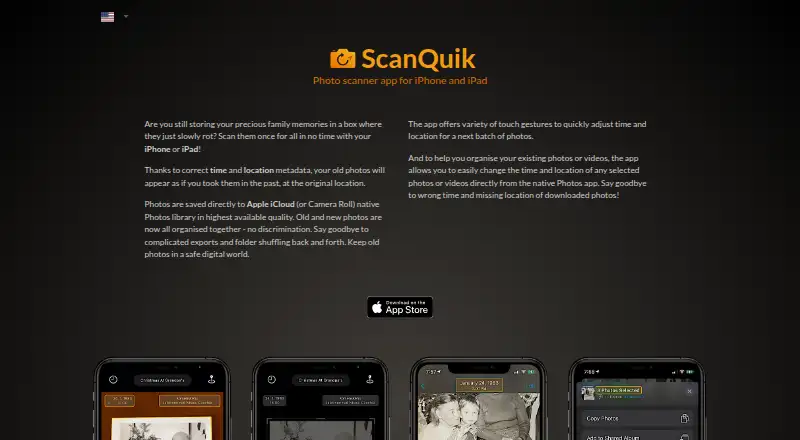
ScanQuik turns printed photographs into digital images on iPhone and iPad. It detects photo edges and scans and crops pictures automatically; users can fine-tune the corners before saving. Scans go to Apple iCloud Photos or the Camera Roll in the native Photos library. You can add time and location details so a scanned picture appears to have been taken at its original time and place. ScanQuik also provides an extension within Photos for changing time and location information on selected photos or videos. Its metadata tools include a map and favorite locations. The App Store listing says it supports HEIC and the P3 color space, and its version history notes negative scanning. The app requires iOS 12.0 or later on iPhone and iPadOS 12.0 or later on iPad. A free plan and a 3-day trial are listed; the Full Version costs 8.99 USD once. The maker is Pavel Holec, with support listed at [email protected]. The developer reports that the app collects no data, a statement Apple says it has not verified.
Who it suits
ScanQuik suits iPhone and iPad users who want to digitize printed photos and save them in the native Photos library. It may also suit people who want to edit photo or video time and location details from Photos.
What it does well
- Automatically detects, scans, and crops photo edges
- Allows precise manual corner adjustments
- Saves scans to iCloud Photos or Camera Roll
- Includes favorite locations and a metadata map
- Can scan photo negatives
What to know first
- Requires iOS 12.0 or later on iPhone
- Requires iPadOS 12.0 or later on iPad
- Full Version costs 8.99 USD once
Plans
| Plan | Billed and limits | Price |
|---|---|---|
| 3-day Trial | 3-day trial | Free |
| Full Version | Full version | $8.99, paid once |
As scanquik.com lists them, read 4 Oct 2026. The maker's own page has the final word.
Getting started
- Open the ScanQuik website or find the app through its App Store listing.
- Use an iPhone with iOS 12.0 or later, or an iPad with iPadOS 12.0 or later.
- Try the free plan or the 3-day trial.
- Scan printed photos and adjust their corners if needed.
- Save scans to iCloud Photos or the Camera Roll in the Photos library.
- Choose the Full Version for 8.99 USD once if you want that listed plan.
Verdict
ScanQuik combines automatic photo scanning with corner adjustment and metadata controls, saving scans to Apple’s native Photos library. Its listed Full Version costs 8.99 USD once, and the developer’s no-data-collection statement has not been verified by Apple.
Questions
How much does ScanQuik cost?
The Full Version is listed at 8.99 USD once. The app also has a free plan and a 3-day trial.
Which devices does it support?
ScanQuik supports iPhone with iOS 12.0 or later and iPad with iPadOS 12.0 or later.
Where are scanned photos saved?
They can be saved to Apple iCloud Photos or the Camera Roll in the native Photos library.
Can it scan photo negatives?
Yes. The App Store version history says photo negatives can be scanned.
Who makes ScanQuik?
Pavel Holec is identified as the maker. The support contact is [email protected].
What does the developer say about data collection?
The developer reports that the app does not collect data. Apple says that information has not been verified by Apple.
Facts from ScanQuik's own pages
- Automatic scanning
- The app detects photo edges automatically and scans and crops photos. · scanquik.com, 4 Oct 2026
- Compatibility
- The App Store listing requires iOS 12.0 or later on iPhone and iPadOS 12.0 or later on iPad. · apps.apple.com, 4 Oct 2026
- Editing extension
- The app lets users change the time and location of selected photos or videos from within the native Photos app. · scanquik.com, 4 Oct 2026
- Image formats
- The App Store listing says the app supports HEIC and P3 color space. · apps.apple.com, 4 Oct 2026
- Maker
- The maker's site copyright and App Store listing identify Pavel Holec. · scanquik.com, 4 Oct 2026
- Manual adjustment
- Users can precisely adjust photo corners before saving. · scanquik.com, 4 Oct 2026
- Metadata
- Scanned photos can be saved with time and location metadata so they appear as though they were taken in the past at the original location. · scanquik.com, 4 Oct 2026
- Metadata tools
- The App Store listing describes favorite locations and a map for editing photo metadata. · apps.apple.com, 4 Oct 2026
- Photo library
- Photos are saved directly to Apple iCloud Photos or the Camera Roll in the native Photos library. · scanquik.com, 4 Oct 2026
- Privacy
- The developer reports that the app does not collect data; Apple says this information has not been verified by Apple. · apps.apple.com, 4 Oct 2026
- Purpose
- ScanQuik is a photo scanner app for iPhone and iPad that digitizes old printed photos. · scanquik.com, 4 Oct 2026
- Scanning negatives
- The App Store version history says photo negatives can be scanned. · apps.apple.com, 4 Oct 2026
- Support
- The maker lists [email protected] as its support contact. · scanquik.com, 4 Oct 2026
Where ScanQuik stands on Freedom251
- Photo Scanning Software#15 of 29