Freedom251 › Document Scanning Software

PaperScan
What PaperScan is
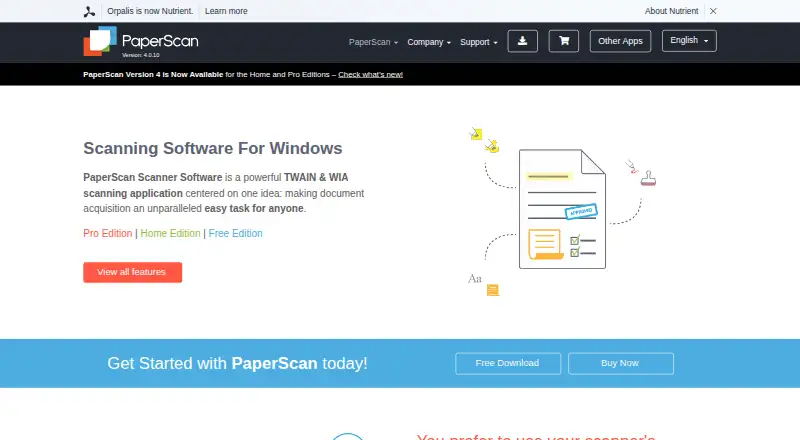
PaperScan is a Windows scanning application that acquires documents through TWAIN and WIA, with an OCR engine for searchable text. It accepts input from more than 100 document formats and supports PDF-OCR output in more than 60 languages. Image processing includes deskewing, rotation, border and punch-hole removal, blank-page removal, color adjustment, filters and effects. Annotation tools include highlights, freehand marks, shapes, lines, pens, stamps, text, sticky notes and a ruler. PaperScan can save to SharePoint on-premises or online and send email through Outlook. It can read and create encrypted PDFs, support digital signatures and output PDF/A. The Free Edition is limited to 10-page batch scanning or importing. Home Edition costs 79.00 USD once for unlimited batch work; Professional single-license costs 149.00 USD once for one user on one computer. Home and Professional trials provide all features for 30 days without a credit card, after which the software is blocked until unlocked with a license key. Legally purchased licenses are lifetime licenses.
Who it suits
PaperScan suits Windows users who need scanning, OCR, document cleanup and annotation in one application. Its free edition may fit short batches, while larger batches require a paid license.
What it does well
- Accepts input from more than 100 document formats.
- PDF-OCR output supports more than 60 languages.
- Can save to SharePoint and send through Outlook.
- Supports encrypted PDFs and digital signatures.
- Paid licenses are lifetime licenses.
What to know first
- Free Edition limits batch scanning or importing to 10 pages.
- Home Edition costs 79.00 USD once.
- Professional single-license costs 149.00 USD once.
- Available for Windows only.
Limits
The Free Edition is limited to 10-page batch scanning or importing. The Home Edition is the cheapest paid plan at $79 once and permits unlimited batch scanning or importing.
Plans
| Plan | Billed and limits | Price |
|---|---|---|
| PaperScan Free Edition | single license · 10-page batch TWAIN/WIA scanning/import · single-page output · ads | Free |
| Free Edition | 10-page batch TWAIN/WIA scanning/import | Free |
| Professional Edition — single license | unlimited batch TWAIN/WIA scanning/import · one user/single computer | $149, paid once |
| PaperScan Professional Edition | site license · up to 20 installations at one physical site | $599, paid once |
| Professional Edition — site license | up to 20 installations at one physical site | $599, paid once |
| PaperScan Home Edition | single license · unlimited batch TWAIN/WIA scanning/import · no OCR · no annotations | $79, paid once |
| Home Edition | unlimited batch TWAIN/WIA scanning/import | $79, paid once |
| Professional Edition — volume license | custom contracts for more than 250 installations | On request |
As paperscan.orpalis.com lists them, read 15 Oct 2026. The maker's own page has the final word.
Getting started
- Open the PaperScan website.
- Choose the Free Edition, Home Edition, or a Professional license.
- Install PaperScan on a Windows PC that meets the minimum system requirement.
- Connect or use a TWAIN or WIA scanner, or import documents.
- For a Home or Professional trial, use the 30-day trial package; unlock the software with a license key after the trial.
PaperScan is a Windows application for scanning, OCR, document cleanup and annotation. It suits people who need to turn varied inputs into searchable, marked-up or archival files rather than simply capture a page. The main compromise is a 10-page batch ceiling in the free edition.
Overview
PaperScan works with TWAIN and WIA scanners and accepts more than 100 document formats. Its OCR supports PDF output in more than 60 languages, and it can export to PDF, PDF/A, PDF/UA, office documents, images and formats including HTML and DXF. That range makes it useful when scanning is one stage in a document workflow, not the whole job.
Key features
Cleanup and annotation
Automatic deskew, rotation, border and punch-hole removal, blank-page removal, color adjustment, filters and effects address common image corrections before export. Highlighter, freehand, shape, line, pen, rubber-stamp, text, sticky-note and ruler tools let users mark documents in the same application. This is a meaningful advantage for review and preparation workflows; it is more than someone seeking only basic capture may need.
Output and document handling
PaperScan can save to SharePoint on-premises and SharePoint Online, and send email through Outlook. It can read encrypted PDFs, create encrypted PDFs and handle digital signatures. PDF/A output, with support for its conformance levels and versions, is useful when archival format matters.
Pricing
The Free Edition costs nothing and limits TWAIN/WIA scanning or import to 10 pages per batch. It is a practical way to handle occasional short jobs, but repeated or larger batches make the cap consequential.
Home Edition costs $79, paid once and removes the batch limit. Professional Edition single license costs $149, paid once, includes unlimited batch scanning or import, and covers one user on one computer. The Home plan suits an individual who needs larger batches; the single Professional license is the better fit when Professional support matters, as technical Help Desk support is included for Professional license owners.
Professional site license costs $599, paid once for up to 20 installations at one physical site. For more than 250 installations, Professional volume licensing uses custom contracts with custom pricing. Purchased licenses are lifetime licenses, with free upgrades for medium and minor sub-versions within the purchased major version.
Home and Professional trial packages provide all features free for 30 days without a credit card. When the trial ends, the software is blocked until a license key unlocks it, so it is a time-limited evaluation rather than an ongoing free tier.
Platforms
PaperScan runs on Windows, with a minimum requirement of Windows Vista or higher and 512 MB of RAM. It is not a cross-platform choice for households or teams using other operating systems.
Who it's for
PaperScan is a strong fit for Windows users who scan in batches, need multilingual OCR, or routinely clean up and annotate pages before producing searchable, archival or office-ready files. Its SharePoint and Outlook connections also suit document workflows built around those services. For simple scanning, the paid editions may be more than necessary; for teams outside Windows, the platform restriction is decisive.
Pros and cons
- Pros: Broad input and export support gives users room to convert documents into formats beyond PDF.
- Pros: OCR, image correction and annotation tools combine capture and document preparation in one application.
- Pros: Lifetime licenses and unlimited batch scanning in paid editions avoid recurring subscription charges and the free edition's batch cap.
- Cons: The free edition stops at 10 pages per batch, a real obstacle for routine multi-page work.
- Cons: Windows-only support excludes users who need a native scanning application on another platform.
- Cons: Trial access ends with the software blocked until a license key is entered.
Alternatives
Choose NAPS2 if you want free scanning software for individuals or businesses without ads or restrictions, and need Linux or macOS support as well as Windows. PaperStream Capture is a Windows alternative to consider if you use a current fi Series scanner and have the required PaperStream IP TWAIN or ISIS drivers. KODAK Capture Pro Software has a free Limited Edition included with many Kodak Alaris scanners, but it is limited to single-batch scanning; a full version is available as an upgrade. Brother P-touch Editor is free software for Windows version 6.0 that works with select Brother P-touch and QL models. GNOME Remote Desktop is free, with RDP and VNC backends, though not all operating modes work with both. Q-Dir is free for company, business and private use on Windows. scanservjs is a free, self-hosted option requiring a SANE-compatible scanner and a Linux host or VM. DocScan is a free-to-download iOS app, with PRO features requiring a subscription.
Browse Document Scanning Software, Scanner Software and Photo Scanning Software for more options.
Verdict
PaperScan is best for Windows users who need scanning to include OCR, cleanup, annotation and flexible document output. Its one-time paid licenses and unlimited batch processing make it a practical step up from the free edition for regular work. Look elsewhere if you need a lasting unrestricted free plan or support beyond Windows.
Verdict
PaperScan combines scanning, OCR, image cleanup and document annotation, with PDF/A and encrypted PDF support. The free edition has a 10-page batch limit, and trials end with the software blocked until a license key is entered.
Questions
Is PaperScan free?
Yes. The Free Edition costs nothing and allows 10-page batch TWAIN/WIA scanning or importing.
How much do the paid editions cost?
Home Edition costs $79 once. Professional single-license costs $149 once for one user on one computer.
Does PaperScan have a free trial?
Home and Professional trial packages provide all features for 30 days without requiring a credit card. Afterward, the software is blocked until unlocked with a license key.
Which platform does PaperScan support?
PaperScan supports Windows. Its minimum system requirement is Windows Vista or higher on a PC with at least 512 MB RAM.
Can PaperScan connect to SharePoint or Outlook?
It can save to SharePoint on-premises and SharePoint Online, and send email through Outlook.
What license support and upgrades are included?
Legally purchased licenses are lifetime licenses. They include free upgrades for medium and minor sub-versions of the purchased major version; Professional license owners are entitled to Help Desk technical support.
Facts from PaperScan's own pages
- 32/64-bit installers
- The reference guide says PaperScan ships in both 32-bit and 64-bit versions so users can match installed scanner drivers. · paperscan.orpalis.com, 15 Oct 2026
- Android app complaints
- Google Play reviewers report hanging, crashes during QuickStore uploads, and automatic contrast/brightness filtering that cannot be adjusted; the listing also notes incompatibility with Galaxy S20 devices. · play.google.com, 15 Oct 2026
- Annotations
- Professional Edition includes annotations such as highlighters, shapes, freehand marks, rubber stamps, text and sticky notes. · paperscan.orpalis.com, 15 Oct 2026
- Archival output
- The software supports PDF/A conformance levels and versions as an output format. · paperscan.orpalis.com, 1 Oct 2026
- Barcode workflows
- Version 4 adds 1D and 2D barcode reading that can split document sets or contribute barcode values to output filenames. · orpalis.com, 15 Oct 2026
- Batch processing
- Professional Edition supports unlimited batch TWAIN/WIA scanning and automated deskew, rotation, border removal, punch-hole removal and negative processing. · paperscan.orpalis.com, 15 Oct 2026
- Blank-page removal
- Professional Edition can automatically detect and remove blank pages during batch work. · paperscan.orpalis.com, 15 Oct 2026
- Company founding history
- ORPALIS says its first GdPicture.NET SDK release was in 2003 and describes the company as privately held and self-funded. · orpalis.com, 15 Oct 2026
- Company headquarters
- The official contact address is 52 rue de Marclan, Le Verdi, 31600 Muret, France. · orpalis.com, 15 Oct 2026
- Company legal name
- The official site footer identifies the maker as Orpalis Imaging SAS. · paperscan.orpalis.com, 15 Oct 2026
- Company size
- LinkedIn lists ORPALIS as having 11–50 employees and headquartered in Muret, Haute-Garonne. · fr.linkedin.com, 15 Oct 2026
- Compression and PDF
- The product supports PDF encryption, Fast Web View, PDF/A output, JBIG2/JPEG 2000 compression and Mixed Raster Content compression. · paperscan.orpalis.com, 15 Oct 2026
- Core function
- PaperScan is a TWAIN and WIA scanning application with an OCR engine for document acquisition. · paperscan.orpalis.com, 1 Oct 2026
- Current version
- The site identifies version 4.0.10, dated March 20, 2024. · paperscan.orpalis.com, 15 Oct 2026
- Developer SDK
- The developer page says PaperScan is powered by the GdPicture.NET document-imaging SDK, which is described as having more than 3,000 features and TWAIN/WIA capabilities. · paperscan.orpalis.com, 15 Oct 2026
- Documentation depth
- Official support includes a 78-page reference guide, video walkthroughs, FAQ, glossary, contact form and a helpdesk for Professional license owners. · paperscan.orpalis.com, 15 Oct 2026
- Headquarters
- Muret, France · paperscan.orpalis.com, 28 Sept 2026
- Image enhancement
- PaperScan offers color, grayscale and black-and-white conversion, brightness/contrast/saturation/gamma controls, filters, dithering and contour or sepia effects. · paperscan.orpalis.com, 15 Oct 2026
- Image processing
- Features include autodeskew, rotation, border removal, punch-hole removal, blank-page removal, color adjustment, filters and effects. · paperscan.orpalis.com, 1 Oct 2026
- Import and page arrangement
- Users can import image and PDF files, arrange pages into single-page or multipage documents, and save them in multiple formats. · paperscan.orpalis.com, 15 Oct 2026
- Independent editorial assessment
- TechRadar calls PaperScan affordable, multilingual and available in a free tier, while describing it as best suited to post-processing on Windows. · techradar.com, 15 Oct 2026
- Independent limit: setup and routing
- Worldmetrics rates PaperScan 7.9/10 and says scanner-specific setup can take time, export routing is less straightforward than cloud-folder sync and OCR quality varies with input quality. · worldmetrics.org, 15 Oct 2026
- Input formats
- The software supports input from more than 100 document formats. · paperscan.orpalis.com, 1 Oct 2026
- Integrations
- PaperScan can save to SharePoint on-premises and SharePoint Online and send email through Outlook. · paperscan.orpalis.com, 1 Oct 2026
Where PaperScan stands on Freedom251
- Document Scanning Software#6 of 26
- Scanner Software#8 of 22
- Photo Scanning Software#12 of 29