Freedom251 › Document Scanning Software
DocScan
What DocScan is
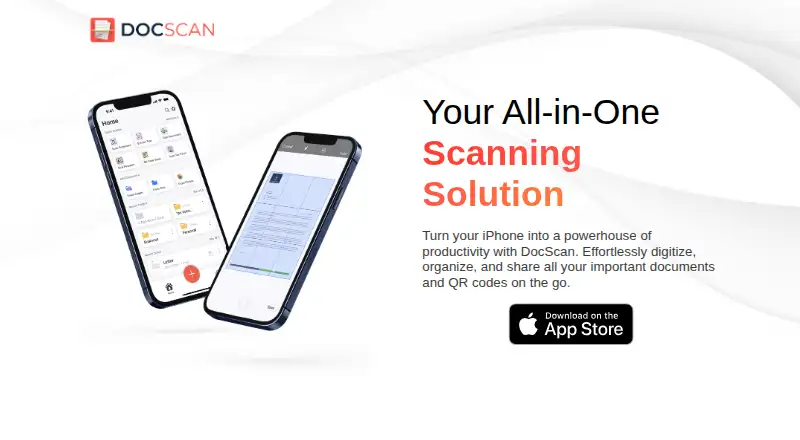
DocScan is an iPhone app for scanning documents and reading QR codes. It can capture one page or build a multi-page project by adding scans as you go. Scanned documents can be saved as high-resolution PDF or JPG files and shared through email, messaging apps, iCloud, Dropbox, or Google Drive. QR scans can be kept in a dedicated library. The app also offers one-tap grayscale conversion, markup, highlighting, blur, formatted text, rotation, cropping, and page removal. It can sign documents, extract text with OCR, and import document photos, handwritten notes, and receipts from the photo library into folders. The app is free to download, while PRO features require a subscription. PRO includes unlimited PDF scanning and sharing, multi-page scanning, OCR, signing, and an ad-free interface. DocScan is for iPhone and requires iOS 16.0 or later. Its privacy policy says it may collect IP address, GUID, device details, and anonymous diagnostics, and does not explicitly sell personal information.
Who it suits
DocScan suits iPhone users who want to scan and organize documents, read QR codes, or share files as PDFs and JPGs. Its OCR, signing, and editing tools may be useful for people handling receipts, notes, and forms.
What it does well
- Scans single pages and multi-page projects.
- Exports high-resolution PDFs and JPGs.
- Saves QR scans in a dedicated library.
- Imports photos, handwritten notes, and receipts.
- Offers one-tap grayscale conversion.
What to know first
- Requires iOS 16.0 or later.
- PRO features require a subscription.
- Privacy policy says it may collect IP address and GUID.
Limits
The free download does not include all PRO features. PRO requires a subscription and includes unlimited PDF scanning and sharing, multi-page scanning, OCR, signing, and an ad-free interface.
Plans
| Plan | Billed and limits | Price |
|---|---|---|
| Free | Free to download · PRO features require a subscription | Free |
As docscan.live lists them, read 4 Oct 2026. The maker's own page has the final word.
Getting started
- Download DocScan from the App Store; the app is free to download.
- Use an iPhone running iOS 16.0 or later.
- Capture a document with the camera, or import document photos, notes, or receipts from the photo library.
- Add pages to a scan project, then edit or sign the document as needed.
- Export as PDF or JPG and share through an available service.
- Subscribe to PRO for unlimited PDF scanning and sharing, OCR, signing, and ad-free features.
Verdict
DocScan combines document scanning, QR reading, editing, and sharing in an iPhone app. Check the PRO subscription requirement and iOS version before relying on its included features.
Questions
Is DocScan free?
It is free to download. PRO features require a subscription.
Which devices does DocScan support?
The App Store listing says DocScan is for iPhone and requires iOS 16.0 or later.
What export formats can I use?
Scans can be exported as high-resolution PDF or JPG files.
Where can I share scans?
The listed destinations include email, messaging apps, iCloud, Dropbox, and Google Drive.
What does PRO include?
PRO includes unlimited PDF scanning and sharing, multi-page document scanning, OCR text extraction, signing, and an ad-free interface.
What does the privacy policy say the app may collect?
It may collect IP address, GUID, browser and operating-system details, and anonymous diagnostic data. The policy says it does not explicitly sell personal information.
Facts from DocScan's own pages
- Editing and signatures
- The App Store listing describes signing documents and editing scans with markup, highlighting, blur, formatted text, rotation, cropping, grayscale, and page removal. · apps.apple.com, 4 Oct 2026
- Export and sharing
- Scans can be exported as high-resolution JPG or PDF files and shared by email, messaging apps, iCloud, Dropbox, or Google Drive. · docscan.live, 4 Oct 2026
- Grayscale
- The app converts color documents to grayscale with one tap. · docscan.live, 4 Oct 2026
- Headquarters
- San Francisco, California, United States · docscan.live, 28 Sept 2026
- OCR and importing
- The App Store listing says DocScan can extract text with OCR and automatically import document photos, handwritten notes, and receipts from the photo library into folders. · apps.apple.com, 4 Oct 2026
- Platform
- The App Store listing says DocScan is for iPhone and requires iOS 16.0 or later. · apps.apple.com, 4 Oct 2026
- PRO limits
- The App Store listing says PRO includes unlimited PDF scanning and sharing, multi-page document scanning, OCR text extraction, signing, and an ad-free interface. · apps.apple.com, 4 Oct 2026
- Purpose
- DocScan turns an iPhone into a document scanner and QR code reader for digitizing, organizing, and sharing documents. · docscan.live, 4 Oct 2026
- QR codes
- It scans QR codes and can save them in a dedicated QR code library. · docscan.live, 4 Oct 2026
- Scanning
- The app can scan single or multiple pages and append pages to an ongoing project. · docscan.live, 4 Oct 2026
- Security and privacy
- The maker's privacy policy says it may collect IP address, GUID, browser and operating-system details, and anonymous diagnostic data; it says it does not explicitly sell personal information. · docscan.live, 4 Oct 2026
- Service providers
- The privacy policy lists Amazon Web Services, Cloudflare, Google, IBM Cloud, and Verizon Media as possible third-party service providers. · docscan.live, 4 Oct 2026
- Support
- The maker invites questions and feedback by email or postal mail at its San Francisco contact address. · docscan.live, 4 Oct 2026
Where DocScan stands on Freedom251
- Document Scanning Software#3 of 26