Freedom251 › Document Scanning Software
PaperStream Capture
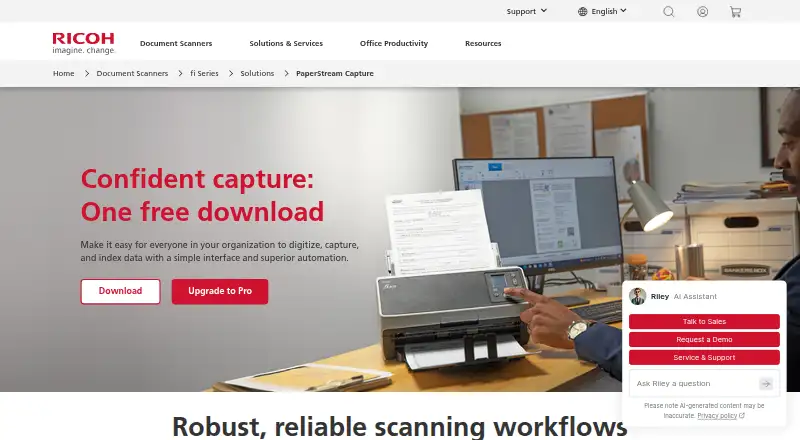
What PaperStream Capture is
PaperStream Capture is Windows software for digitizing, capturing and indexing business documents through scanning workflows. It can scan, sort, separate and save documents as searchable PDFs or other selected file types. Separation rules include page count, blank pages, barcodes, patch codes, OCR, keyboard input, document forms and file size. The software provides default settings and lets advanced users create custom profiles; administrators can lock profiles for consistent scanning and use Scanner Central Admin to manage and deploy fleet updates and profiles. Its AIQC function helps select images for data capture and quality control. Listed output formats include PDF, PDF/A, searchable PDF, TIFF, JPEG, BMP and others, while listed integrations include FTP and SharePoint. The manufacturer says it works with current fi Series scanners and recommends it with fi and SP Series scanners. PaperStream IP TWAIN or ISIS driver connectivity is required. ARM-based Windows 11 support is limited to specified scanner models and the 32-bit PaperStream IP TWAIN driver. A free download is listed for compatible fi Series scanners.
Who it suits
PaperStream Capture suits organizations using supported scanners for business document capture workflows. It is aimed at users who need configurable scanning and indexing, with administrative controls for managing profiles and updates.
What it does well
- Separates documents using multiple rules
- Includes searchable PDF output
- Administrators can lock scanning profiles
- Lists FTP and SharePoint linkage
- Free download listed for compatible fi Series scanners
What to know first
- Requires PaperStream IP TWAIN or ISIS connectivity
- ARM-based Windows 11 support has model and driver limits
- Designed for compatible scanners
Limits
The free download requires a compatible current fi Series scanner and PaperStream IP TWAIN or ISIS driver connectivity. On ARM-based Windows 11 PCs, support is limited to specified scanner models and the 32-bit PaperStream IP TWAIN driver.
Plans
| Plan | Billed and limits | Price |
|---|---|---|
| PaperStream Capture | Free download · compatible with current fi Series scanners · requires PaperStream IP TWAIN or ISIS drivers | Free |
As pfu-us.ricoh.com lists them, read 30 Sept 2026. The maker's own page has the final word.
Getting started
- Download PaperStream Capture from the PFU America website.
- Use a compatible current fi Series scanner; the maker recommends it with fi and SP Series scanners.
- Install PaperStream IP TWAIN or ISIS driver connectivity.
- Start with the default settings or configure a custom profile.
- Choose scanning, separation, and output settings for the workflow.
PaperStream Capture is business document-capture software for organizations that scan, index and route repeat batches. It suits teams using compatible fi Series scanners and needing controlled separation, searchable files and administrator oversight. The main trade-off is a scanner-and-driver dependency that makes it a poor fit for casual scanning or unsupported hardware.
Overview
PaperStream Capture turns scanner input into organized document workflows rather than simply saving images. It is designed as a front end for business capture processes and is recommended with fi and SP Series scanners. The free download and support for current fi Series scanners make it accessible to organizations already invested in that hardware, while the workflow depth is more than most occasional users need.
Compatibility is central to the decision. PaperStream IP TWAIN or ISIS drivers are required, and the manufacturer says the software may run on an unlimited number of computers. That can suit distributed scanning operations, but it does not remove the need to confirm that the scanner model and driver combination is supported.
Key features
Scanning, sorting, separation and saving are handled in one workflow. Documents can be split by page count, blank page, barcode, patch code, OCR, keyboard input, document form or file size. This unusually broad set of triggers is useful for mixed batches such as forms, correspondence and invoices that must be divided consistently. For a single document or infrequent scan, configuring these rules may be unnecessary overhead.
AIQC helps select images for capture and quality control, while default settings provide a starting point and custom profiles allow advanced users to define repeatable jobs. Administrators can lock profiles so operators use consistent settings. Scanner Central Admin can centrally manage and deploy fleet updates and profiles, giving larger scanner estates a practical way to standardize operations.
Output is flexible: PDF, PDF/A, searchable PDF, TIFF, Multi-TIFF, JPEG, JPEG2000, BMP, PNG, RTF, Word, Excel and PowerPoint are supported. OCR covers 28 languages. FTP and SharePoint linkage provide destinations for captured files, which is more useful for an established document process than for ad-hoc personal scanning.
Pricing
PaperStream Capture uses a freemium model. The PaperStream Capture plan is a free download at no cost and includes compatibility with current fi Series scanners; PaperStream IP TWAIN or ISIS drivers are required. The pricing note also states a 60-day trial, while the plan is presented as free rather than as a separate free-trial tier. There is no paid seat price or usage quota given, and the software may run on an unlimited number of computers according to the manufacturer. Its value therefore depends primarily on owning compatible scanner hardware.
Platforms
PaperStream Capture is available for Windows. The manufacturer lists support for ARM-based Windows 11 PCs as of June 30, 2026, but only with specified scanner models and the 32-bit PaperStream IP TWAIN driver. ARM users should verify both conditions before deployment. Phone, macOS and Linux versions are not offered.
Who it's for
This is a strong match for organizations running repeat document batches on fi or SP Series scanners, especially where automatic separation, multilingual OCR, searchable PDFs and standardized profiles matter. Administrators managing several scanners benefit from centralized profile and update deployment. It is less suitable for users with non-compatible scanners, people who need a cross-platform tool, or anyone seeking a simple utility for occasional scans.
Pros and cons
Pros
- Eight separation methods handle varied business batches without manual page sorting.
- Searchable PDF and OCR in 28 languages support indexing and retrieval across multilingual documents.
- Profile locking and Scanner Central Admin help maintain consistency across managed scanner fleets.
- FTP and SharePoint linkage connect capture to common document destinations.
- The free download and potentially unlimited computer installation reduce software licensing friction for compatible fi Series owners.
Cons
- TWAIN or ISIS driver requirements and fi Series compatibility narrow hardware choice.
- Windows is the only listed platform, with ARM support restricted to specified scanners and a 32-bit driver.
- Its batch rules and administration controls are excessive for straightforward, occasional scanning.
Alternatives
Document Scanning Software and Scanner Software lists are useful starting points when you need to compare a wider field.
- Brother P-touch Editor is a free Windows, macOS, Android and iOS choice for select Brother P-touch and QL models, aimed at label creation rather than business document capture.
- NAPS2 is free for individuals and businesses, with no ads or restrictions, and supports Linux, macOS and Windows.
- GNOME Remote Desktop is a free Linux or self-hosted remote-desktop tool with RDP and VNC backends.
- KODAK Capture Pro Software suits Kodak Alaris scanner owners; its Limited Edition is included with many scanners and is restricted to single-batch scanning until upgraded.
- OCRFeeder is free GPL software for Linux.
- PaperScan is a Windows alternative whose free edition limits TWAIN/WIA batch scanning and import to 10 pages, while Home Edition costs 79.00 USD once for unlimited batch work.
- Q-Dir is free Windows software for company, business and private use.
- scanservjs is free, open-source and self-hosted, requiring a SANE-compatible scanner and a Linux host or virtual machine.
Verdict
Choose PaperStream Capture if your organization already operates compatible fi or SP Series scanners and needs reliable batch separation, multilingual OCR and centrally controlled profiles at no software cost. Look elsewhere if you require macOS or Linux support, broad scanner compatibility, or a lightweight tool for occasional scans.
Verdict
PaperStream Capture offers configurable document scanning and separation for compatible scanner workflows. Confirm scanner and driver compatibility before relying on it, especially for ARM-based Windows 11 PCs.
Questions
Does PaperStream Capture cost anything?
The listed PaperStream Capture plan is free to download for compatible current fi Series scanners.
Which operating system does it support?
Windows is the listed platform. ARM-based Windows 11 support is limited to specified scanner models and the 32-bit PaperStream IP TWAIN driver.
What scanners and drivers are required?
It is compatible with current fi Series scanners, and the maker recommends it with fi and SP Series scanners. PaperStream IP TWAIN or ISIS driver connectivity is required.
What file formats can it export?
Listed formats include PDF, PDF/A, searchable PDF, TIFF, JPEG, BMP, PNG, RTF, Word, Excel, and PowerPoint.
Can it send documents to other services?
The datasheet lists FTP and SharePoint linkage.
What document separation options are available?
Documents can be separated by count, blank page, barcode, patch code, OCR, keyboard input, document form, or file size.
Facts from PaperStream Capture's own pages
- Document output
- Users can scan, sort, separate, and save documents as searchable PDFs or other selected file types. · pfu-us.ricoh.com, 30 Sept 2026
- Driver requirement
- PaperStream IP TWAIN or ISIS driver connectivity is required. · pfu-us.ricoh.com, 30 Sept 2026
- File formats
- The datasheet lists PDF, PDF/A, PDF with OCR, TIFF, JPEG, and BMP output options. · pfu-us.ricoh.com, 30 Sept 2026
- Founded
- 1960 · pfu-us.ricoh.com, 28 Sept 2026
- Headquarters
- Ishikawa, Japan · pfu-us.ricoh.com, 28 Sept 2026
- Image quality
- Its AIQC function helps select ideal images for data capture and quality control. · pfu-us.ricoh.com, 30 Sept 2026
- Integrations
- The datasheet lists FTP and SharePoint linkage. · pfu-us.ricoh.com, 30 Sept 2026
- Intended users
- The maker describes the software as a front end for business document capture workflows and recommends it with fi and SP Series scanners. · pfu-us.ricoh.com, 30 Sept 2026
- Operating system
- The manufacturer lists PaperStream Capture among software supporting ARM-based Windows 11 PCs as of June 30, 2026, with support limited to specified scanner models and the 32-bit PaperStream IP TWAIN driver. · pfu-us.ricoh.com, 30 Sept 2026
- Profiles
- The software includes default settings and lets advanced users configure custom profiles. · pfu-us.ricoh.com, 30 Sept 2026
- Purpose
- PaperStream Capture helps organizations digitize, capture, and index data through scanning workflows. · pfu-us.ricoh.com, 30 Sept 2026
- Scanner compatibility
- The manufacturer says PaperStream Capture is compatible with current fi Series scanners and may run on an unlimited number of computers. · pfu-us.ricoh.com, 30 Sept 2026
- Security and administration
- Administrators can lock profiles to maintain scanning consistency, and Scanner Central Admin can centrally manage and deploy fleet updates and profiles. · pfu-us.ricoh.com, 30 Sept 2026
- Separation methods
- Documents can be separated by count, blank page, barcode, patch code, OCR, keyboard, document form, or file size. · pfu-us.ricoh.com, 30 Sept 2026
- Support
- PFU America lists technical support by phone and email on weekdays from 5 a.m. to 5 p.m. Pacific Time. · pfu-us.ricoh.com, 30 Sept 2026
Where PaperStream Capture stands on Freedom251
- Document Scanning Software#7 of 26
- Scanner Software#9 of 22