Freedom251 › Document Scanning Software
KODAK Capture Pro Software
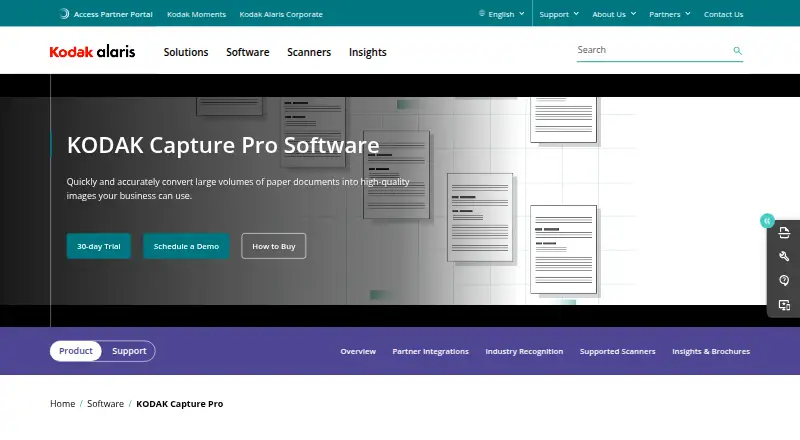
What KODAK Capture Pro Software is
KODAK Capture Pro Software converts large volumes of scanned paper documents into information for business processes. It can separate documents automatically and change jobs or profiles during batch scanning. Validation tools identify missing information and flag questionable information for review. The full version supports scanning speeds up to 210 pages per minute. The software can route information to ECM systems, SharePoint, and Secure FTP, with output formats including TIFF, PDF, searchable PDF, and PNG. APIs extend indexing and output capabilities and allow customization of the end-user experience. Listed partner integrations include DocFinity, SoftExpert Excellence Suite, and UiPath Orchestrator. Capture Pro supports certain scanners from other manufacturers and can run on local workstations without an internet connection. It is certified for specified 64-bit Windows workstation and server versions. A free Limited Edition, included with many Kodak Alaris scanners, supports single-batch scanning; the full version is available by subscription or perpetual license, with pricing on request.
Who it suits
It suits organizations processing large document batches that need scanning, validation, and routing to business systems. The Limited Edition may fit users with a compatible Kodak Alaris scanner who need single-batch scanning.
What it does well
- Automatically separates documents in large batches
- Flags missing or questionable information for review
- Routes output to ECM systems, SharePoint, and Secure FTP
- Supports searchable PDF, TIFF, PDF, and PNG
- Can run without an internet connection
What to know first
- No free plan
- Full-version pricing is on request
- Limited Edition supports single-batch scanning
- Workstation software is certified for Windows only
Limits
The free Limited Edition supports single-batch scanning. The full version is paid, with pricing on request, and its subscription service is unavailable for Auto Import Edition.
Plans
| Plan | Billed and limits | Price |
|---|---|---|
| KODAK Capture Pro Software Limited Edition | Included with many Kodak Alaris scanners · single-batch scanning · full version available as an upgrade | Free |
| KODAK Capture Pro Software (full version) | Available as a 1-year subscription or perpetual license; pricing not stated · High-volume operations · subscription service not available for Auto Import Edition | On request |
As kodakalaris.com lists them, read 8 Oct 2026. The maker's own page has the final word.
Getting started
- Visit https://www.kodakalaris.com/en/software/kodak-capture-pro.
- Use the Limited Edition included with many Kodak Alaris scanners, or request full-version pricing.
- Install the workstation software on a certified 64-bit Windows 10 or Windows 11 Professional or Enterprise system.
- Connect a supported scanner, including a compatible third-party ISIS scanner or one certified with VRS 4.1 or higher.
- Route information to destinations such as ECM systems, SharePoint, or Secure FTP.
KODAK Capture Pro Software turns large scanning workloads into information for business processes. It is best suited to document teams that need batch checks and controlled routing; its high-volume capabilities are balanced by Windows requirements and a full-version price available only on request.
Overview
Capture Pro is built to convert scanned paper documents into usable business information. It can separate documents and switch jobs or profiles during large batches, then route output to enterprise content management systems, SharePoint, or Secure FTP. That mix suits organizations handling varied, substantial workloads with defined downstream destinations. For occasional scanning, it is likely more system than the task requires.
Key features
Batch handling and checks
Intelligent Exception Processing identifies missing information, while Intelligent Quality Control flags questionable information for review. These checks help capture teams identify records needing attention, but they do not replace review. Automatic separation and job or profile switching help manage mixed batches without treating every document as a separate run. The full version supports scanning speeds up to 210 pages per minute, a useful ceiling for high-volume operations rather than a guarantee of real-world throughput.
Routing and customization
Output can go to ECM systems, SharePoint, and Secure FTP, with industry-standard formats including TIFF, PDF, searchable PDF, and PNG. Most system output modules are available at no charge, although third-party vendors may set their own prices. System outputs generally do not work with Limited Edition, with SharePoint output the exception. APIs extend indexing and output capabilities and allow customization of the end-user experience; partner integrations include DocFinity, SoftExpert Excellence Suite, and UiPath Orchestrator.
Scanner compatibility
Capture Pro supports scanners from other manufacturers that use ISIS, as well as scanners certified with VRS 4.1 or higher. That broadens its usefulness beyond a single scanner brand, though compatibility still depends on the applicable interface or certification. Local workstations can run the software without an internet connection.
Pricing
The KODAK Capture Pro Software Limited Edition costs free and is included with many Kodak Alaris scanners. It provides single-batch scanning, so it can suit a modest, contained workflow or let scanner owners begin with basic capture. The full version is available as an upgrade, but most system output modules do not work with Limited Edition; SharePoint output is the stated exception.
The full version has custom pricing and is offered as either a 1-year subscription or a perpetual license. It is the fit for high-volume operations that need the broader batch workflow and outputs. The subscription service is not available for Auto Import Edition. Customers with an active Service and Support Contract can upgrade to the latest release through Software Assurance at no additional charge. The choice between subscription and perpetual licensing, and the applicable price, should be settled with Kodak Alaris before committing.
Platforms
The workstation software is certified for 64-bit Windows 10 and Windows 11 Professional or Enterprise. Supported server versions are Windows Server 2016, 2019, 2022, and 2025. Kodak recommends an i5 Gen 12 or newer processor, 16 GB RAM, at least 10 GB of free disk space (more for higher volumes), and an SSD for workstation or client use. These requirements make it a poor fit for teams expecting broad desktop-platform support or planning to run it on modest hardware.
Who it's for
Capture Pro is aimed at organizations converting large paper volumes into routed, usable records, particularly where batches need separation, exception checks, and integration with business destinations. Its offline workstation operation can suit environments that keep capture local. Teams with only occasional scans, limited hardware, or a need to know the full-version price before evaluating a purchase should look elsewhere or clarify costs first.
Pros and cons
- Pros: Batch separation and profile switching support varied, large scanning runs without reducing the workflow to single-document handling.
- Pros: Missing-information and questionable-record checks give operators focused review points during capture.
- Pros: Routing destinations, searchable PDF output, APIs, and partner integrations support downstream business processing.
- Pros: ISIS and VRS-certified scanner support, plus offline operation, leave room for mixed scanner setups and local capture.
- Cons: Limited Edition is restricted to a single batch, and most system output modules do not work with it.
- Cons: Full-version pricing is custom, making a cost comparison difficult until the licensing quote is obtained.
- Cons: Certified Windows editions and recommended workstation specifications rule out some platforms and older hardware.
Alternatives
Document Scanning Software and Scanner Software offer broader category comparisons. For a free, unrestricted option that runs on Linux, macOS, or Windows, consider NAPS2; it is a different choice from Capture Pro's business routing and batch controls. PaperScan may fit Windows users seeking a freemium scanner tool: its Free Edition caps batches at 10 pages, while Home Edition offers unlimited batch TWAIN/WIA scanning and import for $79, paid once. For current fi Series scanners, PaperStream Capture is a free download, provided the required PaperStream IP TWAIN or ISIS drivers are in place.
Brother P-touch Editor, GNOME Remote Desktop, OCRFeeder, Q-Dir, and scanservjs are also listed as alternatives, but their stated capabilities do not establish them as direct substitutes for high-volume document capture.
Verdict
Choose KODAK Capture Pro if your organization processes substantial scanning volumes and needs batch validation, separation, and routing into business systems. Its strongest reason to buy is the combination of high-throughput handling and configurable output; the main reason to look elsewhere is the combination of a single-batch free edition, Windows-specific requirements, and custom full-version pricing.
Verdict
Capture Pro combines batch scanning, document checks, and routing, with a free single-batch edition and paid full-version options. Check the Windows requirements and edition limits against your scanning setup.
Questions
Is KODAK Capture Pro Software free?
The full version is paid, with pricing on request. A free Limited Edition is included with many Kodak Alaris scanners and supports single-batch scanning.
How is the full version sold?
It is available as a subscription or a perpetual license. Pricing is on request.
Which operating systems are supported?
Workstation software is certified for 64-bit Windows 10 and Windows 11 Professional or Enterprise. Supported server versions are Windows Server 2016, 2019, 2022, and 2025.
Can Capture Pro run offline?
Yes. It can run on local workstations without an internet connection.
What integrations are listed?
Partner integrations include DocFinity, SoftExpert Excellence Suite, and UiPath Orchestrator. Capture Pro can also route information to ECM systems, SharePoint, and Secure FTP.
What are the upgrade terms?
Customers with an active Service and Support Contract can upgrade to the latest release through Software Assurance at no additional charge.
Facts from KODAK Capture Pro Software's own pages
- APIs
- The software includes APIs to extend indexing and output capabilities and customize the end-user experience. · kodakalaris.com, 8 Oct 2026
- Capture validation
- Intelligent Exception Processing identifies missing information, and Intelligent Quality Control flags questionable information for review. · kodakalaris.com, 8 Oct 2026
- Destinations
- It can route information to ECM systems, SharePoint, and Secure FTP, and output to industry-standard formats. · kodakalaris.com, 8 Oct 2026
- Document handling
- The software can automatically separate documents and switch jobs and profiles while scanning large batches. · kodakalaris.com, 8 Oct 2026
- Founded
- 2013 · kodakalaris.com, 28 Sept 2026
- Headquarters
- Hemel Hempstead, Hertfordshire, United Kingdom · kodakalaris.com, 28 Sept 2026
- Integrations
- Maker-listed partner integrations include DocFinity, SoftExpert Excellence Suite, and UiPath Orchestrator. · kodakalaris.com, 8 Oct 2026
- Offline use
- The software can run on local workstations without an internet connection. · kodakalaris.com, 8 Oct 2026
- Operating systems
- The workstation software is certified for 64-bit Windows 10 and Windows 11 Professional or Enterprise; supported server versions include Windows Server 2016, 2019, 2022, and 2025. · kodakalaris.com, 8 Oct 2026
- Output module limits
- Most system output modules are available at no charge, but third-party vendors may set their own prices; system outputs generally do not work with Limited Edition except SharePoint output. · kodakalaris.com, 8 Oct 2026
- Purpose
- The software converts high volumes of scanned paper documents into usable information for business processes. · kodakalaris.com, 8 Oct 2026
- Scanner compatibility
- Capture Pro supports scanners from other manufacturers using ISIS and supports scanners certified with VRS 4.1 or higher. · kodakalaris.com, 8 Oct 2026
- Scanning throughput
- The full version is described as supporting scanning speeds up to 210 pages per minute. · kodakalaris.com, 8 Oct 2026
- Support and upgrades
- Customers with an active Service and Support Contract can upgrade to the latest release as part of Software Assurance at no additional charge. · kodakalaris.com, 8 Oct 2026
- System requirements
- Kodak recommends an i5 Gen 12 or newer processor, 16 GB RAM, 10 GB free disk space or more for higher volumes, and an SSD for workstation/client use. · kodakalaris.com, 8 Oct 2026
Where KODAK Capture Pro Software stands on Freedom251
- Document Scanning Software#18 of 26
- Scanner Software#19 of 22