Freedom251 › Document Scanning Software
OCR Console
What OCR Console is
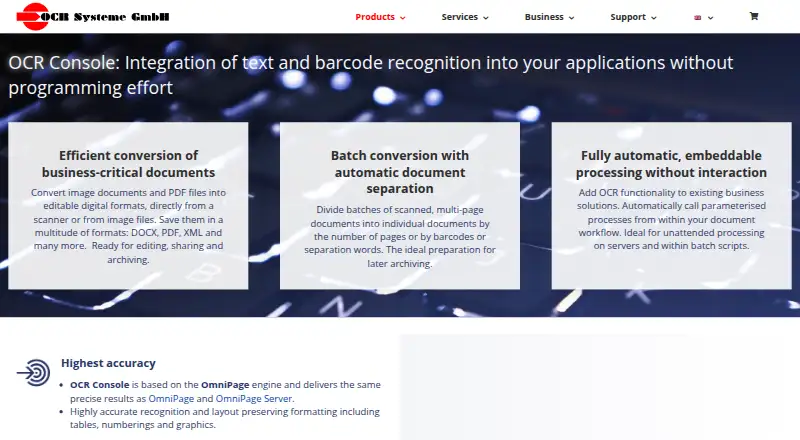
OCR Console is a Windows command-line program for turning scanned images and PDF files into editable formats such as DOCX, XML and PDF. It can run without user interaction in workflows, server processes and batch scripts, and can be called by command parameters or event-driven workflows. Built on the OmniPage engine, it preserves layout elements including tables, numbering and graphics. Batch jobs can be divided by page count, barcodes or separator words, and filenames can be based on recognized text or barcodes. Inputs include JPEG, PNG, TIFF, BMP, GIF, JBIG, XPS and PDF; outputs include CSV, RTF, TXT, DOC/DOCX, XLS/XLSX, XML, XPS and PDF/PDF-A, with PDF and XPS support dependent on version. It supports TWAIN scanners, automatic document feeders, duplex scanning and 37 OCR languages. One-time licenses range from €699, paid once for barcode recognition to €1,219, paid once for text and barcode recognition with PDF and XPS output. A fully functional 30-day trial is available by request through the contact form.
Who it suits
OCR Console suits teams that need to convert and process scanned documents automatically, especially in batch or server workflows. Its scanner, barcode and format options may also fit document-processing pipelines with varied inputs.
What it does well
- Runs automatically from workflows and batch scripts
- Splits batches by pages, barcodes or separator words
- Supports 37 OCR languages
- Works with TWAIN scanners and duplex scanning
- 30-day fully functional trial
What to know first
- Windows only
- Desktop licenses cover up to 25,000 pages monthly
- Activation requires an internet connection
- PDF and XPS output depend on version
Limits
The fully functional trial lasts 30 days. Listed desktop license prices apply to a maximum throughput of 25,000 pages per month; higher or unlimited server throughput is available by request.
Plans
| Plan | Billed and limits | Price |
|---|---|---|
| Text recognition, PDF and XPS output | Text recognition · PDF and XPS output · €1.212,61 incl. VAT | €1,019, paid once |
| Text and barcode recognition | Text and barcode recognition · €1.307,81 incl. VAT | €1,099, paid once |
| Text and barcode recognition, PDF and XPS output | Text and barcode recognition · PDF and XPS output · €1.450,61 incl. VAT | €1,219, paid once |
| Barcode recognition | Barcode recognition · €831,81 incl. VAT | €699, paid once |
| Text recognition (OCR) | Text recognition · €1.069,81 incl. VAT | €899, paid once |
As ocr-systeme.de lists them, read 4 Oct 2026. The maker's own page has the final word.
Getting started
- Open the OCR Systeme website
- Request the fully functional 30-day trial through the contact form
- Choose a one-time license plan
- Install on a supported Windows system
- Activate the product once over an internet connection
- Connect supported scanners or invoke it from your workflow
Verdict
OCR Console is built for automated document conversion, with batch splitting, barcode recognition and multiple export formats. Check the license tier for required output formats and throughput; desktop prices apply up to 25,000 pages per month.
Questions
How much does OCR Console cost?
One-time plans are €699.00, €899.00, €1019.00, €1099.00 and €1219.00, depending on barcode, text, PDF and XPS options. The listed VAT-inclusive amounts range from €831,81 to €1.450,61.
Is there a free plan or trial?
There is no free plan. OCR Systeme offers a fully functional 30-day trial requested through its contact form.
Which platforms are supported?
OCR Console supports Windows, including Windows 10, 8, 7, Vista, XP SP2 and listed Windows Server versions.
Can it process barcodes and batches?
Yes. It recognizes listed 1D codes and PDF-417, DataMatrix, QR Code and Aztec, and can split or rename batches using barcodes or recognized text.
What output formats are available?
Listed outputs include CSV, RTF, TXT, DOC/DOCX, XLS/XLSX, XML, XPS and PDF/PDF-A 1–3, with PDF and XPS dependent on version and plan.
Facts from OCR Console's own pages
- Activation
- Productive use requires one-time activation over an internet connection on the same or another computer. · ocr-systeme.de, 4 Oct 2026
- Automation
- It is a command-line program that can be called automatically from workflows, servers and batch scripts without user interaction. · ocr-systeme.de, 4 Oct 2026
- Barcodes
- Barcode recognition covers listed 1D formats and 2D formats including PDF-417, DataMatrix, QR Code and Aztec. · ocr-systeme.de, 4 Oct 2026
- Batch processing
- It can split multi-page batches by page count, barcodes or separator words and rename files using recognized text or barcodes. · ocr-systeme.de, 4 Oct 2026
- Founded
- 1990 · ocr-systeme.de, 28 Sept 2026
- Headquarters
- Leipzig, Germany · ocr-systeme.de, 28 Sept 2026
- Input formats
- Listed input formats include JPEG, PNG, TIFF, BMP, GIF, JBIG, XPS and PDF. · ocr-systeme.de, 4 Oct 2026
- Integration
- OCR Console can be invoked by command parameters or event-driven workflows; the maker describes integration into existing applications without programming effort. · ocr-systeme.de, 4 Oct 2026
- OCR engine
- OCR Console is based on the OmniPage engine and preserves layout details such as tables, numbering and graphics. · ocr-systeme.de, 4 Oct 2026
- Output formats
- Listed outputs include CSV, RTF, TXT, DOC/DOCX, XLS/XLSX, XML, XPS and PDF/PDF-A 1–3, though PDF and XPS are not supported in every version. · ocr-systeme.de, 4 Oct 2026
- Purpose
- OCR Console converts scanned images and PDF files into editable digital formats, including DOCX, PDF and XML. · ocr-systeme.de, 4 Oct 2026
- Scanner support
- The product supports TWAIN scanners, automatic document feeders and duplex scanning. · ocr-systeme.de, 4 Oct 2026
- Support
- OCR Systeme says customers with product or service questions can contact the company and lists phone and email contact details. · ocr-systeme.de, 4 Oct 2026
- System requirements
- The maker lists Windows 10, 8, 7, Vista, XP SP2 and Windows Server 2016, 2012, 2008 and 2003 as supported operating systems. · ocr-systeme.de, 4 Oct 2026
- Throughput limit
- The listed desktop license prices apply to a maximum throughput of 25,000 pages per month; higher or unlimited server throughput is available by request. · ocr-systeme.de, 4 Oct 2026
- Trial
- The maker offers a fully functional 30-day trial, requested through its contact form. · ocr-systeme.de, 4 Oct 2026
Where OCR Console stands on Freedom251
- Document Scanning Software#17 of 26