Freedom251 › Document Scanning Software
scanservjs
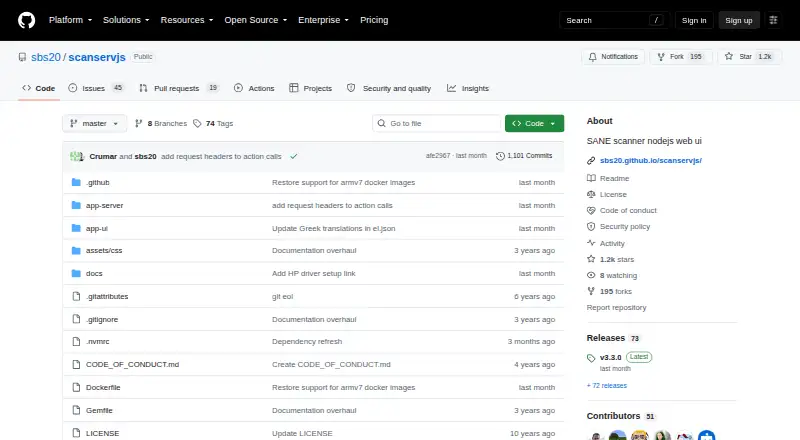
What scanservjs is
scanservjs provides browser access to one or more SANE-compatible scanners shared over a network. Users can select a source and resolution, crop pages, apply filters, and configure defaults. Scans can be saved as TIF, JPG, PNG, PDF, or TXT, with Tesseract OCR for text output. It supports multipage jobs and collation for double-sided documents. Batch scanning can use a document feeder or pause for manual page changes. The project is free and open source, but requires SANE and a Linux host or virtual machine. Installation guidance covers Debian, Arch, and Docker, with Docker images for amd64, arm64, and armv7. API documentation and an explorer are available at /api-docs. Scanned files go into a flat directory for download; Docker users need a mapped volume to retain them when recreating a container. Filesystem scripts and custom actions can support integrations such as paperless-ng and Dropbox. The project focuses on local downloading, leaving custom names, folder structures, and cloud or NAS storage workflows to users.
Who it suits
scanservjs is for people who want to access SANE-compatible scanners over a network through a browser. It suits users prepared to run SANE on a Linux host or VM and manage their own file organization and storage workflows.
What it does well
- Supports multipage scanning and double-sided collation.
- Outputs TIF, JPG, PNG, PDF, and TXT.
- Batch scans can use a feeder or manual page changes.
- Docker images are listed for amd64, arm64, and armv7.
- API documentation and explorer are available at /api-docs.
What to know first
- Requires SANE and a Linux host or VM.
- Docker users need a mapped volume to retain files.
- Custom naming and folder structures are left to users.
- Cloud and NAS storage workflows are left to users.
Plans
| Plan | Billed and limits | Price |
|---|---|---|
| Free and open-source | Self-hosted · requires a SANE-compatible scanner and Linux host or VM | Free |
As github.com lists them, read 4 Oct 2026. The maker's own page has the final word.
Getting started
- Prepare a SANE-compatible scanner and a Linux host or virtual machine.
- Choose an installation route documented for Debian, Arch, or Docker.
- For Docker, select an image for amd64, arm64, or armv7 as applicable.
- Map a volume if you need scans to remain available after recreating a Docker container.
- Open the web interface to access the scanner.
- Use /api-docs for the OpenAPI documentation and API explorer.
Verdict
scanservjs offers configurable browser-based scanning for SANE devices, including OCR output and multipage jobs. It is free, but deployment and file retention depend on the user’s Linux or Docker setup.
Questions
How much does scanservjs cost?
The project is free and open source. Its listed plan is free.
What does scanservjs require?
It requires a SANE-compatible device and SANE on a Linux host or virtual machine.
Which file formats can it produce?
Supported formats include TIF, JPG, PNG, and PDF, plus TXT with Tesseract OCR.
Can it scan multiple pages or batches?
Yes. It supports multipage scanning and collation for double-sided scans. Batch jobs can use a document feeder or prompt for manual page changes.
How are scans stored?
Scanned files are saved in a flat directory for download. Docker users need a mapped volume to retain them when recreating a container.
Does it integrate with other tools?
Files can be handled through filesystem scripts or custom actions. The integration guide includes paperless-ng and Dropbox examples.
Facts from scanservjs's own pages
- API
- Built-in OpenAPI documentation and an API explorer are available at /api-docs. · sbs20.github.io, 4 Oct 2026
- Audience
- The project is designed for people who want to access SANE-compatible scanners over a network through a browser. · github.com, 4 Oct 2026
- Batch scanning
- Batch scans can run automatically with a document feeder or manually with prompts to change pages. · sbs20.github.io, 4 Oct 2026
- Data handling
- Scanned files are saved in a flat directory for download, and Docker users need a mapped volume to retain them when recreating a container. · sbs20.github.io, 4 Oct 2026
- Deployment
- The maker documents Debian, Arch, and Docker installation, and lists Docker images for amd64, arm64, and armv7. · github.com, 4 Oct 2026
- Hardware support
- The project says it supports any SANE-compatible device, with SANE and a Linux host or VM among its requirements. · github.com, 4 Oct 2026
- Integrations
- Files can be handled through filesystem scripts or custom actions; the integration guide mentions paperless-ng and Dropbox examples. · sbs20.github.io, 4 Oct 2026
- Limitations
- The maker says the app is intended for downloading scans locally and leaves custom naming, directory structures, and cloud or NAS storage workflows to users. · sbs20.github.io, 4 Oct 2026
- Multipage
- It supports multipage scanning and collation for double-sided scans. · github.com, 4 Oct 2026
- Output
- Supported output formats include TIF, JPG, PNG, PDF, and TXT with Tesseract OCR. · github.com, 4 Oct 2026
- Purpose
- scanservjs is a web interface for sharing one or more SANE scanners on a network. · github.com, 4 Oct 2026
- Scan controls
- It provides cropping, source selection, resolution settings, filters, and configurable defaults. · github.com, 4 Oct 2026
- Security
- The Docker guide says privileged mode gives the container full root access to the host and recommends SANE over Network as a cleaner option where possible. · sbs20.github.io, 4 Oct 2026
- Support
- The maker's documentation links to troubleshooting guidance and invites community help with translations. · sbs20.github.io, 4 Oct 2026
- Vulnerability reporting
- The security policy asks users to report vulnerabilities by email rather than through issues, discussions, or pull requests. · github.com, 4 Oct 2026
Where scanservjs stands on Freedom251
- Document Scanning Software#4 of 26