Freedom251 › Mobile Data Backup Software

Google Photos
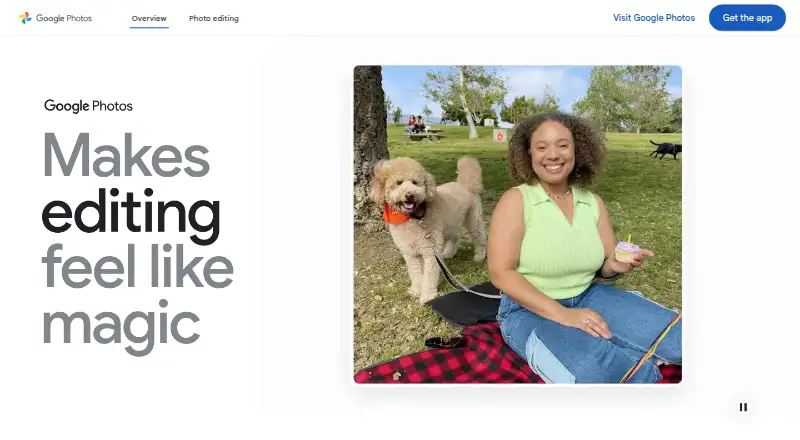
What Google Photos is
Google Photos provides tools to edit, organize, search, back up, and share photos and videos on Android, iOS, and the web. A Google Account includes 15 GB shared across Photos, Gmail, and Drive at no cost. Users can enable automatic backup or save media manually, then share photos, videos, and albums with contacts who do not use Google Photos. Listed editing tools include Magic Eraser and Photo Unblur. The service supports full-resolution RAW image backup and cloud storage for 4K video; Original quality backups count against storage limits. The Basic plan costs $1.99 a month for 100 GB and up to five additional people. Google AI Plus costs $9.99 a month for 2 TB, and Google AI Pro costs $19.99 a month for 5 TB; both also allow up to five additional people. Natural-language search examples are limited to eligible US users aged 18 or older who meet specified language and settings conditions. Google says content is encrypted in transit and at rest, and users can delete or export what they add.
Who it suits
Google Photos suits people who want to back up, organize, edit, and share photos and videos across mobile devices and the web. Its storage plans may suit people who need more than the included 15 GB.
What it does well
- Google Account includes 15 GB shared storage at no cost.
- Can back up RAW photos and 4K video.
- Albums can be shared with non-users.
- Users can delete or export added content.
What to know first
- Original quality backups count against storage limits.
- Natural-language search examples have eligibility and settings limits.
- Free storage is shared with Gmail and Drive.
Limits
The free plan includes 15 GB shared across Google Photos, Gmail, and Google Drive. Original quality backups count against storage limits; paid plans listed start at 100 GB for $1.99 a month.
Plans
| Plan | Billed and limits | Price |
|---|---|---|
| Google AI Pro | billed monthly · 5 TB storage · Up to 5 additional people | $19.99 a month |
| Free | 15 GB shared across Google Photos, Gmail and Google Drive | Free |
| Google AI Plus (2 TB) | Monthly · 2 TB shared across Google Photos, Drive, and Gmail · share storage with up to 5 others | ¥1,450 a month |
| Basic | US$1.99/mo · 100 GB shared storage · share with up to five others | $1.99 a month |
| Google One Basic (100 GB) | Monthly · 100 GB shared across Google Photos, Drive, and Gmail · share storage with up to 5 others | ¥290 a month |
| Google AI Pro (5 TB) | Monthly · 5 TB shared across Google Photos, Drive, and Gmail · share storage with up to 5 others | ¥2,900 a month |
| Google AI Plus | US$9.99/mo · 2 TB shared storage · share with up to five others · access to new Google AI features | $9.99 a month |
As google.com lists them, read 21 Sept 2026. The maker's own page has the final word.
Getting started
- Open the Google Photos website or use the Android or iOS app.
- Sign in with a Google Account.
- Turn on backup for automatic saving, or back up photos and videos manually.
- Share photos, videos, or albums with contacts as needed.
- Choose a paid monthly storage plan if you need more than the included 15 GB.
Overview
Google Photos is a cloud service for backing up, organizing, searching, editing, and sharing photos and videos. It suits people who want one library across mobile devices and desktop, especially if they already use Google services. Its strongest case is the mix of backup and everyday library tools; the main trade-off is that free storage is shared with Gmail and Drive.
Key features
Backup and library tools
Backup can run automatically once enabled or be done manually, giving users a choice between convenience and selective uploads. The service supports full-resolution RAW photos and 4K video storage, useful for people keeping original files, but Original-quality backups count toward the account’s storage quota. That makes large libraries more likely to need a paid plan.
The Google Photos app includes AI editing tools such as Magic Eraser and Photo Unblur. Face search and shared albums add practical ways to find and circulate photos, while Face Groups can be turned off. Google says face groups and labels are visible only to the user and are deleted from the account when the feature is switched off.
Natural-language search has narrower reach than the broader library tools: its example feature is limited to eligible US users aged 18 or older, with an English (United States) account language, Face Groups on, and location estimates enabled. Users outside those conditions should not choose Photos on the assumption that this particular search capability will be available to them.
Sharing, compatibility, and privacy
Photos, videos, and albums can be shared with contacts who do not use Google Photos, including through apps such as WhatsApp and Snapchat. The service works on Android and iOS and can also be used on desktop and tablet devices. Camera and digitization connections include Canon and Photomyne; print partners include Walgreens and Shutterfly, and supported TV platforms include Google TV and Samsung.
Google says Photos data is encrypted in transit with HTTPS and encrypted at rest. It also says it does not sell users’ photos, videos, or personal information or use photos and videos for advertising. Users can delete or export content they add. These are useful controls, though they do not change the shared storage limit.
Pricing
The free plan costs nothing and includes 15 GB shared across Google Photos, Gmail, and Google Drive. It is a sensible starting point for a modest library, but the shared cap can be consumed by email and Drive files as well as photo backups.
| Plan | Price and term | Storage and sharing |
|---|---|---|
| Basic | $1.99 a month, billed monthly | 100 GB; up to 5 additional people |
| Google AI Plus | $9.99 a month, billed monthly | 2 TB; up to 5 additional people |
| Google AI Pro | $19.99 a month, billed monthly | 5 TB; up to 5 additional people |
| Google One Basic (100 GB) | ¥290 a month, billed monthly | 100 GB shared across Google Photos, Drive, and Gmail; share storage with up to 5 others |
| Google AI Plus (2 TB) | ¥1,450 a month, billed monthly | 2 TB shared across Google Photos, Drive, and Gmail; share storage with up to 5 others |
| Google AI Pro (5 TB) | ¥2,900 a month, billed monthly | 5 TB shared across Google Photos, Drive, and Gmail; share storage with up to 5 others |
Basic is the lower-cost step up when 15 GB is no longer enough. The larger US-dollar tiers provide more room for substantial libraries and allow sharing storage with additional people; the stated storage is the key distinction given for those plans. The Japan-priced Google One tiers explicitly share storage across Photos, Drive, and Gmail, so they suit households or individuals who need room across those services rather than only for images. All paid plans above are billed monthly, and every listed paid tier allows sharing with up to five others.
Platforms
Google Photos supports Android, iOS, and web, with desktop and tablet use also supported. That breadth makes it a practical choice for a library accessed from both phones and larger screens.
Who it's for
Choose Google Photos if you want cloud backup alongside editing, search, and sharing, or if you need full-resolution RAW backup and 4K video storage. It is also a good fit when sharing albums with people outside the service matters. It is less compelling for someone who needs ample free storage, relies on natural-language search but falls outside its eligibility conditions, or wants a storage quota isolated from Gmail and Drive.
Pros and cons
- Pro: Automatic or manual backup accommodates both hands-off saving and selective uploads.
- Pro: RAW photo backup, 4K video storage, and in-app AI editing bring preservation and editing into one service.
- Pro: Albums can be shared with non-users through familiar apps, widening access beyond Google Photos accounts.
- Con: The free 15 GB is shared with Gmail and Drive, so other Google files reduce room for photos.
- Con: Original-quality files count toward storage, making the free plan a limited fit for large libraries.
- Con: The cited natural-language search feature has multiple US, age, language, and settings requirements.
Alternatives
For scanning-focused needs, FilmBox by Photomyne offers limited film-negative scanning, saving, and sharing for free. Choose SlideScan by Photomyne instead when digitizing slides is the priority; its free tier has limited scanning, saving, and sharing. Brother iPrint&Scan is a free option for printing and scanning with a supported Brother machine, with features varying by model. NAPS2 is a free desktop choice for individuals and businesses that want scanning software without ads or restrictions. instax UP! is a free Android and iOS app alternative.
For photo management alternatives, see Photo Management Software or Photo Storage Services. For digitizing physical photos, browse Photo Scanning Software or Mobile Scanning Apps. FilmLab, Nostalgia, and MyHeritage Mobile App are also alternatives to consider.
Verdict
Google Photos is the right choice for people who want backup, organization, editing, and flexible album sharing in a service that spans phones and desktop. Its broad toolkit and RAW/4K support are compelling, but the shared 15 GB free allowance is restrictive for growing libraries. Look elsewhere if free capacity is the priority or if a focused scanning tool better matches your task.
Verdict
Google Photos combines backup, organization, editing, and sharing, with 15 GB shared storage included with a Google Account. Paid monthly plans add storage, while some natural-language search examples have eligibility and settings restrictions.
Questions
Is Google Photos free?
Yes. A Google Account includes 15 GB shared across Google Photos, Gmail, and Google Drive at no cost.
What are the paid plans?
Listed monthly plans include Basic at 1.99 USD for 100 GB, Google AI Plus at 9.99 USD for 2 TB, and Google AI Pro at 19.99 USD for 5 TB. Each allows up to five additional people.
Which platforms does it support?
The listed platforms are Android, iOS, and web. Google also says it can be used on desktop and tablet devices.
Can I share with someone who does not use Google Photos?
Yes. Photos, videos, and albums can be shared with contacts who do not use Google Photos.
Does it support RAW photos and 4K video?
It supports full-resolution RAW image backup and secure cloud storage for 4K video files. Original quality backups count toward storage limits.
Who makes Google Photos?
Google identifies Google Inc. as incorporated in August 1998 and says its current headquarters are in Mountain View, California.
Facts from Google Photos's own pages
- AI editing
- The product provides Magic Eraser, Photo Unblur and an experimental feature that applies edits from natural-language instructions. · google.com, 15 Oct 2026
- AI organization
- Google Photos automatically groups similar images with Photo Stacks and sorts documents such as screenshots, receipts and notes into albums. · google.com, 15 Oct 2026
- API authorization
- The Photos APIs use OAuth 2.0, require users to sign in to a Google Account and do not support service accounts. · developers.google.com, 15 Oct 2026
- API documentation
- The developer site includes guides, REST references, API Explorer access, samples, UX guidance, quota information and support links. · developers.google.com, 15 Oct 2026
- API overview
- Google exposes a Photos Picker API for user-selected media and a Library API for app-created uploads, albums and media management. · developers.google.com, 15 Oct 2026
- Automatic backup
- Turning on Backup automatically saves photos and videos to the user's Google Account, and the library can be synchronized across devices. · google.com, 15 Oct 2026
- Backup
- Users can automatically save photos and videos to their Google Account by turning on backup, or back them up manually. · google.com, 29 Sept 2026
- Company founded
- Google says Google Inc. was officially born in August 1998 after a $100,000 investment from Sun co-founder Andy Bechtolsheim. · about.google, 15 Oct 2026
- Company headquarters
- Google's corporate history identifies the Googleplex in Mountain View, California as its current headquarters. · about.google, 15 Oct 2026
- Company legal name
- Google's service terms identify Google LLC as the service provider, organized under Delaware law. · about.google, 15 Oct 2026
- Company profile
- Crunchbase describes Google as an internet-services and software company headquartered in Mountain View with a 10,001-plus employee category. · crunchbase.com, 15 Oct 2026
- Creations
- The Create tab supports style remixes, animated videos and collages. · google.com, 15 Oct 2026
- Data control
- Google says users can delete or export content they add to Google Photos. · google.com, 29 Sept 2026
- Desktop and mobile availability
- Google provides mobile apps for Android and iOS plus a desktop uploader for automatically backing up computer photos. · photos.google.com, 15 Oct 2026
- Device support
- Google says Photos works on iOS and Android devices and can also be used on desktop and tablet devices. · google.com, 29 Sept 2026
- Editing
- The product lists AI editing tools including Magic Eraser and Photo Unblur, and says these features are available in the Google Photos app. · google.com, 29 Sept 2026
- File support
- Google Photos supports full-resolution RAW image backup and secure cloud storage for 4K video files; Original quality backups count against storage limits. · google.com, 29 Sept 2026
- Free plan
- Yes · one.google.com, 21 Sept 2026
- Inactive-account limit
- Google says Photos content may be deleted after at least two years of inactivity, with advance notice and a download opportunity. · support.google.com, 15 Oct 2026
- Integrations
- Google Photos lists camera and digitization partners including Canon and Photomyne, print partners including Walgreens and Shutterfly, and TV platforms including Google TV and Samsung. · google.com, 29 Sept 2026
- Launch news
- Google announced Google Photos as a standalone product on May 28, 2015, with automatic backup, organization, search and sharing across Android, iOS and the web. · blog.google, 15 Oct 2026
- Library API scope
- The REST Library API documents album creation and updates plus batch media creation, retrieval and listing for media created by an application. · developers.google.com, 15 Oct 2026
- Limit: editing depth
- TechRadar and Tom's Guide characterize the editing toolset as limited or basic for advanced users. · techradar.com, 15 Oct 2026
- Limit: editing freeze incident
- Android Central reported September 2026 user complaints that edited photos became unresponsive on several Pixel models after an update. · androidcentral.com, 15 Oct 2026
Where Google Photos stands on Freedom251
- Mobile Data Backup Software#2 of 20
- Photo Management Software#6 of 37
- Photo Scanning Software#5 of 29
- Photo Storage Services#13 of 71
- Scanner apps#38 of 76
- Mobile Scanning Apps#45 of 76