Freedom251 › AI Photo Culling Software
ShotSieve
What ShotSieve is
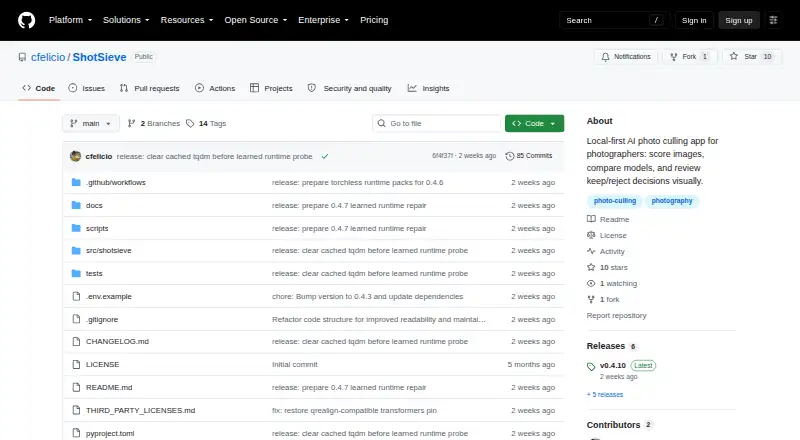
ShotSieve is a free, open-source application that helps photographers review local photo folders and decide which images to keep or reject. It analyzes photos with learned image-quality models: TOPIQ is the default, while CLIPIQA and Q-ReAlign Mini are also available. Users can compare models on the same library before starting a larger culling pass. Review tools filter and sort by score, format, resolution, file size and metadata completeness, with batch actions. The listed capabilities include RAW photo support, blur detection and AI quality scoring. The workflow is local-first: the review interface runs on loopback, bound to 127.0.0.1:8765 by default, and the photo library remains on the user's machine. Packaged releases are listed for Windows, Linux and Apple Silicon macOS. CPU can be used when an accelerator is unavailable; accelerator support depends on compatible hardware, operating system, drivers, model and runtime. ShotSieve is licensed under AGPLv3 or later, while the pinned PyIQA package and model checkpoints have separate terms to review before commercial use. Model weights are not included in release archives and must be downloaded separately when preparing or first using a model.
Who it suits
ShotSieve suits photographers and hobbyists who want help narrowing large photo folders while keeping the workflow on their own machine. It may also suit users who want to compare learned image-quality models before a larger review.
What it does well
- Free and open source under AGPLv3 or later
- Photo library stays on the user's machine
- Supports RAW photo review and blur detection
- Compare models on the same photo library
What to know first
- Model weights must be downloaded separately
- Commercial use requires checking separate dependency and model terms
- Accelerator support depends on compatible hardware and software
Limits
Model weights are not included in release archives and must be downloaded separately. Commercial use also requires reviewing the separate terms for the pinned PyIQA package and model checkpoints.
Plans
| Plan | Billed and limits | Price |
|---|---|---|
| Free and open source | AGPLv3+ · learned-IQA dependencies and model weights have separate terms | Free |
As github.com lists them, read 4 Oct 2026. The maker's own page has the final word.
Getting started
- Visit the ShotSieve project website on GitHub.
- Choose a packaged release for Windows, Linux, or Apple Silicon macOS.
- Use CPU processing or select an accelerator runtime supported by your hardware and system.
- Download model weights separately when preparing or first using a model.
- Open the local review interface and compare supported models on your library.
ShotSieve is a desktop tool for narrowing large local photo folders with learned image-quality scores and practical review filters. It suits photographers and hobbyists who want culling help without sending a library to a hosted service. Its open-source, local-first design is compelling, provided you are comfortable downloading model weights and checking dependency licences before commercial work.
Overview
ShotSieve analyzes photos on Linux, macOS, and Windows, helping you decide which images to keep or reject. The review interface runs on your computer’s loopback address, and the library remains on the machine. That makes it a sensible fit for privacy-conscious photographers, offline-oriented workflows, and anyone handling a large folder without adding a cloud upload step.
The application is free and open source under AGPLv3 or later. That removes subscription cost, but it does not make every component unrestricted: the pinned PyIQA dependency uses the PolyForm Noncommercial licence, and model checkpoints have separate terms that deserve review before commercial use.
Key features
Learned quality scoring
TOPIQ is the default model, while CLIPIQA is intended for quick comparisons and Q-ReAlign Mini provides another option. You can compare models on the same library before committing to a larger culling pass. This is useful when rankings from one model do not match your preferred shooting style, although choosing among models adds a step that fully automated culling products may avoid.
Filtering and batch review
Sort or filter by score, format, resolution, file size, and metadata completeness, then apply batch actions. These controls let you combine an AI opinion with concrete file properties—for example, isolating high-resolution images with complete metadata—rather than accepting a score blindly. RAW support, blur detection, and the ability to work through folders locally make it relevant to photography workflows beyond ordinary JPEG sorting.
Runtime and setup
Packaged releases cover Windows, Linux, and Apple Silicon macOS, with CPU and supported accelerator runtime choices. Accelerator performance depends on matching hardware, drivers, operating system, model, and runtime; CPU is the fallback when that combination is unavailable. Release archives do not include model weights, so preparing or first using a model requires a separate download and storage in the configured upstream caches.
Pricing
| Plan | Price | Best for |
|---|---|---|
| Free and open source | free | Photographers wanting local culling without a subscription |
There is no free trial because the product itself is free. The trade-off is operational and legal rather than financial: you supply model downloads, meet the runtime requirements for acceleration, and account for the separate terms attached to PyIQA and checkpoints.
Platforms
ShotSieve runs on Linux, macOS, and Windows. Packaged downloads include Apple Silicon macOS builds, and releases offer CPU or supported accelerator runtimes. The default review server binds to 127.0.0.1:8765, keeping the interface local unless you deliberately change the setup.
Who it's for
Choose ShotSieve if you are a photographer or hobbyist working through substantial local folders and want learned scoring, blur detection, RAW handling, and batch decisions while retaining the files on your own computer. It is less suitable if you need bundled models, a managed cloud workflow, or a single licence covering every dependency for commercial deployment.
Pros and cons
- Pros: local processing keeps the photo library on the machine; multiple learned models can be compared; filters cover scores and useful file and metadata properties; RAW support and blur detection target real culling tasks; Linux, Windows, and macOS releases are provided; the software costs nothing.
- Cons: model weights are separate downloads rather than included in release archives; accelerator speed is hardware- and driver-dependent; there are no listed third-party service integrations; commercial users must examine PyIQA and checkpoint terms in addition to the AGPLv3+ application licence.
Alternatives
For a broader category overview, see AI Photo Culling Software. Pick Zno instead if you want a freemium product spanning Android, iOS, macOS, web, and Windows, with a free start and optional paid upgrades. Facet is the closer choice for a free local workflow explicitly offering no cloud, accounts, or subscriptions across desktop, web, and self-hosted setups.
PixCull suits readers who prefer MIT-licensed open source and optional API or cloud model calls, while Project Kestrel offers a free desktop application with Windows and macOS downloads plus a Linux-from-source route. Choose Optyx for Lightroom compatibility and paid Pro billing, or AccioPix Photo Culling for a browser tool with no sign-up and no photo limit beyond your computer’s capacity.
Futura Photo is an alternative with a free Community tier limited to 100 images per analysis and one concurrent installation. Kepla is another option for macOS users, offered through a private preview.
Verdict
ShotSieve is a strong choice for photographers who want free, local AI-assisted culling with model comparison and detailed file filters. Look elsewhere if you need integrated cloud services, bundled weights, or simpler commercial licensing across the whole stack.
Verdict
ShotSieve offers local photo review with learned quality models and filtering tools. Before commercial use, review the separate terms for its pinned dependency and model checkpoints.
Questions
How much does ShotSieve cost?
The listed plan is free. It is open source under AGPLv3 or later.
Is there a free plan or free trial?
ShotSieve is free, and a free plan is listed. No free trial is listed.
Which platforms are supported?
The listed platforms are Linux, macOS, and Windows. Packaged releases are listed for Windows, Linux, and Apple Silicon macOS.
Does ShotSieve process photos locally?
The review server binds to 127.0.0.1:8765 by default, and the photo library stays on the user's machine.
What models and review tools does it include?
TOPIQ is the default, with CLIPIQA and Q-ReAlign Mini also supported. Reviews can be filtered and sorted by score, format, resolution, file size, and metadata completeness, with batch actions.
Can it be used commercially?
The application is AGPLv3 or later. The pinned PyIQA package and model checkpoints have separate terms to review before commercial use.
Facts from ShotSieve's own pages
- Compare
- Users can compare learned models on the same library before using one for a larger culling pass. · github.com, 4 Oct 2026
- Download platforms
- Packaged releases are listed for Windows, Linux, and Apple Silicon macOS, with CPU and supported accelerator runtime options. · github.com, 4 Oct 2026
- Hardware support
- Accelerator support depends on matching hardware, operating system, drivers, model, and runtime; CPU is the fallback when an accelerator is unavailable. · github.com, 4 Oct 2026
- Integrations
- No third-party service integrations are listed; model assets are obtained through the learned-IQA backend and stored in configured upstream caches. · github.com, 4 Oct 2026
- Intended users
- The project is aimed at photographers and hobbyists who want help narrowing large photo folders while keeping the workflow local. · github.com, 4 Oct 2026
- Licensing
- The application is licensed under AGPLv3 or later, while the pinned PyIQA package is PolyForm Noncommercial and model checkpoints have separate terms to review before commercial use. · github.com, 4 Oct 2026
- Local processing
- The project says the review UI runs on loopback and the photo library stays on the user's machine. · github.com, 4 Oct 2026
- Models
- The supported model catalog includes TOPIQ as the default, CLIPIQA for quick comparisons, and Q-ReAlign Mini. · github.com, 4 Oct 2026
- Notable limit
- Model weights are not bundled in release archives and must be downloaded separately when preparing or first using a model. · github.com, 4 Oct 2026
- Review tools
- Review supports filtering and sorting by score, format, resolution, file size, and metadata completeness, plus batch actions. · github.com, 4 Oct 2026
- Security and privacy
- The README describes a local-first workflow, with the review server binding to 127.0.0.1:8765 by default. · github.com, 4 Oct 2026
- What it does
- ShotSieve analyzes local photo folders with learned image-quality models and helps photographers review keep or reject decisions. · github.com, 4 Oct 2026
Where ShotSieve stands on Freedom251
- AI Photo Culling Software#15 of 29