Freedom251 › Photo Culling Software

OptiCull
What OptiCull is
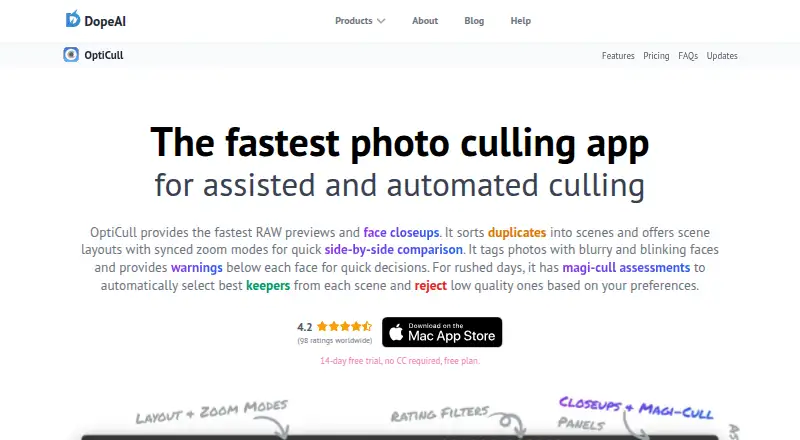
OptiCull is a macOS app for selecting photos from a shoot through manual review and assisted or automated culling. It groups duplicate photos into scenes for side-by-side comparison, with adjustable grouping preferences and synced zoom on faces or image regions. Magi-Cull can flag blurry photos or blinking subjects and select varied keepers based on user preferences; users can override its assessments. During import, OptiCull can read from an SD card, detect photo sessions, apply custom file-naming patterns, and analyze photos while copying. Selected images can be sent to Lightroom Classic, Lightroom CC, Capture One, Apple Photos, and other Mac apps that follow Apple's standard file-import guidelines. The app supports JPG, RAW+JPG, and RAW formats supported by the host macOS version. Its maker says photos stay on the local machine and AI processing runs on-device, while account, purchase, usage, and diagnostic data may be collected. OptiCull requires macOS 11.0 or later and can run with 8GB RAM. The free Hobbyist plan includes unlimited photos and projects; Pro costs 79.99 USD one-time.
Who it suits
OptiCull suits photographers using a Mac who want to compare and sort shoot photos before editing. It may be useful for those importing from SD cards and sending selected images to supported editing apps.
What it does well
- Groups duplicates into adjustable scenes.
- Magi-Cull assessments can be overridden.
- Can analyze images while copying from SD cards.
- Photos stay local and AI runs on-device, according to the maker.
- Free plan includes unlimited photos and projects.
What to know first
- Available only for macOS; no Windows version is planned.
- Apple Photos has no direct integration.
- RAW support depends on the host macOS version.
- Pro costs 79.99 USD one-time.
Limits
The free Hobbyist plan includes manual ratings and assessments, side-by-side comparison, RAW previews, and one-click export to editing apps. Face closeups, scenes and scene layouts, Magi-Cull, and Auto-Rate are listed under Pro, which costs 79.99 USD one-time.
Plans
| Plan | Billed and limits | Price |
|---|---|---|
| Hobbyist | Unlimited photos and projects · RAW previews · Manual ratings and assessments · Side-by-side comparison · One-click export to editing apps | Free |
| Pro | One-time purchase; page also displays “$8/mo” alongside the lifetime offer. Price is for the Apple US Store; native-currency price follows Apple In-App Purchase pricing. · Everything in Free · Face closeups · Scenes and scene layouts · Magi-Cull and Auto-Rate · Focus and eye assessments · Ingest, rename, analyze, and generate previews while copying | $79.99, paid once |
As dopeai.tech lists them, read 2 Oct 2026. The maker's own page has the final word.
Getting started
- Open the OptiCull website to find the app
- Use a Mac running macOS 11.0 or later
- Choose the free Hobbyist plan or the Pro one-time purchase
- Import photos from an SD card or use files on your Mac
- Review and compare photos, then export selected images to an editing app
OptiCull is a Mac photo-culling workspace that combines ingest, duplicate-scene review and AI-assisted selection before editing. It suits photographers who want photo analysis to stay on their computer and who are comfortable with a macOS-only workflow. The free tier is capable for manual culling, while the paid tier is aimed at users who need scene organization and automated recommendations.
Overview
OptiCull is designed around reviewing a shoot as a set of related frames rather than as isolated files. During import from an SD card, it can detect photo sessions, apply a custom file-naming pattern and analyze images while copying them. That makes it a sensible starting point for photographers who want culling to begin at ingest instead of after files have already been organized elsewhere.
The app keeps photo processing local. The maker says images remain on the Mac and that AI runs on-device, which is useful for private assignments or unreliable internet connections. This does not mean the product collects no data: its privacy policy says account, purchase, usage and diagnostic data are collected, while imported photos are not collected, stored or shared. The App Store edition runs in Apple's sandbox, limiting access to files the user selects, and supports Sign in with Apple with private name and email options.
Key features
Scene-based comparison
OptiCull groups duplicate photos into scenes and lets users adjust grouping preferences. Photos or complete scenes can be compared side by side, with synchronized zoom on the same face, all faces or a selected image region. This is particularly practical for choosing among bursts, checking expressions and judging sharpness without repeatedly aligning views. Scene grouping and scene layouts are part of Pro, so free users are limited to the more basic manual workflow.
Automated culling
Magi-Cull can reject frames with blur or blinking subjects and select a more varied set of keepers according to user preferences. Users can override its judgments, which makes the feature a starting point for high-volume selection rather than an irreversible decision-maker. Auto-Rate is also reserved for Pro. Photographers who prefer to make every call themselves can stay on the free plan; those handling large shoots gain the most from automation.
Import, formats and handoff
The app supports JPG, RAW+JPG and RAW formats supported by the host macOS version. An unsupported RAW file may still work when it contains a sufficiently large embedded JPG preview, but format compatibility ultimately depends on macOS. Selected images can be sent to Lightroom Classic, Lightroom CC, Capture One, Apple Photos and other Mac applications that follow Apple's standard file-import rules. Apple Photos is the notable exception in practice: OptiCull has no direct Apple Photos integration, so the maker recommends exporting selections to a temporary folder for import.
Pricing
Hobbyist: free. This plan includes unlimited photos and projects, RAW previews, manual ratings and assessments, side-by-side comparison and one-click export to editing apps. It is the right choice for photographers who want local, manual culling without paying for automated analysis. It gives up face closeups, scene tools and Magi-Cull features available in Pro.
Pro: $79.99, paid once. The page describes this as a one-time purchase and also displays “$8/mo” alongside the lifetime offer. The Apple US Store price is shown; native-currency pricing follows Apple's In-App Purchase pricing. Pro includes everything in Free, plus face closeups, scenes and scene layouts, Magi-Cull and Auto-Rate, along with the other Pro culling tools. It is the plan for photographers whose time savings from automated selection justify an upfront purchase. A 14-day trial gives prospective buyers a way to assess that workflow before committing.
Platforms
OptiCull runs on macOS 11.0 or later and can run with 8GB of RAM. It is not available for Windows, and the maker says there are no plans for a Windows version at this time. That makes the app unsuitable for photographers whose primary workstation is Windows or who need a cross-platform catalog workflow.
Who it's for
Choose OptiCull if you shoot on a Mac, want culling before Lightroom or Capture One, and value on-device processing. Its free tier fits occasional shooters and anyone satisfied with manual comparison; Pro is better for busy photographers dealing with duplicate-heavy shoots who want scene layouts, face-focused review and automated rejection or rating. Look elsewhere if direct Apple Photos integration, Windows support or cloud-based access is essential.
Pros and cons
- Pros: local photo and AI processing; SD-card ingest with session detection and custom naming; synchronized face and region zoom for consistent comparisons; manual overrides for AI decisions; unlimited photos and projects on the free plan.
- Cons: macOS-only availability; scene features and Magi-Cull require the paid tier; Apple Photos requires a temporary-folder export rather than direct integration; RAW support depends on macOS and embedded previews for some unsupported files; account, usage and diagnostic data are still collected.
Alternatives
Photo Culling Software is the broader directory for comparing culling products. For tools specifically centered on machine-assisted selection, see AI Photo Culling Software.
- Photo Curator is free and open source, with Linux, macOS, web and Windows support, so it is the better fit when platform flexibility or open-source software matters more than OptiCull's Mac-only workflow.
- Vantage covers iOS, macOS and Windows and offers a free iPhone tier, making it preferable for users focused on mobile cleanup and duplicate finding.
- Cullora offers macOS and Windows plans with a free monthly filing allowance, useful when cross-platform access and a defined monthly quota suit your workflow.
- Selekt runs on macOS and Windows and combines unlimited imports with on-device scoring plus a cloud-AI allowance, for users who want both desktop flexibility and optional cloud analysis.
- SnapCuller is another macOS and Windows freemium option for photographers who need broader desktop compatibility.
- Keeper is a macOS-only paid alternative with a free trial, worth considering when its record-based plans match your needs.
- Culvia is free and available on Linux, macOS, web and Windows, making it the straightforward choice for maximum platform reach.
- FilterPixel offers per-shoot and subscription options across macOS and Windows, which may suit photographers who prefer purchasing individual shoot capacity.
Verdict
OptiCull is a strong choice for Mac photographers who want local, scene-aware culling and a clear path from SD-card ingest to an editing application. Its free plan covers serious manual work, while Pro earns consideration from users who will benefit from Magi-Cull and scene tools. Look elsewhere if you need Windows, direct Apple Photos integration or a workflow built around cloud access.
Verdict
OptiCull combines scene-based comparison, automated culling, and import tools for Mac photo workflows. Note the lack of direct Apple Photos integration and the macOS-only availability.
Questions
Is OptiCull free?
Yes. The Hobbyist plan costs nothing and includes unlimited photos and projects. A 14-day trial is also listed.
How much does Pro cost?
Pro is listed at 79.99 USD as a one-time purchase. Its page also displays “$8/mo” alongside the lifetime offer.
Which platforms does OptiCull support?
OptiCull is a macOS app. It runs on macOS 11.0 or later, and the maker says there are no plans for a Windows version at this time.
Does OptiCull integrate with Apple Photos?
It does not offer direct Apple Photos integration. The maker recommends exporting selected photos to a temporary folder for import.
Where does OptiCull process photos?
The maker says photos stay on the local machine and AI processing runs on-device. Its privacy policy says the company does not collect, store, or share imported photos, while account, purchase, usage, and diagnostic data may be collected.
Who makes OptiCull?
The About page identifies Shailesh as DopeAI's founder and describes the business as an indie venture. The site footer names BookMyShoot Technologies Private Limited.
Facts from OptiCull's own pages
- Apple Photos limitation
- OptiCull does not offer direct Apple Photos integration; the maker recommends exporting selected photos to a temporary folder for import. · dopeai.tech, 2 Oct 2026
- Automated culling
- Magi-Cull can reject blurry or blinking subjects and select diversified keepers based on user preferences; users can override its assessments. · dopeai.tech, 2 Oct 2026
- Comparison
- Users can compare photos or scenes side by side and sync zoom across the same face, all faces, or the same image region. · dopeai.tech, 2 Oct 2026
- Editing integrations
- Selected photos can be sent to Lightroom Classic, Lightroom CC, Capture One, Apple Photos, and other macOS apps that follow Apple's standard file-import guidelines. · dopeai.tech, 2 Oct 2026
- Ingest
- OptiCull can import directly from an SD card, detect photo sessions, apply custom file-naming patterns, and analyze photos while copying them. · dopeai.tech, 2 Oct 2026
- Maker
- The About page identifies Shailesh as DopeAI's founder and describes the business as an indie venture; the site footer names BookMyShoot Technologies Private Limited. The opened pages do not state its headquarters or founding year. · dopeai.tech, 2 Oct 2026
- Photo privacy
- The maker says photos stay on the local machine and AI processing runs on-device, without sending photos to external servers. · dopeai.tech, 2 Oct 2026
- Platform availability
- OptiCull is a macOS app; the maker says there are no plans for a Windows version at this time. · dopeai.tech, 2 Oct 2026
- Privacy data
- The privacy policy says the company does not collect, store, or share imported photos, while it does collect account, purchase, usage, and diagnostic data described on the policy page. · dopeai.tech, 2 Oct 2026
- Purpose
- OptiCull is a photo-culling app for assisted and automated selection of photos from a shoot. · dopeai.tech, 2 Oct 2026
- Sandbox and sign-in
- The maker says the App Store version runs in Apple's sandbox with access limited to user-selected files and supports Sign in with Apple with private name and email options. · dopeai.tech, 2 Oct 2026
- Scenes
- The app groups duplicate photos into scenes for side-by-side comparison, with adjustable grouping preferences. · dopeai.tech, 2 Oct 2026
- Support
- The maker lists Discord and [email protected] for quick support. · dopeai.tech, 2 Oct 2026
- Supported files
- OptiCull supports JPG, RAW+JPG, and RAW formats supported by the host macOS version; unsupported RAW files may work when they contain sufficiently large embedded JPG previews. · dopeai.tech, 2 Oct 2026
- System requirements
- The maker says OptiCull runs on Macs with macOS 11.0 or later and can run with 8GB RAM. · dopeai.tech, 2 Oct 2026
Where OptiCull stands on Freedom251
- Photo Culling Software#7 of 26
- AI Photo Culling Software#17 of 29