Freedom251 › Photo Culling Software
PhotoPicker
What PhotoPicker is
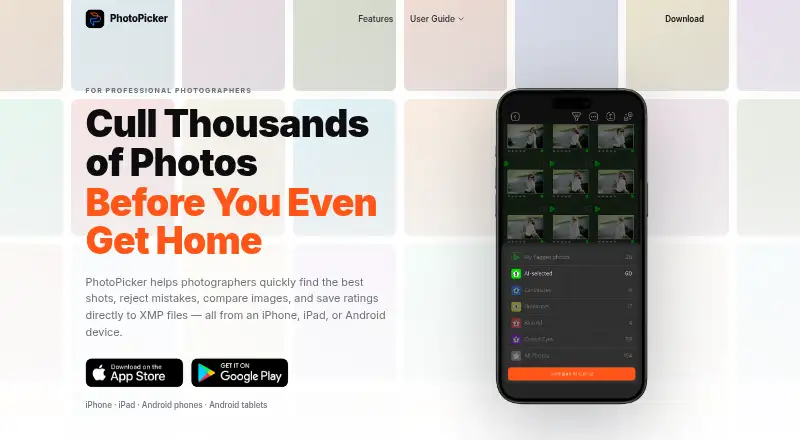
PhotoPicker is a mobile photo-culling app for reviewing images, rejecting weak shots and marking selections on location. Its on-device AI looks for closed eyes, blur, missed focus, duplicates, weak expressions and motion issues. You can browse photos on SD cards, CFexpress cards, external SSDs and local folders without importing them. Review tools include swipes, star ratings, color labels, auto-advance, one-handed operation and edge taps. On iPad and Android tablets, two images can be compared side by side with synchronized zoom and pixel-level inspection. The app also displays autofocus points, EXIF information, capture metadata and zoomed details. Ratings, labels and flags are saved as XMP sidecars for Lightroom Classic, Adobe Camera Raw, Capture One and other compatible software. PhotoPicker says processing happens locally, photos are not uploaded to the cloud, and the app works offline. It has a free plan; Pro costs $9.99 a month, $29.99 a year or 79.99 USD for a one-time purchase.
Who it suits
PhotoPicker is aimed at professional photographers working on location, including wedding, sports, travel, commercial and wildlife photographers. It suits those who need to cull on mobile devices and carry selections into XMP-compatible software.
What it does well
- On-device AI flags several photo issues
- Reviews files directly from external storage
- XMP sidecars support compatible editing software
- Works without an internet connection
- Tablet comparison includes synchronized zoom
What to know first
- Subscriptions renew automatically unless cancelled in time
- Side-by-side comparison is specified for tablets
Limits
The paid monthly, annual, and one-time Pro options provide unlimited catalog access. The listed monthly price is $9.99 a month, annual price is $29.99 a year, and one-time price is $79.99, paid once.
Plans
| Plan | Billed and limits | Price |
|---|---|---|
| Pro Version (1 Year) | 1 year · Unlimited access to catalogs | $29.99 a year |
| Pro Version (One-Time) | One-time payment · Unlimited access to catalogs | $79.99, paid once |
| Pro Version (1 Month) | 1 month · Unlimited access to catalogs | $9.99 a month |
As photopicker.app lists them, read 4 Oct 2026. The maker's own page has the final word.
Getting started
- Open https://photopicker.app/en/ on an Android or iOS device.
- Choose the free plan or a Pro option: monthly, yearly, or one-time.
- Browse photos from an SD card, CFexpress card, external SSD, or local folder.
- Review and rate images, then save ratings, labels, and flags as XMP sidecars.
Verdict
PhotoPicker brings local culling, inspection and XMP marking to mobile devices, with direct access to external storage. Its subscription options and automatic renewal terms are worth checking before choosing a paid plan.
Questions
Is PhotoPicker free?
Yes. PhotoPicker has a free plan.
What does PhotoPicker cost?
Pro Version (1 Month) is $9.99 a month; Pro Version (1 Year) is $29.99 a year; and Pro Version (One-Time) is $79.99, paid once.
Which devices does it support?
PhotoPicker is listed for Android and iOS.
Can it work offline?
Yes. The maker says the app works without internet and processing runs locally on the device.
Which software can use its ratings?
Ratings, color labels, and flags are saved as XMP sidecar files for Lightroom Classic, Adobe Camera Raw, Capture One, and other XMP-compatible software.
Facts from PhotoPicker's own pages
- AI culling
- Its on-device AI analyzes photos for closed eyes, blur, missed focus, duplicates, weak expressions, and motion issues. · photopicker.app, 4 Oct 2026
- Android data safety
- Google Play reports that the developer declares no data shared with third parties and no data collected. · play.google.com, 4 Oct 2026
- Billing
- The App Store listing says subscriptions are billed monthly or annually, renew automatically unless cancelled at least 24 hours before the period ends, and a one-time purchase is also available. · apps.apple.com, 4 Oct 2026
- Catalog access
- The App Store listing says subscriptions provide unlimited access to catalogs regardless of how many photos they contain. · apps.apple.com, 4 Oct 2026
- Intended users
- The maker describes PhotoPicker as designed for professional photographers working on location, including wedding, sports, travel, commercial, and wildlife photographers. · photopicker.app, 4 Oct 2026
- Photo inspection
- The app provides autofocus point display, EXIF information, capture metadata, and zoom inspection. · photopicker.app, 4 Oct 2026
- Privacy
- The maker says processing runs locally on the device, photos are not uploaded to the cloud, and the app works without internet. · photopicker.app, 4 Oct 2026
- Purpose
- PhotoPicker helps photographers select strong shots, reject mistakes, compare images, and write ratings to XMP files on mobile devices. · photopicker.app, 4 Oct 2026
- Review controls
- Review tools include swipe gestures, star ratings, color labels, auto-advance, one-handed operation, and edge-tap navigation. · photopicker.app, 4 Oct 2026
- Storage access
- The app can review photos directly from SD cards, CFexpress cards, external SSDs, and local folders without an import process. · photopicker.app, 4 Oct 2026
- Support
- Google Play lists [email protected] as the support email. · play.google.com, 4 Oct 2026
- Tablet comparison
- iPad and Android tablet users can compare two photos side by side with synchronized zoom and pixel-level inspection. · photopicker.app, 4 Oct 2026
- XMP workflow
- Ratings, color labels, and flags are saved to XMP sidecar files for use with Lightroom Classic, Adobe Camera Raw, Capture One, and other XMP-compatible software. · photopicker.app, 4 Oct 2026
Where PhotoPicker stands on Freedom251
- Photo Culling Software#8 of 26
- AI Photo Culling Software#13 of 29