Freedom251 › AI Photo Culling Software
Optyx
What Optyx is
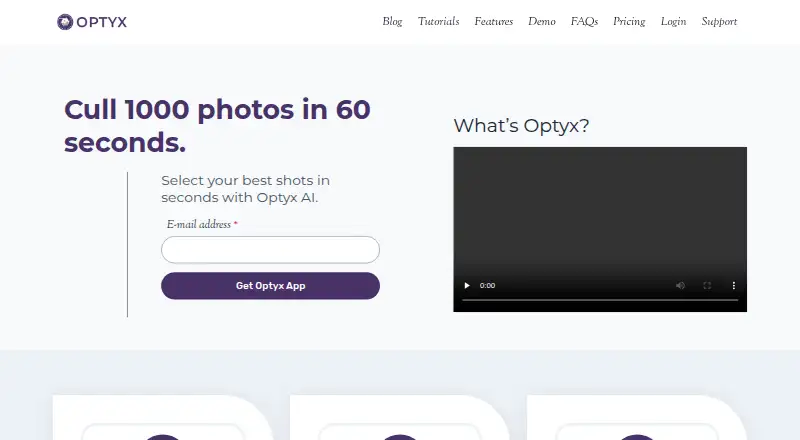
Optyx is an AI photo-culling application for grouping similar images and helping select shots. It can rate photos using facial expression, sharpness, composition, exposure and other criteria, while face analysis checks expression, blinking and focus and can identify recurring subjects. Fast previews support manual review, including of large RAW files. Optyx writes culling details as XMP metadata and lets users drag selected files into Lightroom; other editors can use the metadata or selected-photo folders. Supported RAW formats include Canon CR2/CR3, Sony ARW, Nikon NEF/NRW, Fuji RAF, Panasonic RW2, Pentax PEF, Olympus ORF and DNG. The maker says face-focused AI works best when people are the primary subject, while sharpness-based grouping and culling work across almost every type of photography. Optyx is intended to accompany another editor and does not automatically edit photos. The free plan includes previews, image ratings and metadata. Pro costs $6.99 a month billed annually or $9.99 a month billed monthly.
Who it suits
Optyx suits photographers sorting shoots who want culling support alongside a separate editor. Its face-based tools are a better fit when people are the main subject, while its sharpness tools apply to broader photography types.
What it does well
- Groups similar images and rates shots with AI
- Supports a range of camera RAW formats
- Writes culling details as XMP metadata
- Free plan includes previews, ratings and metadata
What to know first
- Does not automatically edit photos
- Face-based AI works best with people as the main subject
- Requires Windows 10 64-bit version 1803 or later, or macOS Sierra 10.12 or later
Limits
The Free plan includes previews, ratings, and metadata, and works with Lightroom; AI Autogroup, AI Autocull, custom workflow profiles, face analysis, focus detection, facial recognition, and priority support are listed with Pro. Pro costs $6.99 a month billed annually or $9.99 a month billed monthly. Enterprise pricing is usage based and varies with volume and support requirements.
Plans
| Plan | Billed and limits | Price |
|---|---|---|
| Free | Lightning-fast previews · Image rating and metadata · Works with Lightroom | Free |
| Pro (annual billing) | Billed annually · Lightning-fast previews · Image rating and metadata · Works with Lightroom · AI Autogroup · AI Autocull · Custom Workflow Profiles · Face analysis · Focus detection · Facial recognition · Priority support | $6.99 a month |
| Pro (monthly billing) | Billed monthly · Lightning-fast previews · Image rating and metadata · Works with Lightroom · AI Autogroup · AI Autocull · Custom Workflow Profiles · Face analysis · Focus detection · Facial recognition · Priority support | $9.99 a month |
| Enterprise | Usage-based pricing varies based on volume and support requirements · Multi-user licenses · Programmatic access to Optyx analysis | On request |
As optyx.app lists them, read 30 Sept 2026. The maker's own page has the final word.
Getting started
- Visit the Optyx website
- Install it on Windows 10 64-bit version 1803 or later, or macOS Sierra 10.12 or later
- Use the Free plan or choose Pro with annual or monthly billing
- Import photos for culling and review the ratings or previews
- Drag selected files into Lightroom, or use XMP metadata or folders with another editor
Overview
Optyx is a photo-culling app for photographers sorting a shoot before editing it elsewhere. It suits people-focused work best, though its sharpness-based grouping and culling can help with many kinds of photography. The key trade-off is a focused workflow: Optyx helps select and organize images, but does not edit them.
AI ratings and grouping sit alongside fast previews for manual review, including large RAW files. Optyx records culling information in XMP metadata and supports dragging selected images into Lightroom; for other editors, selected photos can be organized into filesystem folders. That handoff is useful if culling is the bottleneck in an established editing workflow, but it leaves the actual edits to another tool.
Key features
- Face analysis: Evaluates expression, blinking and focus, and can identify and group common subjects. These tools are most relevant when people are the primary subject, so they are less compelling for landscapes or product work.
- Image ratings: AI scoring considers facial expression, sharpness, composition, exposure and other criteria. Ratings can help narrow a large selection, while fast previews preserve a manual route for photographers who want to make every selection themselves.
- Autogroup and autocull: Pro includes AI grouping and culling. The maker says the sharpness features work across almost every type of photography, giving Pro broader appeal than the face-analysis tools alone.
- RAW review and handoff: Optyx supports Canon CR2/CR3, Sony ARW, Nikon NEF/NRW, Fuji RAF, Panasonic RW2, Pentax PEF, Olympus ORF and DNG. XMP metadata and folder organization make it usable alongside editors beyond Lightroom, though it is not itself an editing application.
- Enterprise automation: Enterprise exposes an HTTP interface to create shoots, import photos for analysis, and run autogroup and autocull. Multi-user licenses and programmatic access target teams automating a culling pipeline rather than individual photographers.
Pricing
Optyx uses a freemium model. Free costs nothing and includes fast previews, image rating and metadata, and Lightroom support. It is the practical starting point for photographers who want manual review and basic ratings without paying for AI autogroup, autocull or face analysis.
Pro (annual billing) costs $6.99 a month, billed annually. Pro (monthly billing) costs $9.99 a month, billed monthly. Both add AI Autogroup, AI Autocull, Custom Workflow Profiles, face analysis, focus detection, facial recognition and priority support to the Free features. Annual billing lowers the monthly price but commits the buyer to annual billing; monthly billing costs more per month. Pro is the fit for photographers who want automated selection or face-focused analysis, while Free remains sufficient for a preview-and-rating workflow.
Enterprise has usage-based custom pricing that varies with volume and support requirements. It includes multi-user licenses and programmatic access to Optyx analysis, making it the relevant option for organizations needing automated processing rather than a single-user desktop workflow.
Platforms
Optyx is listed for macOS, Windows and API access. The FAQ specifies Windows 10 64-bit version 1803 or later and macOS Sierra 10.12 or later; M1 Macs are supported with Rosetta 2. Both listed desktop systems require 4 GB RAM, 2 GB available disk space and a minimum 1024 × 768 display. Those requirements make the app accessible to modest desktop setups, but the listed platform coverage does not include mobile operating systems.
Who it's for
Optyx is best suited to photographers who need to narrow a shoot before editing, especially portrait, wedding or event photographers working with many human subjects. Its face analysis can help identify expressions, blinking and recurring people; its sharpness-based tools broaden the case for other genres. It is a weaker fit for anyone seeking a complete photo editor or a workflow centered on mobile devices.
For an individual photographer, Free offers a way to review and rate images before deciding whether Pro's automated grouping and culling justify its recurring cost. Teams that need multi-user access and programmatic analysis have an Enterprise route. The FAQ directs support questions to [email protected], and Pro includes priority support.
The privacy policy, last updated January 12, 2020, says the company uses technical and organizational security measures while noting that internet transmission cannot be guaranteed completely secure. Photographers handling sensitive client images should weigh that assurance and limitation when choosing a workflow.
Pros and cons
- Pro: Fast previews, RAW support and manual review make Optyx useful even when a photographer does not want to hand every selection to AI.
- Pro: XMP metadata, Lightroom drag-and-drop and folder organization support handoff to more than one editing workflow.
- Pro: Free includes previews, ratings and metadata, so basic culling does not require a paid plan.
- Con: Face analysis is most effective for people-focused images, limiting the value of those tools for other subjects.
- Con: Optyx does not automatically edit photos, so users still need another editor to finish the work.
- Con: Pro's lower monthly price is tied to annual billing; photographers who prefer monthly billing pay $9.99 a month.
Alternatives
Browse the AI Photo Culling Software directory for more options. Zno is worth considering for photographers who want a freemium option with a free trial and coverage across mobile, desktop and web. Facet is a free alternative for users who specifically want local software without cloud, accounts or subscriptions. PixCull is a free, MIT-licensed open-source option; its optional cloud model calls may incur API costs. Project Kestrel is free and open source, with Windows and macOS downloads and Linux available from source. ShotSieve is another free, open-source option, with separate terms for its learned-IQA dependencies and model weights. AccioPix Photo Culling is a free web tool with no sign-up and no photo limit beyond the computer's capacity. Futura Photo is a Windows-only freemium alternative whose Community plan allows unlimited analyses of up to 100 images per analysis, with one concurrent installation and no support. Kepla is another option for macOS users.
Verdict
Choose Optyx if you want a dedicated culling step with manual previews, AI ratings and a clear handoff into Lightroom or another editor—especially for people-focused shoots. Free covers the basic review workflow, while Pro adds the automation and face tools that make larger selections faster to narrow. Look elsewhere if you need photo editing in the same app, or if face-centered analysis is central to your choice but your images rarely contain people.
Verdict
Optyx combines AI-assisted grouping and ratings with manual review and editor workflows. It is a culling tool, not an automatic photo editor, and its face analysis is most suited to people-focused images.
Questions
Is there a free plan?
Yes. The Free plan costs nothing and includes previews, image ratings, metadata, and Lightroom support.
How much does Pro cost?
Pro is $6.99 a month billed annually or $9.99 a month billed monthly.
Which systems does Optyx support?
The FAQ lists Windows 10 64-bit version 1803 or later and macOS Sierra 10.12 or later. M1 Macs are supported with Rosetta 2.
Does Optyx work with editors other than Lightroom?
Yes. It can work with other editors through XMP metadata or by organizing selected photos into filesystem folders.
Does Optyx edit photos?
No. The FAQ describes it as a culling tool to use alongside another editor; it does not automatically edit photos.
What does Enterprise include?
Enterprise lists multi-user licenses and programmatic access to Optyx analysis. Its usage-based price varies with volume and support requirements.
Facts from Optyx's own pages
- Best-fit photography
- The maker says its AI works best when human faces are the primary subject, while autogroup and autocull sharpness features work on almost every type of photography. · optyx.app, 30 Sept 2026
- Enterprise automation
- Optyx Enterprise exposes an HTTP interface to create shoots, import photos for analysis, and run autogroup and autocull. · optyx.app, 30 Sept 2026
- Face analysis
- It evaluates faces for expression, blinking, and focus, and can identify and group common subjects. · optyx.app, 30 Sept 2026
- Image ratings
- Its AI can rate images using facial expression, sharpness, composition, exposure, and other criteria. · optyx.app, 30 Sept 2026
- Manual review
- Optyx provides fast previews for manually reviewing photos, including large RAW files. · optyx.app, 30 Sept 2026
- Metadata and workflow
- Optyx writes culling information as XMP metadata and supports dragging selected files into Lightroom. · optyx.app, 30 Sept 2026
- Other editors
- The FAQ says Optyx can work with other editors through XMP metadata or by organizing selected photos into filesystem folders. · optyx.app, 30 Sept 2026
- Privacy and security
- The privacy policy, last updated January 12, 2020, says the company uses technical and organizational security measures and cannot guarantee that internet transmission is completely secure. · optyx.app, 30 Sept 2026
- Product scope
- The FAQ describes Optyx as a photo-culling tool to use alongside another editor and says it does not automatically edit photos. · optyx.app, 30 Sept 2026
- RAW support
- Optyx supports a range of camera RAW formats, and its guide lists Canon CR2/CR3, Sony ARW, Nikon NEF/NRW, Fuji RAF, Panasonic RW2, Pentax PEF, Olympus ORF, and DNG as supported. · optyx.app, 30 Sept 2026
- Support
- The FAQ directs users to [email protected], and the Pro plan lists priority support. · optyx.app, 30 Sept 2026
- Supported systems
- The FAQ lists Windows 10 64-bit version 1803 or later and macOS Sierra 10.12 or later; M1 Macs are supported with Rosetta 2. · optyx.app, 30 Sept 2026
- System requirements
- The FAQ specifies 4 GB RAM, 2 GB of available disk space, and a 1024 × 768 minimum display resolution for both listed systems. · optyx.app, 30 Sept 2026
- What it does
- Optyx is an AI photo-culling application that groups similar images and helps select the best shots. · optyx.app, 30 Sept 2026
Where Optyx stands on Freedom251
- AI Photo Culling Software#8 of 29