Freedom251 › AI Photo Culling Software
CullSnap
What CullSnap is
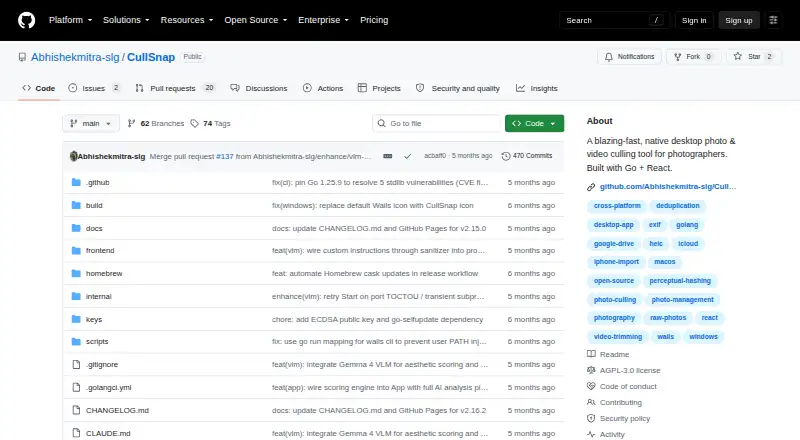
CullSnap is a free desktop app for reviewing, rating, deduplicating, and exporting photos and videos on Linux, macOS, and Windows. Its virtualized media grid uses cached thumbnails to browse large collections; the project says it limits the grid to about 52 DOM nodes. Users can rate images from one to five stars, view EXIF overlays, and trim video segments for export using FFmpeg lossless fast-seek.
Perceptual hashing groups duplicate or burst photos, while image-quality scoring helps select a candidate. CullSnap’s AI scoring runs locally and can assess face quality, sharpness, and aesthetic quality. The optional NIMA aesthetic model requires a manual export; without it, the aesthetic score is absent. Listed formats include JPEG, PNG, HEIC/HEIF, 11 RAW formats, and MP4, MOV, WEBM, MKV, and AVI video. The app can import from phones, cameras, SD cards, and USB drives, with device support varying by operating system and optional dependencies. Cloud Albums supports Google Drive and, on macOS, iCloud Photos. The privacy policy says app data stays local and the app collects no telemetry, analytics, or usage data; Google Drive access and update checks can make network requests. CullSnap is licensed under AGPLv3, with a commercial license for uses unable to comply with its terms.
Who it suits
CullSnap suits photographers who want to sort, rate, compare, and export photo and video collections in a desktop app. It is also a fit for people seeking local AI scoring, duplicate grouping, and optional cloud album access across supported platforms.
What it does well
- Runs on Linux, macOS, and Windows.
- Groups duplicate or burst photos using perceptual hashing.
- AI scoring for face quality and sharpness runs locally.
- Supports 11 listed RAW formats and common video formats.
- Privacy policy says it collects no telemetry, analytics, or usage data.
What to know first
- Device import support varies by operating system and optional dependencies.
- The NIMA aesthetic model requires a manual export.
- Linux builds require GTK3 and WebKit2GTK.
- Only the latest v1.1.x release line receives security updates.
Limits
CullSnap is free. Without manually exporting the optional NIMA model, the aesthetic score is absent; Linux builds require GTK3 and WebKit2GTK.
Getting started
- Visit the CullSnap project website on GitHub.
- Download the build for macOS, Windows 64-bit, or Linux 64-bit.
- On Linux, meet the GTK3 and WebKit2GTK requirements.
- Import media from a phone, camera, SD card, or USB drive, depending on operating-system support and dependencies.
- Optionally connect Google Drive, or iCloud Photos on macOS, through Cloud Albums.
- Manually export the optional NIMA aesthetic model if you want that score.
Verdict
Choose CullSnap for desktop photo and video review with duplicate grouping, local scoring, and export tools, especially if you want a free, open-source app. Look elsewhere if you need the NIMA aesthetic score without manual setup, or if your device-import workflow depends on support that varies by operating system.
Questions
Is CullSnap free?
Yes. CullSnap is offered as a free plan.
Which desktop platforms does CullSnap support?
It lists builds for macOS, Windows 64-bit, and Linux 64-bit. The Linux build requires GTK3 and WebKit2GTK.
Is CullSnap open source?
CullSnap is offered under the AGPLv3 license. A commercial license is available for uses that cannot comply with AGPLv3 terms.
Which cloud services does CullSnap support?
Cloud Albums supports Google Drive and, on macOS, iCloud Photos. Google Drive access is read-only; selected photos are cached locally, and CullSnap does not modify, delete, or upload Drive files.
Does CullSnap collect usage data?
Its privacy policy says it collects no telemetry, analytics, or usage data and stores app data locally. Google Drive access and update checks can make network requests.
What is the limit on security updates?
The security policy says only the latest v1.1.x release line receives security updates.
Facts from CullSnap's own pages
- AI model limitation
- The NIMA aesthetic model is optional and requires manual export; without it, the aesthetic score is absent. · github.com, 5 Oct 2026
- AI scoring
- Its AI scoring pipeline runs locally and can score face quality, sharpness, and aesthetic quality; the NIMA aesthetic model requires a manual export. · github.com, 5 Oct 2026
- Cloud integrations
- Cloud Albums supports Google Drive and, on macOS, iCloud Photos. · github.com, 5 Oct 2026
- Deduplication
- Perceptual hashing groups duplicate or burst photos and uses image-quality scoring to select a candidate. · github.com, 5 Oct 2026
- Device import
- It can import from phones, cameras, SD cards, and USB drives, with device support varying by operating system and optional dependencies. · github.com, 5 Oct 2026
- Downloads
- The README lists downloadable builds for macOS, Windows 64-bit, and Linux 64-bit; the Linux build requires GTK3 and WebKit2GTK. · github.com, 5 Oct 2026
- Google Drive access
- The privacy policy says Google Drive access is read-only, selected photos are cached locally, and CullSnap does not modify, delete, or upload Drive files. · github.com, 5 Oct 2026
- License
- CullSnap is offered under AGPLv3, with a commercial license available for uses that cannot comply with AGPLv3 terms. · github.com, 5 Oct 2026
- Media formats
- It supports JPEG, PNG, HEIC/HEIF, 11 listed camera RAW formats, and MP4, MOV, WEBM, MKV, and AVI video. · github.com, 5 Oct 2026
- Photo and video features
- It offers a virtualized media grid, 1–5 star ratings, EXIF overlays, and video trimming on export. · github.com, 5 Oct 2026
- Photo and video grid
- Its virtualized grid uses cached thumbnails to browse thousands of assets, and the project says it limits the grid to about 52 DOM nodes. · github.com, 5 Oct 2026
- Privacy
- The privacy policy says CullSnap collects no telemetry, analytics, or usage data and stores app data locally; Google Drive and update checks can make network requests. · github.com, 5 Oct 2026
- Purpose
- CullSnap is a native desktop app for photographers to review, rate, deduplicate, and export photos and videos. · github.com, 5 Oct 2026
- Security reporting
- The security policy asks users to report vulnerabilities by email and states that only the latest v1.1.x release line is supported for security updates. · github.com, 5 Oct 2026
- Security support
- The security policy says only version 1.1.x receives security updates and asks users to report vulnerabilities privately by email. · github.com, 5 Oct 2026
- Supported formats
- The README lists JPEG, PNG, HEIC/HEIF, 11 RAW formats, and MP4, MOV, WEBM, MKV, and AVI video. · github.com, 5 Oct 2026
- Video editing
- Users can trim video segments and export them using FFmpeg lossless fast-seek. · github.com, 5 Oct 2026
Where CullSnap stands on Freedom251
- AI Photo Culling Software#7 of 29