Freedom251 › AI Photo Culling Software

BestShots
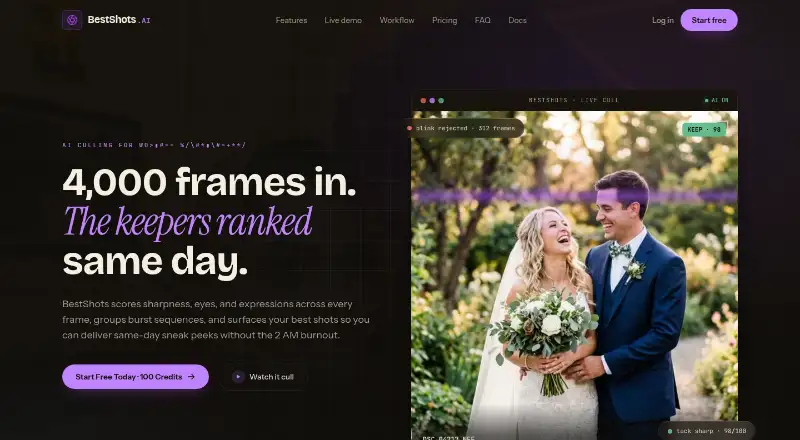
What BestShots is
BestShots is an AI-assisted photo culling platform for photographers handling large collections. It scores and ranks frames using focus, expressions, eye openness, pose, composition, and light, then groups near-identical burst sequences and suggests a frame for review. It can flag blinks and closed eyes and surface preferred expressions in group shots; photographers can override its selections and use keyboard shortcuts to rate, pick, reject, or advance. Listed formats include CR3, NEF, ARW, RAF, DNG, and JPEG. Ratings and labels export as one-way XMP sidecars for Lightroom, Capture One, and Photo Mechanic, with no sync back into BestShots; originals remain unchanged. New accounts get 100 free credits after email verification, without a credit card. One-time packs are $10, paid once for 500 credits, $30, paid once for 2,000, and $60, paid once for 5,000; credits never expire and uploads and storage are free. Its documentation describes it as desktop-first, while the listed platform is web.
Who it suits
BestShots is aimed at high-volume wedding, portrait, sports, and commercial photographers who need to review many frames. It may also suit photographers who want to pass ratings and labels into a supported editing or photo-management application.
What it does well
- Scores focus, expressions, pose, composition, and light.
- Groups similar burst frames.
- Supports six listed photo formats.
- Original photos remain unchanged.
- New accounts receive 100 free credits.
What to know first
- Exports are one-way, with no sync back.
- New credits require email verification.
- Listed platform is web, though documentation says desktop-first.
Limits
New accounts receive 100 free credits. The Starter Pack covers 500 photos, while Pro covers 2,000 and Studio covers 5,000; each pack's credits do not expire.
Plans
| Plan | Billed and limits | Price |
|---|---|---|
| Starter Pack | $10 one-time · 500 credits · 500 photos · $0.020 / photo · credits never expire · free uploads and storage | $10, paid once |
| Pro Pack | $30 one-time · 2,000 credits · 2,000 photos · $0.015 / photo · credits never expire · free uploads and storage | $30, paid once |
| Studio Pack | $60 one-time · 5,000 credits · 5,000 photos · $0.012 / photo · credits never expire · free uploads and storage | $60, paid once |
As bestshots.ai lists them, read 7 Oct 2026. The maker's own page has the final word.
Getting started
- Open the BestShots website
- Create an account and verify your email
- Use the 100 free credits provided after verification
- Upload supported CR3, NEF, ARW, RAF, DNG, or JPEG files
- Review AI-ranked frames and adjust selections with shortcuts
- Buy a one-time credit pack when more credits are needed
Verdict
BestShots combines automated ranking with manual review controls and non-destructive exports. Its one-way XMP workflow is an important limitation for photographers who need changes to sync back.
Questions
What does BestShots cost?
The Starter Pack costs $10, paid once for 500 credits, the Pro Pack costs $30, paid once for 2,000 credits, and the Studio Pack costs $60, paid once for 5,000 credits.
Is there a free plan?
New accounts receive 100 free credits after email verification, and no credit card is required to start.
Which platforms does BestShots support?
BestShots is listed as a web platform. Its documentation describes it as desktop-first.
Which file formats can I upload?
Supported formats listed are CR3, NEF, ARW, RAF, DNG, and JPEG.
Where can I export ratings and labels?
BestShots exports one-way XMP sidecars for Lightroom, Capture One, and Photo Mechanic. Changes do not sync back into BestShots.
Does BestShots alter original photos?
No. It keeps originals unchanged and exports non-destructive XMP sidecars.
Facts from BestShots's own pages
- AI training
- BestShots states that uploaded photos, facial crops, embeddings, and extracted metadata are not used to train or improve AI models. · bestshots.ai, 7 Oct 2026
- Burst grouping
- It groups near-identical burst sequences and surfaces a preferred frame for review. · bestshots.ai, 7 Oct 2026
- Face analysis
- It flags closed eyes and blinks and can surface preferred expressions for people in group shots. · bestshots.ai, 7 Oct 2026
- File formats
- The site lists CR3, NEF, ARW, RAF, DNG, and JPEG as supported formats. · bestshots.ai, 7 Oct 2026
- Free credits
- New accounts receive 100 free credits after email verification, and the site says no credit card is required to start. · bestshots.ai, 7 Oct 2026
- Integrations
- BestShots exports ratings and labels as one-way XMP sidecars for Lightroom, Capture One, and Photo Mechanic, with no two-way sync back into BestShots. · bestshots.ai, 7 Oct 2026
- Intended users
- The documentation describes BestShots as a desktop-first photo curation platform for high-volume wedding, portrait, sports, and commercial photographers. · bestshots.ai, 7 Oct 2026
- Originals
- BestShots says it does not alter original photos and exports non-destructive XMP sidecars. · bestshots.ai, 7 Oct 2026
- Pricing model
- One credit analyzes one photo; uploads and storage are free, credit packs are one-time purchases, and credits do not expire. · bestshots.ai, 7 Oct 2026
- Purpose
- BestShots is an AI-assisted photo culling platform that scores and ranks frames for working photographers. · bestshots.ai, 7 Oct 2026
- Retention
- The privacy policy says deleted photos, projects, and accounts are permanently purged within 30 days. · bestshots.ai, 7 Oct 2026
- Review controls
- Photographers can override AI picks and review using keyboard shortcuts for rating, picking, rejecting, and moving to the next frame. · bestshots.ai, 7 Oct 2026
- Scoring
- Its AI evaluates focus, expressions, eye openness, pose, composition, and light to rank frames. · bestshots.ai, 7 Oct 2026
- Security
- The privacy policy states that data is encrypted at rest with AES-256 and in transit with TLS 1.3, with short-lived Azure access tokens. · bestshots.ai, 7 Oct 2026
Where BestShots stands on Freedom251
- AI Photo Culling Software#4 of 29