Freedom251 › AI Photo Culling Software

Futura Photo
What Futura Photo is
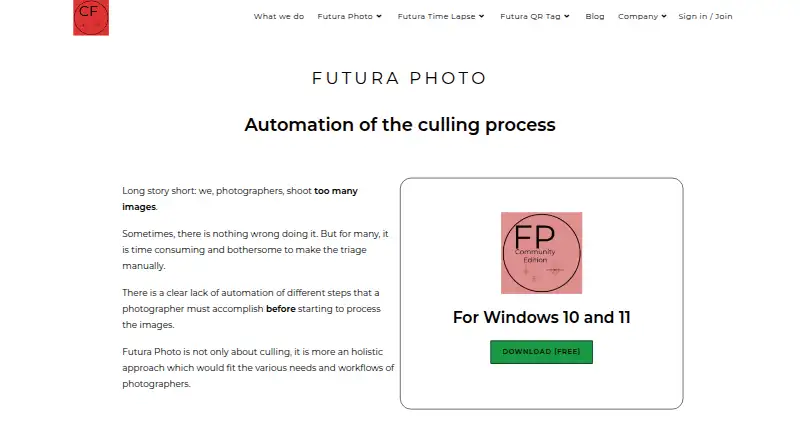
Futura Photo is Windows software that automates early photo workflow steps before metadata, tagging, and image editing. It can identify images with exposure errors, low sharpness, duplicates, or closed eyes so users can decide whether to archive or delete them. It also groups burst shots, RAW-and-JPG pairs, panoramas, and time-lapse images, and can align time-lapse frames. For video collections, it can detect short clips and move other videos into a dedicated directory. Photographers can tailor checks by enabling or disabling custom rules. Listed formats include JPG, CR2, CR3, NEF, RAF, RW2, ARW, ORF, DNG, AVI, FLV, MOV, MP4, and MTS. The free Community edition allows unlimited analyses of up to 100 images each, with one concurrent installation and no support. Paid annual editions start at $29 per year; the Professional edition allows up to 2,000 images per analysis and two concurrent installations. The listed requirements for version 2.8 or earlier include Windows 10 64-bit or Windows 11, at least 4 GB RAM, and a monitor resolution of at least 1920 × 1080.
Who it suits
It suits Windows photographers who want to sort and assess image collections before editing. Its adjustable checks and support for camera RAW formats may suit workflows with mixed photo and video files.
What it does well
- Flags exposure errors, low sharpness, duplicates, and closed eyes
- Groups bursts, RAW-and-JPG pairs, panoramas, and time-lapse images
- Custom rules can be enabled or disabled
- Free plan allows unlimited analyses of up to 100 images
- Supports listed camera RAW and video formats
What to know first
- Windows only
- Community edition includes no support
- No refund after a license key is issued
- Listed system requirements include a 1920 × 1080 monitor
Limits
The free Community plan allows up to 100 images per analysis and one concurrent installation, with no support. The least expensive paid edition, Enthusiast at $29 per year, allows up to 500 images per analysis and one concurrent installation.
Plans
| Plan | Billed and limits | Price |
|---|---|---|
| Community | Free · Unlimited analyses · up to 100 images per analysis · 1 concurrent installation · no support | Free |
| Enthusiast | $29 year · Unlimited analyses · up to 500 images per analysis · 1 concurrent installation · email support | $29 a year |
| Professional | $69 year · Unlimited analyses · up to 2'000 images per analysis · 2 concurrent installations · email, phone, and Zoom support | $69 a year |
| Enterprise | Custom · Unlimited analyses · custom images per analysis · more than 2 concurrent installations · email, phone, and Zoom support | On request |
As camerafutura.com lists them, read 4 Oct 2026. The maker's own page has the final word.
Getting started
- Visit the Futura Photo website.
- Check that your Windows system meets the listed requirements.
- Install Futura Photo using the installer.
- Start with the free Community plan or choose a paid edition.
- Adjust the custom rules to fit your image checks.
Verdict
Futura Photo focuses on early-stage image sorting, grouping, and quality checks rather than metadata or editing. The free Community edition has a 100-image cap per analysis; paid annual plans raise that cap and may add installations and support.
Questions
Is Futura Photo free?
Yes. Its Community plan is free and allows unlimited analyses of up to 100 images per analysis, with one concurrent installation.
How much do the paid editions cost?
Enthusiast costs $29 per year and Professional costs $69 per year. Enterprise has custom pricing.
Which platforms does Futura Photo support?
Windows is the listed platform. Requirements include Windows 10 64-bit and Windows 11 for version 2.8 or earlier.
Which file formats does it support?
Listed formats are JPG, CR2, CR3, NEF, RAF, RW2, ARW, ORF, DNG, AVI, FLV, MOV, MP4, and MTS.
What does the Community plan include?
It includes unlimited analyses, up to 100 images per analysis, one concurrent installation, and no support.
Who makes Futura Photo?
Futura Photo is made by Camera Futura, founded in 2019 and headquartered in Geneva, Switzerland.
Facts from Futura Photo's own pages
- Custom rules
- Photographers can customize rules and enable or disable them to fit their quality checks. · camerafutura.com, 4 Oct 2026
- Founded
- 2019 · camerafutura.com, 28 Sept 2026
- Headquarters
- Geneva, Switzerland · camerafutura.com, 28 Sept 2026
- Image grouping
- It detects and groups burst, RAW plus JPG, panorama, and time lapse images, and can align time lapse frames. · camerafutura.com, 4 Oct 2026
- License and refunds
- The license key is available after purchase, and the page says there can be no refund after the license has been issued. · camerafutura.com, 4 Oct 2026
- Paid plan renewal
- The Enthusiast, Professional, and Enterprise editions can be renewed every year. · camerafutura.com, 4 Oct 2026
- Poor image detection
- It can identify images with exposure errors, low sharpness, duplicates, or closed eyes for archiving or deletion. · camerafutura.com, 4 Oct 2026
- Purpose
- Futura Photo automates early photo workflow steps before metadata, tagging, and image editing. · camerafutura.com, 4 Oct 2026
- Support
- The support page directs users to the installation guide and FAQ and provides a form to report bugs or request product improvements. · camerafutura.com, 4 Oct 2026
- Supported files
- The installer page lists JPG, CR2, CR3, NEF, RAF, RW2, ARW, ORF, DNG, AVI, FLV, MOV, MP4, and MTS as supported formats. · camerafutura.com, 4 Oct 2026
- System requirements
- The page lists Windows 10 64-bit and Windows 11 version 2.8 or earlier, at least 4 GB RAM, and a monitor resolution of at least 1920 × 1080. · camerafutura.com, 4 Oct 2026
- Video handling
- It can detect short duration videos and move other videos into a dedicated directory. · camerafutura.com, 4 Oct 2026
- Website data
- Camera Futura says its website collects navigation data and submitted form details and stores collected data in a secure operating environment not accessible to the public. · camerafutura.com, 4 Oct 2026
Where Futura Photo stands on Freedom251
- AI Photo Culling Software#9 of 29