Freedom251 › Bandwidth Monitoring Software
sFlowTrend
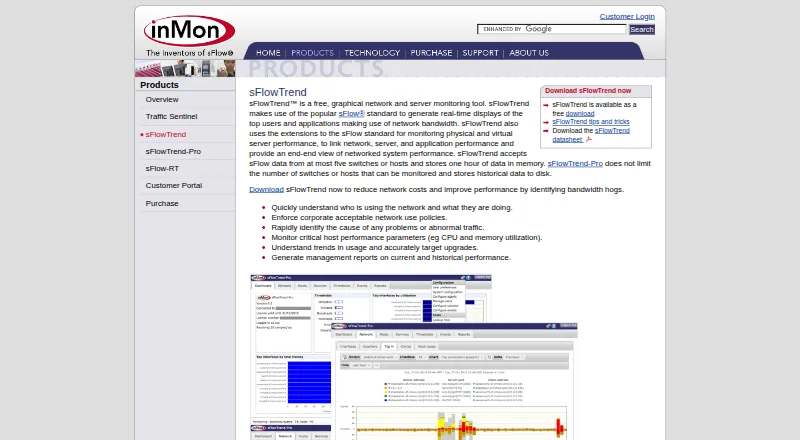
What sFlowTrend is
sFlowTrend is a graphical tool for monitoring network and server activity, with real-time views of leading network users and applications. It uses sFlow and extensions to connect network, server, and application performance, and can help identify bandwidth use, unusual traffic, host CPU and memory utilization, and usage trends for upgrade planning. It also lists application and user monitoring, SNMP monitoring, and bandwidth alerts. Monitoring requires switches or hosts that send data using the sFlow standard. The software is written in Java and requires Java 11 or later. Downloads include Windows, Linux installer and package options, and a Docker image. From version 7.0, users connect to the installed server through a web client. The free plan costs nothing and is limited to five switches or hosts, retaining one hour of data in memory. The license allows one copy and bars commercial use without separate written authorization and applicable fees. The software is provided as-is without warranty; other pricing is available on request.
Who it suits
It suits users monitoring sFlow-enabled switches or hosts who need visibility into network, server, and application activity. The free plan is limited to five monitored switches or hosts.
What it does well
- Displays leading network users and applications in real time
- Monitors CPU and memory utilization
- Includes SNMP monitoring and bandwidth alerts
- Offers Windows, Linux, and Docker downloads
What to know first
- Requires Java 11 or later
- Monitors only sFlow-sending switches or hosts
- Free plan retains one hour of data
- Commercial use requires separate written authorization and fees
Limits
The free plan is limited to at most five switches or hosts and stores one hour of data in memory. Its license permits one copy and excludes commercial use without separate written authorization and applicable fees.
Plans
| Plan | Billed and limits | Price |
|---|---|---|
| sFlowTrend | At most five switches or hosts · stores one hour of data in memory | Free |
| sFlowTrend Free | free download · maximum five switches or hosts · one hour of data in memory | Free |
| sFlowTrend-Pro | purchase through InMon customer portal · unlimited switches or hosts · persistent historical storage · commercial license | On request |
As inmon.com lists them, read 29 Sept 2026. The maker's own page has the final word.
Getting started
- Visit the sFlowTrend product website.
- Choose a listed Windows, Linux, or Docker download.
- Install Java 11 or later if needed.
- Run the installed server and connect through the web client from version 7.0.
- Configure monitoring for switches or hosts that send sFlow data.
sFlowTrend is a graphical monitor for network traffic, servers, and applications, best suited to people managing sFlow-enabled switches or hosts. Its combined traffic and host view is useful for diagnosing bandwidth use, but the free plan’s five-device and one-hour limits—and its restriction on commercial use—narrow its role.
Overview
sFlowTrend uses sFlow data and extensions to connect network, server, and application performance in one view. It can help identify bandwidth consumption, abnormal traffic, host CPU and memory use, and usage trends for upgrade planning. That makes it a focused option for environments whose switches or hosts send sFlow; it will not monitor devices that lack that protocol.
Key features
- Traffic and application visibility: Real-time views of top network users and applications help locate bandwidth demand and investigate unusual traffic.
- Host and user monitoring: CPU and memory utilization, application monitoring, and user monitoring give administrators context beyond flow traffic.
- SNMP and bandwidth alerts: SNMP monitoring and alerts add device monitoring and a way to flag bandwidth concerns.
- Short-term history: Usage trends can inform upgrade planning, but the free plan keeps only one hour of data in memory. It is therefore more suited to current investigations than to long-range trend analysis.
Pricing
The sFlowTrend plan costs nothing and supports at most five switches or hosts, with one hour of data stored in memory. That cap makes it a practical starting point for a small sFlow environment, but not a fit for larger deployments or teams that need longer history.
The license grants a non-exclusive, non-transferable right to use one copy. Commercial use requires separate written authorization and applicable fees, so organizations should not treat the free price as permission to deploy it commercially. The software is provided as-is without warranty. Pricing for paid use is on request.
Platforms
sFlowTrend is written in Java, runs on most platforms, and requires Java 11 or later. Downloads include Windows, Windows 64-bit with a 64-bit JRE, a Linux installer, Linux RPM, Debian .deb, and a Docker image. From version 7.0, users access the installed server through a web client at localhost port 8087 over HTTP or port 8443 over HTTPS. The combination of deployment choices suits varied server setups, while the Java requirement and local-server arrangement are operational considerations.
Who it's for
sFlowTrend fits administrators who have sFlow-enabled network or host devices and want a compact view of traffic, applications, and host utilization. It is less suitable when devices do not export sFlow, when monitoring must cover more than five devices on the free plan, or when commercial use is needed without a separate authorization.
Pros and cons
- Pros: Combines sFlow-based traffic, application, and host performance views; adds SNMP monitoring and bandwidth alerts; offers Windows, Linux, Docker, and web-client access.
- Cons: Requires sFlow data from monitored switches or hosts; the free plan is limited to five devices and one hour of in-memory data; commercial use needs separate written authorization and fees.
Alternatives
For a broader set of bandwidth-monitoring options, browse Bandwidth Monitoring Software.
- ntopng is worth considering for a free community option designed for home and network practitioners, with a suggested maximum of 256 live local hosts.
- SoftPerfect Bandwidth Manager may suit readers who want rules, usage reports, and a live usage monitor; its free Lite plan is limited to five rules or streams.
- GlassWire is an alternative for Windows, Android, or web users who want a free plan with one day of bandwidth usage and 24 hours of network history.
- ManageEngine NetFlow Analyzer may be preferable when a free edition limited to two interfaces or paid editions priced per month better match the deployment.
- Sniffnet is a free, open-source option for Linux, macOS, or Windows.
- bwmon is a free, self-hosted choice for monitoring a single Linux host.
- MRTG is a free option for monitoring SNMP devices and other data sources.
- Nagios XI is another option, with a free tier capped at seven nodes or 100 services, whichever comes first.
Verdict
Choose sFlowTrend if you manage a small, sFlow-enabled environment and need a combined view of network traffic, applications, and host utilization. Its protocol-specific focus is its main strength; the one-hour history, five-device cap, and commercial-use restriction are reasons to look elsewhere for ongoing business monitoring or broader coverage.
Verdict
sFlowTrend provides network and server monitoring for environments that send sFlow data. Check its one-hour data retention and license restrictions before relying on the free plan.
Questions
Is sFlowTrend free?
The listed sFlowTrend plan costs nothing. It supports at most five switches or hosts and stores one hour of data in memory.
What platforms can I use?
The product lists Linux, macOS, self-hosted, web, and Windows platforms. Downloads include Windows, Linux installer and package options, and a Docker image.
What does sFlowTrend require?
It requires Java 11 or later. It monitors switches or hosts that send data using the sFlow standard.
How do users access the web client?
From version 7.0, users connect to the installed server at localhost port 8087 over HTTP or port 8443 over HTTPS.
Can I use sFlowTrend commercially?
The license prohibits commercial use without separate written authorization and applicable fees.
Who makes sFlowTrend?
InMon develops sFlowTrend. InMon describes itself as a developer of traffic monitoring solutions for high-speed switched networks.
Facts from sFlowTrend's own pages
- Alerts
- Thresholds can raise events for abnormal traffic and notifications can be sent by email or syslog. · inmon.com, 15 Oct 2026
- Architecture
- The documented design is a continuously running client/server service with multiple browser clients able to connect to one server. · inmon.com, 15 Oct 2026
- Bandwidth analysis
- Built-in views help identify users, applications and abnormal traffic consuming network bandwidth. · inmon.com, 15 Oct 2026
- Company founding
- LinkedIn lists InMon Corp. as founded in 1999. · linkedin.com, 15 Oct 2026
- Company headquarters
- LinkedIn lists headquarters in San Francisco, California, at 1 Sansome Street, 35th Floor. · linkedin.com, 15 Oct 2026
- Company location
- InMon Corp. lists its address as 1 Sansome Street, 14th Floor, San Francisco, California 94104. · inmon.com, 29 Sept 2026
- Company size
- LinkedIn lists InMon Corp. as a privately held software-development company with 2–10 employees. · linkedin.com, 15 Oct 2026
- Current version
- The downloadable sFlowTrend release is version 8.0.0. · inmon.com, 15 Oct 2026
- Developer ecosystem
- sFlow.org publishes specifications, example code, agent source code, test scripts and the sFlow Toolkit for developers. · sflow.org, 15 Oct 2026
- Docker deployment
- A Docker image is provided for sFlowTrend. · inmon.com, 15 Oct 2026
- Documentation depth
- The online manual covers installation, dashboards, network, hosts, services, thresholds, events, reports, filtering, configuration, troubleshooting, REST API and database fields. · inmon.com, 15 Oct 2026
- Downloads
- InMon lists Windows, 64-bit Windows with bundled 64-bit JRE, Linux installer, Linux RPM and Debian packages. · inmon.com, 15 Oct 2026
- Founded
- 1999 · inmon.com, 28 Sept 2026
- Free-edition retention
- The free edition keeps one hour of collected data in memory. · inmon.com, 15 Oct 2026
- Free-edition scale
- The free edition accepts sFlow from at most five switches or hosts. · inmon.com, 15 Oct 2026
- Headquarters
- San Francisco, California, United States · inmon.com, 28 Sept 2026
- Host metrics
- Host performance metrics include CPU and memory utilization. · inmon.com, 15 Oct 2026
- HTTP monitoring
- The product's service views include HTTP performance data such as virtual hosts, URIs and user agents. · inmon.com, 15 Oct 2026
- Independent deployment example
- Open vSwitch documentation identifies sFlowTrend as a cross-platform Java collector and uses UDP port 6343 in its setup example. · ovs-istokes.readthedocs.io, 15 Oct 2026
- Independent feature confirmation
- FlowNetSecure describes monitoring of virtual and physical server CPU, memory, disk I/O, network I/O, switch flows and application metrics through sFlow collectors. · flownetsecure.com, 15 Oct 2026
- Independent limit confirmation
- FlowNetSecure characterizes the free edition as limited to roughly five agents and one hour of retention, recommending Pro for tens of agents and longer analysis. · flownetsecure.com, 15 Oct 2026
- Independent platform coverage
- FlowNetSecure lists Host sFlow support across AIX, FreeBSD, Linux, Solaris and Windows plus Docker and several hypervisors. · flownetsecure.com, 15 Oct 2026
- Independent praise
- A university study found the tool simple to use for real-time analysis and said its filters became practical after some training. · postgrado.info.unlp.edu.ar, 15 Oct 2026
- Licence status
- An independent university evaluation describes sFlowTrend as free but proprietary rather than open source. · postgrado.info.unlp.edu.ar, 15 Oct 2026
Where sFlowTrend stands on Freedom251
- Bandwidth Monitoring Software#17 of 33