Freedom251 › Download Manager Software
Download Navi
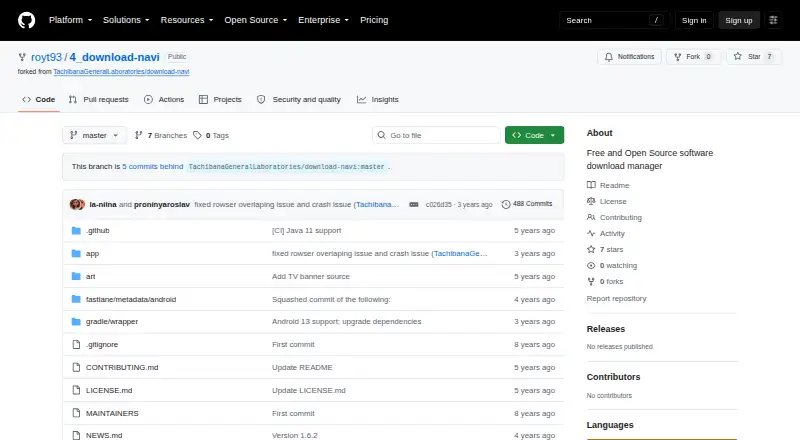
What Download Navi is
Download Navi is a free, open-source download manager for Android 4.4 and later. It can pause and resume downloads, keep them running in the background, and handle several at once, with three simultaneous downloads as the default. Multipart downloads can be split into as many as 16 parts. The app works with browsers and also has a built-in browser. Connection settings let users restrict downloads to unmetered connections and adjust roaming and user-agent controls. Additional tools include download speed limits, MD5 and SHA-256 hash calculation, and actions that run automatically when a download finishes. On Android 8.0 and later, it can unpack ZIP, TAR, and 7z archives automatically. The project README also names Android TV and Chrome OS as supported. Its privacy policy says permission-based information stays on the device, and the developer does not collect usage or personally identifiable data except when users send crash logs. The project accepts error reports through GitHub issues and welcomes contributions. Download Navi is licensed under GNU GPL version 3 or, at the user's option, a later version.
Who it suits
Download Navi suits Android users who want controls for pausing, resuming, and running downloads in the background, including multipart downloads. It may also suit people who want browser support, archive unpacking on Android 8.0 or later, and locally stored permission-based information.
What it does well
- Free and open source under GNU GPL version 3 or later.
- Pauses, resumes, and runs downloads in the background.
- Supports simultaneous downloads, defaulting to three.
- Multipart downloads can use up to 16 parts.
- Calculates MD5 and SHA-256 hashes.
- Automatically unpacks ZIP, TAR, and 7z on Android 8.0+.
What to know first
- The listed platform is Android.
- Automatic archive unpacking requires Android 8.0 or later.
- The default simultaneous download count is three.
Limits
The free plan is listed as free. Simultaneous downloads default to three, multipart downloads support up to 16 parts, and automatic archive unpacking requires Android 8.0 or later.
Plans
| Plan | Billed and limits | Price |
|---|---|---|
| Free | Android 4.4+ download manager · simultaneous downloads default 3 · multipart downloads max 16 | Free |
As github.com lists them, read 9 Oct 2026. The maker's own page has the final word.
Getting started
- Open the project website on GitHub.
- Use an Android device running Android 4.4 or later.
- Use Download Navi with a browser or its built-in browser.
- Set connection controls, speed limits, or automatic completion actions as needed.
Verdict
Choose Download Navi if you want a free Android download manager with pause and resume controls, multipart downloads, and browser support. Its listed platform is Android, and automatic archive unpacking requires Android 8.0 or later.
Questions
Is Download Navi free?
Yes. Its Free plan is listed as free, and the app is described as free and open source.
Which platforms does it support?
Android is the listed platform, with Android 4.4 or later required. The README also lists Android TV and Chrome OS support.
Does it support browsers?
Yes. It supports browsers and includes a built-in browser.
Can it unpack archives automatically?
On Android 8.0 and later, it can automatically unpack ZIP, TAR, and 7z archives.
What license does it use?
The repository licenses Download Navi under GNU GPL version 3 or, at the user's option, any later version.
What information does the developer collect?
The privacy policy says the developer does not collect usage or personally identifiable data except when users send crash logs. Information accessed through app permissions is stored locally on the device.
Facts from Download Navi's own pages
- Archive support
- On Android 8.0 and later, the app can automatically unpack archives, including ZIP, TAR, and 7z formats. · github.com, 9 Oct 2026
- Browser support
- The app supports browsers and includes a built-in browser. · github.com, 9 Oct 2026
- Connection controls
- It can restrict downloads to unmetered connections and includes roaming and user agent controls. · github.com, 9 Oct 2026
- Crash reports
- Users can send logs to help diagnose bugs; the policy says logs and sender email are deleted when no longer needed and are not shared with third parties. · github.com, 9 Oct 2026
- Device support
- The README lists Android TV and Chrome OS support. · github.com, 9 Oct 2026
- Downloads
- It supports pausing and resuming downloads, background downloads, and simultaneous downloads, with a default of three. · github.com, 9 Oct 2026
- Download tools
- Features include speed limits, MD5 and SHA-256 hash calculation, and automatic actions after downloads finish. · github.com, 9 Oct 2026
- License
- The repository says Download Navi is licensed under GNU GPL version 3 or, at the user's option, any later version. · github.com, 9 Oct 2026
- Local data
- The policy says information accessed with app permissions is stored locally on the device and the developer has no access to it. · github.com, 9 Oct 2026
- Multipart
- Multipart downloading supports up to 16 parts. · github.com, 9 Oct 2026
- Permissions
- The privacy policy lists storage access, network access, network connection visibility, startup, vibration, shortcuts, Wi-Fi visibility, and preventing sleep among app capabilities. · github.com, 9 Oct 2026
- Privacy
- The privacy policy says the developer does not collect usage data or personally identifiable data except when users send crash logs. · github.com, 9 Oct 2026
- Purpose
- Download Navi is a free and open source download manager for Android 4.4 and later. · github.com, 9 Oct 2026
- Support
- The project invites users to report errors through GitHub issues and welcomes contributions, suggestions, and bug fixes. · github.com, 9 Oct 2026
Where Download Navi stands on Freedom251
- Download Manager Software#24 of 58
- Bandwidth Monitoring Software#14 of 33