Freedom251 › Download Manager Software
NZBGet
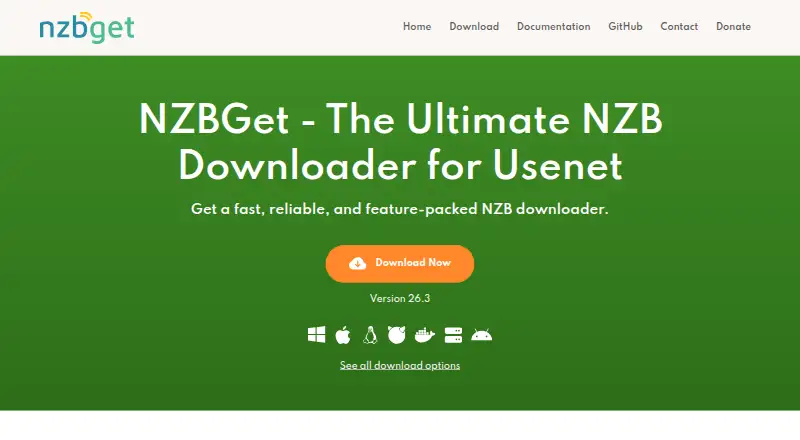
What NZBGet is
NZBGet is a free, open-source downloader for retrieving articles from Usenet newsgroups with NZB files. Its C++ design aims for high performance while using little CPU and memory. It can download across multiple threads, organize work in a queue, schedule transfers, set priorities, and process completed downloads by renaming, moving, or unpacking them. Custom scripts can extend its workflows and may be written in Python, Bash, or other scripting languages. NZBGet says it works with all NZB indexers and Usenet providers, and it includes automatic par-check and repair. Users can manage downloads through a remote web interface in a browser. The project documents connections with Sonarr, Radarr, Readarr, Lidarr, Prowlarr, and other tools for automation. Download options cover Windows, macOS, Linux, FreeBSD, Docker, NAS devices, and Android. NZBGet also provides an API and supports self-hosted use. The maker describes the project as community-driven and points users to Discord, GitHub, and Reddit for assistance. Its download instructions advise Windows users to set login credentials in Security settings, while its integration guide recommends SSL connections to protect traffic.
Who it suits
NZBGet suits Usenet users who want queueing, scheduling, prioritization, and post-processing in a downloader available across desktop, server, NAS, and Android environments. It may also fit users who want to automate downloads with tools such as Sonarr or Radarr, or customize workflows with scripts.
What it does well
- Free, open-source, and community-driven.
- Supports multithreaded downloads, scheduling, and prioritization.
- Post-processing can rename, move, and unpack downloads.
- Custom scripts can use Python, Bash, or other languages.
- Browser-based remote controls manage downloads from another device.
- Integrates with Sonarr, Radarr, Readarr, Lidarr, and Prowlarr.
What to know first
- Development code may contain serious bugs.
- Windows users are instructed to set login credentials in Security settings.
- The integration guide recommends SSL connections to protect traffic.
Plans
| Plan | Billed and limits | Price |
|---|---|---|
| NZBGet | Free · No price or usage limits stated on the page | Free |
As nzbget.com lists them, read 9 Oct 2026. The maker's own page has the final word.
Getting started
- Visit https://nzbget.com/.
- Choose a download for Windows, macOS, Linux, FreeBSD, Docker, a NAS device, or Android.
- Install or deploy NZBGet on a supported platform.
- On Windows, set login credentials in Security settings.
- Use a browser to open the remote web interface and control downloads.
Verdict
Choose NZBGet if you want a free Usenet downloader with scheduling, post-processing, scripts, and documented automation integrations. Use a stable download rather than development code if you are an average user, since the project warns development code can have serious bugs.
Questions
Is NZBGet free?
Yes. Its listed NZBGet plan is free, and the maker describes it as free and open-source.
Which platforms does NZBGet support?
Downloads are available for Windows, macOS, Linux, FreeBSD, Docker, NAS devices, and Android. The listed platform set also includes API and self-hosted.
Can I control NZBGet remotely?
Yes. A remote web interface lets users control downloads from a device with a browser.
Which automation tools does NZBGet integrate with?
The maker documents integrations with Sonarr, Radarr, Readarr, Lidarr, Prowlarr, and other tools.
Does NZBGet support custom scripts?
Yes. Custom scripts can be written in Python, Bash, or other scripting languages.
Is there a free trial?
No. NZBGet has no free trial; its listed plan is free.
Facts from NZBGet's own pages
- Automation integrations
- The maker documents integrations with Sonarr, Radarr, Readarr, Lidarr, Prowlarr, and other tools. · nzbget.com, 9 Oct 2026
- Development build limit
- The download page cautions that development code may contain serious bugs and is not recommended for average users. · nzbget.com, 9 Oct 2026
- Download tools
- Features include multithreaded downloading, queue management, scheduling, prioritization, and post-processing to rename, move, and unpack downloads. · nzbget.com, 9 Oct 2026
- Open source
- The maker describes NZBGet as free, open-source, and community-driven. · nzbget.com, 9 Oct 2026
- Performance
- The project describes NZBGet as a C++ downloader designed for high performance and low CPU and memory use. · nzbget.com, 9 Oct 2026
- Platform support
- Download options include Windows, macOS, Linux, Docker, NAS devices, and Android; the site also lists FreeBSD downloads. · nzbget.com, 9 Oct 2026
- Purpose
- NZBGet downloads articles from Usenet newsgroups using NZB files. · nzbget.com, 9 Oct 2026
- Remote access
- A remote web interface lets users control downloads from a device with a browser. · nzbget.com, 9 Oct 2026
- Scripts
- NZBGet supports custom scripts written in Python, Bash, or other scripting languages. · nzbget.com, 9 Oct 2026
- Security
- The download instructions tell Windows users to set login credentials in the Security settings, and the integration guide recommends SSL connections to protect traffic. · nzbget.com, 9 Oct 2026
- Support
- The maker directs users to Discord, GitHub, and Reddit for help and says it checks those community channels regularly. · nzbget.com, 9 Oct 2026
- Usenet support
- NZBGet says it supports all NZB indexers and Usenet providers and includes automatic par-check and repair. · nzbget.com, 9 Oct 2026
Where NZBGet stands on Freedom251
- Download Manager Software#22 of 58