Freedom251 › Bandwidth Monitoring Software
iftop
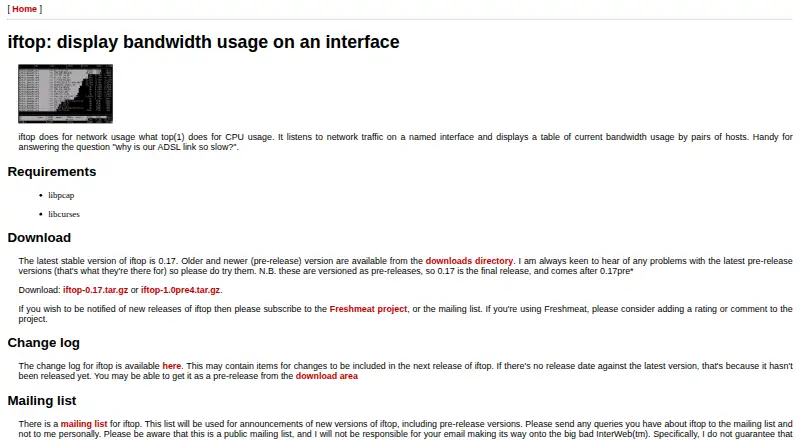
What iftop is
iftop is a free Linux utility for watching current bandwidth use between pairs of hosts on a network interface. It can listen on an interface you name or choose the first one it recognizes as external. It needs sufficient permissions to monitor all traffic on that interface. Its terminal display can include host names, port numbers, bandwidth bars, traffic totals, and rates averaged over 2, 10, and 40 seconds. Packet filter code determines which traffic is captured; display filters narrow what appears without changing the capture. Options include an IPv4 network boundary, link-local IPv6 traffic, and promiscuous mode for capturing traffic between other hosts on the same network segment. Settings can be read from a configuration file, which defaults to ~/.iftoprc. A text interface that does not use ncurses can print one report after a chosen interval and limit the number of output lines. iftop is free software under the GNU General Public License, version 2 or later, and is provided without warranty. Its manual names Paul Warren as the author. After a capture filter changes, existing entries may remain on screen for up to 40 seconds because they reflect a recent capture window.
Who it suits
iftop suits Linux users who need to inspect current bandwidth between network hosts from a terminal. It can also suit users who need a limited text report or want to filter captured traffic and displayed results separately.
What it does well
- Shows bandwidth between pairs of hosts on an interface.
- Displays traffic rates averaged over 2, 10, and 40 seconds.
- Offers capture and display filters with separate effects.
- Can print a line-limited report without ncurses.
- Includes options for IPv4 boundaries and link-local IPv6 traffic.
What to know first
- Requires sufficient permissions to monitor interface traffic.
- Old display entries may remain for up to 40 seconds after a capture filter change.
- Provided without warranty.
Limits
The free plan is listed as free. Monitoring all traffic on an interface requires sufficient permissions.
Plans
| Plan | Billed and limits | Price |
|---|---|---|
| iftop | GPL-licensed software; requires sufficient permissions to monitor network traffic on the interface | Free |
As ex-parrot.com lists them, read 4 Oct 2026. The maker's own page has the final word.
Getting started
- Visit the iftop website.
- Use it on Linux.
- Run it with sufficient permissions to monitor traffic on the interface.
Verdict
Choose iftop if you need a free Linux terminal utility to view bandwidth between hosts, with configurable filters and traffic summaries. Allow for sufficient permissions and a delay of up to 40 seconds before older display entries clear after changing a capture filter.
Questions
How much does iftop cost?
Its plan is listed as free, and the pricing model is free.
Which platform does iftop support?
iftop supports Linux.
What does iftop display?
It displays current bandwidth use between pairs of hosts on a network interface. The display can include host names, port numbers, bandwidth bars, totals, and rates averaged over 2, 10, and 40 seconds.
Is iftop open source?
iftop is free software under the GNU General Public License, version 2 or any later version.
Who made iftop?
The manual names Paul Warren as its author.
Does iftop integrate with external services?
The manual lists tcpdump, pcap, and driftnet as related tools; it does not state integrations with external services.
Facts from iftop's own pages
- Configuration
- iftop can read settings from a configuration file, defaulting to ~/.iftoprc when no alternate file is specified. · sources.debian.org, 4 Oct 2026
- Filtering
- It supports packet filter code and display filters, with display filters affecting what is shown rather than what is captured. · sources.debian.org, 4 Oct 2026
- Integration
- The manual lists tcpdump, pcap, and driftnet as related tools; it does not state integrations with external services. · sources.debian.org, 4 Oct 2026
- Maker
- The manual names Paul Warren as the author. · sources.debian.org, 4 Oct 2026
- Network support
- Configuration options include an IPv4 network boundary and display of link-local IPv6 traffic. · sources.debian.org, 4 Oct 2026
- Notable limitation
- After changing the capture filter, existing display entries may remain for up to 40 seconds because the display reflects a recent capture window. · sources.debian.org, 4 Oct 2026
- Permissions
- iftop must be run with sufficient permissions to monitor all network traffic on the interface. · sources.debian.org, 4 Oct 2026
- Promiscuous mode
- iftop can put the interface into promiscuous mode to capture traffic between other hosts on the same network segment. · sources.debian.org, 4 Oct 2026
- Purpose
- iftop displays current bandwidth usage by pairs of hosts on a network interface. · sources.debian.org, 4 Oct 2026
- Security and license
- The manual identifies iftop as free software under the GNU General Public License, version 2 or any later version, and provides it without warranty. · sources.debian.org, 4 Oct 2026
- Terminal output
- A text interface without ncurses is available, with options to print a single output after a specified number of seconds and limit the number of lines. · sources.debian.org, 4 Oct 2026
- Traffic capture
- iftop listens on a named interface or, if none is specified, the first interface it finds that looks like an external interface. · sources.debian.org, 4 Oct 2026
- Traffic views
- The display can show host names, port numbers, bandwidth bars, totals, and traffic rates averaged over 2, 10, and 40 seconds. · sources.debian.org, 4 Oct 2026
Where iftop stands on Freedom251
- Bandwidth Monitoring Software#15 of 33