Freedom251 › Bandwidth Monitoring Software
NetHogs
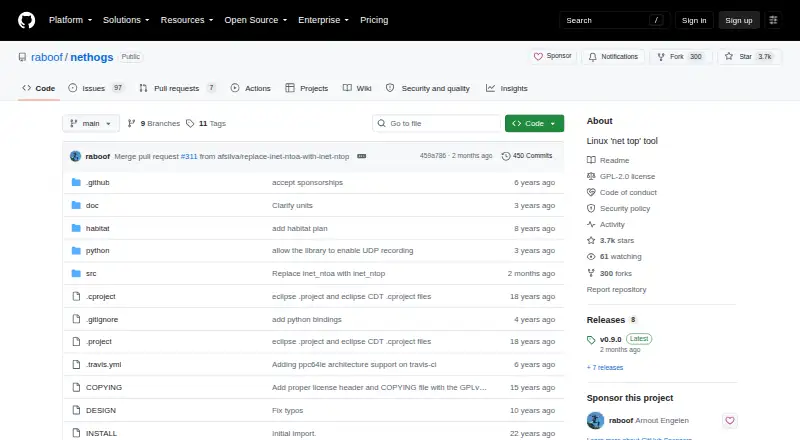
What NetHogs is
NetHogs is a free network monitor that groups bandwidth use by process, helping you see which program is using network capacity. If traffic suddenly rises, it can show the PID linked to that increase. It does not need a special kernel module. Its strongest feature set is on Linux, where it relies heavily on /proc. On Mac OS X and FreeBSD, it can show connections but not the processes behind them.
NetHogs has a text interface that depends on ncurses, and user-level packet capture depends on libpcap. The project describes it as mature software included in most Linux distributions. Arch Linux installation instructions use pacman; users can also clone the repository or get a source release from GitHub Releases. Running as a non-root user requires capabilities for network administration and raw access, plus further capabilities to display process names. Traffic that cannot be tied to a process, such as traffic from a process that ended before it could be counted, appears in an “unknown TCP” bucket. The codebase can also build libnethogs, an experimental library that may break source and binary compatibility. NetHogs may be redistributed under GPLv2 or any later version.
Who it suits
NetHogs suits Linux users who want to identify which processes are using bandwidth, including when traffic rises unexpectedly. Mac OS X and FreeBSD users can view connections, but not the processes associated with them.
What it does well
- Groups network bandwidth by process.
- Can show the PID linked to a sudden traffic increase.
- Does not require a special kernel module.
- Included in most Linux distributions.
- May be redistributed under GPLv2 or later.
What to know first
- On Mac OS X and FreeBSD, it shows connections but not processes.
- Non-root use requires specific capabilities, including extra ones to display process names.
- The text interface depends on ncurses; user-level capture depends on libpcap.
Limits
The free plan has limited process visibility on Mac OS X and FreeBSD: it can show connections but not processes. On Linux, running as a non-root user requires specific capabilities, including additional capabilities to display process names.
Plans
| Plan | Billed and limits | Price |
|---|---|---|
| NetHogs | Linux features rely on /proc · Mac OS X and FreeBSD show connections but not processes | Free |
As github.com lists them, read 7 Oct 2026. The maker's own page has the final word.
Getting started
- Visit the NetHogs GitHub project.
- Install NetHogs through your Linux distribution; Arch Linux instructions use pacman.
- Alternatively, clone the repository or obtain a source release from GitHub Releases.
- For non-root use, provide the required capabilities; displaying process names requires additional capabilities.
Verdict
Choose NetHogs if you want a free tool for seeing which Linux processes account for network bandwidth, especially during a sudden increase. Look elsewhere if you need process attribution on Mac OS X or FreeBSD, where it displays connections without identifying their processes.
Questions
How much does NetHogs cost?
NetHogs is free, with a listed price of $0.
Which platforms does NetHogs support?
The listed platforms are Linux and macOS. Most features are available on Linux; on Mac OS X and FreeBSD, it can show connections but not processes.
Does NetHogs have a free trial?
No. NetHogs is free and has no free trial.
How can I get NetHogs?
It is included in most Linux distributions. The project also offers repository cloning and source releases through GitHub Releases.
What license does NetHogs use?
It may be redistributed under the terms of GPLv2 or any later version.
What is the unknown TCP bucket?
It groups traffic that cannot be associated with a process, for example when the process ended before its traffic could be counted.
Facts from NetHogs's own pages
- Downloads
- The project says users can clone the repository or obtain a source release from GitHub Releases. · github.com, 7 Oct 2026
- Integration
- The project says libnethogs is used by the separate gnethogs project. · github.com, 7 Oct 2026
- Interface
- The text-based interface depends on ncurses, and user-level packet capture depends on libpcap. · github.com, 7 Oct 2026
- Kernel requirements
- NetHogs does not rely on a special kernel module being loaded. · github.com, 7 Oct 2026
- Library
- The codebase can also build libnethogs, which the project describes as highly experimental and warns may break source and binary compatibility. · github.com, 7 Oct 2026
- License
- NetHogs may be redistributed under the terms of GPLv2 or any later version. · github.com, 7 Oct 2026
- Linux distribution availability
- The project describes NetHogs as mature software included in most Linux distributions and gives Arch Linux installation instructions using pacman. · github.com, 7 Oct 2026
- Permissions
- Running as a non-root user requires cap_net_admin and cap_net_raw; displaying process names also requires cap_dac_read_search and cap_sys_ptrace. · github.com, 7 Oct 2026
- Platform limits
- Most features are available only on Linux because NetHogs relies heavily on /proc; on Mac OS X and FreeBSD it can show connections but not processes. · github.com, 7 Oct 2026
- Purpose
- NetHogs is a small “net top” tool that groups network bandwidth by process instead of by protocol or subnet. · github.com, 7 Oct 2026
- Support
- The installation instructions invite users with problems to contact [email protected]. · github.com, 7 Oct 2026
- Troubleshooting
- It can show which PID is causing a sudden increase in network traffic, helping identify programs using bandwidth unexpectedly. · github.com, 7 Oct 2026
- Unattributed traffic
- The “unknown TCP” bucket contains traffic that cannot be associated with a process, for example when the process ended before its traffic could be counted. · github.com, 7 Oct 2026
Where NetHogs stands on Freedom251
- Bandwidth Monitoring Software#16 of 33