Freedom251 › Network Traffic Analysis Software

ManageEngine NetFlow Analyzer
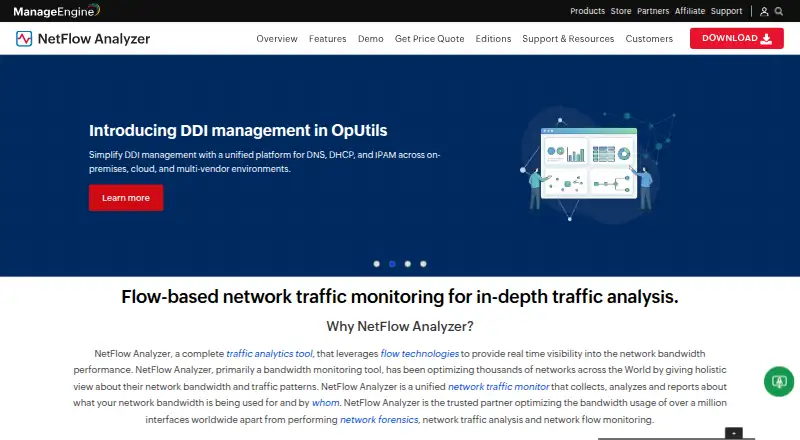
What ManageEngine NetFlow Analyzer is
ManageEngine NetFlow Analyzer monitors network traffic and bandwidth, with visibility into applications and analysis of conversations between network endpoints. It supports seven flow protocols: NetFlow, sFlow, IPFIX, J-Flow, NetStream, cflowd, and AppFlow. The product is deployed on premises and lists Android, iOS, Linux, web, and Windows platforms. Its free edition costs nothing and covers 2 interfaces. Paid editions are Standard at $172 a month for 10 interfaces, Professional at $245 a month for 10 interfaces, and Enterprise at $3,795 a month for 100 interfaces. The listed pricing model is freemium, with a 30-day trial. ManageEngine was founded in 1996 and is headquartered in Pleasanton, California, United States. The interface limits vary by edition, so the number of interfaces to monitor is a key consideration when choosing a plan.
Who it suits
It suits organizations that need to monitor bandwidth, applications, and network conversations using supported flow protocols. The free edition is an option for monitoring up to 2 interfaces.
What it does well
- Monitors bandwidth and provides application visibility.
- Analyzes conversations between network endpoints.
- Supports seven listed flow protocols.
- Free edition covers 2 interfaces.
What to know first
- Free edition is limited to 2 interfaces.
- Enterprise costs $3,795 a month.
Limits
The Free Edition covers 2 interfaces. Standard and Professional each cover 10 interfaces, while Enterprise covers 100 interfaces.
Plans
| Plan | Billed and limits | Price |
|---|---|---|
| Free Edition | 2 interfaces | Free |
| Standard Edition | 10 interfaces | $172 a month |
| Professional Edition | 10 interfaces | $245 a month |
| Enterprise Edition | 100 interfaces | $3,795 a month |
As manageengine.com lists them, read 20 Sept 2026. The maker's own page has the final word.
Getting started
- Visit the ManageEngine NetFlow Analyzer website.
- Choose the Free Edition or a paid edition.
- Use the listed 30-day trial if evaluating the product.
- Deploy the product on premises.
- Access the product on a listed platform.
ManageEngine NetFlow Analyzer is an on-premises tool for monitoring network traffic and bandwidth. It suits teams that need application visibility and conversation analysis across common flow protocols. Its interface-based editions make the right fit depend on how many interfaces your network requires.
Overview
NetFlow Analyzer combines bandwidth monitoring with application visibility and conversation analysis. Support for seven flow protocols gives it reach across networks using NetFlow, sFlow, IPFIX, J-Flow, NetStream, cflowd or AppFlow. On-premises deployment suits organizations that want to run the analyzer within their own environment; it is not a cloud-hosted option.
Key features
- Broad flow protocol support: NetFlow, sFlow, IPFIX, J-Flow, NetStream, cflowd and AppFlow make the product relevant to networks that export different flow formats.
- Bandwidth monitoring: Helps teams examine network usage, while application visibility and conversation analysis add ways to understand traffic beyond bandwidth totals.
Pricing
The Free Edition costs nothing and supports 2 interfaces, making it a starting point for a small monitored footprint rather than a broad deployment. The paid editions are priced monthly: Standard Edition is $172 a month for 10 interfaces, and Professional Edition is $245 a month for 10 interfaces. The interface allowance is the same, so the higher Professional price needs to be justified by needs beyond simply adding capacity; the editions’ feature differences are not established here.
Enterprise Edition costs $3,795 a month for 100 interfaces. It is the clear capacity step-up for a larger monitored network, but the much higher monthly commitment makes it a poor fit if ten interfaces are sufficient. A 30-day trial is offered. No renewal terms are given.
Platforms
NetFlow Analyzer supports Android, iOS, Linux, web and Windows. Its deployment model is on-premises, so platform support should not be mistaken for a hosted service.
Who it's for
This is a sensible shortlist choice for network teams that need flow-based bandwidth monitoring plus application and conversation visibility, especially when they need support for more than one flow protocol. The free two-interface edition can suit a limited evaluation or small footprint. Teams monitoring many interfaces should compare the 10-interface paid tiers with the 100-interface Enterprise tier before committing.
Pros and cons
- Pro: Seven supported flow protocols accommodate varied network exporters.
- Pro: Application visibility and conversation analysis accompany bandwidth monitoring, giving teams more than a usage total.
- Con: The free edition is capped at 2 interfaces, which sharply limits its usefulness for larger environments.
- Con: Both Standard and Professional cover 10 interfaces, while Enterprise jumps to 100 at $3,795 a month; that pricing structure may not suit organizations needing capacity between those tiers.
Alternatives
For a wider comparison, browse Network Traffic Analysis Software, Anomaly Detection Software and Bandwidth Monitoring Software.
- ntopng is a freemium alternative with Linux, macOS, web, Windows, API and self-hosted platforms; its free Community edition is aimed at home and network practitioners, with a suggested maximum of 256 live local hosts.
- Akvorado is a free option with Linux, macOS, web, API and self-hosted platforms, developed by Free, described as a French ISP.
- Caligare Flow Inspector offers a free edition for non-commercial use, capped at 2 devices, 24-hour history and 250 flows/sec; it is a Linux, self-hosted and web option.
- Nagios XI is a paid alternative with a free tier capped at 7 nodes or 100 services, whichever comes first, and is self-supported; it supports API, Linux, self-hosted and web deployments.
- ElastiFlow has a free Basic plan supporting up to 4,000 records per second and 25 SNMP devices, with Linux, self-hosted and API platforms.
- pmacct is a free Linux and self-hosted alternative.
- Intermapper is a freemium alternative supporting Windows, macOS, Linux and web.
- FlowViewer is a free web-based alternative.
Verdict
Choose ManageEngine NetFlow Analyzer if your team needs on-premises flow analysis with bandwidth monitoring, application visibility and conversation analysis across several protocols. Its strongest fit is a network that aligns with the edition interface caps; look elsewhere if the two-interface free ceiling or the jump from 10 to 100 interfaces makes the pricing tiers a mismatch.
Verdict
NetFlow Analyzer combines bandwidth monitoring, application visibility, and conversation analysis with support for multiple flow protocols. Compare the interface limits and monthly prices against the scale of the network you need to monitor.
Questions
Is there a free plan?
Yes. The Free Edition costs nothing and covers 2 interfaces.
How much do the paid editions cost?
Standard Edition costs $172 a month for 10 interfaces; Professional Edition costs $245 a month for 10 interfaces. Enterprise Edition costs $3,795 a month for 100 interfaces.
Is there a trial?
A 30-day trial is listed.
Which flow protocols does it support?
The listed protocols are NetFlow, sFlow, IPFIX, J-Flow, NetStream, cflowd, and AppFlow.
Which platforms are supported?
The listed platforms are Android, iOS, Linux, web, and Windows.
How is it deployed?
NetFlow Analyzer is deployed on premises.
Facts from ManageEngine NetFlow Analyzer's own pages
- Founded
- 1996 · manageengine.com, 23 Sept 2026
- Headquarters
- Pleasanton, California, United States · manageengine.com, 23 Sept 2026
Where ManageEngine NetFlow Analyzer stands on Freedom251
- Network Traffic Analysis Software#9 of 26
- Anomaly Detection Software#9 of 22
- Bandwidth Monitoring Software#18 of 33