Freedom251 › Network Troubleshooting Software

PingPlotter
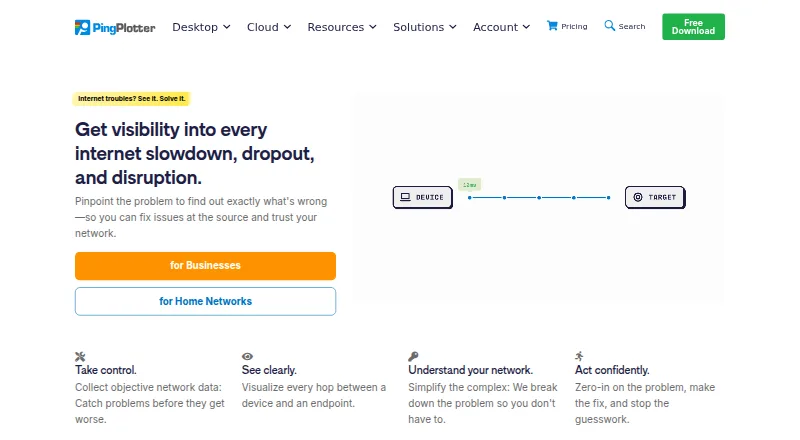
What PingPlotter is
PingPlotter continuously monitors network performance by tracking latency, jitter, and packet loss, then visualizing network paths to help locate connection problems. Its desktop application monitors connections from one Windows or macOS computer. PingPlotter Cloud adds a centralized online dashboard for monitoring and troubleshooting remote connections, while Insights analyzes network data for incidents, potential causes, and possible fixes. Cloud alert actions can make REST calls to services such as Slack, Microsoft Teams, Google Chat, and JIRA. Webhooks can report agent status or connection-quality changes and connect with compatible apps through services including Zapier and Power Automate. Desktop editions have a 14-day trial; afterward, the free version supports one connection, has no remote collection, and keeps 10 minutes of monitoring history. Cloud trials last seven days. The Standard Edition starts at $6.99/mo.; Professional starts at $29 a month, and Cloud at $90 a month. PingPlotter is listed for Windows, macOS, Linux, web, and iOS.
Who it suits
PingPlotter Standard is presented for home network troubleshooting, Professional for small office networks, and Cloud for remote teams. It suits users who need to track connection quality or investigate network paths.
What it does well
- Tracks latency, jitter, and packet loss continuously.
- Visualizes network paths to help locate connection problems.
- Cloud alerts can call collaboration and issue-tracking services.
- Insights identifies incidents, potential causes, and possible fixes.
What to know first
- Free desktop use is limited to one connection.
- Free desktop use has no remote collection.
- Free monitoring history is limited to 10 minutes.
- Cloud trials last seven days.
Limits
After its 14-day trial, the desktop free version supports one connection, has no remote collection, and keeps 10 minutes of monitoring history. The Cloud trial lasts seven days.
Plans
| Plan | Billed and limits | Price |
|---|---|---|
| Free | Forever · 1 target · Windows/macOS · 10-minute history · no remote collection | Free |
| Professional Edition | Starting at $29/mo. · Unlimited targets on one computer · Windows, macOS | $29 a month |
| Professional | Starting at $29/mo. · Up to 250 targets · Windows/macOS · 14-day trial | $29 a month |
| Standard | Starting at $6.99/mo. · 2 targets from one computer · Windows/macOS · 14-day trial | $6.99 a month |
| PingPlotter Cloud | Starting at $90/mo.; yearly and volume discounts available · Thousands of remote devices · Windows/macOS/Linux agents · 7-day trial | $90 a month |
| Standard Edition | Starting at $6.99/mo. · 2 targets from one computer · Windows, macOS | On request |
As pingplotter.com lists them, read 15 Oct 2026. The maker's own page has the final word.
Getting started
- Visit https://www.pingplotter.com/.
- Choose a desktop edition or PingPlotter Cloud.
- Start the 14-day desktop trial or the seven-day Cloud trial.
- Install the desktop edition for Windows or macOS, or use the Cloud dashboard.
- Use the support team for help with downloads, licenses, or product questions.
Overview
PingPlotter is a network-monitoring and troubleshooting tool for following connection quality and tracing network paths. It suits people diagnosing an unreliable home connection as well as teams that need a shared view of remote connections; the best fit depends on how many targets and devices they need to monitor.
Its desktop and cloud options cover local and remote monitoring, while Insights analyzes network data for incidents, likely causes and possible fixes. The free desktop edition is tightly capped, so regular or multi-target monitoring calls for a paid plan.
For related categories, browse Network Diagnostic Software, Network Testing Software and Network Performance Monitoring Software.
Key features
- Connection monitoring and path views: PingPlotter tracks latency, jitter and packet loss while visualizing network paths. That combination helps users examine connection quality over time and narrow down where a problem may be occurring.
- Desktop and Cloud: Desktop monitors connections from one Windows or macOS computer. Cloud adds a centralized online dashboard for monitoring and troubleshooting remote connections, making it the more relevant choice for teams overseeing distributed devices.
- Insights: Network-data analysis identifies incidents, potential causes and possible fixes. This can help focus troubleshooting, though it does not remove the need to assess what the data means for a particular network.
- Alerts and integrations: Cloud alert actions can make REST calls to services including Slack, Microsoft Teams, Google Chat and JIRA. Webhooks can report agent-status or connection-quality changes and connect with compatible apps through services such as Zapier or Power Automate.
- Security and data handling: The product comparison includes two-factor authentication and SAML single sign-on; SSO is a Cloud add-on. Pingman Tools says Microsoft Azure stores CloudConnect and Cloud trace data collected by remote agents, while third-party processors handle payment information.
Pricing
PingPlotter is freemium, with a free plan and a 14-day desktop trial; Cloud trials last 7 days. After the desktop trial, the free version allows one connection, no remote collection and 10 minutes of monitoring history. That is enough for brief, single-connection troubleshooting, but the short history and lack of remote collection constrain ongoing diagnosis.
- Free — free: One connection, no remote collection and 10-minute monitoring history. Best for basic checks rather than sustained tracking.
- Standard Edition — starting at $6.99/mo.: Two targets from one computer on Windows or macOS.
- Professional Edition — $29 a month: Starting at $29/mo.; unlimited targets on one Windows or macOS computer. The maker positions it for small office networks, where target capacity matters more than centralized remote-device monitoring.
- PingPlotter Cloud — $90 a month: Starting at $90/mo.; thousands of targets across remote devices, with customizable capacity and Windows, macOS and Linux support. It is aimed at remote teams that need centralized monitoring at scale. SSO is an add-on.
Standard's starting price is the lowest paid entry point, while Professional and Cloud are priced for substantially broader monitoring. Choose according to target count and whether monitoring must span remote devices, rather than paying for capacity a single-computer setup does not need.
Platforms
PingPlotter lists iOS, Linux, macOS, web and Windows. Desktop monitoring is for Windows and macOS; Cloud supports Windows, macOS and Linux. The download page also lists an iOS version, numbered 1.4.1.
Who it's for
Home users troubleshooting one or two connections can start with the free or Standard edition, accepting the free plan's brief history and single-connection cap. Small offices with many targets on one computer are better matched to Professional. Remote teams that need a centralized view across devices should consider Cloud, especially if alert actions and webhooks fit their workflows. PingPlotter directs users to its support team for download, license and product questions.
Pros and cons
- Pros: Tracks latency, jitter and packet loss together with path visualization, giving troubleshooting a useful view of both quality and route.
- Pros: Cloud combines remote-device monitoring with integrations, alerts and analysis, which suits teams coordinating investigation across locations.
- Cons: The free desktop edition's one-connection limit, lack of remote collection and 10-minute history make it a poor fit for longer investigations.
- Cons: Cloud costs more than the desktop entry plan, and SSO requires an add-on, so teams should weigh centralized capacity and security needs against added cost.
Alternatives
DNSViz is a free option for web-based DNS analysis, with an open-source GPL-2.0 repository; choose it when DNS analysis is the need rather than PingPlotter's connection-quality monitoring.
Globalping is a freemium alternative whose maker describes all components as open source and developed with its community; consider it if that open-source model is a priority.
NetSpot offers a free edition for personal and evaluation use on macOS and Windows, with a free plan and trial; compare it when those platforms and a personal-use free edition suit your needs.
Nmap is free for end users across Linux, macOS, self-hosted and Windows, but its end-user license does not allow redistribution within commercial software or hardware products; choose it if that licensing and platform scope fit.
SoftPerfect Bandwidth Manager has a free Lite plan with five rules or streams, usage reports, live usage monitoring and penalties for heavy downloads or uploads; it may suit users focused on bandwidth rules and usage rather than path-based troubleshooting.
Angry IP Scanner is a free, open-source GPLv2 option for Linux, macOS and Windows.
Buddi is free GPLv2 budgeting software for Linux, macOS and Windows, rather than a network-monitoring tool.
RIPE Atlas makes public data freely available, while custom measurements require credits; consider it when public measurement data or credit-based custom measurements fit the task.
Verdict
PingPlotter is a strong fit for users who need ongoing visibility into latency, jitter, packet loss and network paths, with a clear progression from one-computer monitoring to a centralized remote-team dashboard. Its main advantage is combining those measurements with analysis and Cloud alerts; look elsewhere if the free edition's narrow limits are enough to rule it out, or if your needs do not warrant a paid monitoring plan.
Verdict
PingPlotter provides desktop monitoring and a centralized Cloud option, with alerts and analysis for troubleshooting. Consider the free edition's connection and history limits, or compare them with the listed paid plans.
Questions
Is PingPlotter free?
Yes. After the desktop trial, a free version is available with one connection, no remote collection, and 10 minutes of monitoring history.
How much does PingPlotter cost?
Standard Edition starts at $6.99/mo., Professional Edition at $29/mo., and PingPlotter Cloud at $90/mo.
How long are the trials?
Desktop editions have a 14-day trial. Cloud trials last seven days.
Which platforms does PingPlotter support?
It is listed for iOS, Linux, macOS, web, and Windows. Desktop editions track connections from one Windows or macOS computer.
Can PingPlotter send alerts to other services?
Cloud alert actions can make REST calls to Slack, Microsoft Teams, Google Chat, and JIRA. Webhooks can connect to compatible apps through Zapier or Power Automate.
Where is PingPlotter Cloud data stored?
Pingman Tools says Microsoft Azure stores PingPlotter CloudConnect and Cloud trace data collected by remote agents. Payment information is handled by third-party processors.
Facts from PingPlotter's own pages
- Alerts and integrations
- PingPlotter Cloud alert actions can make REST calls to services such as Slack, Microsoft Teams, Google Chat, and JIRA. · pingplotter.com, 29 Sept 2026
- Analysis features
- PingPlotter Insights analyzes network data to identify incidents, potential causes, and possible fixes. · pingplotter.com, 29 Sept 2026
- API documentation
- API documentation includes agents, sessions, trace data, LiveShares, users, settings, examples and rate limits. · pingplotter.com, 15 Oct 2026
- Apple app capabilities
- The iOS app graphs latency and packet loss, supports IPv4/IPv6 targets, audio alerts, reports and loading desktop-collected data. · apps.apple.com, 15 Oct 2026
- Apple app complaint
- An App Store reviewer requests higher iPad resolution, landscape window arrangement and background operation. · apps.apple.com, 15 Oct 2026
- Cloud alerts
- Cloud provides intelligent alerts, customizable dashboards and role-based permissions. · pingplotter.com, 15 Oct 2026
- Cloud cross-platform
- Cloud agents monitor Windows, macOS and Linux devices from one dashboard. · pingplotter.com, 15 Oct 2026
- Cloud dashboard
- PingPlotter Cloud centralizes monitoring of remote connections in a web dashboard. · pingplotter.com, 15 Oct 2026
- Cloud live sharing
- Cloud lets users share selected graphs, periods and network insights live with others. · pingplotter.com, 15 Oct 2026
- Cloud use
- PingPlotter Cloud provides a centralized online dashboard for monitoring and troubleshooting remote connections. · pingplotter.com, 29 Sept 2026
- Company facts
- LinkedIn lists PingPlotter as a privately held computer-networking company with 11–50 employees, headquartered in Boise, Idaho, and founded in 1998. · linkedin.com, 15 Oct 2026
- Data handling
- Pingman Tools says Microsoft Azure stores PingPlotter CloudConnect and Cloud trace data collected by remote agents, and that payment information is handled by third-party processors. · pingman.com, 29 Sept 2026
- Desktop metrics
- Desktop editions measure latency, packet loss, jitter and MOS scores. · pingplotter.com, 15 Oct 2026
- Desktop use
- PingPlotter for Desktop tracks connections from a single Windows or macOS computer. · pingplotter.com, 29 Sept 2026
- Developer experiment
- The October 2026 release notes describe an invite-only MCP and command-line integration test for AI assistants. · pingplotter.com, 15 Oct 2026
- Documentation
- The knowledge base contains long-running technical articles, manuals, troubleshooting guides and deployment documentation. · pingman.com, 15 Oct 2026
- Founded
- 1998 · pingplotter.com, 23 Sept 2026
- Headquarters
- Boise, Idaho, USA · pingplotter.com, 28 Sept 2026
- Integrations
- REST-call alerts can post to Slack, Microsoft Teams or Google Chat and create Jira tickets. · pingplotter.com, 15 Oct 2026
- Intended users
- The maker presents Standard for home network troubleshooting, Professional for small office networks, and Cloud for remote teams. · pingplotter.com, 29 Sept 2026
- Licence
- The desktop licence agreement restricts reproduction, publication, transmission and translation, indicating proprietary commercial software. · pingman.com, 15 Oct 2026
- Limit: advanced analysis
- TrustRadius reviewers request multi-port tracing, automated summaries, pattern detection, better guidance and stronger exports. · trustradius.com, 15 Oct 2026
- Limit: free tier
- A Capterra reviewer says the free option supports only one host, preventing simultaneous internal and external monitoring. · capterra.com, 15 Oct 2026
- Limit: interface and export
- G2 reviewers mention an older or complicated interface, a learning curve and difficulty exporting reports for others. · g2.com, 15 Oct 2026
Where PingPlotter stands on Freedom251
- Network Troubleshooting Software#5 of 18
- Network Performance Monitoring Software#9 of 26
- Network Testing Software#16 of 33
- Network Diagnostic Software#18 of 37