Freedom251 › Network Troubleshooting Software
Wireshark
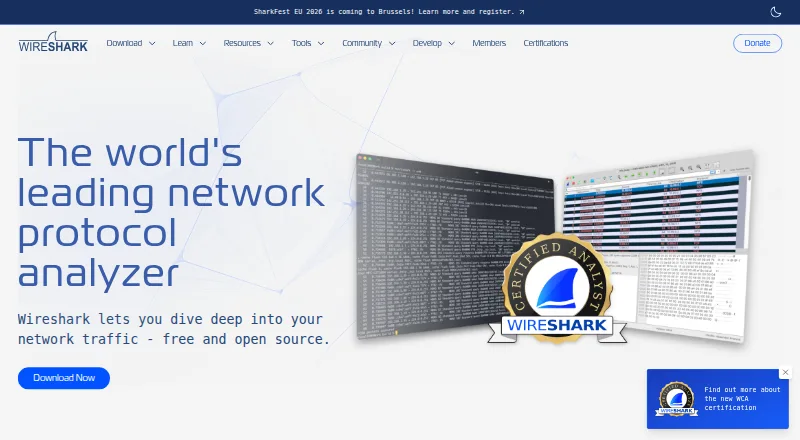
What Wireshark is
Wireshark captures and interactively examines network traffic as a protocol analyzer. It supports live capture and offline analysis through a graphical interface or the TShark terminal utility, with deep inspection of hundreds of protocols. Display filters help narrow analysis, though their syntax differs from capture filters. Wireshark reads and writes capture formats including pcap and pcapng, and can decompress gzip-compressed capture files. Analysis features include VoIP analysis, packet coloring rules, and export to XML, PostScript, CSV, or plain text. It supports decryption for protocols including IPsec, Kerberos, SSL/TLS, WEP, and WPA/WPA2. The full version is free and released under GNU General Public License version 2. Windows packages include Npcap, required for live packet capture. Visible traffic depends on the operating system, capture library, network interface, and network configuration; switched networks may not expose unicast traffic between other ports. Community help is available through the Q&A site and Wireshark users mailing list. The project began in 1998 and receives contributions from networking experts around the world.
Who it suits
Wireshark suits network professionals, security experts, developers, and educators who need to capture or analyze network traffic. It supports live and offline analysis across Linux, macOS, and Windows.
What it does well
- Free full version under GNU General Public License version 2.
- Supports live capture and offline analysis.
- Inspects hundreds of protocols.
- Reads and writes pcap and pcapng formats.
- Includes both graphical and terminal tools.
What to know first
- Windows live capture requires Npcap.
- Visible traffic depends on network and capture configuration.
- Switched networks may hide unicast traffic between other ports.
- Display-filter syntax differs from capture-filter syntax.
Limits
The full version has no license fee. Live capture requires Npcap on Windows, and the traffic visible to Wireshark depends on the operating system, capture library, network interface, and network configuration.
Plans
| Plan | Billed and limits | Price |
|---|---|---|
| Wireshark | no license keys or fees · use on any number of computers · GPL source available | Free |
As wireshark.org lists them, read 15 Oct 2026. The maker's own page has the final word.
Getting started
- Visit the Wireshark website.
- Choose the package for Linux, macOS, or Windows.
- On Windows, use the included Npcap for live packet capture.
- Capture traffic live or open a saved capture file for analysis.
Wireshark is a desktop network protocol analyzer for capturing and examining traffic at packet level. It suits network professionals, security specialists, developers, and educators who need protocol detail rather than a high-level dashboard. The full open-source application costs nothing, but the traffic it can inspect is constrained by the capture environment.
Overview
Wireshark has been developed since 1998 by networking contributors worldwide and is released under the GNU General Public License version 2. Its graphical interface supports interactive investigation, while the TShark utility provides a terminal workflow. That combination makes it useful both for exploratory troubleshooting and scripted or remote-oriented analysis.
Capture visibility is not guaranteed simply because Wireshark is installed. The operating system, capture library, network interface, and network configuration determine what reaches the analyzer. On a switched network, unicast traffic between other ports may not be exposed, so Wireshark is a poor substitute for correctly configured taps, mirrors, or access to the relevant endpoint.
Wireshark belongs among Network Protocol Analyzers, Network Packet Capture Software, and Network Packet Analyzer Software.
Key features
- Deep protocol inspection: Support for hundreds of protocols gives investigators a broad view when an incident crosses several network technologies. It is more suitable for protocol-level diagnosis than tools limited to summary statistics.
- Live, offline, and remote capture: Capture traffic in real time, examine saved data later, or use remote capture. Offline work is valuable when a live issue has passed or direct access to the network is restricted.
- Graphical and terminal interfaces: The desktop interface favors interactive browsing; TShark suits command-line workflows and automation. Users must choose between those interfaces rather than expecting identical feature exposure.
- Display filtering: Display filters narrow what is shown during analysis. Their syntax differs from capture-filter syntax, a distinction that matters when filtering before capture versus filtering an existing packet set.
- Capture formats: Wireshark reads and writes formats including pcap and pcapng, and decompresses gzip-compressed captures while opening them. That reduces conversion work when exchanging files from different capture setups.
- Analysis and export: VoIP analysis, packet-coloring rules, flow analysis, and export to XML, PostScript, CSV, or plain text support both visual investigation and reporting.
- Decryption: Decryption support covers IPsec, Kerberos, SSL/TLS, WEP, and WPA/WPA2. Encrypted-traffic analysis is therefore possible when the required session material and configuration are available.
- Security maintenance: Release security advisories cover issues such as dissector crashes and other vulnerabilities. Administrators should keep deployments current, especially when processing untrusted capture files.
Pricing
Wireshark has one plan: Wireshark costs free. It is the full version with no license fee, with no paid tier, seat charge, quota, renewal, or trial period. The GPLv2 license also permits use of the open-source software without a subscription commitment.
This is the right pricing model for students, educators, independent troubleshooters, and organizations that need extensive protocol analysis without procurement overhead. The trade-off is operational rather than financial: obtaining useful captures can require suitable interfaces, permissions, network configuration, and—in Windows packages—Npcap for live capture.
Platforms
Wireshark runs on Linux, macOS, and Windows as desktop software. Windows packages include Npcap, which is required for live packet capture. TShark supplies a terminal option across the same supported desktop platforms, while capture permissions and interface capabilities still vary by operating system and setup.
Who it's for
Network professionals can use the protocol dissectors, filters, flow views, and capture formats for troubleshooting and performance investigation. Security experts benefit from packet-level visibility and supported decryption when examining suspicious traffic. Developers can diagnose protocol behavior and inspect application exchanges, while educators can demonstrate networking concepts with live or saved captures.
It is less appropriate for readers who only need a simple traffic overview or who cannot arrange a capture point that exposes the packets of interest. A switched network that hides other ports’ unicast traffic can leave even a detailed analysis with incomplete evidence.
Pros and cons
Pros
- Full capability at no license fee: The free download is not a restricted edition.
- Very broad protocol coverage: Hundreds of dissectors support investigations across varied traffic types.
- Flexible workflows: GUI, TShark, live capture, offline files, remote capture, and multiple export formats serve different operating styles.
- Strong encrypted-traffic support: Coverage includes IPsec, Kerberos, SSL/TLS, WEP, and WPA/WPA2 when decryption requirements are met.
Cons
- Visibility depends on infrastructure: Interface, capture library, permissions, and network design can limit the evidence available.
- Filtering has two syntaxes: Display and capture filters differ, creating a learning hurdle and potential mistakes.
- Windows live capture needs Npcap: Installation and capture setup are additional prerequisites.
- Depth can overwhelm newcomers: The breadth that serves specialists is less suitable for readers seeking a simplified dashboard.
Alternatives
Termshark is a free interface that requires TShark in the system path and does not expose every TShark feature; choose it when a terminal-first presentation is the priority.
Malcolm is free, Apache-licensed, and self-hosted across web and API environments; choose it when you want a self-hosted monitoring platform rather than a single desktop analyzer.
NetworkMiner offers a free edition and GPLv2 managed C# source; consider it when that implementation and freemium packaging fit your workflow.
Sniffnet is fully free and open source under MIT or Apache-2.0; choose it when you prefer a simpler cross-platform open-source option.
tcpdump is free BSD-licensed software; choose it for a command-line capture tool when its operating-system capture permissions are acceptable.
TShark is the Wireshark project's free GPLv2 terminal analyzer; choose it when you want Wireshark's command-line utility without the graphical interface.
Arkime is free, open source, and self-hosted with web and API access; choose it for that deployment model.
Colasoft Capsa offers a free Windows edition limited to 10 monitored IP addresses, four-hour sessions, and no Wi-Fi monitoring; choose it only when those limits are acceptable, or consider its 695.00 USD one-time Professional plan.
Verdict
Choose Wireshark if you need the broadest protocol-level inspection, flexible live and offline workflows, and a full desktop analyzer at no license fee. Look elsewhere when your network cannot expose the traffic you need, or when you want a simpler summary view or a platform designed around centralized self-hosting instead of packet-by-packet investigation.
Verdict
Wireshark provides broad protocol inspection and analysis tools at no license fee, with both graphical and terminal interfaces. Capture visibility depends on the system and network setup, so it may not show every packet on a switched network.
Questions
How much does Wireshark cost?
The full version is free, with no license fee.
Which operating systems does Wireshark support?
Wireshark is available for Linux, macOS, and Windows.
Can Wireshark analyze saved captures as well as live traffic?
Yes. It supports live capture and offline analysis.
Is Wireshark open source?
Yes. It is released under GNU General Public License version 2.
Does Wireshark support pcap files?
Yes. It reads and writes capture formats including pcap and pcapng.
Where can users get help?
Community support is available through the Wireshark Q&A site and users mailing list.
Facts from Wireshark's own pages
- Analysis features
- Features include VoIP analysis, packet coloring rules, and export to XML, PostScript, CSV, or plain text. · wireshark.org, 29 Sept 2026
- API
- The sharkd daemon exposes JSON-RPC over standard input or Unix/TCP sockets for programmatic packet dissection, filtering and analysis. · wireshark.org, 15 Oct 2026
- API methods
- Sharkd documents methods for loading captures, listing frames and fields, compiling filters, following streams, retrieving statistics and setting preferences. · wireshark.org, 15 Oct 2026
- Capture and analysis
- It supports live capture and offline analysis, with a graphical interface and the TShark terminal utility. · wireshark.org, 29 Sept 2026
- Capture dependency
- The Windows packages include Npcap, which is required for live packet capture. · wireshark.org, 29 Sept 2026
- Capture-file export
- It saves captures and exports all or selected packets in multiple capture formats. · wireshark.org, 15 Oct 2026
- Capture-file import
- It opens packet files produced by tcpdump, WinDump, Wireshark and other capture programs, and can import hexadecimal dumps. · wireshark.org, 15 Oct 2026
- Capture limitation
- The traffic visible to Wireshark depends on the operating system, capture library, network interface, and network configuration; switched networks may not expose unicast traffic between other ports. · wireshark.org, 29 Sept 2026
- Company facts
- LinkedIn describes the Wireshark Foundation as a San Francisco nonprofit in computer and network security with a stated company size of 2–10 employees. · linkedin.com, 15 Oct 2026
- Decryption
- Documented supported decryption covers protocols including IPsec, ISAKMP, Kerberos, SNMPv3, SSL/TLS, WEP and WPA/WPA2. · g2.com, 15 Oct 2026
- Documentation
- Official material includes a User’s Guide, Developer’s Guide, wiki, FAQ, Q&A site, issue tracker and user/developer mailing lists. · wireshark.org, 15 Oct 2026
- Extensibility
- The extcap interface lets external binaries or scripts appear as capture interfaces and be configured through the GUI. · wireshark.org, 15 Oct 2026
- File formats
- It reads and writes many capture formats, including pcap and pcapng, and can decompress gzip-compressed capture files on the fly. · wireshark.org, 29 Sept 2026
- Filtering
- Users can filter packets using many criteria, including display filters for addresses, ports and protocols. · wireshark.org, 15 Oct 2026
- Foundation
- Since 2023 the project has been operated by the Wireshark Foundation, a U.S. 501(c)(3) nonprofit that provides infrastructure, hosts SharkFest and promotes network education. · wireshark.org, 15 Oct 2026
- Founded
- 1998 · wireshark.org, 23 Sept 2026
- History
- Gerald Combs began Ethereal in late 1997; its first public release was July 1998, and the project adopted the Wireshark name in 2006. · wireshark.org, 15 Oct 2026
- Licence
- Wireshark is open source under GNU GPL version 2 or later, with source code available for modification and redistribution under the licence. · wireshark.org, 15 Oct 2026
- License
- Wireshark is open-source software released under the GNU General Public License version 2, and the downloaded version is the full version without a license fee. · wireshark.org, 29 Sept 2026
- Limit: Capterra users
- Capterra complaints repeatedly mention an outdated or unfriendly interface, beginner complexity, slow performance on captures and difficult filter syntax. · capterra.com, 15 Oct 2026
- Limit: G2 users
- Repeated complaints include a steep learning curve, cluttered or dated interface, complex filters, large-memory capture slowdowns and lack of automatic maliciousness explanations. · g2.com, 15 Oct 2026
- Limit: independent reviews
- TechRadar says effective use requires networking knowledge, the tool is not an IDS, it provides no alerts and support is mainly self-service community documentation. · techradar.com, 15 Oct 2026
- Linux and BSD packaging
- Binary packages are listed for distributions including Ubuntu, Debian, Fedora, Arch, FreeBSD, NetBSD, OpenBSD and Oracle Solaris. · wireshark.org, 15 Oct 2026
- Live capture
- It captures live packet data from network interfaces. · wireshark.org, 15 Oct 2026
Where Wireshark stands on Freedom251
- Network Troubleshooting Software#1 of 18
- Network Protocol Analyzers#4 of 30
- Network Packet Analyzer Software#5 of 32
- Network Packet Capture Software#4 of 22