Freedom251 › Network Packet Capture Software

Malcolm
What Malcolm is
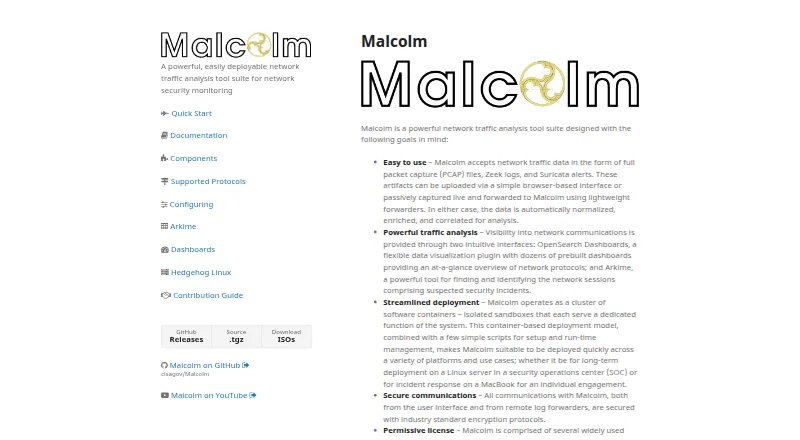
Malcolm is a network traffic analysis suite for security monitoring. It can examine PCAP files, Zeek logs, and Suricata alerts submitted through a browser, as well as live traffic forwarded by lightweight sensors. OpenSearch Dashboards presents visualizations, while Arkime helps locate and identify network sessions. The suite adds context to session data through GeoIP, hardware manufacturer lookups, asset inventory mappings, and JA4 fingerprinting. Its documented components and integrations include Zeek, Suricata, OpenSearch, NetBox, MISP, TAXII, and Google and Mandiant threat intelligence sources. Protocol coverage includes DNS, HTTP, Modbus, and BACnet. Malcolm runs in Docker or Podman containers, with Kubernetes deployment documented for on-premises environments or AWS. A dedicated server needs at least 8 CPU cores and 24 GB of RAM; the developers recommend 16 or more cores and at least 32 GB for an optimal experience. The interface requires authentication, with local TLS-encrypted basic authentication, LDAP, and Keycloak options. Malcolm is free self-hosted software under the Apache License 2.0.
Who it suits
Malcolm suits security teams that need to analyze stored traces or live network traffic and enrich session data. It is intended for organizations able to provide dedicated server resources and manage a container-based deployment.
What it does well
- Accepts PCAP files, Zeek logs, and Suricata alerts.
- Supports live capture forwarded by lightweight sensors.
- Adds GeoIP and JA4 fingerprinting to session data.
- Offers LDAP and Keycloak authentication options.
- Free under the Apache License 2.0.
What to know first
- Requires at least 8 CPU cores and 24 GB RAM.
- Requires self-hosted container deployment.
- No free cloud plan is listed.
Plans
| Plan | Billed and limits | Price |
|---|---|---|
| Malcolm | Apache License 2.0 · Self-hosted software | Free |
As cisagov.github.io lists them, read 29 Sept 2026. The maker's own page has the final word.
Getting started
- Visit the Malcolm website for the project and deployment documentation.
- Choose Docker or Podman container deployment, or follow the Kubernetes instructions for on-premises or AWS.
- Prepare a dedicated server with at least 8 CPU cores and 24 GB of RAM.
- Run Malcolm on a recent Linux or macOS release, or Windows 10 or later with Docker.
- Configure authentication using local TLS-encrypted basic authentication, LDAP, or Keycloak.
- Provide PCAP or PCAPNG files, Zeek logs, or Suricata alerts through the browser interface, or forward live capture from sensors.
Overview
Malcolm is a self-hosted network security monitoring suite for analysts who need to investigate traffic over time, not just inspect individual packets. Its strongest case is combining trace and live-capture analysis with session search, visualizations, and enriched network context; its substantial server requirements make it a poor fit for lightweight, single-machine capture.
Key features
- Stored and live traffic analysis: Malcolm accepts PCAP files, Zeek logs, and Suricata alerts through a browser interface, and can receive live captures forwarded by lightweight sensors. Support for PCAP and PCAPNG, display filters, and command-line capture gives teams several ways to work with network evidence. This breadth suits ongoing monitoring as well as retrospective investigation, though deployment is more involved than opening a capture in a desktop tool.
- Session search and visualization: Arkime helps analysts find and identify network sessions, while OpenSearch Dashboards provides visualizations. This pairing supports both focused investigation and broader traffic review rather than limiting users to packet-by-packet browsing.
- Enriched traffic context: GeoIP, hardware manufacturer lookups, asset inventory mappings, and JA4 fingerprinting add context to session data. That can help security teams connect observed traffic with locations, devices, and known assets.
- Protocol and ecosystem coverage: Zeek and Arkime analyze documented protocols including DNS, HTTP, Modbus, and BACnet. Documented components and integrations include Suricata, OpenSearch, NetBox, MISP, TAXII, Google, and Mandiant threat intelligence sources, making Malcolm relevant to teams combining network analysis with asset or threat-intelligence workflows.
- Deployment and access controls: Malcolm runs in Docker or Podman containers, with Kubernetes deployment documented for on-premises environments or AWS. The interface requires authentication and supports local TLS-encrypted basic authentication, LDAP, and Keycloak; role-based access control and Keycloak group and realm role restrictions can limit access. These controls help with managed team deployments, but the container and identity setup adds operational work.
Pricing
Malcolm is free: the Malcolm plan costs nothing under the Apache License 2.0, for self-hosted software. There is no paid tier in this plan structure, so teams do not need to trade away analysis features for a cheaper option. The cost is operational rather than subscription-based: Malcolm requires dedicated infrastructure, with at least 8 CPU cores and 24 GB of RAM; the developers recommend 16 or more cores and 32 GB or more RAM for an optimal experience.
Platforms
Malcolm supports Linux, macOS, and Windows 10 or later as Docker host platforms, alongside web-browser and REST API access. Docker or Podman containers are the core deployment model, and Kubernetes is also documented for on-premises or AWS use. The host support gives teams options, but the recommended dedicated-server resources make this a managed deployment, not a casual desktop install.
Who it's for
Malcolm is best suited to security teams that need to combine stored traces and live traffic with session discovery, dashboards, and enriched asset context, and that can operate a dedicated server or containerized environment. Its protocol coverage, integrations, and authentication options support multi-user security monitoring. It is not the right choice for someone who mainly wants a lightweight packet-capture utility or lacks the resources to run and maintain its infrastructure.
Pros and cons
Pros
- One workflow for stored and live traffic: PCAP files, Zeek logs, Suricata alerts, and sensor-forwarded captures support both retrospective and ongoing analysis.
- More than packet capture: Arkime session search, OpenSearch visualizations, and enrichment add useful investigative context.
- Free, permissively licensed self-hosted software: The Apache 2.0 license avoids a software subscription while leaving deployment under the user's control.
- Multiple authentication and access-control options: LDAP, Keycloak, TLS-encrypted basic authentication, and role-based controls suit teams managing user access.
Cons
- High resource floor: The minimum of 8 CPU cores and 24 GB of RAM rules out many small servers, and recommended resources are higher still.
- Infrastructure to operate: Container deployment and optional Kubernetes make the suite a heavier commitment than a standalone capture application.
- Specialist scope: Its emphasis on monitoring, sessions, and enrichment may be unnecessary for users who only need to capture or inspect packets on one machine.
Alternatives
For a lighter packet-capture workflow, compare Network Packet Capture Software. Choose Termshark when a free option across Linux, macOS, Windows, or Android is preferable to Malcolm's dedicated monitoring stack; it requires tshark v1.10.2 or newer in PATH, and does not expose every tshark feature. NetworkMiner is a free-entry freemium alternative for teams seeking its GPLv2 free and open-source software across Linux, macOS, and Windows.
Sniffnet suits users who want a fully free, open-source option for Linux, macOS, or Windows. tcpdump is a free BSD-licensed alternative when command-line capture is the priority, subject to operating-system and configuration capture permissions. TShark is another free option for Linux, macOS, or Windows, maintained by the Wireshark Foundation, a nonprofit supported by donations. Wireshark is a free alternative with no license fee for users who prefer its full version. Choose Arkime when session search and capture analysis are the main need without Malcolm's broader suite; it is free, open source, and self-hosted. PCAPdroid is an Android option whose free plan covers core network monitoring and capture, with firewall, malware detection, and PCAPng among paid features.
Verdict
Choose Malcolm if your security team needs a free, self-hosted platform for analyzing both stored and live network traffic, and can provide the server resources and operational ownership it demands. Its session search, visualizations, and enrichment make it more capable than a basic capture tool for sustained investigation. Look elsewhere if you need lightweight packet inspection or cannot justify a dedicated server.
Verdict
Malcolm combines trace and live-traffic analysis with session search, visualizations, and enrichment. Its resource requirements and self-managed deployment make it a better fit for teams prepared to operate dedicated infrastructure.
Questions
How much does Malcolm cost?
Malcolm is free. Its listed plan is free under Apache License 2.0 for self-hosted software.
What data can Malcolm analyze?
It accepts PCAP and PCAPNG files, Zeek logs, and Suricata alerts. It can also analyze live capture forwarded by lightweight sensors.
Which platforms does Malcolm support?
The listed platforms include Linux, macOS, Windows, web browser, REST API, and self-hosted deployment. The requirements page recommends Docker on recent Linux and macOS releases or Windows 10 and later.
What are Malcolm's server requirements?
A dedicated server requires at least 8 CPU cores and 24 GB of RAM. The developers recommend 16 or more cores and 32 GB or more RAM for an optimal experience.
What authentication options does Malcolm provide?
It supports local TLS-encrypted basic authentication, LDAP, and Keycloak. Its documentation also describes role-based access control and Keycloak group and realm role restrictions.
Which tools and services are documented as components or integrations?
They include Zeek, Suricata, Arkime, OpenSearch, NetBox, MISP, TAXII, and Google and Mandiant threat intelligence sources.
Facts from Malcolm's own pages
- Access control
- The documentation describes role-based access control and Keycloak group and realm role restrictions for limiting which users can authenticate. · cisagov.github.io, 29 Sept 2026
- Analysis interfaces
- It provides OpenSearch Dashboards for visualizations and Arkime for finding and identifying network sessions. · cisagov.github.io, 29 Sept 2026
- Data enrichment
- Malcolm enriches network session data with GeoIP, hardware manufacturer lookups, asset inventory mappings, and JA4 fingerprinting. · cisagov.github.io, 29 Sept 2026
- Deployment
- Malcolm runs in containers using Docker or Podman, and documentation also describes Kubernetes deployment on premises or in AWS. · cisagov.github.io, 29 Sept 2026
- Host platforms
- The recommended requirements page says Malcolm runs on Docker on recent Linux and macOS releases and Windows 10 or later. · cisagov.github.io, 29 Sept 2026
- Input data
- It accepts PCAP files, Zeek logs, and Suricata alerts through a browser interface or from live capture forwarded by lightweight sensors. · cisagov.github.io, 29 Sept 2026
- Integrations
- Its documented components include Zeek, Suricata, Arkime, OpenSearch, NetBox, MISP, TAXII, Google, and Mandiant threat intelligence sources. · cisagov.github.io, 29 Sept 2026
- License
- The project says it is licensed under the Apache License, version 2.0. · cisagov.github.io, 29 Sept 2026
- Protocol coverage
- Malcolm uses Zeek and Arkime to analyze traffic across documented protocols including DNS, HTTP, Modbus, and BACnet. · cisagov.github.io, 29 Sept 2026
- Purpose
- Malcolm is a network traffic analysis tool suite for network security monitoring. · cisagov.github.io, 29 Sept 2026
- Security
- Malcolm requires authentication for its user interface and supports local TLS-encrypted basic authentication, LDAP, and Keycloak authentication. · cisagov.github.io, 29 Sept 2026
- System requirements
- A dedicated server requires at least 8 CPU cores and 24 GB of RAM; the developers recommend 16 or more cores and 32 GB or more RAM for an optimal experience. · cisagov.github.io, 29 Sept 2026
Where Malcolm stands on Freedom251
- Network Packet Capture Software#5 of 22