Freedom251 › Network Troubleshooting Software
tcpdump
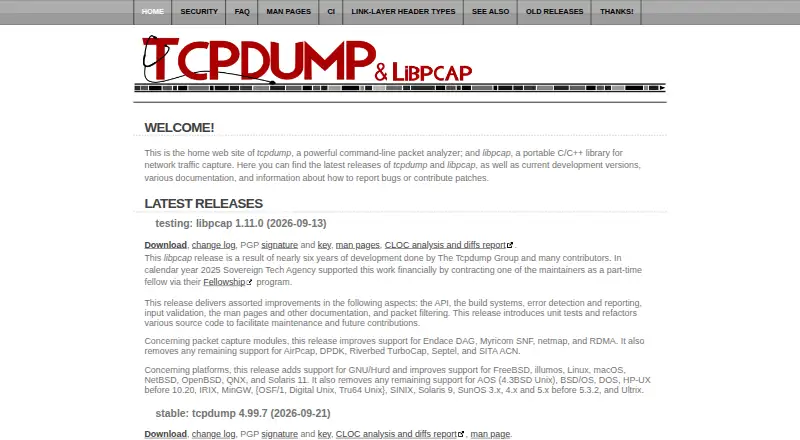
What tcpdump is
tcpdump is a free tool for network monitoring and data acquisition. It captures packets using libpcap, a system-independent interface for user-level packet capture, and provides command-line tools and PCAP support. The project lists AIX, several BSD systems, GNU/Linux, macOS, Solaris, QNX, and Windows among systems where it compiles and works. Building it requires libpcap and a C99-compliant compiler; Windows builds also require WinPcap or Npcap and Visual Studio with CMake. The project publishes source code through its public Git repository, and native packages or ports are available on many systems. Its license permits redistribution and use in source and binary forms subject to stated conditions. Whether a user can capture traffic depends on the operating system and its configuration. The project cautions that users with capture permission may be able to capture network traffic, including passwords. Native packages can sometimes be a few versions behind, while a newer snapshot can be compiled from source.
Who it suits
tcpdump suits people who need command-line network monitoring or data acquisition and can work with packet-capture permissions on their system. Building from source requires libpcap and a C99-compliant compiler.
What it does well
- Free software with source available through a public Git repository.
- Uses libpcap for packet capture.
- Project lists multiple operating systems, including Windows.
- PCAP support and command-line tools are listed.
What to know first
- Capture permission depends on operating system and configuration.
- Windows builds require additional tools and libraries.
- Native packages may lag behind newer snapshots.
- Permitted capture can include network traffic such as passwords.
Limits
The free plan is BSD-licensed software. Capturing traffic depends on operating system configuration and permission; the project notes that permitted users may capture traffic including passwords.
Plans
| Plan | Billed and limits | Price |
|---|---|---|
| tcpdump | BSD-licensed software · capture permission depends on operating system and configuration | Free |
As tcpdump.org lists them, read 3 Oct 2026. The maker's own page has the final word.
Getting started
- Visit the tcpdump website.
- Check whether your operating system and configuration permit packet capture.
- Install a native package or port if available, or obtain source from the public Git repository.
- For a source build, provide libpcap and a C99-compliant compiler.
- For Windows builds, provide WinPcap or Npcap and Visual Studio with CMake.
tcpdump is a command-line tool for network monitoring and data acquisition, built around the libpcap packet-capture interface. It suits users who want a free capture tool and are comfortable working with system permissions or building software; its main trade-off is that capture access depends on the operating system and its configuration.
Overview
Using libpcap gives tcpdump a system-independent capture interface, while its broad range of supported systems makes it a practical choice across varied environments. It supports PCAP, remote capture, traffic decryption, and both local and remote capture sources. Those capabilities make it useful for collecting network data, but they do not make it a graphical analysis workspace: tcpdump is a CLI tool, best suited to users who are comfortable with command-line workflows.
Installation can mean using a native package or port, or compiling from source. Packages may lag behind the project by a few versions; compiling a newer snapshot is an option for users prepared to manage the build requirements. Capturing traffic also requires appropriate operating-system permissions, and anyone granted capture access may be able to collect sensitive traffic, including passwords.
Key features
- Packet capture through libpcap: A system-independent capture interface supports use across multiple operating systems. This breadth is valuable for monitoring work in mixed environments, though actual capture access still depends on local configuration.
- PCAP and remote capture: Support for PCAP and remote capture sources suits users collecting traffic from different places or working with capture files. The command-line format is a better fit for operators and technical users than readers seeking a graphical analyzer.
- Source builds: The public Git repository provides source code. Building requires libpcap and a C99-compliant compiler, so source installation offers a route to newer snapshots but adds setup work.
- Redistribution rights: The license permits use and redistribution in source and binary form subject to its conditions, making tcpdump suitable for users who need software they can redistribute within those terms.
Pricing
tcpdump is free, with a listed price of $0. There is no free trial because there is no paid plan to try. The free plan is the software itself, under its redistribution and use conditions; there are no paid tiers or plan-based quotas described.
The cost is not the only practical consideration: capture depends on operating-system permissions, and building from source requires libpcap and a C99-compliant compiler. Users who prefer not to compile can look for native packages or ports, though those may be a few versions behind.
Platforms
tcpdump is listed for Linux, macOS, and Windows. The project also names AIX, several BSD systems, Solaris, and QNX among systems where it compiles and works. Native packages or ports are available on many systems.
Windows builds require WinPcap or Npcap, plus Visual Studio with CMake. Across platforms, capture permission depends on the operating system and its configuration, so installation alone does not guarantee that a user can capture traffic.
Who it's for
tcpdump is a strong fit for network operators, developers, and technically capable users who need free packet capture, PCAP support, or a command-line tool that works across a range of systems. Source access and redistribution rights also suit users who need to build or redistribute it under the license conditions.
It is less suitable for someone who wants a graphical interface or does not have the permissions needed to capture traffic. Treat capture access as sensitive: users who can capture traffic may collect passwords as well as other network data.
Pros and cons
- Pro — Broad system support: The project covers Linux, macOS, Windows, and several additional systems, which helps teams use one capture tool across varied environments.
- Pro — Free with source access: There is no license fee, and source builds offer a way to use a newer snapshot when native packages lag.
- Pro — Useful capture capabilities: PCAP support, remote capture, and traffic decryption address a range of data collection needs.
- Con — Command-line interface: Its CLI orientation favors users comfortable with command-line work; users who want a graphical analysis tool should consider other options.
- Con — Permissions and sensitive data: Capture access varies by system configuration and can expose passwords, so it requires careful control.
- Con — Source builds require development tools: Newer snapshots require libpcap and a C99-compliant compiler; Windows builds add WinPcap or Npcap and Visual Studio with CMake.
Alternatives
Pick Termshark if you want a free option across Linux, macOS, Windows, or Android and are prepared to have tshark v1.10.2 or newer in PATH; some tshark features are not exposed.
Malcolm is another free option, with Linux, macOS, Windows, web, API, and self-hosted platforms listed; its plan is self-hosted software under Apache License 2.0.
Consider NetworkMiner if its free edition suits your needs: it is freemium, and its source is managed C# on the Microsoft .NET Framework, released under GPLv2.
Sniffnet is a free, fully open-source option for Linux, macOS, and Windows, under MIT or Apache-2.0.
Choose TShark for another free Linux, macOS, and Windows option from the Wireshark project, maintained by the donation-supported Wireshark Foundation.
Wireshark offers a free full version with no license fee for Linux, macOS, and Windows.
Arkime is a free, open-source option for Linux, API, web, and self-hosted use, with no paid-only features or license fees.
For a Windows-only freemium option, Colasoft Capsa has a free plan limited to monitoring 10 IP addresses, a four-hour session timeout, and no WiFi connection monitoring; its Professional plan is $695, paid once.
Browse more options in Network Packet Capture Software, Network Packet Analyzer Software, and Network Protocol Analyzers.
Verdict
Choose tcpdump if you need free, command-line packet capture across a range of systems and value source access and PCAP support. Its strongest reason to choose it is that breadth without a license fee; its clearest reason to look elsewhere is the CLI workflow, alongside the permissions and security care that capturing sensitive traffic demands.
Verdict
tcpdump offers free packet capture across a broad set of listed systems, with source builds available. Check capture permissions and handle access carefully because captured traffic may include passwords.
Questions
How much does tcpdump cost?
The listed plan costs nothing.
Is tcpdump open source?
Its source code is available through a public Git repository. The license permits redistribution and use in source and binary forms subject to its conditions.
Which operating systems does tcpdump support?
The project lists AIX, several BSD systems, GNU/Linux, macOS, Solaris, QNX, and Windows among systems where it compiles and works.
What does building tcpdump require?
A build requires libpcap and a C99-compliant compiler. Windows builds also require WinPcap or Npcap and Visual Studio with CMake.
Does tcpdump have a free trial?
No. The listed free plan costs nothing, and the free-trial field is no.
Can anyone capture network traffic with tcpdump?
Capture ability depends on the operating system and its configuration. The project cautions that users who can capture traffic may see network data, including passwords.
Facts from tcpdump's own pages
- Build requirement
- Building tcpdump requires libpcap and a C99-compliant compiler. · github.com, 3 Oct 2026
- Capture library
- tcpdump uses libpcap, a system-independent interface for user-level packet capture. · github.com, 3 Oct 2026
- Capture permissions
- The installation notes say whether a user can capture traffic depends on the operating system and its configuration. · github.com, 3 Oct 2026
- Distribution
- The project provides source code through its public Git repository and describes native operating system packages or ports as available on many systems. · github.com, 3 Oct 2026
- Intended users
- The README describes tcpdump as a tool for network monitoring and data acquisition, and notes its origin in research on TCP and Internet gateway performance. · github.com, 3 Oct 2026
- License
- The project license permits redistribution and use in source and binary forms subject to its listed conditions. · github.com, 3 Oct 2026
- Package versions
- The project notes that native packages are sometimes a few versions behind and that a newer snapshot can be compiled from source. · github.com, 3 Oct 2026
- Purpose
- tcpdump is a tool for network monitoring and data acquisition. · github.com, 3 Oct 2026
- Security consideration
- The installation notes caution that users able to capture traffic may capture network traffic including passwords. · github.com, 3 Oct 2026
- Security reporting
- The project asks users to report security issues by email to [email protected]. · github.com, 3 Oct 2026
- Support and contributions
- The project directs users to its source tree contribution guidelines for bugs, patches, feature requests, and general feedback. · github.com, 3 Oct 2026
- Supported systems
- The project lists AIX, several BSD systems, GNU/Linux, macOS, Solaris, QNX, and Windows among platforms on which tcpdump compiles and works. · github.com, 3 Oct 2026
- Windows requirement
- The project says Windows builds require WinPcap or Npcap and Visual Studio with CMake. · github.com, 3 Oct 2026
Where tcpdump stands on Freedom251
- Network Troubleshooting Software#7 of 18
- Network Packet Capture Software#10 of 22
- Network Protocol Analyzers#16 of 30
- Network Packet Analyzer Software#18 of 32