Freedom251 › Network Troubleshooting Software
Colasoft Capsa
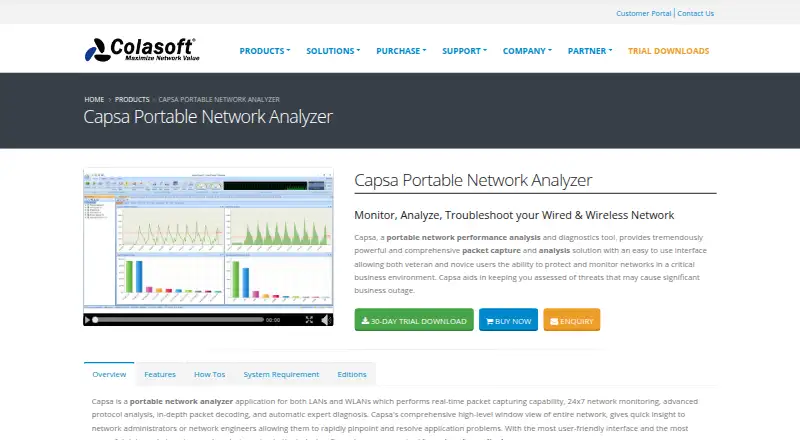
What Colasoft Capsa is
Colasoft Capsa is a Windows desktop network analyzer for monitoring, analyzing, and troubleshooting wired and wireless networks. Its Enterprise edition captures packets in real time from local networks and can save transmitted data. It analyzes more than 1,800 protocols and sub-protocols, including VoIP, and presents packet details in Hex, ASCII, and EBCDIC. Capsa can diagnose network problems and suggest solutions, while its security analysis identifies DoS and DDoS attacks, worm activity, ARP attacks, TCP port scanning, and suspicious conversations in real time. Users can monitor conversations, reconstruct packet streams, and create reports for selected items, the overall network, or a network group. Email or sound notifications can accompany alarms, and packet capture can be scheduled once, daily, or weekly. The free edition monitors up to 10 IP addresses, limits sessions to four hours, and does not monitor WiFi connections. Professional costs $695, paid once; Enterprise costs $1,295, paid once. A 30-day Enterprise trial is available.
Who it suits
Capsa suits network administrators and engineers in small businesses or enterprises who need to inspect traffic and diagnose network issues. The free edition may suit users monitoring up to 10 IP addresses without WiFi monitoring.
What it does well
- Analyzes more than 1,800 protocols and sub-protocols.
- Diagnoses network problems and suggests solutions.
- Detects several listed attacks and suspicious conversations.
- Schedules capture once, daily, or weekly.
- Includes email or sound alarm notifications.
What to know first
- Windows platform only.
- Free edition does not monitor WiFi connections.
- Free sessions time out after four hours.
- Professional costs $695, paid once.
Limits
Capsa Free monitors up to 10 IP addresses, has a four-hour session timeout, and does not monitor WiFi connections. The Professional plan is a single seat for one machine; Enterprise lists unlimited IP addresses and session time.
Plans
| Plan | Billed and limits | Price |
|---|---|---|
| Capsa Free | 10 IP addresses · 4-hour session timeout · no WiFi monitoring · no commercial workplace use | Free |
| Capsa Standard | perpetual license · 50 IP addresses · unlimited session timeout · no WiFi monitoring | $295, paid once |
| Capsa Professional | single-seat perpetual with 1 year maintenance · single seat · maintenance renewal from $155 | $695, paid once |
| Capsa Enterprise | perpetual license · unlimited IP addresses · unlimited session timeout · WiFi monitoring · advanced security and reporting views | $995, paid once |
As colasoft.com lists them, read 15 Oct 2026. The maker's own page has the final word.
Getting started
- Open the Capsa website.
- Choose the Free, Professional, or Enterprise edition.
- For the Enterprise evaluation, download the trial for a listed supported Windows version.
- Install and run Capsa on Windows.
- Configure packet capture and review analysis, alerts, or reports.
Verdict
Capsa combines packet inspection, network diagnosis, security analysis, and reporting in a Windows desktop tool. Check the edition limits and listed prices against the scale and type of monitoring you need.
Questions
What operating system does Capsa support?
Capsa is listed for Windows. The Enterprise trial requirements name Windows 10, Windows 11, and Windows Server 2019.
Is there a free version?
Yes. Capsa Free monitors up to 10 IP addresses, has a four-hour session timeout, and does not monitor WiFi connections.
How much do the paid editions cost?
Professional is $695, paid once. Enterprise is $1,295, paid once.
Does Capsa have a trial?
Yes. The Enterprise evaluation download is fully functional for 30 days.
Can Capsa capture traffic remotely?
No. Remote capture is listed as unsupported.
What maintenance comes with Professional?
The Professional license is for one machine and includes one year of maintenance.
Facts from Colasoft Capsa's own pages
- Alerts and scheduling
- Capsa can notify users by email or sound when an alarm triggers, and schedule packet capture to run once, daily, or weekly. · colasoft.com, 5 Oct 2026
- Behavior monitoring
- Built-in monitoring covers HTTP, email, DNS, FTP, MSN and Yahoo Messenger traffic. · colasoft.com, 15 Oct 2026
- Built-in tools
- The package includes packet creation and replay tools plus IP scanning and ping utilities. · colasoft.com, 15 Oct 2026
- Command-line extensibility
- Capsa supports command-line launching and allows customization with external Windows applications and tools. · colasoft.com, 15 Oct 2026
- Company facts
- Gartner describes Colasoft as a private company founded in 2001, headquartered in Kowloon, China, with 501–1000 employees. · gartner.com, 15 Oct 2026
- Conversation analysis
- Capsa monitors conversations and reconstructs packet streams. · colasoft.com, 5 Oct 2026
- Diagnosis
- Automatic expert diagnosis identifies network problems and suggests solutions. · colasoft.com, 15 Oct 2026
- Documentation
- The vendor provides version 15.1 user guide, datasheet, technical specifications and whitepaper documents. · colasoft.com, 15 Oct 2026
- Hardware requirements
- Minimum hardware is a 2.8GHz Pentium 4 and 4GB RAM; the recommended configuration is a 3.2GHz Core Duo and at least 8GB RAM. · colasoft.com, 15 Oct 2026
- Integrations
- The pages opened describe protocol and application analysis, but do not identify named third-party integrations. · colasoft.com, 5 Oct 2026
- Intended users
- Colasoft describes Capsa Enterprise as designed for small business and enterprise users, including network administrators and engineers. · colasoft.com, 5 Oct 2026
- Licence
- The EULA describes copyrighted proprietary software with perpetual single-seat and five-seat licensing and prohibits reverse engineering or redistribution of full versions. · colasoft.com, 15 Oct 2026
- Limit: complexity and cost
- The G2 reviewer says the many features are difficult to learn, the price is high for small deployments and heavy traffic can slow the system. · g2.com, 15 Oct 2026
- Limit: scalability and API
- The TrustRadius reviewer reports a performance cutoff near 3Gb/s and requests 10Gb/s scaling, capture-trigger APIs and remote-capture agents. · trustradius.com, 15 Oct 2026
- Network diagnosis
- Capsa automatically diagnoses network problems and suggests solutions. · colasoft.com, 5 Oct 2026
- Packet capture
- Enterprise captures and saves packets from wired and 802.11a/b/g/n wireless networks in real time. · colasoft.com, 15 Oct 2026
- Packet decoding
- Captured packets can be inspected in Hex, ASCII and EBCDIC representations. · colasoft.com, 15 Oct 2026
- Platform requirement
- The Enterprise trial download lists Windows 10, Windows 11, and Windows Server 2019 as requirements. · colasoft.com, 5 Oct 2026
- Praise: network troubleshooting
- The G2 reviewer praises real-time capture, host and IP monitoring and the ability to pinpoint network problems. · g2.com, 15 Oct 2026
- Praise: robustness and value
- A verified TrustRadius reviewer praises robust business-traffic handling, easy setup and filtering, and relatively low cost. · trustradius.com, 15 Oct 2026
- Praise: visualization
- A Gartner reviewer praises rich performance indicators, strong visualization and effective identification of business performance problems. · gartner.com, 15 Oct 2026
- Protocol analysis
- The product analyzes more than 1800 protocols and sub-protocols, including VoIP traffic. · colasoft.com, 15 Oct 2026
- Purpose
- Capsa is a portable network analyzer for monitoring, analyzing, and troubleshooting wired and wireless networks. · colasoft.com, 5 Oct 2026
- Rating on Capterra
- Capterra lists Capsa at 0.0 out of 5 from 0 user reviews. · capterra.com, 15 Oct 2026
Where Colasoft Capsa stands on Freedom251
- Network Troubleshooting Software#3 of 18
- Network Protocol Analyzers#8 of 30
- Network Monitoring#15 of 55
- Network Packet Capture Software#6 of 22
- Network Packet Analyzer Software#11 of 32