Freedom251 › Network Diagnostic Software
DNSViz
What DNSViz is
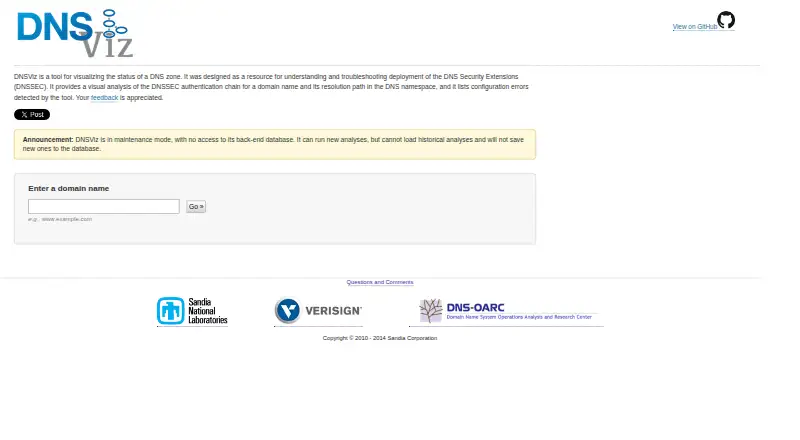
DNSViz is a free, open-source tool for examining DNS zone status and troubleshooting DNSSEC deployment. It maps a domain’s authentication chain and resolution path, and identifies configuration errors. Its graph can display zones, delegations, record sets, DNSKEY and DS records, signatures, negative responses, wildcards, warnings, and errors. Data is classified as secure, bogus, or insecure according to whether a trust chain reaches an anchor. The web service can run new analyses, but its maintenance mode prevents loading historical analyses or saving new results to its database. For command-line use, DNSViz includes tools to query DNS, assess results, and produce graph or text output. Queries use recursive resolvers by default, or authoritative servers when requested; graph output can be an image, DOT graph, or HTML file. DNSViz documents installation on Linux, macOS, FreeBSD, and other Python-supported environments, as well as Docker. It also supports pre-deployment checks of proposed zone and delegation changes.
Who it suits
DNSViz suits people working to understand or troubleshoot DNSSEC, including those checking proposed zone or delegation changes before deployment. It offers both a web service and command-line tools.
What it does well
- Visualizes DNSSEC authentication and resolution paths.
- Identifies configuration errors and warnings.
- Command-line tools produce graphs or text output.
- Supports recursive or authoritative DNS queries.
- Available as open-source software.
What to know first
- Historical web analyses cannot be loaded.
- New web results cannot be saved to its database.
- Some dependencies may need separate installation.
Limits
DNSViz is free and open source. In maintenance mode, the web service can run new analyses but cannot load historical analyses or save new results to its database.
Plans
| Plan | Billed and limits | Price |
|---|---|---|
| DNSViz | No pricing or plan details stated; web analysis cannot load historical results or save new ones | Free |
As dnsviz.net lists them, read 3 Oct 2026. The maker's own page has the final word.
Getting started
- Visit the DNSViz website for a new web analysis.
- For local use, install DNSViz through a documented package repository, Homebrew, or MacPorts.
- Alternatively, use the documented Docker container.
- Run the probe command with one or more domain names.
- Use graph to produce an image, DOT graph, or HTML file from serialized query results.
DNSViz is a DNSSEC analysis tool for people responsible for domain zones and delegations. It is best suited to administrators and engineers who need to trace validation problems or check proposed DNS changes. Its web interface offers quick analysis, while the command-line suite is the stronger option for repeatable, locally retained work.
Overview
DNSViz maps a domain’s DNSSEC authentication chain and resolution path, then identifies configuration errors. Its graph classifies data as secure, bogus, or insecure according to whether a chain of trust can be established from a trust anchor. That makes it useful for diagnosing where validation breaks, rather than merely reporting a general failure.
The web service remains able to run new analyses, but it is in maintenance mode: it cannot load historical results or save new ones to its database. That is a meaningful constraint for teams wanting a lasting web-based record of changes. The command-line tools can produce local output, making them a better fit when results need to be retained or incorporated into a workflow.
Key features
DNSSEC graph and validation
The graph covers zones, delegations, resource record sets, negative responses, DNSKEY and DS records, NSEC/NSEC3, signatures, CDNSKEY/CDS, wildcards, node status, warnings, and errors. This detail helps an operator follow the authentication chain and inspect the parts of a zone that contribute to a problem. The breadth is valuable for DNSSEC troubleshooting, but the product is focused on that job rather than general network monitoring.
The web visualization uses the root zone KSK as its exclusive default trust anchor; users can configure arbitrary DNSKEY trust anchors in the options field. This supports checks against a chosen anchor, while making the default validation context important to understand before interpreting a result.
Command-line analysis
The suite includes probe, grok, graph, print, and query commands for querying DNS, assessing results, and generating graph or text output. Probe accepts one or more domain names, queries recursive resolvers by default or authoritative servers when requested, and serializes results as JSON. Graph can turn those results into an image, DOT graph, or HTML file. These options suit engineers who want to inspect or preserve analysis outside the web service; they do require comfort with a command line and its dependencies.
DNSViz documents pre-deployment checks for zones and proposed delegation, glue, and DS record changes. That makes it useful before a change goes live, not only when troubleshooting an existing failure.
Pricing
DNSViz is free: the DNSViz plan costs nothing. It is open source under GPL-2.0, with no paid tier or free-trial period. There are no seat or quota terms stated for the plan. The trade-off is not a reduced feature tier but the web service’s inability to save new analyses or retrieve historical ones.
Platforms
DNSViz supports web, API, Linux, macOS, FreeBSD, self-hosted deployment, and other Python-supported environments. Installation is documented through package repositories for Debian, Ubuntu, Fedora, Gentoo, FreeBSD, and specified RHEL and CentOS versions, as well as Homebrew or MacPorts on macOS. A Docker container is also available, with instructions for running DNSViz commands inside it.
Installation has some technical overhead: dependencies include Python, dnspython, pygraphviz, and cryptography, while Graphviz and OpenSSL may need separate installation. Optional GOST DNSSEC algorithm and digest support requires the OpenSSL GOST Engine and M2Crypto. DNSViz is therefore a more natural fit for technically equipped users than for someone seeking a turnkey general-purpose diagnostic app.
Who it's for
DNSViz is a strong fit for DNS administrators, engineers, and others learning or troubleshooting DNSSEC deployment. Its graph makes the chain of trust and resolution path inspectable, and its command-line tools support querying and generating outputs locally. It is less suitable for teams that need the web service to maintain a history of analyses, or for readers looking for broad network diagnostics rather than DNSSEC-focused analysis.
Pros and cons
- Pros: The graph exposes a detailed DNSSEC chain, including records, signatures, status, warnings, and errors, which helps pinpoint validation issues.
- Pros: CLI queries can target recursive resolvers or authoritative servers, and results can be rendered as image, DOT, HTML, or text output.
- Pros: Free, open-source software with web, packaged, container, and self-hosted use options.
- Cons: The web service cannot retrieve historical analyses or save new ones, limiting its use as an ongoing results archive.
- Cons: Local installation depends on a Python stack and may require separately installed Graphviz or OpenSSL, which adds setup work.
- Cons: Its purpose is DNSSEC analysis, so it is not a substitute for broader network monitoring.
Alternatives
For broader network diagnostic needs, browse Network Diagnostic Software. Consider PingPlotter if its connection monitoring fits better: its free plan allows one connection, excludes remote collection, and keeps 10-minute monitoring history; its Professional Edition is $29 a month.
Globalping is another network diagnostic alternative. NetSpot may suit readers comparing other freemium network tools; its free edition is for personal and evaluation use on macOS and Windows. Nmap is a free alternative, with its end-user license excluding redistribution within commercial software or hardware products.
SoftPerfect Bandwidth Manager offers a free Lite plan capped at five rules or streams, with usage reports, a live monitor, and penalties for heavy downloads and uploads. Angry IP Scanner is a free, GPLv2 alternative. Buddi is another free GPLv2 option. RIPE Atlas makes public data freely available, while custom measurements require credits.
Verdict
Choose DNSViz if you need a free, detailed way to diagnose DNSSEC chains, check proposed DNS changes, or generate analysis output from the command line. Its strongest case is the combination of a fine-grained validation graph and flexible local tools. Look elsewhere if you need a web-based history of saved analyses or general network monitoring.
Verdict
DNSViz offers useful DNSSEC analysis through a web service and command-line suite. Its maintenance-mode limits matter if you need to revisit or save web results.
Questions
How much does DNSViz cost?
DNSViz is free.
Is DNSViz open source?
Yes. Its source repository identifies the license as GPL-2.0.
Which platforms are supported?
DNSViz lists API, Linux, macOS, self-hosted, and web. Its documented installation options also include FreeBSD and Docker.
Can I use DNSViz from the command line?
Yes. Its suite includes probe, grok, graph, print, and query subcommands.
Can the web service save or reopen analyses?
It can run new analyses, but cannot load historical analyses or save new results to its database.
Who sponsors DNSViz development?
The contact page says Verisign Labs sponsors ongoing development.
Facts from DNSViz's own pages
- Analysis
- It visually analyzes a domain’s DNSSEC authentication chain and resolution path, and lists detected configuration errors. · dnsviz.net, 3 Oct 2026
- Analysis inputs
- The probe command accepts one or more domain names and queries recursive resolvers by default or authoritative servers when requested, serializing results as JSON. · github.com, 2 Oct 2026
- Command line
- The command-line tool provides probe, grok, graph, print, and query subcommands. · github.com, 3 Oct 2026
- Container
- A ready-to-use Docker container is available as dnsviz/dnsviz. · github.com, 3 Oct 2026
- Dependencies
- The documented dependencies include Python, dnspython, pygraphviz, and cryptography. · github.com, 3 Oct 2026
- DNSSEC graph
- Its visualization covers zones, delegations, resource record sets, negative responses, DNSKEY and DS records, NSEC/NSEC3, signatures, CDNSKEY/CDS, wildcards, node status, warnings, and errors. · dnsviz.net, 2 Oct 2026
- Installation
- The project README lists installation through package repositories including Debian, Ubuntu, Fedora, Gentoo, FreeBSD, and EPEL for specified RHEL and CentOS versions, as well as macOS through Homebrew or MacPorts. · github.com, 2 Oct 2026
- Install platforms
- The project documents packages for Debian, Ubuntu, Fedora, Gentoo, FreeBSD, RHEL and CentOS, plus Mac installation through Homebrew or MacPorts. · github.com, 3 Oct 2026
- Intended users
- The project describes DNSViz as a resource for understanding and troubleshooting DNSSEC deployment. · dnsviz.net, 2 Oct 2026
- Maintenance status
- The web service is in maintenance mode and cannot access its back-end database, load historical analyses, or save new analyses there. · dnsviz.net, 3 Oct 2026
- Open source
- The DNSViz source repository identifies its license as GPL-2.0. · github.com, 3 Oct 2026
- Optional DNSSEC support
- GOST DNSSEC algorithm and digest support requires the OpenSSL GOST Engine and M2Crypto. · github.com, 3 Oct 2026
- Output formats
- The graph command can output an image, a dot file, or an HTML file, including interactive HTML. · github.com, 3 Oct 2026
- Pre-deployment testing
- DNSViz documents pre-deployment testing for zones and proposed delegation, glue, and DS record changes. · github.com, 3 Oct 2026
- Purpose
- DNSViz visualizes DNS zone status to help understand and troubleshoot DNSSEC deployment. · dnsviz.net, 3 Oct 2026
- Query sources
- The probe command can query recursive DNS servers by default or authoritative DNS servers. · github.com, 3 Oct 2026
- Security and compliance
- The opened DNSViz pages describe DNSSEC analysis and verification features but make no security certification or compliance claim. · dnsviz.net, 2 Oct 2026
- Support
- The website invites users to submit questions, comments, and feedback. · dnsviz.net, 3 Oct 2026
- Trust anchor
- The web visualization uses the root zone KSK as its default exclusive trust anchor, and users can configure arbitrary DNSKEY trust anchors in the options field. · dnsviz.net, 2 Oct 2026
- Validation status
- The graph classifies DNS data as secure, bogus, or insecure based on whether a chain of trust exists from a trust anchor. · dnsviz.net, 2 Oct 2026
Where DNSViz stands on Freedom251
- Network Diagnostic Software#4 of 37