Freedom251 › Barcode Labeling Software
LabelForge
What LabelForge is
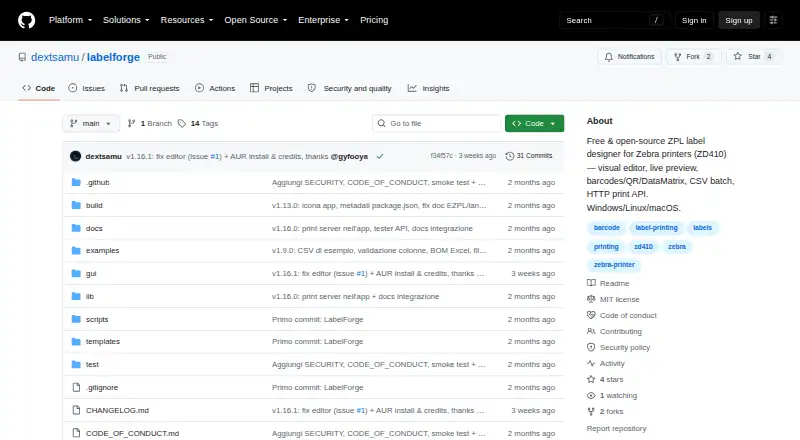
LabelForge is a free desktop tool for designing labels visually and printing them as ZPL to Zebra printers. Its editor shows a live preview and lets users select, move, resize, and snap template elements to a grid without editing JSON. Templates can include text, lines, boxes, and barcode formats such as Code128, Code39, Code93, EAN-13, QR codes, and DataMatrix. Users can import a CSV to print one label per row or scan barcodes to trigger automatic printing. Connections include network printers on raw port 9100, Windows printers by name, and USB devices on Linux or Mac. ZPL is tested on physical hardware, including the listed Zebra ZD410; TSPL, EPL, CPCL, and EZPL are experimental and unverified on physical printers. Other software can send jobs through an HTTP server, a watched folder, or the command line. The HTTP server includes health, template-listing, and print endpoints, with optional token or API-key authentication. LabelForge is available for Linux, macOS, and Windows and requires Node.js 18 or later; version 20 or later is recommended.
Who it suits
LabelForge suits people who need to design and print labels from a desktop app or command line. It also fits workflows where other programs submit print jobs through HTTP or a watched folder.
What it does well
- Visual editor previews and arranges template elements.
- CSV import supports one label per row.
- Supports network, Windows, and USB printer connections.
- Free and open source under the MIT License.
What to know first
- Node.js 18 or later is required.
- Several printer languages are experimental and unverified on hardware.
- Windows SmartScreen may warn because the packaged app is unsigned.
Plans
| Plan | Billed and limits | Price |
|---|---|---|
| Free | Free and open source · MIT License · no paid dependencies | Free |
As github.com lists them, read 4 Oct 2026. The maker's own page has the final word.
Getting started
- Open the LabelForge GitHub project page.
- Download the build for Windows, Linux, or macOS, or use the listed Arch Linux AUR package.
- Install Node.js 18 or later; version 20 or later is recommended.
- Create or select a JSON template in the visual editor.
- Connect a supported printer, or submit jobs through HTTP, a watched folder, or the command line.
LabelForge is a free desktop application for designing labels visually and printing ZPL to Zebra hardware. It suits technically minded individuals and small teams that need variable-data batches or connections from other software. Its best case is flexible, subscription-free ZPL production; unverified printer languages and Node.js setup make it a poor fit for plug-and-play, hardware-agnostic workflows.
Overview
LabelForge combines a visual canvas with reusable JSON templates and several ways to submit jobs. You can design without editing template files, then print one-off labels, import a CSV for one label per row, or scan barcodes to trigger automatic printing. That combination fits inventory, warehouse, and production routines where the same layout receives changing values.
The project is free and open source under the MIT License, with no paid dependencies. It runs as a desktop app on Linux, macOS, and Windows, and an Arch Linux AUR package is listed. Node.js 18 or later is required, with version 20 or later recommended. The packaged app is not code-signed, so Windows SmartScreen can warn at first launch.
Key features
Visual templates and barcodes
JSON templates support text, Code128, Code39, Code93, EAN-13, QR codes, DataMatrix, lines, and boxes. The live preview lets you select, drag, resize, and snap elements to a grid, reducing the need to hand-edit JSON for normal layout changes. The range covers common retail, asset, shipping, and inventory identifiers, though the workflow remains oriented toward users comfortable with structured templates when they need more control.
Variable and batch printing
CSV import creates one label per row, making repeated data entry practical for lists of products or assets. Barcode scanning can trigger automatic printing, which is useful at a packing or receiving station where each scan should produce a label immediately. These functions give LabelForge a stronger operational focus than a design-only utility.
Printer connectivity and languages
Jobs can go to network printers over raw port 9100, Windows printers selected by name, or USB devices on Linux and Mac. ZPL is tested on real hardware, including the listed Zebra ZD410. TSPL, EPL, CPCL, and EZPL are experimental and unverified on physical printers, so buyers relying on those languages should expect troubleshooting and should not assume equivalent reliability.
Automation and integrations
Other software can submit jobs through an HTTP server, a watched folder containing JSON jobs, or the command-line interface. The HTTP API includes health, template-listing, and print endpoints, with optional bearer-token or API-key authentication. It listens on localhost by default; exposing it to a LAN calls for a token and firewall restrictions. This is a useful bridge for internal systems, but it places deployment and security responsibility on the operator.
Language options
The interface can be switched between English and Italian in Settings, a modest benefit for teams working in either language.
Pricing
| Plan | Price | Includes |
|---|---|---|
| Free | free | Free and open source, MIT License, no paid dependencies |
There are no paid tiers, seat charges, quotas, trial periods, or renewal terms. The free plan is therefore suitable for individuals, small operations, and developers that can manage installation and printer configuration. Its trade-off is not a restricted feature set but the absence of a commercial tier or packaged support commitment for teams that want one.
Platforms
LabelForge supports Linux, macOS, and Windows as a desktop deployment, with an Arch Linux AUR package also listed. USB printing by printer name requires Windows. Linux and Mac support USB devices, while Windows can address printers by name. Node.js 18 or newer is required and version 20 or newer is recommended, adding a runtime prerequisite that appliance-style label tools may avoid.
Who it's for
Choose LabelForge if you need reusable layouts, variable data, barcode-driven output, and direct Zebra-oriented printing without subscription costs. It is especially well suited to technically minded warehouse, inventory, and production users, or developers integrating a print step into another application through HTTP, watched folders, or the CLI.
Look elsewhere if you need broad, proven support for several printer languages, a signed Windows installer, or a fully managed workflow with minimal runtime and security administration. The experimental status of TSPL, EPL, CPCL, and EZPL is a meaningful limitation for mixed-printer environments.
Pros and cons
- Pros: Free MIT-licensed software with no paid dependencies, so there is no subscription barrier.
- Pros: Visual editing, reusable JSON templates, CSV batches, and scan-triggered printing cover both design and production workflows.
- Pros: Network, named Windows, and Linux/Mac USB connections plus HTTP, watched-folder, and CLI submission offer flexible integration paths.
- Cons: Only ZPL has real-hardware validation; other advertised printer languages remain experimental.
- Cons: Node.js installation is required, and unsigned Windows packages may trigger SmartScreen warnings.
- Cons: LAN API exposure requires users to configure authentication and firewall protections themselves.
Alternatives
For a wider starting point, browse Label Design Software or Barcode Labeling Software.
- PrintSpirit is the better choice when you want a freemium service with Android, web, API, and desktop access, plus a free cloud designer and batch printing.
- Brother P-touch Editor fits users committed to select Brother P-touch and QL models and wanting free software on desktop or mobile.
- ZebraDesigner is preferable for Zebra Link-OS and Link-OS Basic printers and offers a free Essentials edition alongside paid options.
- EASYLABEL suits Windows users who need support for all available printers and Windows drivers, with paid tiers beyond its free Tharo-printer Start plan.
- FreeLabels Desktop is a better fit for a forever-free, offline desktop app with no account or watermark.
- gLabels is a straightforward free GUI designer for Linux, macOS, and Windows.
- Union Label is worth considering when you want a web or Windows service with documented user and import tiers.
- Avery Design & Print is the simpler option for creating designs specifically for printable Avery products in a web browser.
Verdict
LabelForge is a strong choice for technical users who want free, open-source label design, variable-data printing, and programmable ZPL workflows around Zebra hardware. Its visual editor and multiple submission methods are practical advantages. Choose another product when unverified printer-language support, Node.js requirements, unsigned packaging, or self-managed API security would create unacceptable operational risk.
Verdict
LabelForge brings visual label design, variable-data printing, and several ways to submit print jobs into a free desktop app. ZPL is tested on hardware, but support for other listed printer languages remains experimental.
Questions
Is LabelForge free?
Yes. The Free plan is listed as free, and the software is open source under the MIT License.
Which operating systems are supported?
Downloads are listed for Windows, Linux, and macOS. An Arch Linux AUR package is also listed.
What printers and languages does it support?
It prints ZPL to Zebra printers; the Zebra ZD410 is listed as tested hardware. TSPL, EPL, CPCL, and EZPL are experimental and unverified on physical printers.
Can I print labels using data from a file?
Yes. Users can import a CSV to print one label per row, or scan barcodes to trigger automatic printing.
Does LabelForge provide an API?
Its HTTP server has health, template-listing, and print endpoints. Optional bearer-token or API-key authentication is supported.
What does LabelForge require?
It requires Node.js 18 or later, with version 20 or later recommended. USB printing by printer name requires Windows.
Facts from LabelForge's own pages
- API default
- The integration guide says the HTTP server listens on localhost by default and recommends using a token and firewall restrictions for LAN exposure. · github.com, 4 Oct 2026
- Batch printing
- Users can import a CSV to print one label per row, or scan barcodes to trigger automatic printing. · github.com, 4 Oct 2026
- Code signing
- The packaged app is not code-signed, so Windows SmartScreen may warn on first run. · github.com, 4 Oct 2026
- Distribution
- The README says downloads are available for Windows, Linux, and macOS, and also lists an Arch Linux AUR package. · github.com, 4 Oct 2026
- HTTP API
- The HTTP server provides health, template-listing, and print endpoints, and supports optional bearer-token or API-key authentication. · github.com, 4 Oct 2026
- Integrations
- Other programs can submit print jobs through an HTTP server, a watched folder of JSON jobs, or the command-line interface. · github.com, 4 Oct 2026
- Intended users
- The README describes printing labels from a desktop app or command line and connecting other programs through HTTP or watched-folder jobs. · github.com, 4 Oct 2026
- Languages
- The interface is available in English and Italian, switchable in Settings. · github.com, 4 Oct 2026
- Printer connections
- Printing supports network printers on raw port 9100, Windows printers by name, and USB devices on Linux or Mac. · github.com, 4 Oct 2026
- Printer languages
- ZPL is tested on real hardware; TSPL, EPL, CPCL, and EZPL are described as experimental and unverified on physical printers. · github.com, 4 Oct 2026
- Purpose
- LabelForge designs labels visually and prints ZPL to Zebra printers, with the ZD410 listed as tested hardware. · github.com, 4 Oct 2026
- Requirements
- The app requires Node.js 18 or later, with version 20 or later recommended; USB printing by printer name requires Windows. · github.com, 4 Oct 2026
- Support and contributions
- The project invites contributions and asks users to open an issue before making large changes. · github.com, 4 Oct 2026
- Templates
- JSON templates support text, Code128, Code39, Code93, EAN-13, QR codes, DataMatrix, lines, and boxes. · github.com, 4 Oct 2026
- Visual editor
- The editor provides a live preview and lets users select, drag, resize, and snap elements to a grid without editing JSON. · github.com, 4 Oct 2026
Where LabelForge stands on Freedom251
- Barcode Labeling Software#7 of 35
- Label Design Software#9 of 32