Freedom251 › Barcode Labeling Software
BarcodeLabelGen
What BarcodeLabelGen is
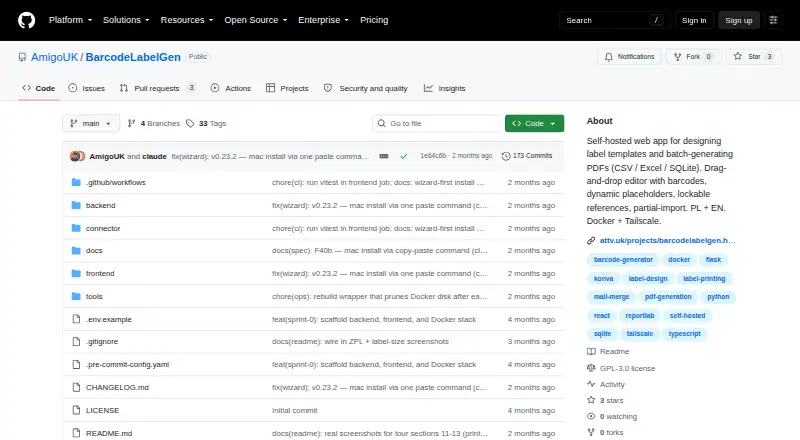
BarcodeLabelGen is a self-hosted web app for designing label templates and creating PDF batches from CSV, Excel, or SQLite data. Its drag-and-drop editor handles text, text blocks, shapes, images, tables, and barcodes, with alignment, layers, and object locking. Supported barcode formats include EAN-13, EAN-14, GTIN, Code 128, GS1-128, and QR codes with checksum validation. A batch can generate up to 1,000 labels; CSV and Excel uploads are limited to 10 MB, while SQLite uploads can be up to 50 MB. SQLite imports use read-only access and block modifying or multi-statement queries. The app imports and exports ZPL/ZPL II and exports TSPL/TSPL2 for TSC and desktop Toshiba printers. A local connector sends ZPL to compatible printers over RAW TCP port 9100 and reports job status. Deployment uses Docker Compose, with Tailscale Serve recommended for production. Generated files are automatically deleted after 30 days; templates can be exported as portable .blg-template.json files. The software is GPL-3.0 licensed and has administrator, editor, and viewer roles.
Who it suits
It suits office staff generating label batches from existing templates and authors who need editor control. It is intended for users able to self-host the web app and work with supported data and printer formats.
What it does well
- Generates up to 1,000 labels per batch.
- Imports CSV, Excel, or SQLite data.
- Supports common barcode formats including QR codes.
- Templates export as portable JSON files.
- Provides administrator, editor, and viewer roles.
What to know first
- CSV and Excel uploads are limited to 10 MB.
- SQLite uploads are limited to 50 MB.
- Generated files are deleted after 30 days.
- Direct printing requires a compatible printer and local connector.
Limits
A generation batch supports up to 1,000 labels. CSV and Excel uploads are capped at 10 MB, SQLite uploads at 50 MB, and generated files are automatically deleted after 30 days.
Getting started
- Open the project website on GitHub and review its help guide.
- Deploy the application using Docker Compose.
- For production, follow the project’s recommendation to expose the service through Tailscale Serve.
- Create or import a label template, then upload CSV, Excel or SQLite data.
- Install the local connector for Windows, macOS or Linux if sending ZPL directly to a compatible printer.
BarcodeLabelGen is a self-hosted web app for designing label templates and generating batches from spreadsheet or database records. It suits teams that want control over template creation and an office workflow for reusing those templates. Its combination of data import, portable templates, and printer-oriented output is compelling, provided its batch and upload limits fit the job.
Overview
The workflow separates template authors from staff who generate labels from existing designs. Administrator, editor, and viewer roles provide different levels of access; administrators can manage users and reset passwords temporarily. The interface supports Polish and English and includes in-app help and FAQ documentation.
A public demo provides a private visitor workspace, which resets after 30 minutes of inactivity. The project is GPL-3.0 licensed. For a broader category comparison, see Barcode Labeling Software.
Key features
Template design and data
The drag-and-drop editor handles text, text blocks, shapes, images, tables, and barcodes, with alignment, layers, and object locking for layout control. Templates export as self-contained .blg-template.json files for transfer to another BarcodeLabelGen instance. Partial import can skip objects or override template size, useful when adapting a shared design rather than rebuilding it.
Series generation combines template placeholders with CSV, Excel, or SQLite records. A batch supports up to 1,000 labels, which suits routine production but may require splitting larger runs. CSV and Excel uploads are capped at 10 MB; SQLite uploads at 50 MB, so larger source files need to be reduced or divided.
Barcodes and printing
Supported formats include EAN-13, EAN-14, GTIN, Code 128, GS1-128, and QR codes, with checksum validation. The app imports and exports ZPL/ZPL II and exports TSPL/TSPL2 for TSC and desktop Toshiba printers. A local connector can send ZPL to compatible printers over RAW TCP port 9100 and report job status back to the app. Prebuilt connector binaries cover Windows, macOS, and Linux, including Raspberry Pi variants.
That printer workflow is a practical advantage for compatible label hardware, but it makes printer-format fit an important selection check. Generated files remain available for 30 days before automatic deletion, so users needing longer access should plan to retrieve files within that window.
Deployment and data safeguards
BarcodeLabelGen uses Docker Compose and recommends exposing the service through Tailscale Serve for production. SQLite imports use a read-only connection and accept a single SELECT, while blocking modifying commands such as INSERT, UPDATE, DELETE, DROP, ATTACH, and PRAGMA. This constrains database queries to retrieval rather than changes.
Pricing
BarcodeLabelGen is free, with a free plan. No paid tiers are described, so its value is strongest for teams able to run a self-hosted service and work within the 1,000-label batch cap, upload ceilings, and 30-day generated-file retention. The trade-off is operational: deployment and printer compatibility need to suit the team’s environment.
Platforms
The app is listed for Linux, macOS, self-hosted, web, and Windows. The local printing connector has prebuilt binaries for Windows, macOS, and Linux, including Raspberry Pi variants.
Who it's for
It is a good fit for office staff producing batches from established templates and authors who need control over label layouts. Teams using CSV, Excel, or SQLite data and compatible ZPL or TSPL printers can bring design, generation, and printing into one workflow. It is a weaker fit for organizations that need batches above 1,000 labels, uploads beyond the stated limits, or a printer workflow outside its supported formats.
Pros and cons
- Pros: Portable templates and partial import support make designs easier to reuse and adapt across instances.
- Pros: CSV, Excel, and SQLite inputs pair with six barcode families and batch generation up to 1,000 labels.
- Pros: ZPL sending through a local connector includes job-status reporting for compatible printers.
- Cons: CSV and Excel uploads stop at 10 MB, SQLite at 50 MB, and each batch at 1,000 labels.
- Cons: Generated files are automatically deleted after 30 days.
- Cons: The Docker Compose deployment and printer-format requirements may be a poor match for teams seeking a service without self-hosting or compatible hardware.
Alternatives
Choose PrintSpirit if a free cloud-based designer with batch printing, cloud storage, and sharing for small-scale use better suits your workflow. ZPLab is another free, self-hosted option across Linux, macOS, web, and Windows.
Brother P-touch Editor is worth considering for free label design and printing with select Brother P-touch and QL models. Cloudlabel may suit teams wanting a paid STARTER plan with three users, three labels, one print path, one printer model, data-file upload, and unlimited print jobs.
ZebraDesigner offers free basic barcode label and tag design and printing for supported Zebra Link-OS and Link-OS Basic printers. Cloudlabels has a free tier with 20 items, 20 labels per month, one user, and 300 DPI export with watermark. EASYLABEL offers a free Start plan with any Tharo printer. DYMO Connect is another free option for Windows and macOS.
Verdict
Choose BarcodeLabelGen if your team wants a free, self-hosted way to create reusable templates, merge tabular data, and route supported printer output through a local connector. Its clearest reason to look elsewhere is a workflow that exceeds its upload or batch caps, needs generated files kept beyond 30 days, or depends on different printer support.
Verdict
BarcodeLabelGen combines template design, batch data import, PDF generation, and label-printer workflows. Check its upload limits, supported printer formats, and 30-day file retention against your process.
Questions
Is BarcodeLabelGen free?
Yes. The project identifies it as free software licensed under GPL-3.0.
Can I host BarcodeLabelGen myself?
Yes. It is self-hosted and uses Docker Compose for deployment. The project recommends Tailscale Serve for production.
What data can I use to generate labels?
Series generation can use CSV, Excel or SQLite data. Upload limits are 10 MB for CSV and Excel and 50 MB for SQLite.
Which barcode and printer formats does it support?
Barcode formats include EAN-13, EAN-14, GTIN, Code 128, GS1-128 and QR codes. It imports and exports ZPL/ZPL II and exports TSPL/TSPL2 for TSC and desktop Toshiba printers.
What roles does the app provide?
It provides administrator, editor and viewer roles. Administrators can manage users and issue temporary password resets.
How long are generated files kept?
Generated files remain available for 30 days and are then deleted automatically.
Facts from BarcodeLabelGen's own pages
- Access roles
- The app provides admin, editor, and viewer roles, with admins able to manage users and reset passwords. · github.com, 3 Oct 2026
- Barcode formats
- Supported barcode formats include EAN-13, EAN-14, GTIN, Code 128, GS1-128, and QR codes. · github.com, 2 Oct 2026
- Barcode types
- It supports EAN-13, EAN-14, GTIN, Code 128, GS1-128, and QR codes with checksum validation. · github.com, 3 Oct 2026
- Batch limit
- A generation batch supports up to 1,000 labels. · github.com, 3 Oct 2026
- Batch limits
- A batch can generate up to 1,000 labels; CSV and Excel uploads are limited to 10 MB, and SQLite uploads to 50 MB. · github.com, 2 Oct 2026
- Connector platforms
- Prebuilt connector binaries are listed for Windows, macOS, and Linux, including Raspberry Pi variants. · github.com, 2 Oct 2026
- Data sources
- Series generation can merge template placeholders with CSV, Excel, or SQLite data. · github.com, 3 Oct 2026
- Deployment
- The project provides Docker Compose deployment for a Linux host and recommends exposing it through Tailscale Serve. · github.com, 3 Oct 2026
- Direct printing
- A local connector sends ZPL to compatible label printers over RAW TCP port 9100 and reports job status to the app. · github.com, 2 Oct 2026
- Editor
- Its drag-and-drop editor supports text, images, barcodes, dynamic placeholders, alignment, and lockable objects. · github.com, 3 Oct 2026
- Generated-file retention
- Generated files remain available for 30 days and are then deleted automatically. · github.com, 2 Oct 2026
- Intended users
- The maker describes the app as designed for office staff generating batches from existing templates and authors who need editor control. · attv.uk, 3 Oct 2026
- Language and help
- The interface supports Polish and English and includes in-app help and FAQ documentation. · github.com, 3 Oct 2026
- License
- The repository identifies the project as GPL-3.0 licensed. · github.com, 3 Oct 2026
- Live demo
- The maker describes a public demo with a private visitor workspace that resets after 30 minutes of inactivity. · attv.uk, 3 Oct 2026
- Printer formats
- It can export ZPL/ZPL II and TSPL/TSPL2, and a local connector forwards ZPL to compatible label printers over RAW TCP 9100. · github.com, 3 Oct 2026
- Purpose
- BarcodeLabelGen is a self-hosted web app for designing label templates and batch-generating PDFs. · github.com, 3 Oct 2026
- Query safety
- Its SQLite import uses a read-only connection and a validator that blocks modifying or multi-statement queries. · github.com, 3 Oct 2026
- Security
- SQLite imports use a read-only connection that accepts a single SELECT and blocks INSERT, UPDATE, DELETE, DROP, ATTACH, and PRAGMA. · github.com, 2 Oct 2026
- Support
- The FAQ directs users to the help guide or to [email protected] for questions. · github.com, 2 Oct 2026
- Template portability
- Templates export as self-contained .blg-template.json files that can be imported into another BarcodeLabelGen instance. · github.com, 2 Oct 2026
- Templates
- Templates export as portable .blg-template.json files, and partial import can skip objects or override the size. · github.com, 3 Oct 2026
Where BarcodeLabelGen stands on Freedom251
- Barcode Labeling Software#4 of 35