Freedom251 › Label Design Software
FreeLabels Desktop
What FreeLabels Desktop is
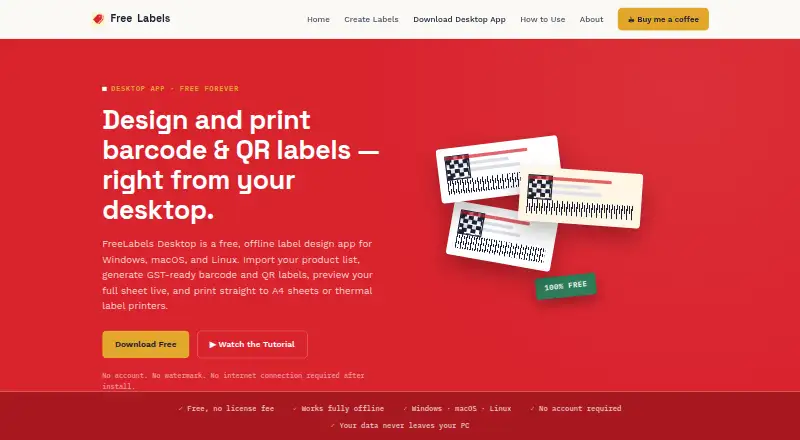
FreeLabels Desktop is an offline app for designing and printing barcode and QR labels from a computer. It is aimed at shops, warehouses, and small manufacturers handling label printing in bulk. Users can import product data from .xlsx spreadsheets, including fields such as name, SKU, price, expiry, GST rate, HSN code, and brand. The app renders EAN-13, Code128, and EPC/GID-96 barcodes, and makes QR codes for URLs, text, or EPC data. Page choices include A4, A5, 50×30 mm thermal rolls, Avery layouts, and custom sizes and grids. Users can add a logo, choose a solid or image background, and save reusable template files. Output options include paginated PDFs and ZPL or TSPL files for Zebra and similar thermal printers. The maker says product lists, images, and templates remain on the user's machine. The free plan has no license fee, account requirement, or watermark. Installers need roughly 150–200 MB of disk space; requirements include Windows 10/11 64-bit, macOS 12 or later, or a 64-bit .deb for modern Linux distributions.
Who it suits
FreeLabels Desktop suits shops, warehouses, and small manufacturers that need to create and print batches of barcode or QR labels. It is for desktop users who can work within its listed operating-system requirements.
What it does well
- Works offline after installation on three desktop platforms.
- Imports product details from .xlsx spreadsheets.
- Exports PDFs and ZPL or TSPL printer files.
- Free plan has no account requirement or watermark.
What to know first
- Installers need roughly 150–200 MB of disk space.
- Windows requires Windows 10/11 64-bit.
- macOS requires version 12 or later.
Plans
| Plan | Billed and limits | Price |
|---|---|---|
| FreeLabels Desktop | Free forever; no license fee · Windows, macOS, Linux · no account · no watermark · offline after install | Free |
As freelabels.in lists them, read 30 Sept 2026. The maker's own page has the final word.
Getting started
- Visit the FreeLabels Desktop website.
- Download the installer for Windows, macOS, or Linux, or use the JAR if you have Java 11 or later.
- Confirm your computer meets the applicable operating system requirement and has roughly 150–200 MB available for an installer.
- Install the app; the installers bundle a Java runtime.
- Import product data from an .xlsx file, or create a label layout and save it as a reusable template.
Overview
FreeLabels Desktop is a desktop label designer for shops, warehouses, and small manufacturers that need to print barcode or QR labels in batches. Its combination of spreadsheet imports, reusable templates, and offline operation makes it a practical free option for teams preparing product labels on their own computers.
Key features
Importing an .xlsx file brings product fields such as names, SKUs, prices, expiry dates, GST rates, HSN codes, and brand into a bulk-label workflow. That is useful when a catalog already lives in a spreadsheet; it avoids entering each label’s data separately. The app can render EAN-13, Code128, and EPC/GID-96 barcodes, and create QR codes for URLs, text, or EPC data.
Page choices span A4 and A5 sheets, a 50×30 mm thermal roll, common Avery layouts, and custom sizes and grids. Users can add solid or image backgrounds and logos, then save designs as reusable template files. Paginated PDF export suits standard printing and sharing, while ZPL and TSPL output supports Zebra and similar thermal printers. The mix is well suited to repeat jobs across sheet and thermal formats; users needing an unmentioned label workflow should not assume it is covered.
The app runs locally, and the maker says product lists, images, and templates stay on the computer. That is an advantage for businesses preferring offline work and local data handling. The maker does not guarantee uninterrupted availability or error-free functionality, so the software should not be treated as a guaranteed service.
Pricing
FreeLabels Desktop costs nothing, billed Free forever, with no license fee. The plan includes Windows, macOS, and Linux support, no account requirement, no watermark, and offline use after installation. There is no paid tier or trial to weigh against the free plan: it gives up no stated features by being free, though the maker does not promise uninterrupted or error-free operation.
Installers bundle a Java runtime and require roughly 150–200 MB of disk space. Windows requires Windows 10/11 64-bit, macOS requires version 12 or later, and Linux is offered as a 64-bit .deb for modern distributions. A JAR is available for users with Java 11 or later.
Platforms
FreeLabels Desktop is a desktop app for Windows, macOS, and Linux. It supports A4 and A5 printers, Avery sheet layouts, and Zebra and other ZPL/TSPL thermal printers. Its offline design suits a workstation-based process, not a browser-first team workflow.
Who it's for
Shops, warehouses, and small manufacturers printing product labels in bulk are the clearest fit, especially when their product data is in Excel and they reuse designs. Compliance labels and variable data printing are supported. The app is less compelling for someone who wants a cloud-based designer or depends on a printer or workflow outside its stated formats.
Pros and cons
- Pros: Bulk .xlsx import handles a broad set of product fields, reducing repeated data entry for catalog-driven label runs.
- Pros: Reusable templates, custom page grids, PDF output, and ZPL/TSPL export cover both sheet and thermal printing workflows.
- Pros: Free forever with no account, watermark, or post-install internet requirement keeps the cost and setup burden low.
- Cons: The installer takes roughly 150–200 MB, and bundled runtimes or operating-system requirements may rule out older machines.
- Cons: Offline operation means it is not a shared cloud design workspace.
- Cons: The maker does not guarantee uninterrupted availability or error-free functionality.
Alternatives
For a broader directory of label tools, see Label Design Software.
- PrintSpirit is a better fit when cloud storage, sharing, or a cloud-based designer matters; its free Web Edition includes batch printing for small-scale use.
- Brother P-touch Editor suits users with select Brother P-touch and QL models who want free Windows software.
- ZebraDesigner is worth considering for basic barcode label and tag design with Zebra Link-OS and Link-OS Basic printers; its Essentials 3 plan is free.
- EASYLABEL offers a free Start plan with any Tharo printer, or a Silver plan for $245, paid once that supports all available printers and Windows drivers with basic editing.
- gLabels is another free GUI label and business-card designer.
- LabelForge is a free, open-source alternative under the MIT License with no paid dependencies.
- Union Label may suit a one-user workflow that needs Excel/CSV import and documentation; its free plan is limited.
- Avery Design & Print is a free web option for designs intended for printable Avery products.
Verdict
Choose FreeLabels Desktop if you need a no-fee offline tool to turn spreadsheet product data into repeat barcode or QR label batches across sheet and thermal printers. Its strongest case is the practical combination of bulk import, reusable layouts, and multiple export formats without an account or watermark. Look elsewhere if you need cloud collaboration, or if its operating-system and storage requirements do not suit your computer.
Verdict
FreeLabels Desktop combines spreadsheet imports, reusable label layouts, and multiple output formats in a free offline app. Check the listed system requirements and installer storage needs before installing.
Questions
How much does FreeLabels Desktop cost?
The FreeLabels Desktop plan is free, billed free forever, with no license fee.
Does it require an account or internet connection?
The plan requires no account, and the app works offline after installation.
Which operating systems does it support?
It supports Windows, macOS, and Linux. Windows requires 10 or 11 in 64-bit; macOS requires version 12 or later; Linux has a 64-bit .deb for modern distributions.
What label and barcode formats can it make?
It can render EAN-13, Code128, and EPC/GID-96 barcodes, and QR codes for URLs, text, or EPC data. Page options include A4, A5, 50×30 mm thermal rolls, Avery layouts, and custom sizes and grids.
What can I export or print?
The app exports paginated PDFs and ZPL or TSPL files for Zebra and similar thermal printers. It also supports A4 and A5 printers and Avery sheet layouts.
Who makes FreeLabels Desktop?
The listed company location is Mumbai, Maharashtra, India. The maker lists [email protected] and +91 8097815771 as support contacts.
Facts from FreeLabels Desktop's own pages
- Barcode support
- It automatically renders EAN-13, Code128, or EPC/GID-96 barcodes and supports QR codes for URLs, text, or EPC data. · freelabels.in, 30 Sept 2026
- Company location
- FreeLabels lists its address as 28/254, Snehasadan, Sect-2, Charkop, Kandivali (West), Mumbai 400067. · freelabels.in, 30 Sept 2026
- Design tools
- Users can set a solid-color or image background, add a logo, and save layouts as reusable template files. · freelabels.in, 30 Sept 2026
- Download size
- Each installer needs roughly 150–200 MB of disk space; a JAR is also available for users with Java 11 or later. · freelabels.in, 30 Sept 2026
- Exports and printers
- It exports paginated PDFs and ZPL or TSPL files for Zebra and similar thermal printers. · freelabels.in, 30 Sept 2026
- Headquarters
- Mumbai, Maharashtra, India · freelabels.in, 28 Sept 2026
- Intended users
- The app is built for shops, warehouses, and small manufacturers printing labels in bulk. · freelabels.in, 30 Sept 2026
- Offline use and privacy
- The desktop app runs on the user's computer, and the maker says product lists, images, and templates never leave the machine. · freelabels.in, 30 Sept 2026
- Page presets
- Page options include A4, A5, a 50×30 mm thermal roll, common Avery layouts, and custom page sizes and grids. · freelabels.in, 30 Sept 2026
- Purpose
- FreeLabels Desktop is an offline app for designing and printing barcode and QR labels from a desktop computer. · freelabels.in, 30 Sept 2026
- Service limitation
- The maker's terms say it does not guarantee uninterrupted availability or error-free functionality. · freelabels.in, 30 Sept 2026
- Spreadsheet import
- It bulk-imports product data from .xlsx files, including name, SKU, price, barcode, QR/EPC, expiry, GST rate, HSN code, and brand. · freelabels.in, 30 Sept 2026
- Support contact
- The maker lists [email protected] and +91 8097815771 as contact details. · freelabels.in, 30 Sept 2026
- System requirements
- Installers bundle a Java runtime; Windows requires Windows 10/11 64-bit, macOS requires version 12 or later, and Linux has a 64-bit .deb for modern distributions. · freelabels.in, 30 Sept 2026
Where FreeLabels Desktop stands on Freedom251
- Label Design Software#7 of 32