Freedom251 › HR Case Management Software

Infor Workforce Management
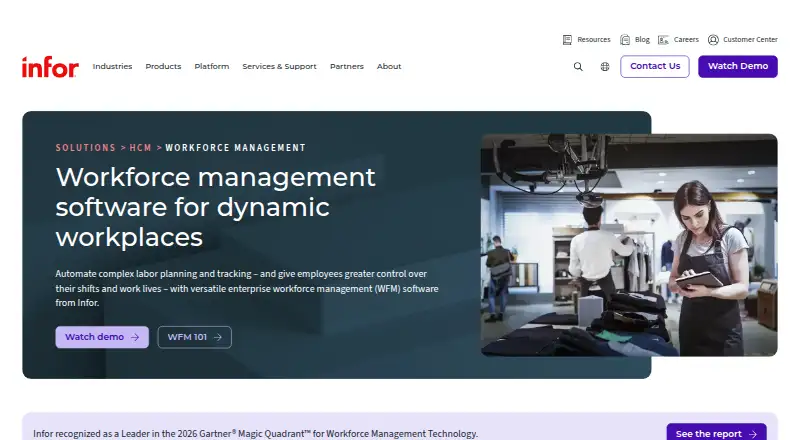
What Infor Workforce Management is
Infor Workforce Management is an AI-powered platform for labor planning, shift scheduling, time and attendance, payroll processes, and compliance. It is designed for organizations with large, complex frontline workforces, including healthcare, manufacturing, public sector, and retail. Scheduling tools align staffing with real-time demand, skills, availability, and preferences, with rules-based automation and shift replacement. Labor forecasting uses machine learning and adaptive models to estimate needs from minutes to years, drawing on historical results, planned promotions, and weather information. The platform records time data in real time, calculates pay rules, accepts time-off requests, and produces compliance reports. Infor Clinical Science can calculate healthcare staffing workloads from nurse documentation through an electronic medical record integration. Payroll close creates an employee pay-information export that can be transferred manually or automatically to an organization’s payroll system. WFM is available as a stand-alone product or alongside Infor HCM. Mobile WFM is an HTML5 application; listed platforms include Android, iOS, macOS, web, Windows, and API use. Pricing is available on request.
Who it suits
Infor Workforce Management suits organizations with large frontline workforces, particularly in healthcare, manufacturing, public sector, or retail. It may fit teams that need labor forecasting alongside scheduling and time-and-attendance processes.
What it does well
- Forecasts demand from minutes to years
- Uses historical results, promotions, and weather data
- Scheduling considers skills and availability
- Supports time-off requests and compliance reporting
- Available stand-alone or alongside Infor HCM
What to know first
- Pricing is available on request
- Mobile WFM is an HTML5 application
- Self Service Portal is designed for portrait use on phones
Plans
| Plan | Billed and limits | Price |
|---|---|---|
| Infor Workforce Management | Pricing not listed; contact Infor for sales information | On request |
As infor.com lists them, read 30 Sept 2026. The maker's own page has the final word.
Getting started
- Visit the Infor Workforce Management website.
- Contact Infor for pricing and sales information.
- Choose WFM as a stand-alone product or alongside Infor HCM.
- Use the web platform or a supported Android, iOS, macOS, or Windows environment.
- For mobile use, open the HTML5 application in a supported browser.
Overview
Infor Workforce Management is a workforce planning and operations platform for employers coordinating large numbers of frontline staff across complex locations, roles, and shifts. It will suit organizations that need labor forecasts, scheduling, timekeeping, and compliance connected; smaller teams with simple schedules may find its breadth unnecessary.
It can run as a stand-alone product or alongside Infor HCM, giving larger employers a choice about how closely to tie workforce operations to Infor’s HR platform. The core appeal is joining demand planning to day-to-day staffing, while the main trade-offs are quote-based pricing and a mobile self-service portal designed for portrait use.
Infor was founded in 2002 and is headquartered in Atlanta, Georgia. Its roots are in ERP software focused primarily on manufacturing. See Workforce Management Software for a broader category view.
Key features
Forecasting and scheduling
Machine-learning and adaptive forecasting can project labor demand across horizons from minutes to years, drawing on historical results, planned promotions, and weather. That range can support both near-term coverage decisions and longer-range planning. Coverage optimization and intraday management add tools for adjusting staffing as needs change.
Scheduling can account for demand, skills, availability, and employee preferences. Rules-based automation and shift replacement help organizations manage constraints and last-minute changes, a useful combination for operations with many roles or locations. Teams with predictable shifts and few staffing rules may not benefit enough from this depth.
Time, attendance, and payroll
Real-time time capture, complex pay-rule calculations, time-off requests, and audit-ready compliance reports bring attendance administration into the workforce workflow. Payroll close produces an employee pay information export that can be transferred to a payroll system manually or automatically. That export supports payroll handoff, but organizations should assess how it fits their own payroll process.
Healthcare staffing and integrations
Infor Clinical Science can calculate staffing workloads from nurse documentation through Clinical Bridge, which integrates with electronic medical records. Infor lists WFM, including Clinical Science, among its HIPAA-attested products. This makes healthcare a particularly relevant audience, though each provider still needs to assess its own workflow and compliance requirements.
Infor documents HR Talent integration through Infor ION and Business Object Documents, with configurable mappings and transformations. WFM can also connect with Infor OS Portal so employees can reach HR and workforce features in the Employee Hub. API configuration and ION API integration are documented, giving organizations routes to connect systems, but the integration work will matter to teams with established HR and payroll stacks.
Pricing
Infor Workforce Management uses paid, custom pricing; contact Infor for a quote. No free plan or trial is established for this product. The price is therefore a procurement question rather than a published per-seat or fixed-tier cost, so organizations should seek a proposal that reflects their workforce and deployment needs.
There is one named plan, Infor Workforce Management. It includes demand forecasting, coverage optimization, intraday management, time and attendance, and an employee mobile app. Those capabilities make the plan relevant to employers seeking a single workforce-management platform, but there is no cheaper published tier to compare against or published seat cap to use for budgeting.
Platforms
Infor lists Android, iOS, macOS, web, Windows, and API support. Mobile WFM is an HTML5 application; current and previous Android and iOS versions are supported, using Chrome on Android and Safari or Chrome on iOS. The Self Service Portal is also supported on desktop, but its portrait-oriented phone design may feel restrictive for employees who prefer landscape workflows.
Supported browsers include Edge Chromium, Firefox, Chrome, and Safari. Safari is certified only on macOS, and browser support is specified for Windows 10 and 11. Infor describes WFM as running on a secure platform and its cloud offering as meeting robust security standards.
Who it's for
Infor positions WFM for large, complex frontline workforces, especially in healthcare, manufacturing, public sector, and retail. It is a stronger fit when labor demand varies, staffing rules are intricate, or attendance and compliance processes need to work alongside scheduling. Healthcare employers may also value Clinical Science’s workload calculations based on nursing documentation.
Organizations seeking basic shift calendars for a small team, or buyers who need a transparent list price before engaging sales, should look elsewhere. The product’s planning and integration breadth is most compelling when the employer can make use of it across a substantial operation.
Pros and cons
- Pros: Forecasts span minutes to years and can draw on historical results, promotions, and weather, supporting both immediate and longer-range staffing decisions.
- Pros: Scheduling combines demand, skills, availability, preferences, rules-based automation, and shift replacement, useful for large operations with changing coverage needs.
- Pros: Real-time time capture, complex pay rules, and audit-ready reports bring important attendance and compliance work into the same platform.
- Pros: Clinical Science’s workload calculations and EMR integration address a healthcare staffing need beyond general scheduling.
- Cons: Custom pricing means buyers cannot compare a published plan cost or per-seat rate before requesting a quote.
- Cons: The mobile portal is designed for portrait use, which may not suit employees expecting a more flexible phone layout.
- Cons: Payroll information is delivered through an export that may require manual transfer, so payroll workflows need careful fit assessment.
Alternatives
For a broad comparison, browse Workforce Management Software. Buyers focused on employee benefits can compare Benefits Administration Software, while healthcare teams evaluating shift coverage can see Healthcare Staff Scheduling Software. For HR service workflows, consider HR Case Management Software; for attendance-focused products, see Time and Attendance Software; and for a wider HR suite search, browse HR Software.
ZebraDesigner is a different kind of choice: its free Essentials 3 plan covers basic barcode label and tag design and printing for supported Zebra printers, so it is relevant to label work rather than frontline workforce management.
ADP WorkForce Suite is another quote-based enterprise workforce management option for buyers comparing vendors in that category. Logile Workforce Management is positioned as an enterprise retail workforce management suite, making it a relevant option for retail-focused buyers.
ShiftWizard uses organization-specific proposals and guided implementation, which may suit organizations that want that purchasing and rollout approach. Aspect Workforce uses tiered, tailored per-seat pricing, so it may be worth comparing for buyers who want a quote structured around team size.
Fourth Workforce Management has a HotSchedules mobile app listed at $2.99, paid once, but use requires a valid HotSchedules account through an employer. OnTheJob is an option from Argenbright Innovation Lab. StoreForce asks buyers to contact the company for a demo and pricing.
Verdict
Infor Workforce Management is best for large frontline employers that need demand-led scheduling, complex time and pay-rule handling, and compliance processes in one platform. Its forecasting range, staffing constraints, and healthcare workload tools give it a clear case in complex operations. Choose another product if your workforce is small, your needs are limited to basic scheduling, or you require transparent pricing before starting a sales conversation.
Verdict
Infor Workforce Management brings forecasting, scheduling, time tracking, and compliance tools together for large frontline workforces. Organizations should account for its request-based pricing and the mobile portal’s portrait-oriented design.
Questions
How much does Infor Workforce Management cost?
Infor lists the pricing model as paid, with pricing available on request.
What platforms does it support?
Listed platforms are Android, API, iOS, macOS, web, and Windows.
Can it connect with HR and payroll systems?
Infor documents an HR Talent integration using Infor ION and Business Object Documents. Payroll close can create an employee pay information export for manual or automatic transfer to an organization's payroll system.
Does it support healthcare staffing?
Infor Clinical Science can calculate staffing workloads from nurse documentation through Clinical Bridge, which integrates with electronic medical records.
Can it be used without Infor HCM?
Yes. Infor offers WFM as a stand-alone product or alongside Infor HCM.
Who makes Infor Workforce Management?
The maker is Infor Workforce Management. Infor was founded in 2002 and is headquartered in Atlanta, Georgia, United States.
Facts from Infor Workforce Management's own pages
- API
- WFM supports API access through Infor OS API Gateway, and its documentation describes external application calls using OAuth credentials. · docs.infor.com, 30 Sept 2026
- Browser support
- Infor lists Edge Chromium, Firefox, Chrome, and Safari as supported browsers; Safari is certified only on macOS, and Windows 10 and 11 are supported for browsers. · docs.infor.com, 30 Sept 2026
- Company background
- Infor's company timeline says it was founded in 2002 as an ERP software company focused primarily on manufacturing. · infor.com, 29 Sept 2026
- Deployment and availability
- Infor offers WFM as a stand-alone product or alongside Infor HCM. · infor.com, 29 Sept 2026
- Forecasting
- Its labor forecasting uses machine learning and adaptive models and can forecast across time scales from minutes to years. · infor.com, 29 Sept 2026
- Founded
- 2002 · infor.com, 23 Sept 2026
- Headquarters
- Atlanta, Georgia, United States · infor.com, 23 Sept 2026
- Healthcare staffing
- Infor Clinical Science uses existing electronic medical record documentation through Clinical Bridge to calculate workloads and support patient-centric staffing assignments. · infor.com, 30 Sept 2026
- HIPAA attestation
- Infor lists WFM, including Clinical Science, among its HIPAA-attested products. · trust.infor.com, 30 Sept 2026
- HR integration
- Infor documentation describes integrating WFM with HR Talent and Infor OS Portal so employees can access HR and WFM features in the Employee Hub. · docs.infor.com, 30 Sept 2026
- Integrations
- Infor documents an HR Talent integration with WFM using Infor ION and Business Object Documents, with configurable mappings and transformations. · docs.infor.com, 29 Sept 2026
- Intended users
- Infor describes WFM as serving large frontline workforces and highlights use cases in healthcare, manufacturing, public sector, and retail. · infor.com, 30 Sept 2026
- Labor forecasting
- Its labor planning tools use machine learning and adaptive algorithms to forecast demand at time scales from minutes to years. · infor.com, 30 Sept 2026
- Mobile limitation
- Infor states that Mobile WFM has a subset of the desktop application's features and does not provide all configuration options. · docs.infor.com, 30 Sept 2026
- Mobile platforms
- Mobile WFM is an HTML5 application, and Infor lists current and previous Android and iOS versions as supported, with Chrome on Android and Safari or Chrome on iOS. · docs.infor.com, 30 Sept 2026
- Payroll integration
- Payroll close produces an employee pay information export file that can be transferred manually or automatically to an organization’s payroll system. · docs.infor.com, 30 Sept 2026
- Product overview
- Infor Workforce Management is an AI-powered platform for labor planning, scheduling, time and attendance, payroll, and compliance. · infor.com, 29 Sept 2026
- Purpose
- Infor WFM provides AI-powered tools for labor planning, employee engagement, and compliance on one platform. · infor.com, 30 Sept 2026
- Scheduling
- It schedules employees in real time based on demand, skills, availability, and preferences, with self-service shift management and rules-based conflict prevention. · infor.com, 30 Sept 2026
- Security
- Infor Cloud describes role-based access controls, real-time monitoring, firewall segmentation, supported two-factor authentication, and customer-requested SOC audit reports. · trust.infor.com, 30 Sept 2026
- Support
- Infor Concierge provides access to customer cases, support-related services, release information, knowledge-base articles, and self-help guides. · docs.infor.com, 30 Sept 2026
- Target organizations
- Infor says WFM is built for organizations with large, complex frontline workforces, including manufacturing, healthcare, and public sector organizations. · infor.com, 29 Sept 2026
- Time and attendance
- It supports real-time time tracking, configurable rules and alerts, automated pay-rule calculations, time-off requests, absence and leave tracking, and compliance reports. · infor.com, 30 Sept 2026
Where Infor Workforce Management stands on Freedom251
- HR Case Management Software#15 of 47
- Workforce Management Software#12 of 33
- Healthcare Staff Scheduling Software#10 of 27
- Benefits Administration Software#18 of 48
- Workforce Management - Enterprise Software#10 of 23
- Workforce Management - Midmarket Software#14 of 26
- HR Software#131 of 233
- Human Resources Software#16 of 26
- Shift Scheduling#15 of 24
- Time and Attendance Software#19 of 28