Freedom251 › Video Converter Software

Freemake Video Converter
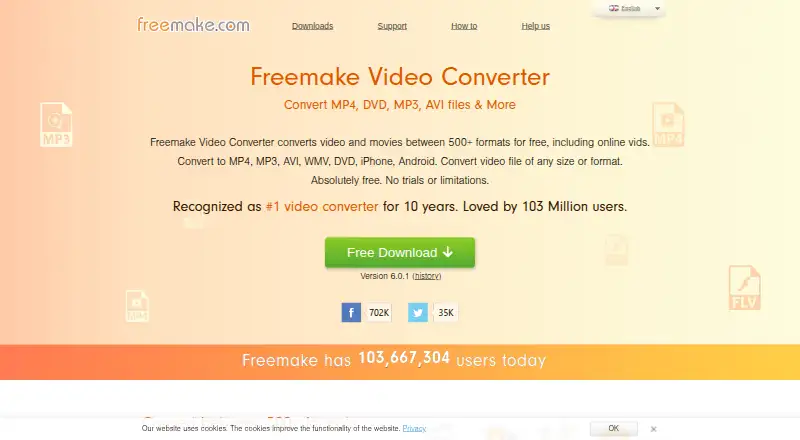
What Freemake Video Converter is
Freemake Video Converter converts video and movies across more than 500 formats, with batch conversion, hardware acceleration, and output resolution up to 4K. It handles formats including MP4, AVI, WMV, MKV, FLV, 3GP, MPEG, DVD, Blu-ray, MP3, SWF, WebM, and OGG. You can extract audio to MP3, and editing tools can cut, join, or rotate video, remove black bars, limit output size, and add subtitles. For discs, the software can rip DVDs, burn DVDs and Blu-ray discs, and create DVD folders or ISO files. Device presets cover Apple, Android, PSP, Xbox, Samsung, Nokia, Huawei, Xiaomi, and BlackBerry devices. Converted files can be uploaded directly to YouTube or automatically to iTunes and iOS. The free license does not expire, but free conversions add a Freemake logo and omit 4x conversion speed and premium features. Windows requirements include a 1 GHz processor, .NET Framework 4.5, at least 256 MB RAM, and 50 MB of disk space.
Who it suits
It suits people who need to convert or edit video, extract audio, or handle DVD and Blu-ray tasks on Windows. Its device presets may help people preparing files for the listed devices.
What it does well
- Converts video and movies across 500+ formats.
- Batch conversion and hardware acceleration are available.
- Supports output resolution up to 4K.
- Can rip and burn DVDs and Blu-ray discs.
- Free license does not expire.
What to know first
- Free conversions add a Freemake logo.
- Free version lacks 4x speed and premium features.
- Windows requirements include .NET Framework 4.5.
Plans
| Plan | Billed and limits | Price |
|---|---|---|
| Free | Core conversion features · No expiration | Free |
| Mega Pack lifetime license | 1 key for 1 PC | On request |
| Free license | — | On request |
As freemake.com lists them, read 20 Sept 2026. The maker's own page has the final word.
Freemake Video Converter is a Windows utility for converting, editing, and preparing video, with audio extraction and DVD/Blu-ray functions built in. It is best suited to people managing varied media libraries or device files who want a permanent free license. The main compromise is branded free output and the absence of premium functions and faster conversion.
Overview
Freemake handles video and movies across more than 500 formats, covering common files and less usual choices such as MP4, AVI, WMV, MKV, FLV, 3GP, MPEG, WebM, DVD, Blu-ray, MP3, SWF, and OGG. That range makes it a sensible general-purpose converter when one application must deal with mixed downloads, camera files, discs, and device media. Batch conversion and hardware acceleration are useful for queues of files, while support for 4K, Full HD 1080p, and HD 720p covers typical high-definition projects.
The free license does not expire, but conversions carry a Freemake logo and the free version omits premium features and 4x conversion speed. That branding is acceptable for personal copies but weakens the case for client work, publishing, or any deliverable that must remain unmarked.
Key features
Conversion and editing
Basic editing tools let users cut and join clips, rotate footage, remove black bars, set an output-size limit, and add subtitles. These controls are practical for quick preparation before conversion, although they are aimed at simple corrections rather than replacing a dedicated video editor. Video-to-MP3 conversion and multi-file uploading also make it suitable for extracting soundtracks from several videos in one session.
Discs, devices, and uploads
Freemake can rip DVDs, burn DVDs and Blu-ray discs, and create DVD folders or ISO files. Device presets cover Apple, Android, PSP, Xbox, Samsung, Nokia, Huawei, Xiaomi, and BlackBerry, reducing the need to choose technical settings manually. It can automatically upload converted files to iTunes and iOS and supports direct YouTube uploads. These functions favor users moving an existing collection between discs, devices, and services rather than those seeking advanced authoring or production tools.
Freemake identifies Microsoft, Intel, and Thawte as security partners for downloads. Mega Pack states that financial and personal data use modern encryption technologies. Help is provided through FAQs, support requests, a knowledgebase, email assistance, and video tutorials.
Pricing
| Plan | Price | What it includes | Best for |
|---|---|---|---|
| Free | free | Core conversion features; no expiration | Personal conversion and disc work where a logo is acceptable |
| Mega Pack lifetime license | Custom pricing | Premium features, lifetime updates, one key for one PC, and a 14-day money-back guarantee for technical problems | One Windows user who needs premium functions and wants a perpetual license |
| Free license | Custom pricing | Core options with a license that does not expire | Users choosing the free-license terms |
The free tier gives up 4x conversion speed, premium features, and unbranded output. Mega Pack has a trial option, but its stated refund protection is limited to technical problems and lasts 14 days. The lifetime plan is tied to one PC, so it is not a multi-seat purchase.
Platforms
Freemake is supported on Windows. Its stated Windows requirements are a 1 GHz processor, .NET Framework 4.5, at least 256MB of RAM, and 50MB of disk space. Although Android and macOS appear among the broader platform labels, the supported-platform entry identifies Windows for this software.
Who it's for
Choose Freemake if you want one Windows application for broad format conversion, batch jobs, straightforward edits, audio extraction, and physical disc tasks, and you can accept a logo on free exports. It is especially practical for home media collections and device-specific conversions. Look elsewhere if you require clean free output, 4x speed, advanced editing, or support for an operating system other than Windows.
Pros and cons
- Pro: More than 500 input and output formats cover common, rare, audio, DVD, and Blu-ray workflows.
- Pro: Batch conversion, hardware acceleration, and 4K support suit repeated or high-resolution jobs.
- Pro: DVD ripping, disc burning, ISO creation, device presets, and upload integrations extend it beyond a basic converter.
- Pro: The free license has no expiration, so occasional users are not forced into a time-limited trial.
- Con: Free conversions add a Freemake logo, which rules it out for unbranded professional deliverables.
- Con: The free version excludes premium features and 4x conversion speed.
- Con: Editing is limited to practical trimming and preparation rather than a full video-production workflow.
- Con: Mega Pack's one-key, one-PC term limits portability, and its refund promise covers technical problems only.
Alternatives
HandBrake is a free option for Linux, macOS, and Windows users who want a cross-platform converter. FFmpeg is better suited to technically comfortable users who want free source code and can handle GPL licensing obligations, rather than a bundled graphical toolkit.
MConverter fits browser-oriented, quota-based conversion: its free plan allows 15 files per day, eight at once, and 100 MB per file, while Plus costs $12.99 a month. AnyConv is a free web choice with 100 MB uploads, up to 60 files per hour, and no registration. FreeConvert GIF Maker is preferable when the job is specifically GIF creation, with a free allowance of 20 conversion minutes per day and five minutes per file.
Zamzar API targets developers needing an API; its free Test plan provides 100 conversion credits, a 1 MB maximum file, one-day file storage, and a three-day support response. GrabzIt is another freemium alternative spanning web, desktop, mobile, and API environments. Pandoc is free GPL software for document conversion rather than a direct replacement for Freemake's video and disc toolkit.
See the Video Converter Software and File Conversion Software lists for more options.
Verdict
Freemake Video Converter is a strong fit for Windows users who want unusually broad format coverage plus batch processing, simple edits, audio extraction, and disc tools under a license that never expires. Choose it when that all-in-one scope matters more than polished exports. Choose another converter when free output must be logo-free, when premium speed is essential, or when you need a full editor or a non-Windows platform.
Verdict
Freemake combines broad format conversion with video editing, audio extraction, and disc tools. The free license has no expiration, but the logo and missing premium features are worth considering.
Facts from Freemake Video Converter's own pages
- Audio conversion
- Converts videos to MP3 and can upload multiple files at once. · freemake.com, 28 Sept 2026
- Audio extraction
- Yes · freemake.com, 20 Sept 2026
- Batch conversion
- Can transform multiple video clips at once. · freemake.com, 28 Sept 2026
- Data encryption
- Mega Pack says financial and personal data are protected with modern encryption technologies. · freemake.com, 28 Sept 2026
- Device presets
- Includes ready settings for Apple, Android, PSP, Xbox, Samsung, Nokia, Huawei, Xiaomi, and BlackBerry devices. · freemake.com, 28 Sept 2026
- DVD and Blu-ray
- Rips DVDs, burns DVDs and Blu-ray discs, creates DVD folders, and creates ISO files. · freemake.com, 28 Sept 2026
- Free conversion
- Converts video and movies between 500+ formats for free. · freemake.com, 28 Sept 2026
- Free plan
- Yes · freemake.com, 20 Sept 2026
- Free tier limits
- The free version adds a Freemake logo and lacks 4x conversion speed and premium features. · freemake.com, 28 Sept 2026
- Hardware acceleration
- Mega Pack provides hardware acceleration technologies for faster conversion. · freemake.com, 28 Sept 2026
- Platform integrations
- Automatically uploads converted files to iTunes and iOS and supports direct YouTube uploads. · freemake.com, 28 Sept 2026
- License duration
- The free license does not expire. · freemake.com, 28 Sept 2026
- Maximum output resolution
- 4k · freemake.com, 20 Sept 2026
- Video editing
- Can cut, join, rotate, remove black bars, limit output size, and add subtitles. · freemake.com, 28 Sept 2026
- Output formats
- MP4,AVI,WMV,MKV,FLV,3GP,MPEG,DVD,Blu-ray,MP3,SWF,WebM,OGG · freemake.com, 20 Sept 2026
- Resolution support
- Supports 4K, Full HD 1080p, and HD 720p files. · freemake.com, 28 Sept 2026
- Security partners
- Microsoft, Intel, and Thawte are identified as partners guaranteeing secure downloads. · freemake.com, 28 Sept 2026
- Support channels
- Support includes FAQs, support requests, a knowledgebase, email assistance, and video tutorials. · freemake.com, 28 Sept 2026
- Supported formats
- Supports popular and rare formats including MP4, AVI, MKV, WMV, MP3, DVD, 3GP, SWF, and FLV. · freemake.com, 28 Sept 2026
- Supported platforms
- The page lists Microsoft Windows OS and Mac OS. · freemake.com, 28 Sept 2026
- Trial and refund
- Mega Pack offers a trial option and a 14-day money-back guarantee for technical problems. · freemake.com, 28 Sept 2026
- User count
- Freemake reports 103,667,304 users today. · freemake.com, 28 Sept 2026
- Windows requirements
- Requires a 1 GHz processor, .NET Framework 4.5, 256MB RAM or more, and 50MB disk space. · freemake.com, 28 Sept 2026
Where Freemake Video Converter stands on Freedom251
- Video Converter Software#11 of 76
- File Conversion Software#20 of 69
- File Converter Software#13 of 29