Freedom251 › Video Converter Software
DivX Converter
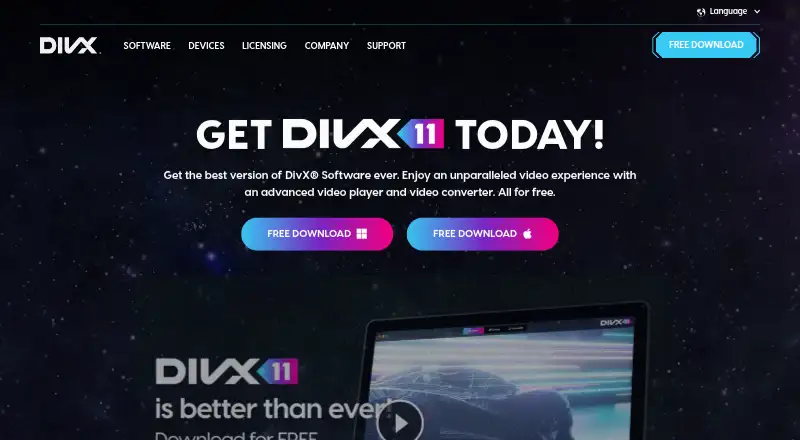
What DivX Converter is
DivX Converter is video conversion software from DivX Converter, a maker founded in 2000 and headquartered in San Diego, California. It runs on Windows and macOS and supports DivX, MKV, HEVC, and MP4 output. The free DivX Software Free plan includes video conversion and device and format presets. Batch conversion is available for processing multiple files together, and the maximum output resolution is 4K. The software also supports hardware acceleration.
DivX Converter uses a freemium model. The DivX Software Free plan costs nothing and includes conversion, the four supported output formats, and presets. DivX Pro adds advanced encoding settings, basic video editing, Cloud Connect, Video Pack, and ad-free software. These additions give users options beyond the conversion and presets in the free plan. The product is described as cross-platform, with Windows and macOS listed as supported platforms. Buyers can use the free plan for conversion and presets, or choose Pro for its additional encoding, editing, cloud, video-pack, and ad-free capabilities.
Who it suits
DivX Converter suits people who want to convert video on Windows or macOS, including those handling multiple files or output up to 4K. The free plan is a fit for users who need conversion and device and format presets; DivX Pro is aimed at users who also want its encoding settings, editing, cloud, Video Pack, and ad-free software.
What it does well
- Supports DivX, MKV, HEVC, and MP4 output.
- Batch conversion handles multiple files together.
- Maximum output resolution is 4K.
- Hardware acceleration is supported.
- Free plan includes device and format presets.
What to know first
- The free plan description covers conversion and presets.
- Basic video editing and advanced encoding settings are listed with Pro.
- The listed platforms are Windows and macOS.
Limits
The free plan includes video conversion, output format support, and device and format presets. Advanced encoding settings, basic video editing, Cloud Connect, Video Pack, and ad-free software are listed with DivX Pro.
Plans
| Plan | Billed and limits | Price |
|---|---|---|
| DivX Software Free | Video conversion · DivX, MKV, HEVC and MP4 support · Device and format presets | Free |
| DivX Pro | Advanced encoding settings · Basic video editing · Cloud Connect · Video Pack · Ad-free software | On request |
As divx.com lists them, read 20 Sept 2026. The maker's own page has the final word.
Getting started
- Visit https://www.divx.com/divx-11.
- Choose the DivX Software Free plan for conversion and device and format presets.
- Use the software on Windows or macOS.
- Choose DivX Pro if you want its advanced encoding settings, basic editing, Cloud Connect, Video Pack, and ad-free software.
DivX Converter is desktop software for converting video on Windows and macOS. Its free tier suits people handling routine conversions, while Pro adds control and extras for more involved workflows. The focused format range and split between free and paid features make it a practical converter, not an all-purpose video editor.
Overview
The free software converts video to DivX, MKV, HEVC, and MP4, with device and format presets to guide output choices. Batch conversion is useful when several files need processing, and hardware acceleration is a potential efficiency benefit on compatible systems. Output reaches 4K, though the format selection is narrower than a tool built around broad codec choice.
That combination works well for straightforward desktop conversion, particularly when a user wants to process a queue without paying. People who need editing or more detailed encoding control will have to move beyond the free tier.
Key features
- Format and device presets: Presets streamline common conversions across DivX, MKV, HEVC, and MP4. They suit routine output choices, but do not make this a wide-ranging format toolkit.
- Batch conversion: Multiple videos can be handled in a batch, reducing repetitive file-by-file work.
- Hardware acceleration: Supported acceleration can help conversion efficiency on compatible hardware; it is a benefit rather than a guarantee of faster results on every system.
- Up to 4K output: The ceiling covers high-resolution output, but does not imply support for resolutions above 4K.
- Pro workflow additions: DivX Pro adds advanced encoding settings, basic video editing, Cloud Connect, Video Pack, and ad-free software. Those additions matter to users who need more than basic conversion, but they are not part of the free plan.
Pricing
DivX Software Free — free. Includes video conversion, DivX, MKV, HEVC, and MP4 support, plus device and format presets. It is the sensible starting point for routine conversions and batch work. It gives up Pro's advanced encoding settings, basic editing, Cloud Connect, Video Pack, and ad-free use.
DivX Pro — custom pricing. Includes advanced encoding settings, basic video editing, Cloud Connect, Video Pack, and ad-free software. It fits users who need those capabilities; without them, the free edition covers the core conversion features. No seat or quota terms are stated.
Platforms
DivX Converter runs on Windows and macOS, giving desktop users on either platform access to its conversion workflow.
Who it's for
Choose DivX Converter for desktop video conversion when the supported formats, batch processing, and 4K ceiling match the job. It is a weaker fit for users who need a broader format range or a more extensive editing workflow; Pro only adds basic editing alongside its encoding and other extras.
Pros and cons
- Pro: The free plan includes conversion, presets, and four named output formats, so routine work does not require a paid tier.
- Pro: Batch processing and hardware acceleration address larger queues and compatible systems.
- Pro: Output up to 4K supports high-resolution conversion.
- Con: The format set is focused, which may not suit users who need many other output options.
- Con: Advanced encoding, editing, Cloud Connect, Video Pack, and ad-free software require Pro.
Alternatives
For other options, browse Video Converter Software or Media Player Software. Consider FFmpeg if you want a free tool available for Linux, macOS, Windows, and self-hosting; its plan is source code only, and optional GPL components change license obligations. HandBrake is another free option for Linux, macOS, and Windows.
Any Video Converter is worth considering if unlimited video downloads, conversion across 1,000+ formats, or unlimited compression are priorities. Prism Video Converter offers a free version for non-commercial use with fewer encoding formats for home use. Format Factory is a Windows-only free alternative. Shutter Encoder is free across Linux, macOS, and Windows, with no limitations or advertising and donation support. VSDC Free Video Converter is a Windows alternative. For an API, self-hosted, or web-based option, Bitmovin Encoding offers a pay-as-you-go plan with 2,000 free minutes per month and custom features and volume pricing.
Verdict
DivX Converter is a good choice for Windows and macOS users who want no-cost batch conversion, hardware acceleration support, and output up to 4K. Its main advantage is that these core conversion tools are in the free plan; its main reason to look elsewhere is the focused format set and Pro-only access to advanced encoding and workflow extras.
Verdict
Pick DivX Converter if you need video conversion with batch processing, hardware acceleration, and output up to 4K. Consider DivX Pro if you need advanced encoding, basic editing, Cloud Connect, Video Pack, or ad-free software.
Questions
What does DivX Converter cost?
The DivX Software Free plan costs nothing. DivX Pro's listed features include advanced encoding settings, basic video editing, Cloud Connect, Video Pack, and ad-free software.
Which platforms does it support?
Windows and macOS are listed as supported platforms.
Which output formats are supported?
The listed output formats are DivX, MKV, HEVC, and MP4.
Can it convert multiple files at once?
Yes. Batch conversion is listed as a feature.
What is the maximum output resolution?
The maximum output resolution is 4K.
What does DivX Pro add?
DivX Pro adds advanced encoding settings, basic video editing, Cloud Connect, Video Pack, and ad-free software.
Facts from DivX Converter's own pages
- Batch conversion
- Yes · divx.com, 20 Sept 2026
- Founded
- 2000 · divx.com, 28 Sept 2026
- Free plan
- Yes · divx.com, 20 Sept 2026
- Hardware acceleration
- Yes · divx.com, 20 Sept 2026
- Headquarters
- San Diego, California · divx.com, 28 Sept 2026
- Maximum output resolution
- 4k · divx.com, 20 Sept 2026
- Output formats
- DivX,MKV,HEVC,MP4 · divx.com, 20 Sept 2026
- Supported platforms
- cross-platform · divx.com, 20 Sept 2026
Where DivX Converter stands on Freedom251
- Video Converter Software#9 of 76
- Media Player Software#59 of 76