Freedom251 › Video Converter Software
Unmanic
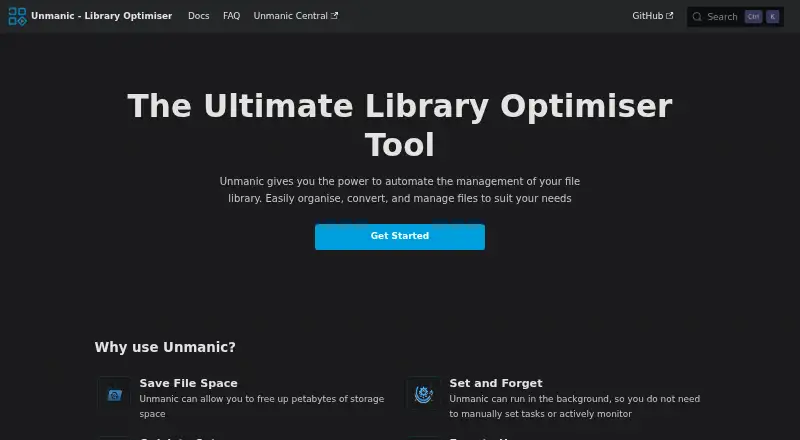
What Unmanic is
Unmanic automates file processing across monitored libraries, using worker groups and plugin sequences that you configure for each library. It can handle video transcoding, audio conversion, subtitle-track removal and file organization. Files can enter the workflow through scheduled library scans, real-time file-system monitoring or an API queue. Batch conversion and hardware acceleration are supported.
You can install plugins from the official repository or add custom plugin repositories. Multiple Unmanic installations can share processing tasks, with completed results returned to the local installation for post-processing. Unmanic Central gathers metrics and logs in a datastore that you host and control yourself. Linux and Windows are listed among its platforms; the Windows installer bundles Unmanic, Python and FFmpeg, then opens the web interface at localhost:8888. The documented software requirement is Python 3.10 or higher; Docker and FFmpeg are optional depending on configuration. Unmanic has no built-in authentication, and its linking guide recommends a reverse proxy when authentication is needed. The free plan allows two libraries and three linked installations; supporter access is listed at $36 a month, with a plan note describing a one-time $36 USD payment for permanent access to supporter features.
Who it suits
Unmanic suits people who want to automate recurring media-file tasks across one or more monitored libraries. It may also fit users who can host the system themselves and want to link installations or collect their metrics and logs in a self-hosted dashboard.
What it does well
- Automates video, audio, subtitle and file-organization workflows.
- Supports batch conversion and hardware acceleration.
- Offers official and custom plugin repositories.
- Accepts files through scans, live monitoring or an API.
- Linked installations can share processing tasks.
What to know first
- The free plan caps use at two libraries and three linked installations.
- No built-in authentication; a reverse proxy is recommended when authentication is needed.
- Python 3.10 or higher is a documented requirement.
Limits
The free plan permits a maximum of two libraries and three linked installations, and limits some supporter-only plugin settings. The Supporter plan lists unlimited libraries and linked installations.
Plans
| Plan | Billed and limits | Price |
|---|---|---|
| Free | Maximum 2 libraries · Maximum 3 linked installations · Limited supporter-only plugin settings | Free |
| Supporter | one-time payment; monthly contributions also available · Unlimited libraries · Unlimited linked installations · Advanced plugin options · Unmanic Central features | $36, paid once |
As docs.unmanic.app lists them, read 11 Oct 2026. The maker's own page has the final word.
Getting started
- Open the Unmanic documentation website.
- Choose a Linux or Windows setup; the Windows installer bundles Unmanic, Python and FFmpeg.
- Meet the Python 3.10-or-higher software requirement; add Docker or FFmpeg if your configuration needs them.
- Create a monitored library and configure its worker groups and plugin sequence.
- Add plugins from the official repository or a custom repository, then choose scanning, real-time monitoring or API queueing.
- Use a reverse proxy if authentication is needed.
Verdict
Choose Unmanic if you want plugin-configured automation for media libraries, with options for distributed processing and a self-hosted dashboard. Look elsewhere if you need built-in authentication or the free plan’s limits are too restrictive. Supporter access is listed at $36 a month, while the plan note describes a one-time $36 USD payment for permanent access.
Questions
Is Unmanic free?
Yes. The Free plan costs nothing and allows up to two libraries and three linked installations.
How much does Supporter access cost?
It is listed at $36 a month. The plan note says a one-time payment of $36 USD permanently unlocks supporter features.
Which platforms are supported?
The listed platforms are API, Linux, self-hosted, web and Windows. Linux Docker images are built for amd64, armv7 and arm64; the Windows installer opens the web UI at localhost:8888.
Does Unmanic require authentication?
It has no built-in authentication. The linking guide recommends using a reverse proxy if authentication is needed.
Can multiple installations work together?
Yes. They can share processing tasks, with results returned to the local installation for post-processing.
What software is required?
Python 3.10 or higher is the documented requirement. Docker and FFmpeg are optional depending on configuration.
Facts from Unmanic's own pages
- Batch conversion
- Yes · docs.unmanic.app, 24 Sept 2026
- Central dashboard
- Unmanic Central collects metrics and logs into a self-hosted datastore that users run and control on their own infrastructure. · docs.unmanic.app, 11 Oct 2026
- Discovery and API
- Unmanic supports periodic library scanning, real-time file system monitoring, and an API for adding files to the processing queue. · docs.unmanic.app, 11 Oct 2026
- Distributed processing
- Multiple Unmanic installations can share processing tasks, with results returned to the local installation for post-processing. · docs.unmanic.app, 11 Oct 2026
- Free plan
- Yes · docs.unmanic.app, 24 Sept 2026
- Hardware acceleration
- The documentation provides Docker setup guidance for NVIDIA and VAAPI hardware acceleration. · docs.unmanic.app, 11 Oct 2026
- Linux support
- The Docker image is built for linux/amd64, linux/armv7, and linux/arm64 architectures. · docs.unmanic.app, 11 Oct 2026
- Media workflows
- Common workflows include video transcoding, audio conversion, removing unwanted subtitle tracks, and file organization. · docs.unmanic.app, 11 Oct 2026
- Plugins
- Users can install plugins from the official repository or add custom plugin repositories, and assign plugin sequences to individual libraries. · docs.unmanic.app, 11 Oct 2026
- Purpose
- Unmanic automatically processes files in monitored libraries using configured plugins and worker groups. · docs.unmanic.app, 11 Oct 2026
- Requirements
- The documented software requirement is Python 3.10 or higher, with Docker and FFmpeg listed as optional requirements depending on configuration. · docs.unmanic.app, 11 Oct 2026
- Security
- The linking guide says Unmanic has no built-in authentication and recommends placing it behind a reverse proxy if authentication is needed. · docs.unmanic.app, 11 Oct 2026
- Supported platforms
- cross-platform · docs.unmanic.app, 24 Sept 2026
- Supporter access
- Supporter access can be earned through financial support, contributions to official repositories, or helpful participation in the Unmanic Discord community. · docs.unmanic.app, 11 Oct 2026
- Windows support
- A Windows installer bundles Unmanic, Python, and ffmpeg, and opens the web UI at localhost:8888. · docs.unmanic.app, 11 Oct 2026
Where Unmanic stands on Freedom251
- Video Converter Software#8 of 76
- Video converters#3 of 9