Freedom251 › Video Converter Software
Any Video Converter
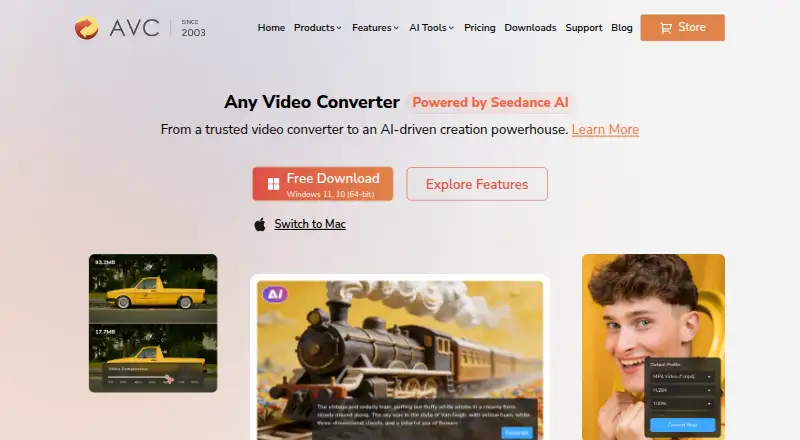
What Any Video Converter is
Any Video Converter is a video and audio conversion tool for Windows and macOS. It supports batch conversion, hardware acceleration, audio extraction, and video output up to 4K. Listed video formats include MP4, MOV, MKV, M2TS, M4V, MPEG, AVI, WMV, ASF, OGV, and WEBM; audio formats include MP3, M4A, OGG, WAV, AAC, FLAC, and OPUS. The maker also lists support for more than 1,000 video and audio formats and downloads from over 1,000 sites.
The tool includes downloads, compression, and basic editing, while AI capabilities include image and video generation, video enhancement, transcription, and audio splitting. Its free plan covers basic conversion, downloads, compression, and editing, but does not promise every premium AI capability. Free, Pro, and Ultimate desktop apps are listed. Pro is listed at $39.95, paid once and Ultimate at $29.95, paid once. Monthly and annual subscriptions renew automatically unless canceled before renewal.
Who it suits
It suits Windows and macOS users who need format conversion, downloads, compression, or basic editing. The free plan may fit users who do not need all premium AI capabilities.
What it does well
- Batch conversion and hardware acceleration are supported.
- Video output can reach 4K resolution.
- Audio extraction and numerous listed formats are supported.
- Free plan includes basic conversion, downloads, compression, and editing.
What to know first
- Free tier does not promise all premium AI capabilities.
- Monthly and annual subscriptions automatically renew unless canceled.
- Credit pack purchases are final and non-refundable.
Limits
The free tier includes basic features and does not promise all premium AI capabilities. Monthly and annual subscriptions renew automatically unless canceled before renewal; monthly and yearly plans have a 5-day guarantee, permanent plans have a 30-day guarantee, and credit pack purchases are non-refundable.
Plans
| Plan | Billed and limits | Price |
|---|---|---|
| Free | Unlimited video downloads · 1000+ formats conversion · Unlimited video compression · Basic video editing tools | Free |
| Pro | Monthly · Unlimited video downloads · 1000+ formats conversion · GPU acceleration and batch conversion · Screen recording in HD and 4K · DVD burning | $39.95, paid once |
| Ultimate | Monthly · Unlimited video downloads · 1000+ formats conversion · GPU acceleration and batch conversion · AI creation credits · AI video enhancement | $29.95, paid once |
As any-video-converter.com lists them, read 28 Sept 2026. The maker's own page has the final word.
Getting started
- Visit the Any Video Converter website.
- Choose the macOS or Windows desktop app.
- Start with the free plan or select a paid plan.
- Install the selected desktop app and use its conversion, download, compression, or editing tools.
Overview
Any Video Converter is desktop software for converting and downloading video, with compression, editing, audio extraction and AI tools alongside the core converter. It suits Windows and macOS users who want several media tasks in one app. The free tier handles routine work, but the paid plans’ billing terms and premium AI limits deserve a close look.
Key features
Format support is a strong point: the app handles more than 1,000 video and audio formats, supports batch conversion and hardware acceleration, and exports video up to 4K. Supported video formats include MP4, MOV, MKV, M2TS, M4V, MPEG, AVI, WMV, ASF, OGV and WEBM; audio formats include MP3, M4A, OGG, WAV, AAC, FLAC and OPUS. That range suits mixed media libraries and recurring conversion jobs. The 4K output ceiling is a drawback for anyone who needs higher-resolution exports.
Downloads from more than 1,000 sites, including HD, 2K, 4K, 8K and HDR video, add a useful companion to conversion. Compression, basic editing and audio extraction cover common follow-up tasks without requiring a separate tool. AI features include image and video generation, video enhancement, transcription and audio splitting, but the free tier does not promise all premium AI capabilities; users choosing it for AI work should account for that gap.
Pricing
The Free plan costs nothing. It includes unlimited video downloads, conversion across 1,000+ formats, unlimited compression and basic editing. That is a capable fit for everyday media tasks, though it does not guarantee the full premium AI feature set.
Pro is shown at $39.95, paid once, billed Monthly; the page also shows $49.95 / $79.95. It adds GPU acceleration and batch conversion, HD and 4K screen recording, and DVD burning to unlimited downloads and 1,000+ format conversion. Those additions suit users with heavier conversion queues or who need recording and disc-burning tools, but the conflicting displayed prices make the cost worth confirming before purchase.
Ultimate is shown at $29.95, paid once, billed Monthly; the page also shows $69.95 / $89.95. It includes AI creation credits and AI video enhancement as well as unlimited downloads, 1,000+ format conversion, GPU acceleration and batch conversion. It is the tier to consider for those AI capabilities, but the displayed price figures also warrant checking before committing.
Monthly and annual subscriptions automatically renew unless canceled before renewal. Monthly and yearly plans have a 5-day guarantee; permanent plans have a 30-day guarantee. Credit pack purchases are final and non-refundable. The pricing note says paid plans start at $19.95/mo, while the plan prices above carry their own different labels and figures.
Platforms
Desktop products include Any Video Converter Free, Free for Mac, Pro and Ultimate. The supported platforms are Windows and macOS, so it is not a fit for readers who need a Linux desktop application.
Who it's for
Any Video Converter is a practical choice for Windows and Mac users who regularly convert mixed-format media and value downloads, compression and basic editing in the same desktop tool. The free tier is the sensible starting point for routine tasks. Users who need premium AI capabilities, recording or DVD burning should weigh the paid options and confirm the applicable price; those needing exports above 4K should look elsewhere.
Pros and cons
- Pros: Broad format support, batch conversion and hardware acceleration serve varied libraries and larger jobs.
- Pros: Downloads, compression, editing and audio extraction extend the free plan beyond conversion alone.
- Cons: Output tops out at 4K, excluding higher-resolution export needs.
- Cons: Premium AI capabilities are not promised on the free tier, and subscription renewal is automatic unless canceled in time.
- Cons: The paid plan price labels and figures are difficult to reconcile, so buyers should verify the charge before purchase.
Alternatives
Video Converter Software and File Conversion Software are useful starting points for comparing tools across those categories.
- HandBrake is a free alternative for Windows, macOS and Linux users.
- DivX Converter suits Windows and Mac users seeking free conversion with DivX, MKV, HEVC and MP4 support plus device and format presets.
- Format Factory is a free Windows desktop option for users who want all functions without a paid tier.
- Shutter Encoder is a free, unrestricted option for Windows, macOS and Linux, supported by donations.
- VSDC Free Video Converter fits Windows users who need conversion, export presets, audio extraction, or tools to join, trim and split video.
- Freemake Video Converter offers free core conversion with no expiration across Android, macOS and Windows.
- StaxRip is a free, MIT-licensed portable Windows option for video and audio encoding.
- FFmpeg is a free alternative for Windows, macOS and Linux.
Verdict
Choose Any Video Converter if you want a Windows or Mac desktop app that combines broad-format conversion with downloads and useful media utilities, and the free tier covers your needs. Look elsewhere if you require output beyond 4K or a clearly stated paid price before subscribing.
Verdict
Any Video Converter combines conversion with downloads, compression, editing, and AI tools. The free plan covers basic tasks, while users should check the renewal terms and the limits on premium AI features.
Questions
Is Any Video Converter free?
Yes. The Free plan is listed as free and includes basic conversion, downloads, compression, and editing.
What does it cost to get a paid plan?
The pricing note says paid plans start from $19.95/mo. The plan details also list Pro at $39.95, paid once and Ultimate at $29.95, paid once, with additional figures of $49.95 / $79.95 for Pro and $69.95 / $89.95 for Ultimate.
Which computers does it support?
The listed platforms are macOS and Windows.
What file formats can it convert?
Listed video formats include MP4, MOV, MKV, M2TS, M4V, MPEG, AVI, WMV, ASF, OGV, and WEBM. Listed audio formats include MP3, M4A, OGG, WAV, AAC, FLAC, and OPUS.
Does the free plan include AI features?
AI capabilities include image and video generation, video enhancement, transcription, and audio splitting. The free tier does not promise all premium AI capabilities.
Who makes Any Video Converter?
The maker is Any Video Converter, founded in 2003. The copyright holder named on the page is Anvsoft Inc.
Facts from Any Video Converter's own pages
- AI Features
- AI capabilities include image and video generation, video enhancement, transcription, and audio splitting. · any-video-converter.com, 28 Sept 2026
- Audio extraction
- Yes · any-video-converter.com, 20 Sept 2026
- Batch Conversion
- Batch conversion is described as high-speed and bulk processing at 130X. · any-video-converter.com, 28 Sept 2026
- Software Security
- The company states that its product is bug-free and 100% clean. · any-video-converter.com, 28 Sept 2026
- Company Experience
- The company states 23 years of experience and 630 million customers. · any-video-converter.com, 28 Sept 2026
- Company Identity
- The copyright holder named on the page is Anvsoft Inc. · any-video-converter.com, 28 Sept 2026
- Credit Refunds
- Credit pack purchases are final and non-refundable. · any-video-converter.com, 28 Sept 2026
- Desktop Apps
- Products include Any Video Converter Free, Free for Mac, Pro, and Ultimate. · any-video-converter.com, 28 Sept 2026
- Format Support
- The product supports more than 1000 video and audio formats. · any-video-converter.com, 28 Sept 2026
- Founded
- 2003 · any-video-converter.com, 28 Sept 2026
- Free plan
- Yes · any-video-converter.com, 20 Sept 2026
- Free Limits
- The free tier has basic features and does not promise all premium AI capabilities. · any-video-converter.com, 28 Sept 2026
- Free Tier
- A free plan includes basic conversion, downloads, compression, editing, and other tools. · any-video-converter.com, 28 Sept 2026
- Hardware Acceleration
- The feature list includes GPU acceleration and an ultra-fast mode. · any-video-converter.com, 28 Sept 2026
- Maximum output resolution
- 4k · any-video-converter.com, 20 Sept 2026
- Output formats
- MP4,MOV,MKV,M2TS,M4V,MPEG,AVI,WMV,ASF,OGV,WEBM; audio: MP3,M4A,OGG,WAV,AAC,FLAC,OPUS · any-video-converter.com, 20 Sept 2026
- Supported Platforms
- The page lists Windows 11/10 64-bit and macOS 12 and above, plus macOS 10.15-11. · any-video-converter.com, 28 Sept 2026
- Refund Policy
- Monthly and yearly plans have a 5-day guarantee; permanent plans have a 30-day guarantee. · any-video-converter.com, 28 Sept 2026
- Payment Security
- Payment data exchanged during checkout is SSL-secured. · any-video-converter.com, 28 Sept 2026
- Paid from
- 19.95 · any-video-converter.com, 20 Sept 2026
- Subscription Billing
- Monthly and annual subscriptions automatically renew unless canceled before renewal. · any-video-converter.com, 28 Sept 2026
- Supported platforms
- cross-platform · any-video-converter.com, 20 Sept 2026
- Support Updates
- The product includes free tech support and updates. · any-video-converter.com, 28 Sept 2026
- Video Downloads
- Users can download from over 1000 sites, including HD, 2K, 4K, 8K, and HDR video. · any-video-converter.com, 28 Sept 2026
Where Any Video Converter stands on Freedom251
- Video Converter Software#6 of 75
- Video Compression Software#3 of 18
- File Conversion Software#13 of 69