Freedom251 › Video Converter Software

FFmpeg
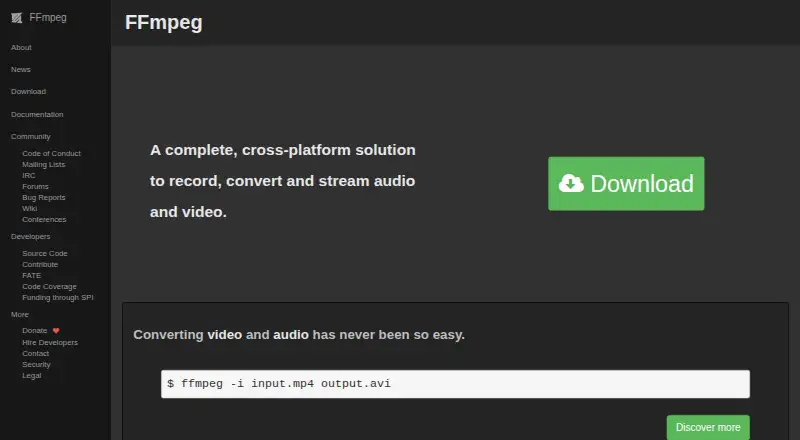
What FFmpeg is
FFmpeg is free, open-source software for recording, converting, and streaming audio and video on Windows, macOS, and Linux. Its command-line tool converts media files between formats, and it supports local recording. Listed output includes AVI and protocols such as HLS, RTMP, RTMPS, RTP, RTSP, SRT, and UDP. Hardware acceleration is available for encoding and decoding. Decoding support includes Vulkan, VAAPI, and OpenHarmony, and Vulkan codecs can work on implementations of Vulkan 1.3. The described Vulkan compute approach supports FFv1 encoding and decoding and ProRes RAW decoding, but only for codecs designed for parallel decoding. FFmpeg's transcoding components can run in parallel, which may improve throughput and CPU use; the benefit may be limited when one computational component dominates the work. The project accepts contributions through its Forgejo instance and provides mailing lists, IRC, forums, bug reports, a wiki, and conferences. FFmpeg 8.1 Hoare was announced as available for download on March 16, 2026.
Who it suits
FFmpeg suits people who need command-line tools to record, convert, or stream media across Windows, macOS, and Linux. Its hardware-acceleration and protocol options may be useful for media workflows requiring those capabilities.
What it does well
- Free and open source
- Runs on Windows, macOS, and Linux
- Converts media through a command-line tool
- Supports hardware-accelerated encoding and decoding
- Offers multiple streaming output protocols
What to know first
- Vulkan compute applies only to parallelizable codecs
- Parallel processing may not help every workload
- Version 7.0 removed APIs deprecated before version 6.0
Plans
| Plan | Billed and limits | Price |
|---|---|---|
| FFmpeg | Source code only · optional GPL components change the license obligations | Free |
As ffmpeg.org lists them, read 11 Oct 2026. The maker's own page has the final word.
Getting started
- Visit the FFmpeg website.
- Choose the download for Windows, macOS, or Linux.
- Use the ffmpeg command-line tool to convert media files between formats.
FFmpeg is a free, open-source toolkit for working with audio and video, from file conversion to streaming and playback. It is best suited to developers, media workflows, and technically confident users who value a flexible command-line toolset. Its breadth is impressive, but the command-line approach and licensing choices make it a less natural fit for casual, point-and-click conversion.
Overview
FFmpeg handles much of the media pipeline: it can decode, encode, transcode, mux, demux, filter, stream, and play multimedia. The ffmpeg command-line tool converts media, ffplay plays it, and ffprobe analyzes streams. Libraries for codecs, containers, devices, filters, image scaling, and audio resampling also make FFmpeg useful as a foundation for other software, not just as a standalone converter.
Its documented support spans formats, codecs, subtitles, and network protocols such as HTTP, HTTPS, HLS, and RTMP. Some capabilities rely on external libraries, so what a particular build can handle may depend on how it was compiled.
Key features
Conversion, recording, and streaming
FFmpeg supports local recording and output to HLS, RTMP, RTMPS, RTP, RTSP, SRT, and UDP, with AVI among its supported output formats. That range suits varied file and delivery workflows, though users must be comfortable configuring the command-line tools rather than selecting options in a guided interface.
Parallel processing and hardware acceleration
FFmpeg runs components of its transcoding pipeline in parallel, which can improve throughput and CPU utilization. The benefit is workload-dependent: when one computationally intensive component dominates, parallelism may make little difference. Hardware-accelerated encoding includes Vulkan and OpenHarmony, while decoding supports Vulkan, VAAPI, and OpenHarmony. Vulkan decoding is described as vendor- and platform-generic, but the compute approach applies only to codecs designed for parallelized decoding; its supported implementations include FFv1 encoding and decoding and ProRes RAW decoding.
Development and compatibility
FFmpeg's libraries and build flexibility suit developers, but version changes can affect integrations. Version 7.0 removed APIs deprecated before version 6.0 and was not backwards compatible; building it also requires a C11-compliant compiler. The project accepts contributions through its Forgejo instance and supports community participation through mailing lists, IRC, forums, bug reports, a wiki, and conferences.
Pricing
FFmpeg is free and open source. Its FFmpeg plan costs free and provides source code only. There is no free trial because the software is already free to use. For developers and system integrators, the source-code model offers a flexible starting point; users seeking a packaged, guided desktop converter may prefer another tool.
License obligations matter when redistributing or building on FFmpeg: it is licensed under LGPL version 2.1 or later, and using optional GPL-covered components makes the GPL apply to all of FFmpeg. The project does not offer proprietary or commercial licensing, even for payment, so it is not a fit for a workflow that requires such terms.
Platforms
FFmpeg is available for Linux, macOS, Windows, and self-hosted use. The project also says it compiles, runs, and passes its FATE testing infrastructure on BSDs and Solaris. That reach supports cross-platform workflows, though users still need to account for the build and command-line environment they choose.
Who it's for
Choose FFmpeg if you need a broad media toolkit for conversion, recording, streaming, analysis, or integration into software, and are comfortable working with command-line tools and licensing requirements. Look elsewhere if you want conversion through a guided desktop interface or need proprietary licensing.
Pros and cons
- Pros: Broad media capabilities span conversion, playback, analysis, filtering, and streaming, making one toolkit useful across many workflows.
- Pros: Hardware acceleration and parallel pipeline components can improve performance for suitable workloads.
- Pros: Free source code and support across desktop platforms and self-hosted environments provide flexibility for developers and integrators.
- Cons: The command-line workflow is a poor match for users who want guided, point-and-click conversion.
- Cons: Acceleration benefits depend on the workload and codec; parallel processing may not help much when one component is the bottleneck.
- Cons: Optional GPL components change license obligations, and proprietary or commercial licensing is unavailable.
Alternatives
HandBrake is another free option for Linux, macOS, and Windows. For a free Windows and macOS converter with a published free plan, Any Video Converter offers basic features.
Prism Video Converter has a free version for non-commercial use with fewer encoding formats for home use, as well as a free trial. DivX Converter offers free video conversion with DivX, MKV, HEVC, and MP4 support plus device and format presets.
Format Factory is a free Windows desktop application. Shutter Encoder is free across Linux, macOS, and Windows, with no limitations or advertising and donation support.
VSDC Free Video Converter is a free option for Windows. For API, self-hosted, or web-based encoding, Bitmovin Encoding offers a pay-as-you-go plan with 2,000 free minutes per month and custom features and volume pricing.
See also Video Converter Software, Audio Converter Software, and File Conversion Software.
Verdict
FFmpeg is the right choice for developers, system integrators, and technically confident users who need broad media processing and streaming capabilities without a software fee. Its command-line flexibility and extensive toolkit are the main reasons to choose it; look elsewhere for a guided desktop workflow or proprietary licensing.
Verdict
FFmpeg provides broad media conversion and streaming capabilities across desktop platforms, with hardware acceleration options. Its command-line format and workload-dependent parallel performance are worth considering before choosing it.
Questions
How much does FFmpeg cost?
FFmpeg is free and open source.
Which platforms does it support?
Windows, macOS, and Linux.
Can FFmpeg record media locally?
Yes. Local recording is supported.
What output formats and protocols are listed?
AVI is listed as an output format. Protocols include HLS, RTMP, RTMPS, RTP, RTSP, SRT, and UDP.
Which hardware decoding options does it support?
Hardware-accelerated decoding includes Vulkan, VAAPI, and OpenHarmony.
Facts from FFmpeg's own pages
- Build Requirement
- FFmpeg 7.0 requires a C11-compliant compiler to build the code. · ffmpeg.org, 27 Sept 2026
- Codec Limitations
- Only codecs designed for parallelized decoding can use the described Vulkan compute approach. · ffmpeg.org, 27 Sept 2026
- Command-Line Conversion
- The ffmpeg command-line tool converts media files between formats. · ffmpeg.org, 27 Sept 2026
- Command line tools
- FFmpeg includes ffmpeg for media conversion, ffplay as a media player, and ffprobe as a multimedia stream analyzer. · ffmpeg.org, 11 Oct 2026
- Commercial licensing
- FFmpeg says it is not available under proprietary or commercial licensing terms, including in exchange for payment. · ffmpeg.org, 11 Oct 2026
- Community Channels
- The project provides mailing lists, IRC, forums, bug reports, a wiki, and conferences. · ffmpeg.org, 27 Sept 2026
- Cross-Platform Solution
- FFmpeg records, converts, and streams audio and video across platforms. · ffmpeg.org, 27 Sept 2026
- Developer libraries
- Its libraries include tools for codecs, media containers, devices, filters, image scaling, and audio resampling. · ffmpeg.org, 11 Oct 2026
- Development branch
- The project says developers actively work on the development branch, which receives bug fixes, features, and security patches faster than release branches. · ffmpeg.org, 11 Oct 2026
- External libraries
- FFmpeg can use external libraries for additional features, and its documentation identifies which listed formats or protocols depend on an external library. · ffmpeg.org, 11 Oct 2026
- Format and protocol support
- FFmpeg documents support for a wide range of file formats, codecs, subtitles, and network protocols, including HTTP, HTTPS, HLS, and RTMP. · ffmpeg.org, 11 Oct 2026
- Government Sponsor
- Germany's Sovereign Tech Fund became FFmpeg's first governmental sponsor in 2024. · ffmpeg.org, 27 Sept 2026
- Hardware Decoding
- FFmpeg supports hardware-accelerated decoding through Vulkan, VAAPI, and OpenHarmony. · ffmpeg.org, 27 Sept 2026
- Hardware Encoding
- FFmpeg 8.0 included hardware-accelerated encoding using Vulkan and OpenHarmony. · ffmpeg.org, 27 Sept 2026
- Latest Release
- FFmpeg 8.1 Hoare was announced as available for download on March 16, 2026. · ffmpeg.org, 27 Sept 2026
- License
- FFmpeg is licensed under LGPL version 2.1 or later, while using optional GPL covered components makes the GPL apply to all of FFmpeg. · ffmpeg.org, 11 Oct 2026
- Media framework
- FFmpeg can decode, encode, transcode, mux, demux, stream, filter, and play multimedia. · ffmpeg.org, 11 Oct 2026
- Multithreaded Pipeline
- The transcoding pipeline components run in parallel, improving throughput and CPU utilization. · ffmpeg.org, 27 Sept 2026
- Performance Limitation
- Parallel processing may not significantly improve cases dominated by one computational component. · ffmpeg.org, 27 Sept 2026
- Generic Acceleration
- Vulkan decoding is described as vendor-generic and platform-generic. · ffmpeg.org, 27 Sept 2026
- Release cadence and audience
- The project says it makes a new major release approximately every six months and describes releases as intended for distributors and system integrators. · ffmpeg.org, 11 Oct 2026
- Compatibility Change
- FFmpeg 7.0 was not backwards compatible and removed APIs deprecated before version 6.0. · ffmpeg.org, 27 Sept 2026
- Release verification
- FFmpeg says releases are cryptographically signed and advises verifying release authenticity. · ffmpeg.org, 11 Oct 2026
- Security practices
- The project says code review is done with security in mind and that it provides updates to its latest stable releases when new security issues are found. · ffmpeg.org, 11 Oct 2026
Where FFmpeg stands on Freedom251
- Video Converter Software#1 of 76
- Live Streaming Encoders#1 of 69
- Audio Converter Software#2 of 36
- Cli Tools#4 of 32
- File Conversion Software#10 of 69
- File Converter Software#8 of 29