Freedom251 › PDF Converter Software
Convertio
What Convertio is
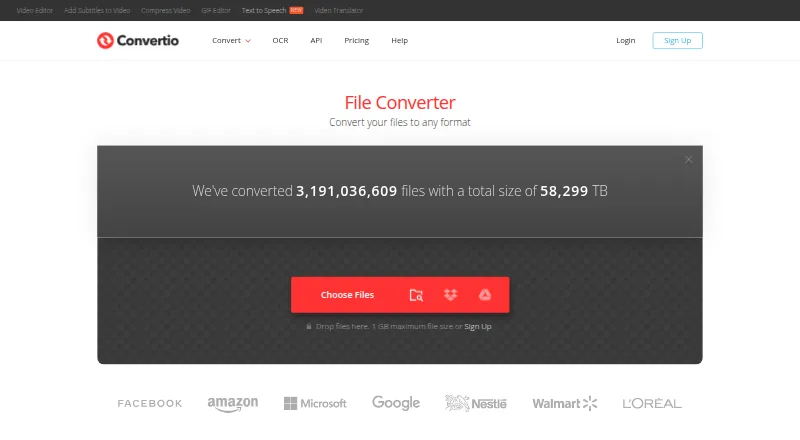
Convertio is a file conversion service for documents, audio, video, images, archives, presentations, fonts and ebooks, with OCR for scanned material. It handles more than 300 formats and more than 25,600 conversion types, and supports batch conversion. Work takes place in the cloud rather than using your computer’s capacity. Most conversion types offer advanced settings; video controls include quality, aspect ratio, codec, rotation and flipping. OCR can turn scanned documents and images into editable Word, PDF, Excel and text outputs, with up to 10 pages available before signup. Files can be selected from Google Drive, Dropbox, a URL or your computer. Convertio says input and temporary files are deleted immediately after conversion; output files are deleted after 24 hours, or sooner by manual deletion. It works in a browser across platforms without installation, and also offers a Chrome extension and Conversion API. A free plan is available. Paid plans include Lite at $11.99 a month and Lite (annual billing) at $6.99 a month.
Who it suits
Convertio suits people who need to convert files across many formats or use OCR on scans, without installing software. Its API and batch conversion may also suit users with repeated or larger conversion needs.
What it does well
- Supports more than 300 formats and batch conversion
- Cloud processing does not use computer capacity
- OCR supports editable document and text outputs
- Browser access across listed platforms requires no installation
- Free plan available
What to know first
- OCR provides up to 10 pages before signup
- Paid plans have maximum file sizes
- Output files are deleted after 24 hours
Limits
The free OCR allowance covers up to 10 pages before signup. Paid plans range from a 1 GB maximum file size and 1,000 conversion credits per month on Lite to 20 GB and up to 1M credits per month on Custom; concurrency also varies by plan.
Plans
| Plan | Billed and limits | Price |
|---|---|---|
| Lite | monthly; cancel anytime · 1 GB maximum file · 1000 conversion credits/month · 50 concurrent conversions · high priority | $11.99 a month |
| Basic | monthly; cancel anytime · 3 GB maximum file · 3000 conversion credits/month · 100 concurrent conversions · higher priority | $22.99 a month |
| Pro | monthly; cancel anytime · 10 GB maximum file · 10000 conversion credits/month · unlimited concurrent conversions · highest priority | $44.99 a month |
| Custom | monthly; cancel anytime · 20 GB maximum file · up to 1M conversion credits/month · unlimited concurrent conversions · highest priority | $54 a month |
| Free tier | 100 MB maximum file · 2 concurrent conversions · 10 conversion minutes per 24 hours | Free |
| API prepaid | prepaid, no automatic renewal · 10 cents per conversion minute · unlimited file size · unlimited conversion time per file · unlimited concurrent conversions · high priority | $0.10, paid once |
| Basic annual | billed yearly · 3 GB maximum file · 3000 conversion credits/month · 100 concurrent conversions · higher priority | $13.99 a month |
| Basic (annual billing) | billed yearly · 3 GB maximum file size · 3000 conversion credits per month · 100 concurrent conversions · Higher priority | $13.99 a month |
The first 8 of 14 plans, as convertio.co lists them, read 14 Oct 2026. The maker's own page has the final word. Every plan
Getting started
- Open https://convertio.co/ in a browser.
- Choose a conversion tool for the file type or OCR task.
- Select a file from the computer, or use Google Drive, Dropbox, or a URL for OCR.
- Adjust available conversion settings and start the conversion.
- Use the free plan or select a paid plan for its stated file-size and credit limits.
- For API use, consult the Conversion API documentation and get an API key.
Overview
Convertio is a browser-based service for converting files and extracting editable text from scans. It suits people who need varied formats or occasional conversions without installing software; teams with heavy or sensitive workflows should weigh its quotas and cloud processing carefully.
Its range is a clear strength: more than 300 formats and over 25,600 conversion types sit alongside batch conversion and OCR. That breadth makes it useful for one-off format changes across media and office files, but paid plans meter usage through monthly conversion credits.
Key features
Conversion range and controls
Convertio covers audio, video, images, documents, archives, presentations, fonts and ebooks. PDF outputs include DOC, DOCX, JPG, EPUB, PNG, JPEG, MOBI, TXT, XLS, ODT, PPT, SVG, XLSX, HTML, CSV, PPTX, TIFF, RTF and DJVU, among other documented formats. This variety reduces the need to seek separate tools for different file types. Most conversion types also have advanced settings; video options can include quality, aspect ratio, codec, rotation and flipping.
Batch conversion helps when several files need the same workflow. The service processes conversions in the cloud, so they do not use the computer’s capacity. Convertio says it aims to finish conversions in under 1–2 minutes, but that is an aim rather than a guarantee.
OCR, access and security
OCR turns scanned documents and images into editable Word, PDF, Excel or text files. Up to 10 pages are available before signup, and files can be selected from Google Drive, Dropbox, a URL or a computer. That is a practical way to digitize short documents; the page allowance is modest for larger scanning jobs.
The browser service requires no installation and works across platforms. Convertio also offers a Conversion API with documentation and an API key process, plus a Chrome extension that it says is used by more than 1 million people. It says input and temporary files are deleted immediately after conversion, outputs after 24 hours, and outputs can be deleted sooner by the user. It describes separate sandboxes for conversions, TLS with HSTS, Germany-based infrastructure and GDPR compliance; its cloud providers and data centers are ISO 27001 certified.
Pricing
Convertio is freemium, with a free plan and no free trial. Paid plans are billed cancel anytime monthly or at a lower monthly rate billed yearly. Every tier raises file-size and credit limits, while concurrent conversion limits and priority also improve.
| Plan | Price and billing | Limits and priority |
|---|---|---|
| Lite | $11.99 a month, cancel anytime | 1 GB maximum file size, 1000 conversion credits per month, 50 concurrent conversions, High priority |
| Basic | $22.99 a month, cancel anytime | 3 GB maximum file size, 3000 conversion credits per month, 100 concurrent conversions, Higher priority |
| Pro | $44.99 a month, cancel anytime | 10 GB maximum file size, 10000 conversion credits per month, unlimited concurrent conversions, Highest priority |
| Custom | $54 a month, cancel anytime | 20 GB maximum file size, up to 1M conversion credits per month, unlimited concurrent conversions, Highest priority |
| Lite (annual billing) | $6.99 a month, billed yearly | 1 GB maximum file size, 1000 conversion credits per month, 50 concurrent conversions, High priority |
| Basic (annual billing) | $13.99 a month, billed yearly | 3 GB maximum file size, 3000 conversion credits per month, 100 concurrent conversions, Higher priority |
| Pro (annual billing) | $25.99 a month, billed yearly | 10 GB maximum file size, 10000 conversion credits per month, unlimited concurrent conversions, Highest priority |
| Custom (annual billing) | $32.42 a month, billed yearly | 20 GB maximum file size, up to 1M conversion credits per month, unlimited concurrent conversions, Highest priority |
The free plan is a sensible starting point for occasional needs, but its file-size, credit, concurrency and priority limits are not published here. Lite suits lighter recurring workloads, while Basic triples its credits and raises the file ceiling to 3 GB. Pro is for larger files or simultaneous work; Custom increases the file ceiling to 20 GB and allows up to 1M credits, useful when the standard quotas are not enough. Annual billing lowers the monthly equivalent, but requires yearly billing rather than the monthly cancel-anytime term.
Platforms
Convertio supports web, Windows, macOS, Linux, iOS, Android and API access. Browser use avoids installation, while the API suits workflows that need programmatic conversion. Its OCR page supports choosing input from cloud storage, a URL or a local computer.
Who it's for
Convertio is a good fit for people who regularly encounter mixed file types, need batch processing, or want OCR alongside general conversion. It is less compelling for infrequent users who only need a narrow PDF task, or for workloads that cannot send files to a cloud service.
Pros and cons
- Pros: Broad support across more than 300 formats and 25,600 conversion types makes it useful beyond a single file category.
- Pros: Batch conversion, adjustable settings for most types, and cloud processing combine useful control with no demand on local computer capacity.
- Pros: OCR includes several editable output formats and accepts files from common cloud storage, a URL or a computer.
- Cons: Paid usage is quota-based, and larger files or greater concurrency require more expensive tiers.
- Cons: OCR's pre-signup allowance of up to 10 pages is suited to short jobs, not substantial scan batches.
- Cons: Conversions happen in the cloud, which may make the service a poor fit for files that must remain local.
Alternatives
For a focused PDF workflow, compare PDF Converter Software and File Conversion Software; the latter is the broader category for general format changes. For image-only or video-only needs, Image Converter Software and Video Converter Software narrow the search to those categories.
HiPDF is another freemium option with a free trial and a Basic annual plan that includes web access, OCR and batch processing, so it merits a look for PDF-centered work. PDF Agile offers a free tier capped at 2 pages and 5 conversion tasks, with a semi-annual option described as unlimited conversion; consider it when those PDF limits and terms suit the job. FoxyUtils Online PDF Tools is web-only and offers a monthly plan with OCR, cloud connect, no watermark and no ads, making it a narrower alternative for online PDF tools. ZonePDF is another web and Windows freemium option, with paid plans combining PDF tools, AI chat, summaries and priority support.
Adobe PDF Services API has a free tier of 500 document transactions per month and paid plans by quote, making it worth considering when a PDF API is the priority. Online2PDF is a free web service with limits of 250 MB per file and total conversion, and up to 30 files. SafePDF is a freemium option for Windows, macOS and Linux. ScanLex offers a 14-day no-sign-up trial for one computer and a paid individual license, so it is an alternative for a trial-first desktop workflow.
Verdict
Choose Convertio if you need broad format coverage, batch work and OCR in a browser, with an API option for automated conversion. Its principal trade-offs are paid monthly quotas and cloud-based processing; look elsewhere if your work is exclusively PDF-focused, must stay local, or regularly exceeds the available file and credit limits.
Verdict
Convertio combines broad file conversion with OCR, batch processing and cloud-based work. A free plan is available, while higher plan limits and priorities require paid subscriptions.
Questions
Does Convertio have a free plan?
Yes. Convertio lists a free plan, and its OCR tool allows up to 10 pages before signup.
What does Convertio cost?
Lite is $11.99 a month billed cancel anytime, or $6.99 a month billed yearly. Other listed plans are Basic at 22.99 USD or 13.99 USD, Pro at 44.99 USD or 25.99 USD, and Custom at 54.00 USD or $32.42 a month, respectively, with yearly billing for the lower rates.
Which platforms does Convertio support?
The listed platforms are web, Windows, macOS, Linux, iOS, Android, and API. Convertio also offers a Chrome extension.
Can Convertio convert scanned documents?
Yes. Its online OCR converts scanned documents and images into editable Word, PDF, Excel, and text outputs. Up to 10 pages are available before signup.
Does Convertio offer an API?
Yes. It provides a Conversion API with documentation and a way to get an API key.
How long are converted files kept?
Convertio says input and temporary files are deleted immediately after conversion. Output files are deleted after 24 hours and can be removed manually sooner.
Facts from Convertio's own pages
- Android app
- The Google Play listing describes an Android converter for images, video, audio and documents with conversion history, themes and cache management. · play.google.com, 14 Oct 2026
- Android privacy disclosure
- Google Play says the Android app may share app activity and device identifiers, collects those data types, encrypts data in transit and does not allow data deletion. · play.google.com, 14 Oct 2026
- API
- The site provides a Conversion API with documentation and a way to get an API key. · convertio.co, 28 Sept 2026
- API callbacks
- API conversion options support callback URLs and OCR settings. · developers.convertio.co, 14 Oct 2026
- API documentation depth
- The API documentation covers request parameters, direct file upload, success and error responses, conversion status and result retrieval. · developers.convertio.co, 14 Oct 2026
- API endpoint
- The public REST API starts conversions with POST https://api.convertio.co/convert and accepts URL, raw, base64 or upload inputs. · developers.convertio.co, 14 Oct 2026
- Batch conversion
- Yes · convertio.co, 20 Sept 2026
- Browser access
- Convertio says it is browser-based, works across platforms, and requires no software download or installation. · convertio.co, 28 Sept 2026
- Browser availability
- The service requires no installation and is presented as working across all platforms through a browser. · convertio.co, 14 Oct 2026
- Chrome extension
- Convertio says more than one million people use its Chrome extension. · convertio.co, 14 Oct 2026
- Cloud integrations
- The OCR page says users can select files from Google Drive, Dropbox, a URL, or their computer. · convertio.co, 28 Sept 2026
- Cloud processing
- Conversions run in the cloud, so processing does not consume the user's local computer capacity. · convertio.co, 14 Oct 2026
- Company founding
- The company says it decided to create Convertio in 2014. · convertio.co, 14 Oct 2026
- Company scale
- Convertio says it converts more than one million files daily, processes over one petabyte monthly and serves more than ten million people each month. · convertio.co, 14 Oct 2026
- Conversion categories
- The site offers audio, video, image, document, archive, presentation, font, and ebook converters, as well as OCR. · convertio.co, 28 Sept 2026
- Conversion scale
- The company says it supports more than 25,600 conversion pairings across 300-plus formats. · convertio.co, 14 Oct 2026
- Conversion settings
- Most conversion types support advanced settings; video examples include quality, aspect ratio, codec, rotation, and flipping. · convertio.co, 28 Sept 2026
- Custom settings
- Supported converters expose options such as quality, aspect ratio, codec, rotation and flipping. · convertio.co, 14 Oct 2026
- Datacenters
- Convertio says the cloud service providers and data centers it uses are certified to ISO 27001. · convertio.co, 28 Sept 2026
- File conversion
- Convertio converts files across more than 300 formats and supports more than 25,600 conversion types. · convertio.co, 28 Sept 2026
- File retention
- Input and temporary files are deleted immediately after conversion, while output files are deleted after 24 hours and can be manually deleted sooner. · convertio.co, 28 Sept 2026
- Free plan
- Yes · convertio.co, 20 Sept 2026
- Integrations
- GetApp describes file submission through local upload, Google Drive, Dropbox and URL input. · getapp.com, 14 Oct 2026
- Legal maker
- The service provider is Convertio Limited, registered in Cyprus at Krinou 3, Agios Athanasios 4103, Limassol. · convertio.co, 14 Oct 2026
Where Convertio stands on Freedom251
- PDF Converter Software#2 of 47
- File Conversion Software#6 of 69
- Video Converter Software#12 of 76
- Image Converter Software#6 of 36
- File Converter Software#5 of 29
- PDF converters#4 of 22
- Image converters#2 of 10
- Video converters#2 of 9