Freedom251 › Records Management Software
ELO eRecords
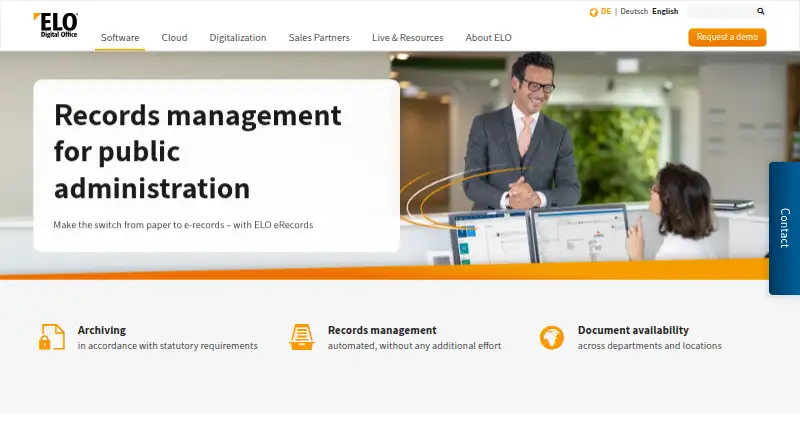
What ELO eRecords is
ELO eRecords manages digital records for documents, files, and cases, including email associated with a case. Search tools help users locate records and related information. Workflows support signing, reminders, and interdepartmental collaboration organized around a department or case. A feed lets users comment on, post about, and subscribe to records, files, and cases. Dashboards include reminder and deadline functions, and the system produces structured reports in different views. Permissions and access rights protect confidential information, while records are stored according to legal retention periods. ELO states that its public administration solution meets Germany’s E-Government Act requirements. Business examples include construction, patient, supplier, and customer files. Employees can access records remotely while away from the office. ELO eRecords is listed with hybrid deployment; the broader ELO ECM Suite, which includes ELO business solutions, is offered as cloud, hybrid, or on-premises. It is available on Android, iOS, web, and Windows. Pricing is on request. ELO business partners can support onboarding and help plan and implement digitalization projects.
Who it suits
ELO eRecords may suit organizations managing case-based records, department workflows, and retention requirements. Its examples include government administration and construction, patient, supplier, and customer files.
What it does well
- Handles documents, files, cases, and related email
- Workflows support signing, reminders, and collaboration
- Dashboards include reminders and deadline functions
- Permissions and access rights protect confidential data
- Remote access supports employees away from the office
What to know first
- Pricing is on request
- ELO eRecords is listed with hybrid deployment
- No price is stated
Limits
ELO eRecords is listed with a hybrid deployment model. Pricing is on request.
Plans
| Plan | Billed and limits | Price |
|---|---|---|
| ELO eRecords | Cloud, managed service, on-premises or private cloud · Pricing requested through demo | On request |
As elo.com lists them, read 15 Oct 2026. The maker's own page has the final word.
Getting started
- Visit the ELO eRecords website.
- Request a demo and pricing from ELO.
- Contact an ELO business partner for onboarding and project planning.
- Select a deployment approach for the ELO ECM Suite: cloud, hybrid, or on-premises.
- Set up records, permissions, and workflows for the organization’s departments or cases.
ELO eRecords is a digital records management product for organizations handling documents, files, cases, and related email. It best suits teams that need records tied to departmental workflows and retention requirements; its broad search and collaboration functions are compelling, but buyers should confirm pricing and deployment needs before committing.
Overview
ELO eRecords combines records storage with search, workflow, collaboration, dashboards, and reporting. It can support records such as construction, patient, supplier, and customer files, as well as public administration requirements. Its focus is organizational recordkeeping rather than a simple shared document repository.
Key features
Records, search, and retention
The system manages documents, files, cases, and case-related email, with search for records and related information. Confidential information is protected through permissions and access rights, and the product supports retention according to legal periods. That combination is useful for teams that need controlled access and records organized around cases, not just folders.
Workflows and collaboration
Signing processes, reminders, and department- or case-based collaboration can connect records to work that needs review or action. A feed lets users comment, post, and subscribe to records, files, and cases. These functions can keep discussion attached to the relevant record, though organizations should assess whether the workflow model fits their processes.
Dashboards, reporting, and integration
Dashboards include reminder and deadline functions, while automatic structured reports offer different views. ELO also describes integration with existing systems, business applications, and administrative processes. Together, these features favor organizations seeking records management that participates in broader operations rather than standing alone.
Deployment and support
The ELO ECM Suite platform is offered in cloud, hybrid, or on-premises configurations, while ELO eRecords is described with a hybrid deployment model. ELO business partners support onboarding and help plan and implement digitalization projects. Remote access supports employees working away from the office.
Pricing
ELO eRecords is paid software with custom pricing; request a demo or pricing from ELO. No seat-based or usage limit is stated, so buyers should confirm the commercial terms and deployment scope directly. The product has no published lower-cost tier to compare, making budget fit difficult to assess before a sales discussion.
Platforms
ELO eRecords supports Android, iOS, web, and Windows. This range suits organizations with mixed desktop and mobile access needs, including employees working remotely or on the go.
Who it's for
ELO eRecords is a strong fit for organizations managing case-based or departmental records, especially where signing workflows, deadlines, controlled access, and retention periods matter. Public administration is a particular target: the solution is designed for government requirements and is stated to meet Germany’s E-Government Act requirements. Organizations outside that context may still find the records and workflow functions relevant, but should verify that their own compliance and process needs are covered.
Pros and cons
- Pros: Records, case-related email, workflow, and discussion are brought together, which can reduce fragmentation for teams working around cases.
- Pros: Permissions, access rights, and retention-period handling support confidential and regulated records.
- Pros: Multiple deployment options across the ECM Suite and remote access can accommodate varied operating models.
- Cons: Custom pricing requires a sales conversation, limiting quick cost comparisons.
- Cons: The solution’s department- and case-oriented workflow may be less suitable for organizations seeking only a basic file repository.
Alternatives
Consider Records Management Software to compare the wider category. AvePoint Cloud Backup is a paid option with Android, iOS, and web support; choose it when cloud backup is the requirement rather than ELO’s records-and-workflow emphasis.
Hyland AP Automation is an enterprise AP automation alternative with a free plan and Android, API, iOS, and web support; it is the better direction when accounts payable automation is the priority. Zasio Versatile offers feature selection, SaaS or on-premises deployment, and Standard or Advanced electronic-records tiers, making it worth considering when those deployment and tier choices fit better.
Gimmal Records is another paid records option, with self-hosted, web, and Windows platforms. OpenText Content Manager is paid and supports Android, iOS, web, and Windows. Rational Governance uses custom pricing based on data volume, users, or fixed-fee and project terms, which may suit buyers seeking those pricing structures.
ZL Unified Archive is an enterprise archiving and governance option offered on-premises, in cloud, or hybrid. IG Central is a paid, self-hosted alternative with pricing on request.
Verdict
Choose ELO eRecords if your organization needs case-centered records management with search, workflows, collaboration, retention controls, and reporting in one product. Its strongest case is for teams with departmental or public-sector recordkeeping demands; look elsewhere if you need a simple repository or need to compare clear prices before engaging a vendor.
Verdict
ELO eRecords combines records management with search, workflow, collaboration, and reporting functions. Organizations should request pricing and clarify deployment with ELO or its business partners.
Questions
How much does ELO eRecords cost?
Pricing is on request.
Which platforms does ELO eRecords support?
The listed platforms are Android, iOS, web, and Windows.
What records can ELO eRecords manage?
It manages documents, files, and cases, including email associated with cases. Examples include construction, patient, supplier, and customer files.
How does ELO eRecords protect and retain records?
It uses permissions and access rights to protect confidential data and stores records according to legal retention periods.
What deployment options are available?
The ELO ECM Suite, which includes ELO business solutions, is offered as cloud, hybrid, or on-premises. ELO eRecords is listed with a hybrid deployment model.
Does it support government compliance?
ELO says its public administration solution meets the requirements of Germany’s E-Government Act.
Facts from ELO eRecords's own pages
- Access
- ELO describes remote access to records for employees working from home or on the go. · elo.com, 4 Oct 2026
- API and extensibility
- Public documentation covers the Indexserver event interface, LDAP interface, client event API, apps API guides, plug-ins, scripts and ELO Flows component development. · docs.elo.com, 15 Oct 2026
- Business uses
- The business records page names construction, patient, supplier, and customer files as example uses. · elo.com, 4 Oct 2026
- Client requirements
- The ELO Web Client supports current Firefox, Safari, Chrome and Edge desktop browsers, with a stated minimum 1200×700 display. · docs.elo.com, 15 Oct 2026
- Collaboration
- Users can comment, post and subscribe to records, files and cases through an activity feed. · elo.com, 15 Oct 2026
- Company founding
- ELO says it was founded in Stuttgart in 1998 by Karl Heinz Mosbach and Matthias Thiele. · elo.com, 15 Oct 2026
- Company headquarters and size
- LinkedIn lists ELO Digital Office Deutschland headquarters in Stuttgart and a 201–500 employee size range. · linkedin.com, 15 Oct 2026
- Company ownership status
- Crunchbase describes ELO Digital Office as a private company and lists ELO Digital Office CH AG as a legal entity. · crunchbase.com, 15 Oct 2026
- Compliance
- ELO states that its records solution supports legal and regulatory compliance requirements. · elo.com, 15 Oct 2026
- Customer deployment example
- ELO reports that Centro Hospitalar Universitário Lisboa Norte uses digital records management for more than 8,000 patients. · elo.com, 15 Oct 2026
- Dashboards
- Dashboards include reminders and deadline tracking for administrative work. · elo.com, 15 Oct 2026
- Dashboards and reporting
- Features include a dashboard with reminder and deadline functions and automatic structured reports with different views. · elo.com, 4 Oct 2026
- Deployment
- ELO eRecords can operate on-premises, in the cloud or in a hybrid arrangement. · elo.com, 15 Oct 2026
- Documentation
- ELO publishes documentation for installation, administration, clients, workflows, low-code development, integrations, APIs and scripting. · docs.elo.com, 15 Oct 2026
- Founded
- 1998 · elo.com, 28 Sept 2026
- Headquarters
- Stuttgart, Germany · elo.com, 28 Sept 2026
- Integrations
- ELO documents integrations for Microsoft 365, Teams, SharePoint, OneDrive, Salesforce, SAP, CMIS and DocuSign. · docs.elo.com, 15 Oct 2026
- Licence
- ELO eRecords is commercial proprietary software; the brochure identifies ELO product names as registered trademarks and reserves all rights. · elo.com, 15 Oct 2026
- Limit: implementation costs
- Gartner notes that implementation, support and maintenance can add costs beyond user and module licensing. · gartner.com, 15 Oct 2026
- Limit: multilingual score
- GetApp shows a 3.0 feature score for multi-language support based on one review. · getapp.com, 15 Oct 2026
- Limit: pricing transparency
- GetApp shows no starting price or public pricing details for ELO ECM Suite. · getapp.com, 15 Oct 2026
- Mobile and remote access
- ELO describes remote access and editing from home or while traveling, with mobile clients for different device types. · elo.com, 15 Oct 2026
- Mobile requirements
- The Android app requires Android 8.1 or newer and the iOS app requires iOS 14 or newer, with ELO Indexserver 20.10 or newer. · docs.elo.com, 15 Oct 2026
- Platform distinction
- ELOenterprise is platform-independent, while ELOprofessional supports Microsoft Windows servers. · docs.elo.com, 15 Oct 2026
Where ELO eRecords stands on Freedom251
- Records Management Software#4 of 22