Freedom251 › Home Care Software
eCaring
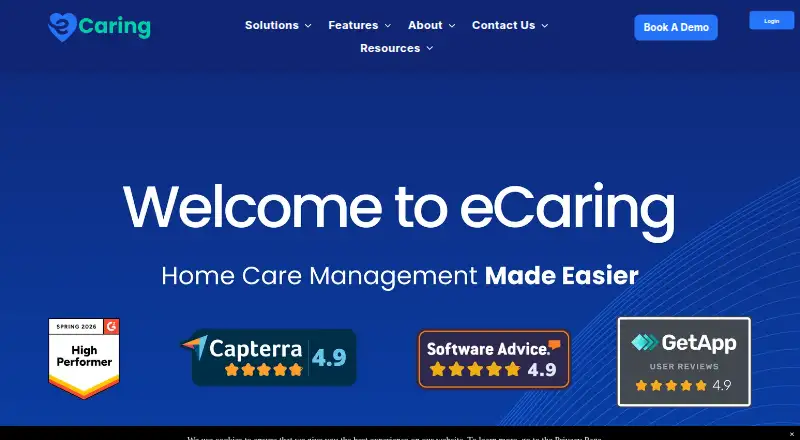
What eCaring is
eCaring is home care agency management software for non-medical agencies serving Medicaid, private-pay, long-term care insurance, and Veterans Affairs programs. It brings scheduling, authorizations, electronic visit verification (EVV), care documentation, billing, payroll, and caregiver communication into one platform. Its scheduling engine scores caregiver-client matches using availability, preferences, location, past care, margins, and overtime. Agencies can set services, rates, rounding rules, procedure codes, and billing requirements for each payor. Billing tools handle payor-specific claims and files as well as private-pay invoices, check authorizations, and flag visits that fail payor or EVV requirements. Auto Shift Verification checks visits against agency rules for time, tasks, signatures, and geofence compliance, sending exceptions for manual review. Caregivers can use the Android and iOS app for visit details, GPS-verified clock-ins, offline EVV, and SMS alerts and reminders. Those without a cell phone can clock in and out by calling a toll-free number from the client’s phone. Listed integrations include ADP, QuickBooks, Lobbie, Paychex, Payro, MP-HR, PayRight Payroll, and Paylocity. eCaring offers personalized pricing after a meeting, for startups through enterprise; its pricing note says plans start at $150/mo. The company is based in Woburn, Massachusetts, and says its product was built by home care industry veterans.
Who it suits
eCaring suits non-medical home care agencies that coordinate caregivers and manage visits across Medicaid, private-pay, insurance, or Veterans Affairs programs. It is particularly relevant to agencies that need scheduling, EVV, documentation, and payor-specific billing in the same system.
What it does well
- Scores caregiver-client matches against multiple operational factors.
- Checks visit details against agency-defined EVV rules.
- Supports offline EVV in caregiver mobile apps.
- Provides phone clock-in for caregivers without cell phones.
- Configures billing rules separately for each payor.
- Lists payroll and accounting integrations.
What to know first
- Pricing requires scheduling a meeting for a personalized breakdown.
- Caregiver mobile apps are listed for Android and iOS only.
Limits
Pricing is personalized after a scheduled meeting, with availability described from startups through enterprise. The pricing note says plans start at $150/mo.
Plans
| Plan | Billed and limits | Price |
|---|---|---|
| eCaring monthly subscription with annual contract | Annual contract · Home-care agency management platform · pricing supplied by eCaring | $199 a month |
| Basic | Cloud deployment · free trial available | $99 a month |
| Personalized pricing | Pricing provided after scheduling a meeting; available for startups through enterprise | On request |
| Custom pricing | Personalized cost breakdown after a meeting · Scheduling · billing · payroll · EVV · scalable startup-to-enterprise pricing | On request |
As ecaring.com lists them, read 14 Oct 2026. The maker's own page has the final word.
Getting started
- Visit the eCaring website.
- Schedule a meeting to receive personalized pricing.
- Discuss the agency’s needs and payor programs.
- Set up payor services, rates, and billing requirements.
- Use the web platform and Android or iOS caregiver app.
Overview
eCaring is home care agency management software that brings scheduling, EVV, care documentation, billing, payroll and caregiver communication into one platform. It is aimed at non-medical agencies serving Medicaid, private-pay, long-term care insurance and Veterans Affairs programs. Its strongest case is coordinating visits and payor requirements in one workflow; agencies that want a firm price before a sales meeting may prefer another option.
Key features
Scheduling scores caregiver-client matches against availability, preferences, location, past care, margins and overtime. That gives agencies several operational factors to weigh at once, rather than treating an open shift as a simple availability match. It is a useful fit for varied schedules, though the scoring approach is not a substitute for agency judgment.
Auto Shift Verification checks visit times, tasks, signatures and geofence compliance against rules an agency defines, then sends exceptions for manual review. This can help focus staff attention on visits that need follow-up instead of treating every record identically. Caregivers can use the Android and iOS app for GPS-verified clock-ins, visit details and SMS alerts and reminders, including offline EVV. Those without a cell phone can clock in and out through a dedicated toll-free number using the client’s phone, a practical backup that avoids making a caregiver’s own device the only route to recording a visit.
Billing supports payor-specific claims and files, private-pay invoices and authorization checks. It also flags visits that fail payor or EVV requirements. Agencies can configure services, rates, rounding, procedure codes and billing requirements by payor, which suits organizations handling different funding arrangements but also means setup must reflect each agency’s rules.
Integrations listed include ADP, QuickBooks, Lobbie, Paychex, Payro, MP-HR, PayRight Payroll and Paylocity. eCaring invites agencies to ask about integrating another preferred platform, but a requested integration should be confirmed before choosing the system. Support combines a knowledge base, one-on-one assistance and technical help by email.
Pricing
eCaring is paid, with a starting-price note of From $150/mo. Its Personalized pricing plan has custom pricing, with a cost breakdown provided after scheduling a meeting; the plan is described as serving startups through enterprise. That makes the range broad, but the meeting requirement is a real drawback for agencies comparing budgets without first speaking to the company.
No plan-by-plan prices, seat limits, usage quotas, trial period or renewal terms are given. Agencies should ask for a quote that clarifies what the price covers and how it changes with their staff, client volume and payor mix before committing.
Platforms
eCaring supports web, Android and iOS. The mobile apps matter most to caregivers recording visits in the field, while the toll-free phone clock-in option provides an alternative for caregivers without a cell phone.
Who it's for
eCaring is best suited to non-medical home care agencies that coordinate varied caregiver visits and need scheduling, visit verification, documentation and billing connected across multiple payors. Its payor configuration and exception routing are particularly relevant where billing rules and EVV requirements differ. A smaller agency seeking a transparent self-serve price, or one that does not need this breadth of operational coordination, should compare alternatives before arranging a meeting.
Pros and cons
- Pros: Scheduling considers multiple caregiver-client fit factors, including overtime and margins, making it more operationally aware than a basic availability match.
- Pros: EVV combines rule-based checks with manual exception review and offers offline mobile use plus a phone-based clock-in backup.
- Pros: Payor-specific billing configuration and checks connect visit compliance with claims and invoices.
- Cons: A personalized quote requires a scheduled meeting, so cost comparison is less direct.
- Cons: The available pricing does not establish plan-level limits or terms; agencies need to confirm scope and costs for their own operation.
Alternatives
For a broader category comparison, browse Home Care Scheduling Software.
Choose HHAeXchange if a no-fee state-sponsored provider portal is the priority; its Enterprise pricing varies by agency size. Alora Home Care is another paid option, with pricing based on agency users or patient count and a written quote available. CareVoyant is worth considering if you prefer to contact a vendor for a demo and pricing.
Generations Homecare System offers a $25/month EVV plan, billed monthly, but it requires an existing Generations account and additional visit verification fees apply. ANKOTA may suit agencies also evaluating support for I/DD, adult day or self-direction programs; its agency-platform pricing requires contacting the company. AxisCare offers quote-based options for agency sizes including 15–500 clients and 1,000+ clients.
Birdie may suit buyers interested in AI-powered assessments, with SmartPlans starting at £2.75 per recording hour on a monthly commitment and unused hours rolling forward. CareCade has published monthly tiers: Grow is $300/mo for up to 50 clients and unlimited staff, while Scale is $550/mo for unlimited clients and staff.
Verdict
Non-medical agencies managing multiple payors should shortlist eCaring for its connected scheduling, EVV, documentation and billing workflows, including a phone-based clock-in fallback. Its main reason to look elsewhere is the meeting-based personalized quote: agencies that need clear costs and limits upfront will find more direct comparisons easier to assess.
Verdict
Agencies managing varied payors and caregiver visits should consider eCaring for its connected scheduling, EVV, documentation, and billing tools. Agencies that need a price before speaking with the company may find its meeting-based pricing process less suitable.
Questions
How much does eCaring cost?
The pricing note says from $150/mo. The pricing page provides a personalized breakdown after a meeting.
Which platforms does eCaring support?
The platform is available on the web, Android, and iOS.
Does eCaring support EVV?
Yes. It verifies visits against agency rules and offers caregiver app support, including offline EVV and GPS-verified clock-ins.
Which integrations are listed?
ADP, QuickBooks, Lobbie, Paychex, Payro, MP-HR, PayRight Payroll, and Paylocity are listed. Agencies can contact eCaring about integrating another preferred platform.
Who is eCaring for?
It serves non-medical home care agencies working across Medicaid, private pay, long-term care insurance, and Veterans Affairs programs.
How can customers get support?
Support includes a knowledge base, personalized one-on-one assistance, and technical help by email at [email protected].
Facts from eCaring's own pages
- API and SDK availability
- The official site presents a cloud service and support knowledge base but does not identify a public API, SDK or developer documentation page. · ecaring.com, 14 Oct 2026
- Billing
- Billing links each visit to EVV data, notes, tasks, authorizations and user adjustments, then produces payer-specific claims and private-pay invoices. · ecaring.com, 14 Oct 2026
- Client management
- The client hub stores profiles, schedules, authorizations, documents and digital care plans with filters, alerts and care-circle coordination. · ecaring.com, 14 Oct 2026
- Communications
- The communications hub provides real-time messaging, task and note tracking, centralized care information, alerts and care circles for families and professionals. · ecaring.com, 14 Oct 2026
- Company facts
- LinkedIn lists eCaring as privately held, founded in 2021, headquartered in Woburn, Massachusetts, with 11–50 employees. · linkedin.com, 14 Oct 2026
- Corporate history
- Crunchbase identifies eCaring LLC, founder Robert Herzog and an acquisition by EC Acquisition Holding, with headquarters listed in Boston. · crunchbase.com, 14 Oct 2026
- EVV coverage
- eCaring records service, caregiver, date, location and start/end times, and connects with open-state EVV aggregators including Sandata, HHAeXchange, Tellus/Netsmart and Authenticare. · ecaring.com, 14 Oct 2026
- EVV verification
- Auto Shift Verification applies agency-defined rules to visit times, tasks, signatures, and geofence compliance, and routes exceptions for manual review. · ecaring.com, 8 Oct 2026
- Founded
- 2021 · ecaring.com, 28 Sept 2026
- Funding
- Wellfound lists approximately $4.8 million raised across two rounds and names Stephen Jackson, Ascent Biomedical Ventures, Josh Grotstein and David Pachter as investors. · wellfound.com, 14 Oct 2026
- Headquarters
- eCaring lists its corporate headquarters at 500 Unicorn Park, Suite 105, Woburn, Massachusetts 01801. · ecaring.com, 8 Oct 2026
- Hosting and security limitation
- The privacy notice says services are hosted in the United States and that commercially reasonable safeguards cannot guarantee security during transmission or storage. · ecaring.com, 14 Oct 2026
- Integration flexibility
- eCaring says agencies can contact it about integrating a preferred platform that is not listed. · ecaring.com, 8 Oct 2026
- Integrations
- Official integration pages list ADP, QuickBooks, Lobbie, Paychex, Payro Finance, MP-HR, PayRight Payroll and Paylocity, and say custom integrations can be requested. · ecaring.com, 14 Oct 2026
- Intended customers
- The platform serves non-medical home care agencies working across Medicaid, private pay, long-term care insurance, and Veterans Affairs programs. · ecaring.com, 8 Oct 2026
- Licence and hosting model
- The reviewed official pages describe a SaaS/cloud product and do not state an open-source licence or self-hosting option. · ecaring.com, 14 Oct 2026
- Limit: affordability for individuals
- A GetApp review says the price may be unsuitable for people paying out of pocket rather than operating an agency. · getapp.com, 14 Oct 2026
- Limit: Android reliability
- Google Play reviews report stalls, unsaved hours, login failures and compatibility problems in the Android staff app. · play.google.com, 14 Oct 2026
- Limit: field clock-ins
- G2 reviewers report that aides sometimes cannot clock in because of GPS or location problems. · g2.com, 14 Oct 2026
- Limit: iOS app updates
- The App Store page includes a complaint that successive updates made the staff app worse. · apps.apple.com, 14 Oct 2026
- Limit: reporting and mobile app
- G2 feedback asks for more flexible reporting and improvements to mobile navigation, speed and offline behavior. · g2.com, 14 Oct 2026
- Limit: updates and complexity
- Capterra reviewers mention occasional clock-in failures during updates and that the system can initially feel slow or complex for less technical users. · capterra.com, 14 Oct 2026
- Medicare limitation
- eCaring explicitly says it does not support Medicare home-health agencies and is intended for private-pay, Medicaid, VA and other unskilled services. · ecaring.com, 14 Oct 2026
- Mobile app
- The caregiver app for Android and iOS supports offline EVV, GPS clock-ins, visit documentation, automatic reminders and SMS alerts. · ecaring.com, 14 Oct 2026
Where eCaring stands on Freedom251
- Home Care Software#7 of 20
- Home Care Scheduling Software#9 of 22