Freedom251 › Remote desktop software

DWService
by DWService
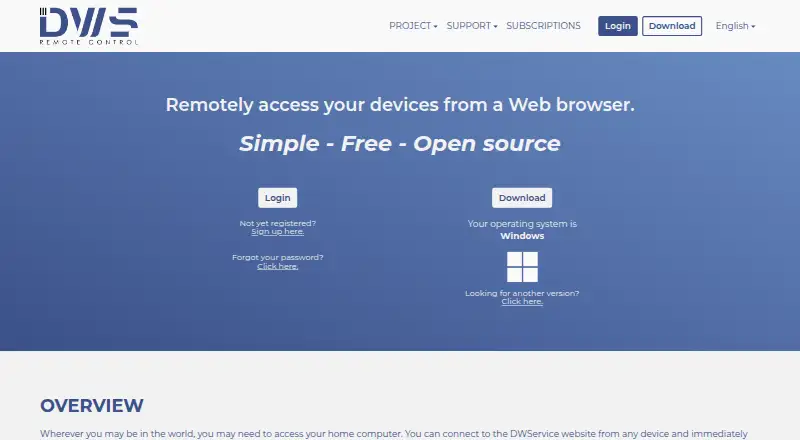
What DWService is
DWService is remote access software from DWService, a maker headquartered in Naples, Italy. It provides both access modes and supports Windows, Linux, macOS, Android, and web browsers. File transfer is available, and mobile apps are offered for Android.
DWService has a free plan and several named plans with different maximum bandwidth limits. Free allows up to 6 Mbps. Entry raises the limit to 8 Mbps, Lite to 10 Mbps, Basic to 14 Mbps, Advanced to 20 Mbps, Professional to 30 Mbps, and Premium to 50 Mbps. The listed price for Free costs nothing; prices for the other plans are not provided here.
The service may suit someone who needs remote access across desktop and mobile platforms and wants file transfer included. The plan options provide a choice of bandwidth ceilings, with the free plan at the lowest listed limit. DWService is available at dwservice.net.
Who it suits
DWService suits people who need remote access across Windows, Linux, macOS, Android, or a web browser, with file transfer available. Its free plan may fit users whose needs fall within a 6 Mbps maximum bandwidth limit.
What it does well
- Supports Windows, Linux, macOS, Android, and web browsers.
- Offers both access modes.
- Includes file transfer.
- Provides Android mobile apps.
- Free plan has a 6 Mbps maximum bandwidth.
What to know first
- Free plan has a 6 Mbps maximum bandwidth.
- The listed facts provide no prices for plans beyond Free.
Limits
The Free plan has a 6 Mbps maximum bandwidth. The listed limits for paid tiers range from 8 Mbps on Entry to 50 Mbps on Premium.
Plans
| Plan | Billed and limits | Price |
|---|---|---|
| Free | 6 Mbps maximum bandwidth · all features included | Free |
| Entry | plus tax · 8 Mbps maximum bandwidth · subscriber name listed | $4 a month |
| Lite | plus tax · 10 Mbps maximum bandwidth · subscriber name listed | $6 a month |
| Basic | plus tax · 14 Mbps maximum bandwidth · subscriber name listed | $12 a month |
| Advanced | plus tax · 20 Mbps maximum bandwidth · subscriber logo and backlink | $30 a month |
| Professional | plus tax · 30 Mbps maximum bandwidth · subscriber logo and backlink | $60 a month |
| Premium | plus tax · 50 Mbps maximum bandwidth · subscriber logo and backlink | $120 a month |
| Basic | plus tax · 14 Mbps maximum bandwidth · subscriber name listed | $120 a year |
The first 8 of 10 plans, as dwservice.net lists them, read 15 Oct 2026. The maker's own page has the final word. Every plan
Getting started
- Visit dwservice.net.
- Choose the Free plan or another named plan.
- Use DWService on Windows, Linux, macOS, Android, or a web browser.
DWService is a remote-access service that lets you control and manage a device through a web browser after installing DWAgent on it. It suits people who want browser-based access across desktop and mobile platforms, especially when file transfer and system tools matter. Its free plan’s 6 Mbps maximum is the central trade-off: useful for modest needs, but a constraint for bandwidth-heavy work.
Overview
DWService combines remote screen control with file access and a set of system-management tools. The Screen application provides cursor and keyboard control; Files and Folders handles uploads, downloads, and configurable sharing permissions. Resource monitoring, service and process controls, a remote shell, text editor, and log watching make it more than a way to view a remote desktop.
Access runs through a standard web browser, with DWAgent installed on the remote device. That browser-first approach is useful when you need to reach a system from different kinds of devices without relying on a single desktop platform. The service also supports secure sharing of system resources, including folders, with people who do not have DWService accounts.
Key features
- Screen control: Remote cursor, keyboard, and screen access cover the core support and administration tasks.
- File transfer: Uploads, downloads, and configurable folder permissions are practical for moving files or granting limited access.
- System tools: Monitoring and controls for resources, services, and processes, plus shell, text-editing, and log-watching tools, can help with remote maintenance.
- Security controls: DWService says communications use TCP port 443 and SSL encryption, and passwords are stored as hashes. Optional TOTP two-factor authentication and trusted devices add account-protection options.
- Data handling: DWService says it stores account, agent, sharing-configuration, and access data, but does not store data passing between users and agents on its servers.
- Open-source agent: The agent is free and open source; its core is under MPLv2, with other components using various licenses. The download page says it updates automatically.
These features make DWService capable for remote administration as well as basic access. They do not remove the bandwidth ceiling, so the experience may be less suitable when a connection needs a higher maximum throughput.
Pricing
DWService is freemium, with a free plan and higher bandwidth tiers. The bandwidth figures are maximums, not a promise of a particular speed in every session.
| Plan | Price | Maximum bandwidth | Best fit |
|---|---|---|---|
| Free | free | 6 Mbps | Occasional access or tasks that can live within the lowest cap |
| Entry | Custom pricing | 8 Mbps | Users who need a modest step above Free |
| Lite | Custom pricing | 10 Mbps | Users seeking a higher cap than Entry |
| Basic | Custom pricing | 14 Mbps | Users whose work needs more headroom |
| Advanced | Custom pricing | 20 Mbps | More bandwidth-sensitive remote work |
| Professional | Custom pricing | 30 Mbps | Users needing a substantially higher maximum |
| Premium | Custom pricing | 50 Mbps | Users who need the highest stated cap |
Free is straightforward to evaluate, but its 6 Mbps maximum is a meaningful limitation for demanding sessions. The paid tiers raise that ceiling in steps, up to 50 Mbps; choose among them based on the maximum your work requires. DWService describes subscriptions as voluntary contributions supporting maintenance, improvement, and promotion, not as a way to influence project development.
Platforms
DWService supports Windows, Linux, macOS, Android, and web browsers, and offers mobile apps. Its combination of browser access and mobile support makes it flexible across common device types; iOS is also included among its supported platforms.
Who it's for
DWService is a good fit for individuals or support users who want browser-based remote access, file transfer, and administrative tools in one service. Folder sharing with people who are not registered is useful when access must extend beyond DWService users. Its open-source agent and optional account safeguards will also appeal to users who value those attributes.
Look elsewhere if the free plan’s 6 Mbps maximum is too low and you need a clear published price before choosing a higher tier. The higher bandwidth plans offer larger caps, but their pricing is custom.
Pros and cons
- Pros: Browser-based access across desktop and mobile platforms avoids tying remote sessions to one type of client.
- Pros: File transfer, configurable folder sharing, screen control, and system tools cover access and maintenance tasks in the same service.
- Pros: Optional TOTP authentication, trusted devices, and an open-source agent give security-conscious users useful choices.
- Cons: The free plan tops out at 6 Mbps, which may be restrictive for bandwidth-intensive sessions.
- Cons: Higher tiers raise the maximum to 50 Mbps, but their custom pricing makes cost comparison less direct.
Alternatives
Consider Jump Desktop if its freemium model and free browser access across platforms fit your needs; its free browser use is distinguished from apps that may require a one-time purchase.
TeamViewer Remote may suit someone looking for a free option explicitly limited to personal, non-commercial use, or a service with a Remote Access plan.
Zoho Assist is worth comparing if a free allowance of one technician and five devices matches your support workload, or if you want a published Remote Support - Standard price of $10 a month.
Choose Getscreen.me if its free tier’s two-device, one-seat allowance and 50 MB per-file limit suit your needs, or if a Personal Lifetime option is preferable.
HopToDesk is another free option, with a stated limit of two users and up to three devices and no time limit.
RustDesk may be a better match if you specifically want an open-source remote-access alternative with a free plan.
MeshCentral is an alternative for users seeking free, open-source, self-hosted remote access.
Consider Remote Utilities if a free license covering 10 controlled devices better suits your setup.
Browse more options in Unattended Remote Access Software, Remote Support Software, and Remote desktop software.
Verdict
Choose DWService if you want broad platform coverage, browser-based control, file transfer, and useful system tools without paying for the free tier. Its main drawback is the 6 Mbps free-plan maximum; users who need more bandwidth should compare the custom-priced higher tiers or choose another service that better fits their budget and limits.
Verdict
Choose DWService if you want remote access across desktop, mobile, and web platforms with file transfer, and the free plan’s 6 Mbps maximum bandwidth suits your needs. Consider another bandwidth tier if you need a higher maximum; the higher plans have listed limits up to 50 Mbps.
Questions
Is DWService free?
Yes. The Free plan is listed as free and has a 6 Mbps maximum bandwidth.
What platforms does DWService support?
It supports Windows, Linux, macOS, Android, and web browsers. Mobile apps are available.
Does DWService support file transfer?
Yes, file transfer is available.
What plans does DWService offer?
The named plans are Free, Entry, Lite, Basic, Advanced, Professional, and Premium.
What are the maximum bandwidth limits by plan?
Free is 6 Mbps; Entry 8 Mbps; Lite 10 Mbps; Basic 14 Mbps; Advanced 20 Mbps; Professional 30 Mbps; Premium 50 Mbps.
Who makes DWService, and where is it headquartered?
The maker is DWService, headquartered in Naples, Italy.
Facts from DWService's own pages
- Access mode
- both · dwservice.net, 20 Sept 2026
- Account protection
- Accounts support optional TOTP two-factor authentication and trusted devices. · dwservice.net, 9 Oct 2026
- Agent licence
- The agent is open source; its core and listed applications use MPL 2.0 while bundled libraries can use other licences. · dwservice.net, 15 Oct 2026
- API authentication
- API keys use either basic HTTP authentication or a recommended HMAC signature that expires after ten minutes. · docs.dwservice.net, 15 Oct 2026
- API billing
- Some API functions require purchased tickets, which remain valid for 24 months under the API terms. · api.dwservice.net, 15 Oct 2026
- API documentation
- The documentation covers authentication, account, agent and session resources, iframe integration, installer customization and PHP, C# and Java examples. · docs.dwservice.net, 15 Oct 2026
- API sessions
- API-created sessions can be embedded in an iframe or window and configured with full or limited access. · docs.dwservice.net, 15 Oct 2026
- Automatic updates
- Installed agent software updates automatically. · dwservice.net, 15 Oct 2026
- Commercial availability
- Official documentation says companies, enterprises and public bodies may use the free service, subject to the 6 Mbps limit. · docs.dwservice.net, 15 Oct 2026
- Company legal name
- The operator identifies itself as DWSNET S.r.l., with Italian VAT number IT10018841212 and registered office in Naples. · api.dwservice.net, 15 Oct 2026
- Company location
- The company says its headquarters are in Italy, within the EU. · dwservice.net, 9 Oct 2026
- Company registration
- An Italian company directory lists DWSNET S.r.l. as registered on 30 March 2022 with one employee in 2026. · ufficiocamerale.it, 15 Oct 2026
- Company size and finances
- The same directory reports 2024 revenue of €174,274, share capital of €10,000 and one employee. · ufficiocamerale.it, 15 Oct 2026
- Development requirements
- Building from source requires Python 3, g++ and make; Linux Wayland builds additionally require PipeWire and D-Bus development packages. · github.com, 15 Oct 2026
- File access
- The Files and Folders application supports file uploads and downloads and configurable folder sharing permissions. · dwservice.net, 9 Oct 2026
- File management
- Files and Folders supports remote upload and download plus configurable shared-folder permissions. · dwservice.net, 15 Oct 2026
- File transfer
- Yes · dwservice.net, 20 Sept 2026
- Free plan
- Yes · dwservice.net, 20 Sept 2026
- Guest sharing
- Folders can be shared with people who do not have DWService accounts without publishing the files to another cloud service. · dwservice.net, 15 Oct 2026
- Headquarters
- DWService states that its headquarters are in Italy; its legal address is Via Fedro 16, 80122 Napoli. · dwservice.net, 15 Oct 2026
- Limit: Android compatibility
- Chrome-Stats review analysis cites Android 15 layout problems, missing gesture guidance and keyboard or rotation issues. · chrome-stats.com, 15 Oct 2026
- Limit: bandwidth
- Independent Android review analysis reports that bandwidth restrictions substantially reduce usability without a paid subscription. · chrome-stats.com, 15 Oct 2026
- Limit: enterprise controls
- A TeamViewer comparison says DWService lacks role-based permissions, session records and advanced authentication controls and is absent from G2 and Capterra listings. · teamviewer.com, 15 Oct 2026
- Limit: mobile interface
- Google Play reviewers report connection-lost errors after an update, orientation problems and a desire to control Android devices from PCs. · play.google.com, 15 Oct 2026
Where DWService stands on Freedom251
- Remote desktop software#1 of 135
- Remote Support Software#1 of 49
- Remote support tools#1 of 47
- Unattended Remote Access Software#1 of 29
- Remote Desktop Access Software#1 of 28
- Work From Home Software#1 of 26