Freedom251 › Remote desktop software
AnyDesk
by AnyDesk
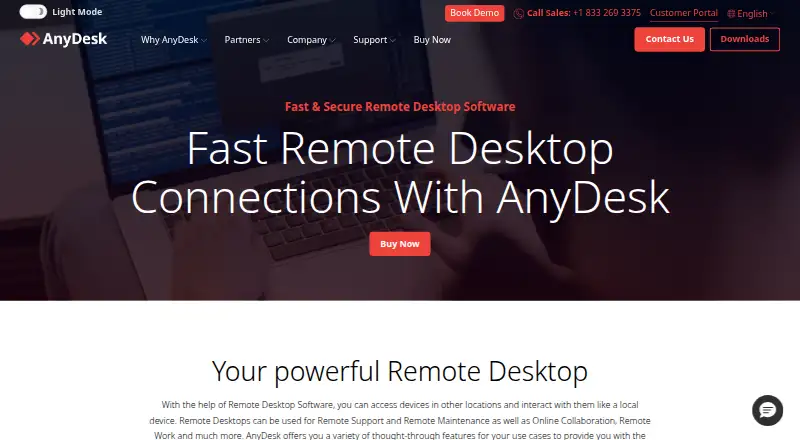
What AnyDesk is
AnyDesk is remote desktop software from a maker founded in 2014 and based in Stuttgart, Germany. It supports remote access through Windows, macOS, Linux, iOS, Android, ChromeOS, and web browsers, with both app and browser access available. Its listed capabilities include file transfer and session recording, and mobile apps are available for Android and iOS.
AnyDesk uses a freemium pricing model and has a free plan. Its named plans are Solo, Standard, Advanced, and Ultimate. Solo has one licensed user, three registered devices, 100 managed devices, and one connection. Standard allows one connection, up to 20 users, and 500 managed devices. Advanced allows two connections, up to 100 users, and 1,000 managed devices. Ultimate has five licensed users and 2,000 managed devices. These plan details give buyers concrete user, connection, and managed-device allowances to consider when choosing an option.
Who it suits
AnyDesk suits people who need remote desktop access across desktop, mobile, and browser platforms. Its file transfer, session recording, and mobile apps may be useful to users managing remote sessions across different device types.
What it does well
- Access through desktop, mobile, and web platforms
- File transfer is supported
- Sessions can be recorded
- Mobile apps are available
- Free plan is available
What to know first
- Solo allows one licensed user
- Solo includes one connection
- Ultimate has five licensed users
Limits
Solo includes one licensed user, three registered devices, 100 managed devices, and one connection. Standard allows one connection and up to 20 users; Advanced allows two connections and up to 100 users; Ultimate has five licensed users.
Plans
| Plan | Billed and limits | Price |
|---|---|---|
| Solo | 1 licensed user · 3 registered devices · 100 managed devices · 1 connection | On request |
| Standard | 1 connection · up to 20 users · 500 managed devices | On request |
| Advanced | 2 connections · up to 100 users · 1,000 managed devices | On request |
| Ultimate | 5 licensed users · 2,000 managed devices | On request |
As anydesk.com lists them, read 20 Sept 2026. The maker's own page has the final word.
Getting started
- Visit the AnyDesk remote desktop website
- Choose the web browser or a supported app platform
- Select the free plan or review the Solo, Standard, Advanced, and Ultimate plans
Verdict
Choose AnyDesk if you need remote desktop access across a mix of operating systems and value file transfer or session recording. Look elsewhere if you need a plan with a listed price, since none of the named plan prices are provided here.
Questions
Is AnyDesk free?
AnyDesk has a free plan and uses a freemium pricing model.
Which platforms does AnyDesk support?
Supported platforms include Windows, macOS, Linux, iOS, Android, ChromeOS, and web browsers.
Can AnyDesk transfer files and record sessions?
Yes. File transfer and session recording are supported.
What plans does AnyDesk offer?
The named plans are Solo, Standard, Advanced, and Ultimate.
How many managed devices do the plans allow?
Solo includes 100 managed devices, Standard 500, Advanced 1,000, and Ultimate 2,000.
Where is AnyDesk based, and when was it founded?
AnyDesk was founded in 2014 and is headquartered in Stuttgart, Germany.
Facts from AnyDesk's own pages
- Access mode
- both · anydesk.com, 20 Sept 2026
- File transfer
- Yes · anydesk.com, 20 Sept 2026
- Founded
- 2014 · anydesk.com, 28 Sept 2026
- Free plan
- Yes · anydesk.com, 20 Sept 2026
- Headquarters
- Stuttgart, Germany · anydesk.com, 28 Sept 2026
- Managed devices
- 100 · anydesk.com, 20 Sept 2026
- Mobile apps
- Yes · anydesk.com, 20 Sept 2026
- Session recording
- Yes · anydesk.com, 20 Sept 2026
- Supported platforms
- Windows,macOS,Linux,iOS,Android,ChromeOS,web browser · anydesk.com, 20 Sept 2026
Where AnyDesk stands on Freedom251
- Remote desktop software#5 of 135
- Remote Support Software#3 of 49
- Unattended Remote Access Software#2 of 29
- Remote support tools#20 of 47