Freedom251 › Remote desktop software

Splashtop
by Splashtop
What Splashtop is
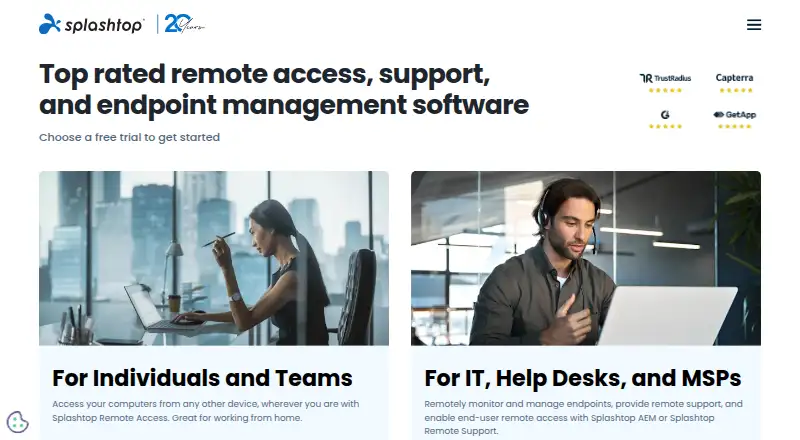
Splashtop provides remote access to computers and mobile devices through products for individual users, teams, businesses, remote support and education. Supported platforms include Windows, macOS, Linux, Chromebook, iOS and Android, and the listed access modes include cloud and self-hosted options. Features include file transfer, session recording and mobile apps.
Plans vary by use. Solo costs $6/month, billed annually at $72, for one licensed user and up to two computers. Pro costs $8.25/month/user, billed annually at $99 per user, and allows up to 10 computers per license; it also includes user role and access management and supports up to three users into one computer. Performance costs $13/month/user, billed annually at $149 per user, and includes 4:4:4 color accuracy, 240 FPS capability, high-fidelity audio, remote stylus and Wacom Bridge, and USB passthrough. Enterprise pricing is customizable and includes controls such as SSO, scheduled access, SIEM logging and APIs. Security features listed include 2FA, endpoint MFA, audit logging and end-to-end encryption. Selected Remote Support and Enterprise products have on-premises options. Splashtop is based in Cupertino, California, and was founded in 2006.
Who it suits
Splashtop suits individuals and teams that need remote access across computers and mobile devices, as well as organizations seeking remote support or education products. Its plans range from Solo for one user to Enterprise options with administrative controls and customizable pricing.
What it does well
- Supports Windows, macOS, Linux, Chromebook, iOS and Android.
- Includes file transfer, session recording and mobile apps.
- Security features include 2FA, audit logging and end-to-end encryption.
- Pro supports up to 10 computers per license.
- Selected products offer on-premises deployment options.
What to know first
- Solo is limited to one licensed user and two computers.
- Enterprise pricing is customizable rather than listed as a fixed price.
- On-premises options apply to selected Remote Support and Enterprise products.
Limits
Solo covers one licensed user and up to two computers. Pro allows up to 10 computers per license and up to three users into one computer. Remote Support - SOS starts with 10 managed computers per concurrent user license.
Plans
| Plan | Billed and limits | Price |
|---|---|---|
| Solo | Displayed as $6/month; billed annually at $72 · 1 licensed user · Up to 2 computers | $6 a month |
| Pro | Displayed as $8.25/month/user; billed annually at $99 per user · Up to 10 computers per license · Up to 3 users into one computer | $8.25 a month |
| Performance | Displayed as $13/month/user; billed annually at $149 per user · 4:4:4 color accuracy · 240 FPS capability · High-fidelity audio · Remote stylus and Wacom Bridge · USB passthrough | $13 a month |
| Enterprise | SSO integration · Granular access controls · Scheduled access · SIEM logging · APIs · Cloud recording | On request |
| Remote Support - SOS | Starting at $22/month/concurrent user license; billed annually at $259 or $399 per concurrent user · 10 managed computers per user license | $22 a month |
| Remote Support - Enterprise | More than 1,200 managed devices | On request |
| Mirroring360 Pro | — | $29.99 a year |
| Classroom Cloud | — | $29.99 a year |
The first 8 of 13 plans, as splashtop.com lists them, read 27 Sept 2026. The maker's own page has the final word. Every plan
Getting started
- Visit splashtop.com.
- Choose the product and plan for individual, team, remote support or education use.
- Select a supported device platform: Windows, macOS, Linux, Chromebook, iOS or Android.
- Review the free trial available across listed products and plans.
- For an on-premises option, select an eligible Remote Support or Enterprise product.
Verdict
Choose Splashtop for remote access across computers and mobile devices, with plans that cover individuals, teams, remote support and education. Solo is the entry plan at $6/month billed annually; organizations needing Enterprise controls should request customized pricing.
Questions
Does Splashtop have a free plan?
The pricing note says “Free plan,” while the page also lists free trials across products and plans. It does not give limits for a permanent free tier.
What does Solo cost?
Solo is $6/month, billed annually at $72, for one licensed user and up to two computers.
Which platforms does Splashtop support?
Supported platforms include Windows, macOS, Linux, Chromebook, iOS and Android.
Does Splashtop offer self-hosted or on-premises access?
Self-hosted access is listed, and on-premises options are available for selected Remote Support and Enterprise products.
What does Pro cost and include?
Pro is $8.25/month/user, billed annually at $99 per user. It supports up to 10 computers per license and up to three users into one computer, and includes user role and access management.
Who makes Splashtop?
Splashtop is the maker. Its headquarters are in Cupertino, California, United States, and it was founded in 2006.
Facts from Splashtop's own pages
- Access mode
- both · splashtop.com, 20 Sept 2026
- Android IoT Access
- Enterprise includes Android/IoT unattended access · splashtop.com, 27 Sept 2026
- Billing Currency
- Prices are in USD unless otherwise specified · splashtop.com, 27 Sept 2026
- Certifications Compliance
- The page cites SOC 2, SOC 3, ISO/IEC 27001, and GDPR · splashtop.com, 27 Sept 2026
- Company History
- Splashtop is celebrating 20 years · splashtop.com, 27 Sept 2026
- Customer Scale
- The company says it is trusted by 30 million users and 85% of Fortune 500 companies · splashtop.com, 27 Sept 2026
- Enterprise Controls
- Enterprise includes SSO, granular access controls, scheduled access, SIEM logging, and IP whitelisting · splashtop.com, 27 Sept 2026
- File Transfer
- Solo includes file transfer, including drag-and-drop · splashtop.com, 27 Sept 2026
- Founded
- 2006 · splashtop.com, 28 Sept 2026
- Free plan
- Yes · splashtop.com, 20 Sept 2026
- Free Tier Limits
- The page lists free trials but does not state a permanent free tier or its limits · splashtop.com, 27 Sept 2026
- Free Trial
- Free trials are available across listed products and plans · splashtop.com, 27 Sept 2026
- Headquarters
- Cupertino, California, United States · splashtop.com, 28 Sept 2026
- Available Integrations
- Enterprise includes SSO integration, APIs, Connector, and Wacom Bridge is available in Performance · splashtop.com, 27 Sept 2026
- Managed Devices
- Remote Support SOS supports up to 1,200 managed computers per license configuration · splashtop.com, 27 Sept 2026
- Mobile apps
- Yes · splashtop.com, 20 Sept 2026
- On-Premises Option
- On-premises options are available for selected Remote Support and Enterprise products · splashtop.com, 27 Sept 2026
- Platform Access
- Remote access works from any device and supports computers and mobile devices · splashtop.com, 27 Sept 2026
- Secure Hosting
- Secure cloud and on-prem hosting includes 24/7 intrusion detection · splashtop.com, 27 Sept 2026
- Security Controls
- Security features include 2FA, endpoint MFA, audit logging, and end-to-end encryption · splashtop.com, 27 Sept 2026
- Session Recording
- Session recording is included in Pro and available as a cloud feature in Enterprise · splashtop.com, 27 Sept 2026
- Starting Price
- Paid plans start at $6 per month · splashtop.com, 27 Sept 2026
- Support Channels
- Splashtop provides technical support and system status resources · splashtop.com, 27 Sept 2026
- Supported platforms
- Windows,macOS,Linux,Chromebook,iOS,Android · splashtop.com, 20 Sept 2026
Where Splashtop stands on Freedom251
- Remote desktop software#4 of 135
- Remote Monitoring & Management (RMM) Software#3 of 18
- Remote support tools#10 of 47
- Remote Support Software#17 of 49
- Remote Desktop Access Software#11 of 28
- Unattended Remote Access Software#12 of 29