Freedom251 › Remote desktop software

ManageEngine Remote Access Plus
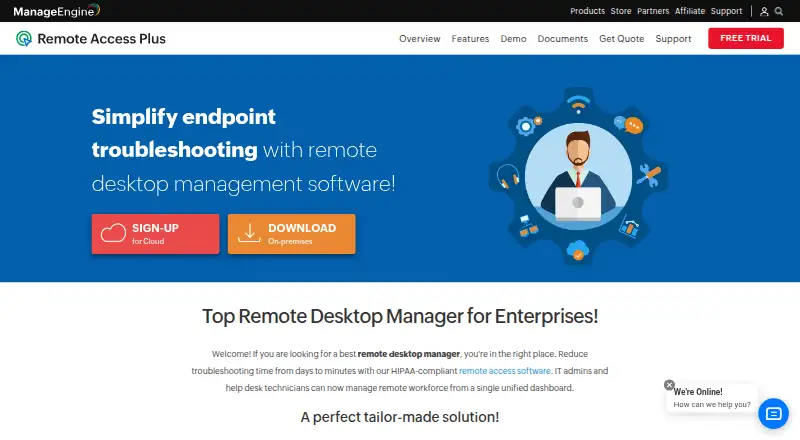
What ManageEngine Remote Access Plus is
ManageEngine Remote Access Plus is remote access software for Windows, macOS, Linux, Android, iOS and web. It supports both access modes and lists file transfer, session recording and mobile apps. The free plan covers 10 devices. Standard and Professional options are listed for cloud and on-premises use, with monthly, annual and perpetual-license choices. Standard Cloud Monthly costs $10 a month, and Standard Cloud Annual costs $100 a year; each lists 25 computers and five technicians. Professional Cloud Monthly is $15 a month, while Professional Cloud Annual is $150 a year, also for 25 computers and five technicians. On-premises annual pricing is $75 a year for Standard and $95 a year for Professional, each listing the same computer and technician capacity. Standard and Professional perpetual licenses are listed at $187 a month and $237 a month, respectively, for 25 computers and five technicians. The pricing notes also list a 30-day trial and paid plans from $10/mo. The maker is listed as founded in 2002.
Who it suits
It suits teams that need remote access across the listed desktop, mobile and web platforms. The listed plans specify capacity for up to 25 computers and five technicians, while the free plan covers 10 devices.
What it does well
- Available on Windows, macOS, Linux, Android, iOS and web
- Lists file transfer and session recording
- Free plan covers 10 devices
- Cloud and on-premises plans are listed
What to know first
- Paid plans start at $10/mo
- Standard and Professional plans list 25 computers and five technicians
- Trial is limited to 30 days
Limits
The free plan covers 10 devices. Paid plans list capacity of 25 computers and five technicians.
Plans
| Plan | Billed and limits | Price |
|---|---|---|
| Free | up to 10 computers with 1 technician | Free |
| Standard - On-Premises Annual | Annual · 25 computers · 5 technicians | $75 a year |
| Standard - On-Premises Perpetual | Perpetual license · 25 computers · 5 technicians | $187 a month |
| Standard - Cloud Monthly | Monthly · 25 computers · 5 technicians | $10 a month |
| Standard - Cloud Annual | Annual · 25 computers · 5 technicians | $100 a year |
| Professional - On-Premises Annual | Annual · 25 computers · 5 technicians | $95 a year |
| Professional - On-Premises Perpetual | Perpetual license · 25 computers · 5 technicians | $237 a month |
| Professional - Cloud Monthly | Monthly · 25 computers · 5 technicians | $15 a month |
The first 8 of 14 plans, as manageengine.com lists them, read 15 Oct 2026. The maker's own page has the final word. Every plan
Getting started
- Visit the ManageEngine Remote Access Plus website.
- Choose a listed platform: Android, iOS, Linux, macOS, web, or Windows.
- Start with the free plan for up to 10 devices, or review the paid plans.
- Use the listed 30-day trial if you want to try a paid plan.
ManageEngine Remote Access Plus is remote-access software for teams supporting computers and mobile devices. It is best suited to small support teams that want a choice of cloud or on-premises plans. Its main appeal is broad platform support at a low entry price; its main constraint is the 25-computer ceiling on paid plans.
Overview
Remote Access Plus combines remote access with file transfer and session recording across Windows, macOS, Linux, Android, iOS and the web. That range suits teams working across different endpoint types, while mobile apps add another way to connect. The device limits matter: the free plan supports 10 devices, and paid plans cover 25 computers with five technicians. It is a more natural fit for a small support operation than a team managing a larger fleet.
Key features
- File transfer: Included, so support work can involve moving files as well as connecting remotely.
- Session recording: Available for remote sessions, a useful record for support teams.
- Windows, macOS, Linux, Android, iOS and web support: This breadth makes it relevant to mixed-platform environments rather than teams focused on a single operating system.
- Mobile apps: Mobile apps complement the browser and desktop coverage.
Pricing
The Free plan costs nothing and supports 10 devices. It is the sensible starting point for a small setup, but it does not match the 25-computer capacity of paid plans.
Standard Cloud costs $10 a month on the monthly plan or $100 a year on the annual plan. Standard On-Premises costs $75 a year on the annual plan, or $187 a month for a perpetual license. Each Standard option covers 25 computers and five technicians. The cloud monthly plan avoids an annual term; the annual cloud and on-premises options trade that flexibility for an annual billing commitment. The perpetual license is a distinct licensing choice, but its stated monthly price is higher than the annual option.
Professional Cloud costs $15 a month monthly or $150 a year annually. Professional On-Premises costs $95 a year annually, or $237 a month for a perpetual license. These plans keep the same 25-computer and five-technician limits as Standard, so the higher price does not buy additional stated capacity. Choose Professional only if its tier is the right fit; Standard is the lower-cost choice when those limits suffice. A 30-day trial is also offered.
Platforms
Remote Access Plus supports Windows, macOS, Linux, Android, iOS and web. This combination suits teams with both desktop and mobile endpoints, though the paid plans' computer limit remains the clearest scale constraint.
Who it's for
Small IT and support teams that need to connect across several operating systems, transfer files and record sessions should consider it. The free tier suits a setup of up to 10 devices, while paid plans offer five technician seats and capacity for 25 computers. Larger fleets should look elsewhere rather than assume that the listed paid capacity will scale with them.
Pros and cons
- Pro: Free coverage for 10 devices offers a low-commitment way to start.
- Pro: Windows, macOS, Linux, Android, iOS and web support serves mixed-platform environments.
- Pro: File transfer and session recording cover two practical support-session needs.
- Con: Paid plans stop at 25 computers and five technicians, limiting their fit for larger support teams.
- Con: Professional plans cost more than Standard while retaining the same stated capacity.
Alternatives
TeamViewer Remote is worth considering for personal, non-commercial use: its free plan is expressly for that purpose, and its supported platforms include Windows, macOS, Linux, Android, iOS and web. Zoho Assist is another broad-platform freemium option; its free plan covers one technician and five devices, less device capacity than Remote Access Plus's free tier. HopToDesk offers a free plan for two users and up to three devices, making it an option for a smaller setup.
Getscreen.me has a free plan for one seat and two devices, with a 50 MB per-file limit. Jump Desktop offers free browser access on any platform with unlimited computers, while its apps may require a one-time purchase. Remote Desktop has a free plan for one licensed user, one concurrent connection and three unattended devices. Iperius Remote offers a free plan for one connection. Admin By Request Secure Remote Access is another freemium option.
For a broader shortlist, browse Remote desktop software or Remote Support Software.
Verdict
Choose ManageEngine Remote Access Plus if a small team wants broad platform coverage, file transfer and session recording, with cloud and on-premises licensing choices. The free plan and five-technician paid tiers are appealing for modest setups; the firm 25-computer paid cap is the reason to look elsewhere when your support fleet needs more room.
Verdict
Remote Access Plus offers free coverage for 10 devices and paid cloud or on-premises options. Check the stated capacity and billing term for the specific plan before choosing.
Questions
Is there a free plan?
Yes. The Free plan costs nothing and covers 10 devices.
What do paid plans cost?
Standard cloud plans are $10 a month or $100 a year. Professional cloud plans are $15 a month or $150 a year.
Are on-premises plans available?
Yes. Standard On-Premises Annual is $75 a year and Professional On-Premises Annual is $95 a year. Perpetual license plans are listed at $187 a month for Standard and $237 a month for Professional.
Which platforms does it support?
Windows, macOS, Linux, Android, iOS, and web are listed.
Does it offer a trial?
A 30-day trial is listed.
Who makes Remote Access Plus?
The maker is ManageEngine Remote Access Plus, founded in 2002.
Facts from ManageEngine Remote Access Plus's own pages
- Access mode
- both · manageengine.com, 20 Sept 2026
- API
- Remote Access Plus Cloud exposes REST APIs for remote offices, computers, agent installation, computer removal and server properties. · manageengine.com, 15 Oct 2026
- API authentication
- The cloud API uses OAuth 2.0, scoped permissions and bearer access tokens that expire after one hour. · manageengine.com, 15 Oct 2026
- API tooling
- The API documentation provides an OpenAPI specification and a Postman collection for testing requests. · manageengine.com, 15 Oct 2026
- Chat
- Technicians and users can communicate with voice, video and text chat during support sessions. · manageengine.com, 15 Oct 2026
- Company founded
- LinkedIn lists ManageEngine as founded in 2002. · linkedin.com, 15 Oct 2026
- Company headquarters
- LinkedIn lists headquarters in Del Valle, Texas. · linkedin.com, 15 Oct 2026
- Company ownership
- ManageEngine is the enterprise IT-management division of Zoho Corporation. · linkedin.com, 15 Oct 2026
- Company size
- LinkedIn lists 5,001–10,000 employees. · linkedin.com, 15 Oct 2026
- Compliance
- ManageEngine states that the product has controls relevant to HIPAA, PCI DSS, FISMA, NIST, GDPR, FERPA and ISO 27001 use cases. · manageengine.com, 15 Oct 2026
- Deployment
- Remote Access Plus is offered as cloud software or as an on-premises installation with server, agent and web-console components. · manageengine.com, 15 Oct 2026
- Documentation
- The help center covers installation, remote control, tools, reports, session recording, two-factor authentication, SSL, user management and port settings. · manageengine.com, 15 Oct 2026
- File transfer
- Remote File Manager supports folder creation and drag-and-drop file transfers, with encrypted endpoint transfer. · manageengine.com, 15 Oct 2026
- Founded
- 2002 · manageengine.com, 28 Sept 2026
- Free plan
- Yes · manageengine.com, 20 Sept 2026
- Free trial
- The hosted trial supports unlimited computers for 30 days, while the fully functional free version supports up to 25 computers. · remoteaccess.manageengine.com, 15 Oct 2026
- Google Play update
- The Android app was updated July 2, 2026 and added PowerShell actions for managed Windows devices on on-premises servers. · play.google.com, 15 Oct 2026
- Integrations
- The integrations page describes SLA-oriented endpoint management, centralized asset management, troubleshooting workflows and SIEM audit-log forwarding. · manageengine.com, 15 Oct 2026
- Licence
- The EULA grants evaluation and commercial licences for binary software and does not describe an open-source licence. · d7umqicpi7263.cloudfront.net, 15 Oct 2026
- Limit: GetApp
- Reviewers report high RAM use that can freeze endpoints, network-related delays or interruptions and slowness in some server-administration scenarios. · getapp.com, 15 Oct 2026
- Limit: Software Advice
- Reported shortcomings include limited reporting, difficult troubleshooting when agents fail, Linux connection problems, multi-user connection quirks and requests for offline LAN use. · softwareadvice.com, 15 Oct 2026
- Limit: Trustpilot complaints
- Negative company reviews repeatedly mention slow support, poor communication, licensing or account problems and perceived overcharging. · trustpilot.com, 15 Oct 2026
- Managed devices
- 25 · manageengine.com, 20 Sept 2026
- Mobile apps
- Yes · manageengine.com, 20 Sept 2026
Where ManageEngine Remote Access Plus stands on Freedom251
- Remote desktop software#7 of 135
- Remote support tools#3 of 47
- Remote Support Software#11 of 49
- Remote Desktop Access Software#7 of 28