Freedom251 › Remote desktop software
Admin By Request Secure Remote Access
Visit Admin By Request Secure Remote Access Alternatives Pricing
What Admin By Request Secure Remote Access is
Admin By Request Secure Remote Access provides remote access and remote support for Windows, macOS, Linux, iOS, and Android. It includes file transfer, session recording, and mobile apps, and its listed access mode is both. The freemium offering includes a Free plan at no cost, with up to 25 Secure Remote Access seats and Remote Support limited to 10 seats. The Business plan is listed for 25+ seats, while Enterprise is listed for 2000+ seats; pricing for both is on request. The seat limits distinguish Secure Remote Access from Remote Support on the free option, so buyers should consider which capability and team size they need. The maker is Admin By Request Secure Remote Access, headquartered in Denmark. The listed operating system coverage includes desktop and mobile platforms, with mobile apps available. Buyers can start with the free tier or request pricing for the Business and Enterprise plans.
Who it suits
It suits people and organizations needing remote access or support across desktop and mobile platforms. The Free plan may fit teams within its separate seat limits; larger organizations can review Business or Enterprise.
What it does well
- Supports Windows, macOS, Linux, iOS, and Android.
- Includes file transfer and session recording.
- Mobile apps are available.
- Free plan includes up to 25 access seats.
What to know first
- Remote Support on Free is limited to 10 seats.
- Business pricing is on request.
- Enterprise is listed for 2000+ seats, with pricing on request.
Limits
The Free plan allows up to 25 Secure Remote Access seats and limits Remote Support to 10 seats. Business is listed for 25+ seats and Enterprise for 2000+ seats; their prices are available on request.
Plans
| Plan | Billed and limits | Price |
|---|---|---|
| Free | lifetime · all products and features · up to 25 EPM workstations · up to 10 EPM Windows servers · up to 25 Secure Remote Access seats · Remote Support limited to 10 seats · 30 days free support | Free |
| Business | all products and features · 25+ seats · support · onboarding options | On request |
| Enterprise | all products and features · 2000+ seats · onboarding · support · professional services available | On request |
As adminbyrequest.com lists them, read 15 Oct 2026. The maker's own page has the final word.
Getting started
- Visit the Admin By Request Secure Remote Access website.
- Choose the Free plan for up to 25 Secure Remote Access seats and up to 10 Remote Support seats.
- Consider Business for 25+ seats or Enterprise for 2000+ seats.
- Request pricing for Business or Enterprise.
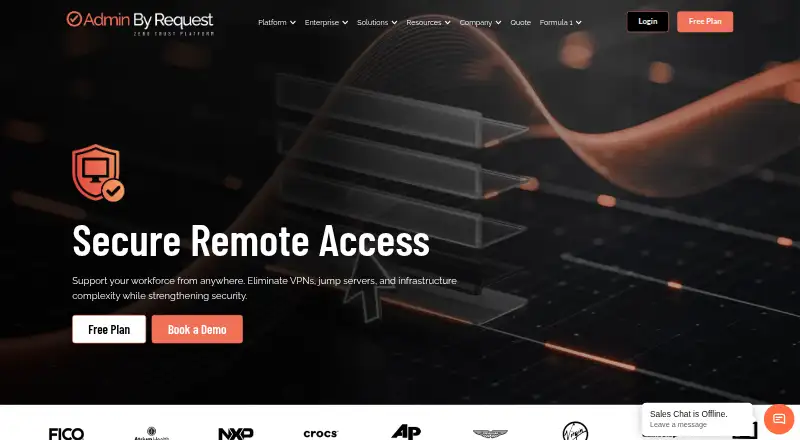
Admin By Request Secure Remote Access is a browser-based system for supporting users, reaching unattended machines, and granting outside partners controlled entry. It is best suited to IT and operations teams that need desktop and mobile coverage with strong session accountability. The combination of RDP, SSH, VNC, vendor controls, and audit tooling makes it more capable than a basic screen-sharing utility, but plan thresholds matter.
Overview
The service is designed to replace much of the access infrastructure normally built around VPNs and jump servers. Staff can start support sessions themselves or let an administrator initiate them, while external vendors receive narrowly scoped, time-limited access without installing software. Deployment is available as a managed cloud service or as an on-premises Docker implementation, giving organizations with infrastructure or residency requirements a self-hosted route.
Support sessions provide screen sharing, remote control, and view-only operation. Unattended connections work in a browser against servers and workstations using RDP, SSH, or VNC, so the same product can cover graphical desktops and command-line administration.
Key features
Security is built into the session flow rather than left to a separate tool. Encrypted WebSocket connections can be combined with multi-factor authentication, automatic expiry, inactivity timeouts, and optional video capture. Automatic recording is included for remote support, while audit records identify the user, target, duration, protocol, and approval information. Export to SIEM systems or compliance reports is useful when access must be reviewed after the fact.
The Integration Hub connects with ServiceNow, Slack, Jira, Microsoft Teams, Microsoft Sentinel, Splunk, Entra ID, ADFS, SCIM, webhooks, and a public API. Those connections should appeal to teams that want approvals, identity, alerts, or ticket context tied to remote work. The Trust Center states that the service maintains SOC 2 Type II and ISO 27001 certifications and encrypts customer data with AES-256.
Pricing
The Free plan costs nothing and allows up to 25 seats, including up to 25 Secure Remote Access seats. Remote Support is capped at 10 seats, so a company can have a larger access audience than support workforce. The plan includes 30 days of free support, making it a practical way for a small team to assess the workflow, but the separate support ceiling is the first limit to check.
Business is custom pricing for organizations with 25+ seats. Enterprise is custom pricing for deployments of 2000+ seats. Both paid plans include support. The published thresholds make Free a clear small-team tier, while larger buyers will need a quote before comparing total cost or deciding whether the Enterprise band matches their scale.
Platforms
Supported operating systems are Windows, macOS, Linux, iOS, and Android. The service also offers web access, an API, and self-hosted deployment. That combination supports browser-led administration across desktop and mobile devices while preserving an on-premises option for organizations that do not want a cloud-only arrangement.
Who it's for
IT support teams benefit from user- or admin-initiated sessions, view-only assistance, recording, and MFA. Administrators responsible for unattended servers and workstations get browser access through three widely used protocols. Organizations that routinely involve suppliers or contractors gain time-limited, scoped access with auditing and no client installation for the partner. It is less compelling for a very small personal setup that only needs occasional remote control, where the seat model and enterprise-oriented controls may add unnecessary structure.
Pros and cons
Pros
- Broad access coverage: RDP, SSH, and VNC handle both desktop and command-line systems, while Windows, macOS, Linux, iOS, and Android extend reach to mixed environments.
- Controlled third-party access: Scoped, expiring vendor sessions and audit trails reduce the exposure of permanent partner accounts.
- Accountability features: Recording, MFA, timeouts, detailed logs, and SIEM export support operational review and compliance work.
- Flexible deployment: Managed cloud and Docker-based on-premises options accommodate different infrastructure policies.
Cons
- Free support limit: Remote Support stops at 10 seats even though the overall free allowance reaches 25 seats.
- Unclear larger-budget commitment: Business and Enterprise prices require a quote, making upfront comparison difficult.
- Potentially heavy for casual use: Its vendor governance, integrations, and audit functions target managed IT operations rather than occasional home access.
Alternatives
Use Remote desktop software for a broader directory of choices. TeamViewer Remote is a better fit for personal, non-commercial use on its free plan and also offers a trial. Choose Zoho Assist when a single technician supporting up to five devices fits your starting point; its Remote Support - Standard plan is $10 a month.
ManageEngine Remote Access Plus suits teams wanting a free allowance of 10 devices and an on-premises annual Standard plan at $75 a year. HopToDesk offers a no-time-limit free tier for two users and up to three devices. Getscreen.me starts with two devices, 50 MB per file, and one seat on its free plan. Jump Desktop provides browser access to unlimited computers on its free plan, with apps potentially requiring a one-time purchase. MeshCentral is the open-source, self-hosted option. Remote Desktop limits its free plan to one licensed user, one concurrent connection, and three unattended devices.
Verdict
Admin By Request Secure Remote Access is a strong choice for IT departments that need one browser-based layer for support, unattended administration, and audited vendor work across mixed platforms. Its main reason to choose it is the combination of protocol coverage and governance controls; its main reason to look elsewhere is the 10-seat free support cap and quote-only pricing once the team grows.
Verdict
The service covers desktop and mobile operating systems and provides a free starting tier. Check the distinct access and support seat limits before choosing a plan.
Questions
Is there a free plan?
Yes. The Free plan is listed as free.
What are the Free plan seat limits?
It allows up to 25 Secure Remote Access seats, with Remote Support limited to 10 seats.
Which platforms does it support?
Windows, macOS, Linux, iOS, and Android.
Does it include file transfer and session recording?
Yes. Both are listed features.
What paid plans are available?
Business is listed for 25+ seats and Enterprise for 2000+ seats. Pricing for both is on request.
Where is the maker based?
Admin By Request Secure Remote Access is headquartered in Denmark.
Facts from Admin By Request Secure Remote Access's own pages
- Access mode
- both · adminbyrequest.com, 20 Sept 2026
- API authentication and quota
- API clients authenticate with an apikey header or basic authentication, and each tenant has a 100,000-call daily quota. · docs.adminbyrequest.com, 15 Oct 2026
- Audit and compliance
- The vendor says remote sessions generate audit logs with user, target, duration, protocol, and approval details, with data export for SIEM integration or compliance reporting. · adminbyrequest.com, 11 Oct 2026
- Audit retention
- The DPA says audit-log data is retained for 12 months by default and can be configured from 3 months to 5 years. · adminbyrequest.com, 15 Oct 2026
- Certifications
- The Trust Center states that Admin By Request maintains SOC 2 Type II and ISO 27001 certifications and encrypts customer data with AES-256. · trust.adminbyrequest.com, 11 Oct 2026
- Company
- Admin By Request describes itself as a global team with offices in Denmark and other locations, and says its solutions are built in-house at its headquarters in Denmark. · adminbyrequest.com, 11 Oct 2026
- Company founding
- The operating company is recorded as established on 7 January 2009, while the wider FastTrack Software group says it was founded in Denmark in 2006. · proff.dk, 15 Oct 2026
- Company legal entity
- Admin By Request ApS is a Danish private limited company registered under CVR 31938112. · proff.dk, 15 Oct 2026
- Company size
- LinkedIn lists the company size as 1,001–5,000 employees and identifies it as privately held. · linkedin.com, 15 Oct 2026
- Deployment
- The service is available as a managed cloud deployment or a Docker-based on-premises gateway using Connector, Proxy and Discovery components. · adminbyrequest.com, 15 Oct 2026
- Documentation
- The public documentation center covers installation, portal settings, Secure Remote Access, integrations, compliance mapping, FAQs, service status and support tickets. · docs.adminbyrequest.com, 15 Oct 2026
- File transfer
- Yes · adminbyrequest.com, 20 Sept 2026
- Free plan
- Yes · adminbyrequest.com, 20 Sept 2026
- Headquarters
- The registered headquarters address is Ved Stranden 10, 9000 Aalborg, Denmark. · proff.dk, 15 Oct 2026
- Identity integrations
- The product documents Azure AD, SAML providers and Office 365 single sign-on plus MFA enforcement. · adminbyrequest.com, 15 Oct 2026
- Integrations
- The Integration Hub lists ServiceNow, Slack, Jira, Microsoft Teams, Microsoft Sentinel, Splunk, Entra ID, ADFS, SCIM, webhooks, and a Public API among its integrations. · adminbyrequest.com, 11 Oct 2026
- License model
- Licensing is primarily per endpoint rather than per user, with cross-platform workstation licenses covering Windows, macOS and Linux. · docs.adminbyrequest.com, 15 Oct 2026
- License overage limit
- Devices beyond the licensed count are omitted from inventory and their requests are not visible to administrators, auto-approved or audited. · docs.adminbyrequest.com, 15 Oct 2026
- Limit: purchasing process
- Software Advice reviewers report that quote-to-order can be slow and that direct online license purchasing would be preferable. · softwareadvice.com, 15 Oct 2026
- Limit: remote-support interoperability
- A Software Advice review reports that TeamViewer QuickSupport can conflict with Admin By Request UAC prompts because the remote operator may not see them. · softwareadvice.com, 15 Oct 2026
- Limit: workflow responsiveness
- Software Advice review summaries mention slow privilege-elevation or automated-workflow responses and offline keys that may leave a machine unusable. · softwareadvice.com, 15 Oct 2026
- Linux scope
- The edition documentation says Secure Remote Access supports Windows and macOS, while Linux support is marked as not yet available for that product. · docs.adminbyrequest.com, 15 Oct 2026
- macOS requirements
- The macOS guide requires privacy permissions such as Screen Recording and supplies MDM configuration files for the Secure Remote Access system extension and Full Disk Access. · docs.adminbyrequest.com, 15 Oct 2026
- Mobile app
- The iOS listing describes an app for viewing requests and approving admin access, with iOS widgets and Apple Watch notification approval support. · apps.apple.com, 15 Oct 2026
Where Admin By Request Secure Remote Access stands on Freedom251
- Remote desktop software#13 of 135