Freedom251 › Remote desktop software

HopToDesk
by HopToDesk
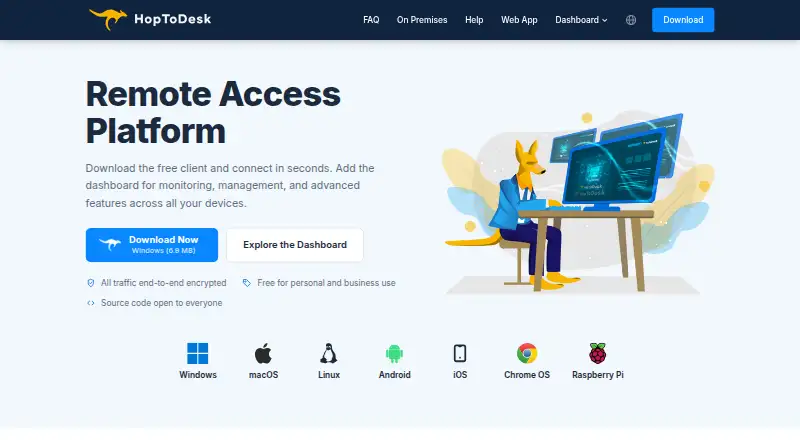
What HopToDesk is
HopToDesk is remote-access software for connecting to and managing devices across desktop, mobile, and browser platforms. It supports Windows, macOS, Linux, Android, iOS, Raspberry Pi, FreeBSD, and ChromeOS. Users can transfer files and record sessions, while screen sharing, chats, file transfers, and other traffic are end-to-end encrypted. Its Dashboard provides monitoring, device management, reports, commands, teams, custom clients, and help desk tools. Team administration includes roles, invites, SSO, multi-tenant sub-accounts, and white-label clients. Customers can submit support tickets through a portal or email. HopToDesk can run portably without installation, and users can host a private network on their own infrastructure. The free plan supports two users, three devices, and 50 help desk tickets per month, with no time limit for personal or business use. Pro is $29 a month for 120 devices; Business is $99 a month for 500 devices. Device-based pricing means plans are priced by device, not by technician or seat.
Who it suits
HopToDesk suits individuals and teams needing remote access, file transfer, session recording, or device management across supported platforms. Its free plan also accommodates personal or business use, with limits of two users, three devices, and 50 help desk tickets monthly.
What it does well
- End-to-end encryption covers screen sharing, chats, and file transfers.
- Can run portably without installation.
- Private network hosting is available on your infrastructure.
- Dashboard includes monitoring, device management, reports, and help desk tools.
- Free personal and business use has no time limit.
What to know first
- Free plan is limited to two users and three devices.
- Free plan allows 50 help desk tickets monthly.
- Linux prebuilt packages and ChromeOS are not available?
Limits
The Free plan allows 2 users, up to 3 devices, and 50 help desk tickets per month. Pro is $29 a month for 120 devices, and Business is $99 a month for 500 devices.
Plans
| Plan | Billed and limits | Price |
|---|---|---|
| Free | No time limit; no credit card required · 2 users · 3 devices · 50 help-desk tickets per month | Free |
| Pro | Billed monthly; cancel anytime · 120 devices included · Unlimited users | $29 a month |
| Business | Billed monthly; cancel anytime · 500 devices included · Unlimited team members | $99 a month |
| Enterprise & MSP | Request a quote · Unlimited devices | On request |
| Pro Monthly | Billed monthly. Cancel anytime. | $15 a month |
| Pro Yearly | Billed yearly. Save $21. | $159 a year |
| Business Monthly | Billed monthly. Cancel anytime. | $49 a month |
| Business Yearly | Billed yearly. | $529 a year |
As hoptodesk.com lists them, read 28 Sept 2026. The maker's own page has the final word.
Getting started
- Visit https://www.hoptodesk.com/.
- Download the app for a supported platform, or use browser access.
- Run it as a portable application or install it on the devices you need to access.
- Use the Free plan with up to 2 users and 3 devices, or try the Dashboard with 3 devices without a credit card.
- Choose a paid plan if you need more device capacity or unlimited users or team members.
- Set up a private HopToDesk network on your own servers or infrastructure if you want to self-host.
HopToDesk is a remote-access service with a dashboard for device administration and customer support. It best fits teams that want those functions alongside remote sessions, especially when several technicians share responsibility for many devices. Its broad platform reach and device-based paid plans are attractive, but the free team tier is small and paid capacity remains capped.
Overview
HopToDesk combines remote access with monitoring, device management, reporting, commands, team administration, and a built-in help desk. That makes it a practical candidate for support operations that want ticket handling and device oversight within one service. Screen sharing, chats, file transfers, and all traffic are end-to-end encrypted. Its infrastructure is certified to ISO 27001 and SOC 2 Type II, while HopToDesk itself does not hold its own certifications—a distinction organizations with formal vendor requirements should weigh.
The app can run as a portable application without installation, and organizations can set up a private HopToDesk network on their own servers or infrastructure. Those options suit environments that need deployment flexibility or want to operate their own network, though they also put more responsibility on the organization.
Key features
The Dashboard groups monitoring, device management, reports, commands, teams, custom clients, and help desk functions. Teams can use roles, invitations, SSO, multi-tenant sub-accounts, and white-label clients. That breadth is useful for service providers or organizations managing support across distinct teams or customers.
Customers can submit help-desk tickets through a portal or email, with assignment and role-based permissions. Integrations include webhooks, ServiceNow, Jira, TeamViewer, AnyDesk, and deployment tools. File transfer and session recording are supported, extending the service beyond basic screen access. The company says its typical contact response time is one business day.
End-to-end encryption covers screen sharing, chats, file transfers, and all traffic. The infrastructure certifications provide assurance about the underlying infrastructure, but buyers that require the software maker itself to hold certifications should account for that difference.
Pricing
The Free plan costs nothing, requires no credit card, and has no time limit. It allows 2 users, up to 3 devices, and 50 help-desk tickets per month. The app itself is free for personal and business use without time limits, but the team plan’s device and ticket caps make it better suited to small-scale use than a growing support desk. A separate Dashboard trial allows 3 devices without a credit card.
Paid plans charge by device, not by technician or seat, and include unlimited users or team members. That can work well for teams with several support staff, but the device ceilings determine which tier fits:
- Pro Monthly: $15 a month, billed monthly and cancellable anytime; 120 to 350 devices and unlimited users.
- Business Monthly: $49 a month, billed monthly and cancellable anytime; 500 to 2,000 devices and unlimited team members.
- Pro Yearly: $159 a year, billed yearly; 120 to 350 devices and unlimited users. The plan states “Save $21.”
- Business Yearly: $529 a year, billed yearly; 500 to 2,000 devices and unlimited team members.
- Enterprise & MSP: custom pricing, with unlimited devices. It is aimed at managed service providers and organizations with procurement, security-review, or volume requirements.
Pro is the lower-cost paid fit for teams within its device range; Business is for larger inventories. Both yearly plans require annual billing, while the monthly plans can be cancelled anytime. The free tier has no time limit, but its 3-device ceiling and monthly ticket quota are substantial constraints for ongoing team use. No refund policy is stated.
Platforms
HopToDesk supports Windows, macOS, Linux, Android, iOS, Raspberry Pi, FreeBSD, ChromeOS, and browser access. Downloads include Windows variants, macOS, Linux packages, Android, iOS, Chrome OS, and Raspberry Pi. This unusually broad reach makes it relevant to mixed-device environments, including teams that need to support mobile or Raspberry Pi systems.
Who it's for
HopToDesk is a strong fit for support teams and managed service providers that want remote access, ticket intake, device controls, and team administration together. The device-based pricing is particularly appealing when many technicians need access, while the higher tiers suit organizations managing hundreds or more endpoints. Small teams can start on the free plan, but its three devices and 50 monthly tickets leave limited room for expansion.
It is less suitable for organizations that need more than 2,000 devices without moving to a custom-priced plan, or those that require the software maker itself to hold security certifications. Buyers wanting only a few remote connections may also find the dashboard and help-desk breadth unnecessary.
Pros and cons
- Pro: Paid plans include unlimited users or team members, so adding technicians does not change the device-based pricing model.
- Pro: Device management, help desk, reports, commands, and team controls share one Dashboard, reducing the need to split those workflows across separate tools.
- Pro: End-to-end encryption covers sessions, chats, file transfers, and traffic; infrastructure is certified to ISO 27001 and SOC 2 Type II.
- Pro: Portable operation, self-hosting, and support for platforms from mobile devices to FreeBSD and Raspberry Pi offer deployment flexibility.
- Con: The free team plan is limited to 3 devices and 50 help-desk tickets monthly, too restrictive for many active support operations.
- Con: Paid capacity is capped at 350 devices on Pro and 2,000 on Business, with larger deployments requiring a quote.
- Con: HopToDesk itself lacks its own certifications, which may matter to buyers with vendor-level certification requirements.
Alternatives
Consider TeamViewer Remote if you want a remote-access alternative with a free plan for personal, non-commercial use and a free trial. Zoho Assist is worth comparing if its free allowance of 1 technician and 5 devices better matches a small operation, or if you want to assess its $10 a month Remote Support - Standard plan.
ManageEngine Remote Access Plus offers a free plan for 10 devices and a Standard on-premises annual plan at $75 a year, making it an option to compare for smaller deployments. Getscreen.me has a free tier for 2 devices, 50 MB per file, and 1 seat, while Jump Desktop offers browser access for free with unlimited computers and connections, though its apps may require a one-time purchase.
MeshCentral is a free, open-source, self-hosted alternative with public server login available. Remote Desktop has a free plan for one licensed user, one concurrent connection, and three unattended devices, plus a $99.50 a year Remote Access plan. Iperius Remote offers a free plan for one connection and a Small plan at €8.39 a month, billed annually with VAT excluded.
For broader comparisons, browse remote desktop software or unattended remote access software.
Verdict
Choose HopToDesk if your support team wants remote access, device administration, and ticket handling in one service, and its per-device capacity matches your fleet. Its unlimited-user paid plans, broad platform support, and self-hosting option are meaningful strengths. Look elsewhere if the free tier’s caps are too restrictive, you need more than 2,000 devices without custom pricing, or your procurement rules require certifications held by the maker itself.
Verdict
HopToDesk combines remote access with device management, help desk tools, and team administration. Check the free-plan limits and device-based paid plans against your needs.
Questions
Is HopToDesk free?
Yes. The Free plan is billed at no cost, has no time limit, and is available for personal and business use. It includes 2 users, 3 devices, and 50 help desk tickets per month.
What do the paid plans cost?
Pro costs $29 a month and Business costs $99 a month; both are billed monthly and can be canceled anytime. Enterprise & MSP is quote-based.
Which platforms does HopToDesk support?
Supported platforms include Windows, macOS, Linux, Android, iOS, Raspberry Pi, FreeBSD, ChromeOS, and browser access.
Can HopToDesk be self-hosted?
Yes. Users can set up a private HopToDesk network on their own servers or infrastructure.
What security certifications does it have?
HopToDesk's infrastructure is certified to ISO 27001 and SOC 2 Type II. HopToDesk itself does not have its own certifications.
Who makes HopToDesk?
The maker is HopToDesk, founded in 2020 and headquartered in Sheridan, Wyoming, United States. The site copyright identifies Begonia Holdings LLC.
Facts from HopToDesk's own pages
- Access mode
- both · hoptodesk.com, 20 Sept 2026
- Available apps
- Downloads include Windows variants, macOS, Linux packages, Android, iOS, Chrome OS, and Raspberry Pi. · hoptodesk.com, 28 Sept 2026
- Company ownership
- The site copyright identifies Begonia Holdings LLC. · hoptodesk.com, 28 Sept 2026
- Dashboard management
- The Dashboard provides monitoring, device management, help desk, reports, commands, teams, and custom clients. · hoptodesk.com, 28 Sept 2026
- Device-based pricing
- Plans are priced by device, not by technician or seat. · hoptodesk.com, 28 Sept 2026
- End-to-end encryption
- Screen sharing, chats, file transfers, and all traffic are end-to-end encrypted. · hoptodesk.com, 28 Sept 2026
- File transfer
- Yes · hoptodesk.com, 20 Sept 2026
- Founded
- 2020 · hoptodesk.com, 28 Sept 2026
- Free app usage
- The app is free for personal and business use with no time limits. · hoptodesk.com, 28 Sept 2026
- Free plan
- Yes · hoptodesk.com, 20 Sept 2026
- Free plan limits
- The Free plan includes 2 users, 3 devices, and 50 help desk tickets per month. · hoptodesk.com, 28 Sept 2026
- Headquarters
- Sheridan, Wyoming, United States · hoptodesk.com, 28 Sept 2026
- Built-in help desk
- Customers can submit tickets through a portal or email, with assignment and role-based permissions. · hoptodesk.com, 28 Sept 2026
- Infrastructure certifications
- Its infrastructure is certified to ISO 27001 and SOC 2 Type II; HopToDesk lacks its own certifications. · hoptodesk.com, 28 Sept 2026
- Available integrations
- Integrations include webhooks, ServiceNow, Jira, TeamViewer, AnyDesk, and deployment tools. · hoptodesk.com, 28 Sept 2026
- Managed devices
- 120 · hoptodesk.com, 20 Sept 2026
- Mobile apps
- Yes · hoptodesk.com, 20 Sept 2026
- Portable operation
- HopToDesk can run without installation as a portable application. · hoptodesk.com, 28 Sept 2026
- Refund policy
- No refund policy is stated on the supplied pages. · hoptodesk.com, 28 Sept 2026
- Self-hosting option
- Users can set up a private HopToDesk network on their own servers or infrastructure. · hoptodesk.com, 28 Sept 2026
- Session recording
- Sessions can be recorded and reviewed in a searchable recording library. · hoptodesk.com, 28 Sept 2026
- Supported platforms
- Windows, macOS, Linux, Android, iOS, Chrome OS, FreeBSD, and Raspberry Pi. · hoptodesk.com, 28 Sept 2026
- Support response time
- The company says typical contact response time is one business day. · hoptodesk.com, 28 Sept 2026
- Team administration
- Team features include roles, invites, SSO, multi-tenant sub-accounts, and white-label clients. · hoptodesk.com, 28 Sept 2026
Where HopToDesk stands on Freedom251
- Remote desktop software#9 of 135
- Unattended Remote Access Software#5 of 29
- Remote Desktop Access Software#5 of 28