Freedom251 › Remote desktop software
MeshCentral
What MeshCentral is
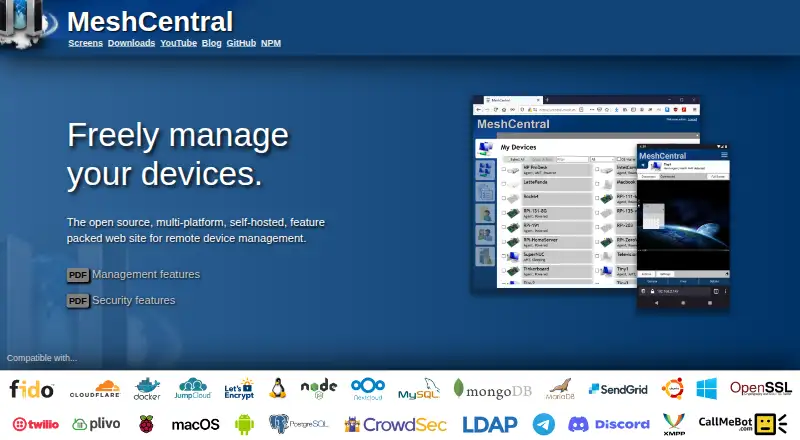
MeshCentral is an open-source, self-hosted web application for managing devices remotely. From a browser, users can access managed computers’ desktops and terminals, and download, upload, rename, or organize files on them. Support sessions can include text chat and video chat when WebRTC is available. Administrators can use Wake-on-LAN, remote power management, TCP and UDP port forwarding, and activity logs. The service supports multiple users and multitenancy, with permissions that can differ across device groups. On systems with Intel AMT, it can also support remote power-on, BIOS access, and management while the operating system is unavailable.
MeshCentral supports Windows, Linux, macOS, FreeBSD, Android, and web browsers; file transfer, session recording, and mobile apps are available. Setup uses Node.js and npm. A default installation uses the built-in NeDB database, while MongoDB is suggested for advanced users. Listed security options include two-factor authentication, FIDO2 hardware keys, TLS 1.3, and optional database record encryption. It can retrieve configuration settings and secrets from HashiCorp Vault. The project is licensed under Apache 2.0, and its plan is free. The installation page says a Raspberry Pi or AWS t3.nano instance can manage up to a few hundred devices.
Who it suits
MeshCentral suits people who want to manage computers through a self-hosted web service, including remote desktop, terminal, file, and power controls. Its multiple-user permissions, multitenancy, and Intel AMT support also suit teams managing device groups or systems whose operating system is unavailable.
What it does well
- Free plan at no cost.
- Browser-based remote desktop and terminal access.
- File transfer and session recording are supported.
- Permissions can vary across device groups.
- Security options include FIDO2 keys and TLS 1.3.
- Apache 2.0 license.
What to know first
- Installation uses Node.js and npm.
- MongoDB is suggested for advanced users.
- Video chat depends on WebRTC availability.
Plans
| Plan | Billed and limits | Price |
|---|---|---|
| MeshCentral | Open source · self-hosted · public server login available | Free |
As meshcentral.com lists them, read 8 Oct 2026. The maker's own page has the final word.
Getting started
- Visit the MeshCentral website.
- Install Node.js and npm.
- Install MeshCentral; the default setup uses the built-in NeDB database.
- Use the available public server login or your self-hosted installation.
- Add managed computers running a supported platform.
Verdict
Choose MeshCentral if you want free, open-source remote device management that you can self-host, with browser access and multi-user controls. Setup requires Node.js and npm, and video chat depends on WebRTC being available.
Questions
How much does MeshCentral cost?
The listed MeshCentral plan is free, and the pricing model is free.
Can I use MeshCentral without hosting it myself?
The plan notes that public server login is available. MeshCentral is also designed for self-hosting.
Which platforms does MeshCentral support?
Supported platforms include Windows, Linux, macOS, FreeBSD, Android, and web browsers.
Is MeshCentral open source?
Yes. The project is licensed under Apache 2.0.
What database does it use?
The default setup uses the built-in NeDB database. MongoDB is suggested for advanced users.
What can I do during remote support sessions?
Sessions can include text chat and, when WebRTC is available, video chat. Remote desktop and terminal access are also available through a browser.
Facts from MeshCentral's own pages
- Access mode
- both · meshcentral.com, 20 Sept 2026
- Capacity
- The installation page says a Raspberry Pi or AWS t3.nano instance can manage up to a few hundred devices. · meshcentral.com, 8 Oct 2026
- Deployment
- Installation uses Node.js and npm, and the default setup uses the built-in NeDB database; MongoDB is suggested for advanced users. · meshcentral.com, 8 Oct 2026
- Device management
- Features include Wake-on-LAN, remote power management, TCP and UDP port forwarding, and activity logs. · meshcentral.com, 8 Oct 2026
- File management
- Users can remotely download, upload, rename, and organize files on managed systems. · meshcentral.com, 8 Oct 2026
- File transfer
- Yes · meshcentral.com, 20 Sept 2026
- Free plan
- Yes · meshcentral.com, 20 Sept 2026
- Intel AMT
- Intel AMT support can enable remote power-on, BIOS access, and management when the operating system is unavailable. · meshcentral.com, 8 Oct 2026
- License
- The project is licensed under Apache 2.0. · docs.meshcentral.com, 8 Oct 2026
- Mobile apps
- Yes · meshcentral.com, 20 Sept 2026
- Multi-user
- The product supports multiple users and multitenancy, with different permissions on device groups. · meshcentral.com, 8 Oct 2026
- Platforms
- The server and management agent run on Windows, Linux, macOS, and FreeBSD; Android agent downloads are also listed. · meshcentral.com, 8 Oct 2026
- Purpose
- MeshCentral is an open-source, self-hosted web site for remote device management. · meshcentral.com, 8 Oct 2026
- Remote access
- It provides browser-based remote desktop and terminal access to managed computers. · meshcentral.com, 8 Oct 2026
- Secrets integration
- MeshCentral can retrieve configuration settings and secrets from HashiCorp Vault. · meshcentral.com, 8 Oct 2026
- Security
- The security features page lists two-factor authentication, FIDO2 hardware keys, TLS 1.3, and optional database record encryption. · meshcentral.com, 8 Oct 2026
- Session recording
- Yes · meshcentral.com, 20 Sept 2026
- Support and community
- The documentation directs users to file issues on GitHub and describes monthly community meetings. · github.com, 8 Oct 2026
- Supported platforms
- Windows,Linux,macOS,FreeBSD,Android,web browser · meshcentral.com, 20 Sept 2026
- Support sessions
- Remote support sessions can include text chat and, when WebRTC is available, video chat. · meshcentral.com, 8 Oct 2026
Where MeshCentral stands on Freedom251
- Remote desktop software#11 of 135
- Remote support tools#7 of 47
- Remote Monitoring and Management Software#7 of 39
- Remote Support Software#12 of 49
- Unattended Remote Access Software#8 of 29
- Remote Desktop Access Software#8 of 28