Freedom251 › Remote desktop software

RustDesk
by RustDesk
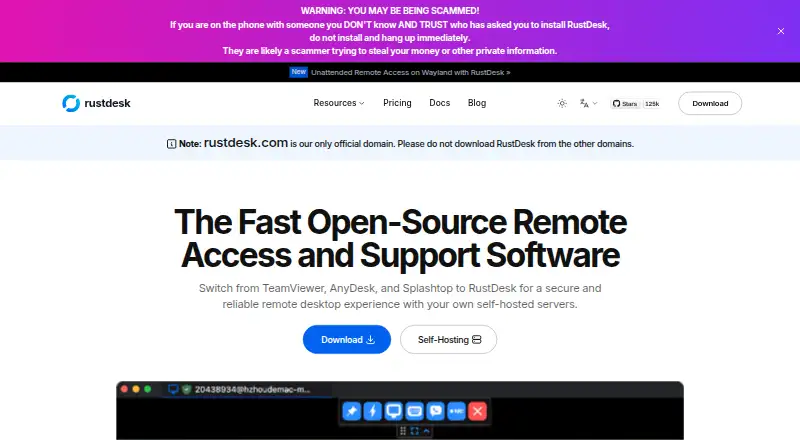
What RustDesk is
RustDesk is a remote-access tool for Windows, macOS, Linux, iOS, Android, and web. It supports access from both sides and includes file transfer, session recording, and mobile apps. The free plan is open source and includes online status and community support; it costs nothing. Paid plans are billed annually. Individual costs $11.88 a month and covers one login user and 20 managed devices. Basic costs $23.88 a month and covers 10 login users and 100 managed devices. Customized and Customized V2 each cost $23.88 a month. Both list a charge of 1.20 USD for each additional user and 0.12 USD for each additional device; Customized V2 also lists 24 USD for each additional concurrent connection. RustDesk is made by RustDesk, founded in 2021 and headquartered in Singapore. The listed plans specify different user and device limits, with the free option including online status and community support.
Who it suits
RustDesk may suit individuals and teams seeking remote access across desktop, mobile, and web platforms. Its plans list different login-user and managed-device limits.
What it does well
- Available for Windows, macOS, Linux, iOS, Android, and web.
- Includes file transfer and session recording.
- Free plan includes online status and community support.
- Individual covers 20 managed devices.
What to know first
- Individual is limited to one login user.
- Basic costs $23.88 a month, billed annually.
- Customized V2 lists an additional connection charge.
Limits
The Free plan includes online status and community support. Individual allows one login user and 20 managed devices; Basic allows 10 login users and 100 managed devices.
Plans
| Plan | Billed and limits | Price |
|---|---|---|
| Free | billed monthly · Open source and free · Online status · Community support | Free |
| Individual | billed annually · 1 login user · 20 managed devices | $11.88 a month |
| Basic | billed annually · 10 login users · 100 managed devices | $23.88 a month |
| Customized | billed annually · $1.20 for each additional user · $0.12 for each additional device | $23.88 a month |
| Customized V2 | billed annually · $1.20 for each additional user · $0.12 for each additional device · $24 for each additional concurrent connection | $23.88 a month |
As rustdesk.com lists them, read 20 Sept 2026. The maker's own page has the final word.
Getting started
- Visit the RustDesk website.
- Choose the Free plan or a paid plan.
- Use RustDesk on Windows, macOS, Linux, iOS, Android, or the web.
RustDesk is a cross-platform remote-access service for controlling computers and exchanging files from desktop, mobile, or a browser. It suits individuals and support teams working across mixed operating systems. Its open-source free tier is the clearest reason to start with it, while expanding organizations must account for per-plan user, device, and connection limits.
Overview
RustDesk brings remote sessions, file transfer, and session recording into one service. Windows, macOS, Linux, iOS, Android, and web access cover both the computers being managed and the devices used to connect. Browser access and mobile apps make it practical when a dedicated desktop client is unavailable, while the broad operating-system coverage avoids locking a team into one ecosystem.
RustDesk was founded in 2021 and is headquartered in Singapore. The freemium structure is welcoming for personal use and small experiments, but the paid tiers need careful sizing: their allowances are defined by login users and managed devices, and one tier also prices concurrent connections separately.
Key features
Remote access on desktop, mobile, and web
Support for Windows, macOS, Linux, iOS, Android, and the web lets a user connect from the hardware already at hand. That is particularly useful for mixed fleets and for technicians who may need to respond from a phone or tablet rather than a workstation.
File transfer
File transfer is built into the remote-access offering, so documents and troubleshooting materials can be moved between local and remote systems during a session. It is a meaningful convenience for support work because transferring a file does not require a separate service.
Session recording
Session recording provides a record of remote interactions. Support organizations can use that for review or accountability, while individual users gain a way to revisit what happened during a remote session.
Managed-device allowance
The paid plans make device capacity explicit. That clarity helps a small administrator choose a tier, but it also means a deployment can outgrow a plan even when the number of people logging in remains unchanged.
Pricing
| Plan | Price and billing | Included allowance |
|---|---|---|
| Free | free, billed monthly | Open source and free, online status, community support |
| Individual | $11.88 a month, billed annually | 1 login user, 20 managed devices |
| Basic | $23.88 a month, billed annually | 10 login users, 100 managed devices |
| Customized | $23.88 a month, billed annually | Additional users at $1.20 each and additional devices at $0.12 each |
| Customized V2 | $23.88 a month, billed annually | Additional users at $1.20 each, additional devices at $0.12 each, and additional concurrent connections at $24 each |
The Free plan is the right entry point for users who accept community support and need no paid allowance. Individual is aimed at one operator managing up to 20 devices; its single-login ceiling makes it unsuitable for a shared help desk. Basic raises capacity to 10 login users and 100 devices, a more credible fit for a small support group. Customized starts at the same annual monthly price but charges for each extra user and device, which is useful when requirements do not fit the fixed Basic allocation. Customized V2 adds a separate concurrent-connection charge, so teams needing multiple simultaneous sessions should budget for that in addition to user and device growth. Annual billing applies to every paid tier.
Platforms
RustDesk supports Windows, macOS, Linux, iOS, Android, and web access. The combination of desktop applications, mobile apps, and browser connectivity makes it suitable for organizations with varied endpoints and for users who switch devices. Readers seeking a single-platform specialist have less reason to pay for this breadth.
Who it's for
Choose RustDesk for personal remote access, small teams, and support operations that value open-source availability and need to reach different operating systems. Free is compelling for cost-sensitive individuals and pilots. Individual fits a lone administrator, while Basic is the more sensible starting point for a team sharing responsibility across a defined device estate. Larger or unusually shaped deployments should calculate the customized per-user, per-device, and, where relevant, concurrent-connection charges before signing up.
Pros and cons
Pros
- Open-source free tier: lowers the barrier for personal use and evaluation.
- Very broad client coverage: Windows, macOS, Linux, iOS, Android, and web access handle mixed environments.
- File transfer and recording: adds practical support and accountability functions to remote sessions.
- Clear capacity tiers: login-user and managed-device allowances make small-team sizing straightforward.
Cons
- Free support is community-based: organizations needing a paid support channel may outgrow the no-cost tier.
- Individual allows only one login user: it cannot serve a multi-technician operation.
- Paid plans bill annually: buyers have less short-term flexibility than with monthly paid terms.
- Concurrent connections can add substantial cost: Customized V2 charges $24 for each additional concurrent connection.
Alternatives
DWService is a strong alternative when an open-source agent and the same broad platform coverage are the priority.
Jump Desktop suits readers who want a free browser option with unlimited computers, while its apps may require a one-time purchase.
TeamViewer Remote is preferable for personal, non-commercial use when a free trial and free plan are more important than RustDesk's open-source positioning.
Zoho Assist is a better fit for a technician managing a small, explicitly capped device set, with its free plan covering one technician and five devices.
Getscreen.me offers another freemium route, including a free allowance of two devices, 50 MB per file, and one seat.
HopToDesk is worth considering for a no-time-limit free plan covering two users and three devices.
MeshCentral is the alternative for readers who specifically want a free, open-source, self-hosted service.
Remote Utilities fits buyers who prefer a one-time free license for up to 10 controlled devices.
Verdict
RustDesk is a strong choice for individuals and small support teams that need open-source remote access across desktop, mobile, and web platforms, with file transfer and recording included. Pick it for the unusually capable free starting point and broad compatibility; look elsewhere if annual billing, a one-login Individual tier, or extra concurrent-connection charges make its scaling model a poor match.
Verdict
RustDesk offers a free open-source plan alongside annually billed plans with stated user and device limits. Customized V2 also lists a charge for each additional concurrent connection.
Questions
Is RustDesk free?
Yes. Its Free plan costs nothing and includes open-source access, online status, and community support.
How much do the paid plans cost?
Individual costs $11.88/mo (annual), and Basic costs $23.88/mo (annual). Customized and Customized V2 are each listed at $23.88/mo (annual).
Which platforms does RustDesk support?
Windows, macOS, Linux, iOS, Android, and web are listed. Mobile apps are available.
What do the Individual and Basic plans include?
Individual includes one login user and 20 managed devices. Basic includes 10 login users and 100 managed devices.
Who makes RustDesk?
RustDesk is made by RustDesk, founded in 2021 and headquartered in Singapore.
What do Customized plans charge for additional capacity?
Customized and Customized V2 list $1.20 for each additional user and $0.12 for each additional device. Customized V2 also lists $24 for each additional concurrent connection.
Facts from RustDesk's own pages
- Access mode
- both · rustdesk.com, 20 Sept 2026
- File transfer
- Yes · rustdesk.com, 20 Sept 2026
- Founded
- 2021 · rustdesk.com, 28 Sept 2026
- Free plan
- Yes · rustdesk.com, 20 Sept 2026
- Headquarters
- Singapore · rustdesk.com, 28 Sept 2026
- Managed devices
- 20 · rustdesk.com, 20 Sept 2026
- Mobile apps
- Yes · rustdesk.com, 20 Sept 2026
- Session recording
- Yes · rustdesk.com, 20 Sept 2026
- Supported platforms
- Windows,macOS,Linux,iOS,Android,Web · rustdesk.com, 20 Sept 2026
Where RustDesk stands on Freedom251
- Remote desktop software#19 of 135
- Remote support tools#9 of 47
- Work From Home Software#7 of 26
- Remote Support Software#15 of 49
- Remote Desktop Access Software#10 of 28
- Unattended Remote Access Software#11 of 29