Freedom251 › Remote desktop software
ShowMyPC
by ShowMyPC
What ShowMyPC is
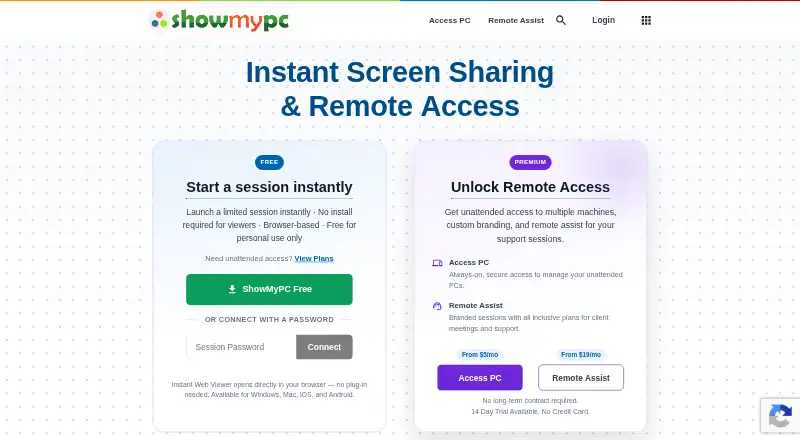
ShowMyPC is remote access software from ShowMyPC, whose headquarters are in San Jose, California, United States. It supports Windows, Mac, Linux, Android, iPhone and iPad, Chromebook and web browsers, with both web and app access. The listed capabilities include file transfer and session recording, and the service has mobile apps. A free plan and a 14-day trial are listed. Paid Remote Access plans are billed monthly: Remote Access — 2 PCs costs $5 a month, Remote Access — 10 PCs costs $10 a month, and Remote Access — 20 PCs costs $20 a month. Remote Access — Select costs $50 a month and lists Windows support, a browser viewer, remote desktop support, a shared file folder and mobile support. ShowMyPC lists two managed devices. The plan options distinguish coverage by the number of PCs, while Select lists its own combination of remote access and support features.
Who it suits
ShowMyPC suits people who need remote access across desktop, mobile or browser platforms, and those choosing a plan based on the number of PCs to cover.
What it does well
- Supports Windows, Mac, Linux, mobile devices and browsers.
- Includes file transfer and session recording.
- Free plan and 14-day trial are listed.
- Plans cover 2, 10 or 20 PCs.
What to know first
- The listed managed-device count is 2.
- Remote Access — Select lists Windows support.
Limits
The listed managed-device count is 2. Paid PC plans cover 2, 10, or 20 PCs, while Remote Access — Select lists its own feature set at $50 a month.
Plans
| Plan | Billed and limits | Price |
|---|---|---|
| Remote Access — 2 PCs | billed monthly · 2 PCs | $5 a month |
| Remote Access — 10 PCs | billed monthly · 10 PCs | $10 a month |
| Remote Access — 20 PCs | billed monthly · 20 PCs | $20 a month |
| Remote Access — Select | billed monthly · Remote access · Windows support · Browser viewer · Remote desktop support · Shared file folder · Mobile support | $50 a month |
As showmypc.com lists them, read 20 Sept 2026. The maker's own page has the final word.
Getting started
- Open the ShowMyPC website
- Choose the free plan, 14-day trial, or a paid Remote Access plan
- Select a plan based on the number of PCs or Select features
- Install or open ShowMyPC on a supported desktop or mobile platform
- Connect through the app or web browser
Verdict
ShowMyPC offers broad platform support, file transfer and session recording, with paid plans organized around PC counts. Compare those limits with the Select plan’s listed features before choosing.
Questions
Does ShowMyPC have a free plan?
Yes. ShowMyPC offers a free plan and a 14-day trial.
What platforms does it support?
It supports Windows, Mac, Linux, Android, iPhone and iPad, Chromebook, and web browsers, with both web and app access.
What are the monthly prices?
Remote Access — 2 PCs is $5 a month, 10 PCs is $10 a month, and 20 PCs is $20 a month. Remote Access — Select is $50 a month.
Does ShowMyPC support file transfer?
Yes. File transfer and session recording are listed capabilities.
Who makes ShowMyPC?
ShowMyPC makes the software and is headquartered in San Jose, California, United States.
Facts from ShowMyPC's own pages
- Access mode
- both · showmypc.com, 20 Sept 2026
- File transfer
- Yes · showmypc.com, 20 Sept 2026
- Free plan
- Yes · showmypc.com, 20 Sept 2026
- Headquarters
- San Jose, California, United States · showmypc.com, 28 Sept 2026
- Managed devices
- 2 · showmypc.com, 20 Sept 2026
- Mobile apps
- Yes · showmypc.com, 20 Sept 2026
- Session recording
- Yes · showmypc.com, 20 Sept 2026
- Supported platforms
- Windows,Mac,Linux,Android,iPhone/iPad,Chromebook,web browser · showmypc.com, 20 Sept 2026
Where ShowMyPC stands on Freedom251
- Remote desktop software#20 of 135
- Remote Support Software#16 of 49
- Remote support tools#17 of 47