Freedom251 › Remote desktop software

Supremo
by Supremo
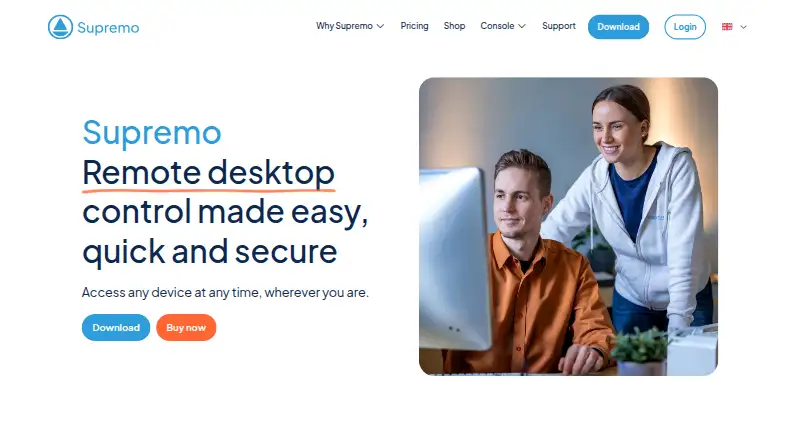
What Supremo is
Supremo provides remote monitoring, management, and support for people who need to connect to and control remote endpoints. It runs on Windows and macOS, with Android and iOS support for mobile access. Its lightweight single executable, according to the maker, requires no installation and no router or firewall configuration. Remote assistance tools include unattended access, two-way file transfer, remote printing, chat, online reports, and an online address book. Subscribers can brand the support client with their own logo and distribute it to customers. The API can exchange Console data automatically with other software; named integrations include Acronis, Remote Desktop Manager, Riversuite, Deepser, and Easy Connect by PhySonix. The maker says sessions use TLS 1.2 and file transfers are encrypted, with safeguards including two-factor authentication, ID whitelisting, access approval, brute-force protection, and customizable passwords. Supremo is aimed at IT teams, MSPs, and private users. It offers a free option for non-professional and/or non-continuous use; business use or use without time limits requires a pro plan. Paid pricing starts at €7.37/mo (annual), with a 21-day trial. The maker, Supremo, was founded in 2013 and is based in Ascoli Piceno, Italy.
Who it suits
Supremo suits IT teams, MSPs, and private users who need to access and support remote endpoints across desktop and mobile systems. It is also relevant to providers who want to distribute a branded support client or connect Console data with other software.
What it does well
- Runs without installation or router or firewall configuration, according to its maker.
- Includes unattended access, file transfer, remote printing, and chat.
- Offers mobile apps and desktop endpoint support.
- Supports client branding and named third-party integrations.
- Provides two-factor authentication, ID whitelisting, and access approval.
What to know first
- Business use requires a pro plan.
- Solo allows one simultaneous remote session.
- Business supports up to three simultaneous remote sessions.
Limits
Free use is for non-professional and/or non-continuous use; business use or use without time limits requires a pro plan. Solo permits one simultaneous remote session, while Business permits up to three in the maker’s examples.
Plans
| Plan | Billed and limits | Price |
|---|---|---|
| Business | 1 year · 3 simultaneous remote sessions · additional connections 39 €/each/year | €1,337 a year |
| Professional | 1 year · Business plan connections · RMM, support queue, device management | €2,828 a year |
| Solo | 1 year · 1 remote session at a time · unlimited PCs for activation | €737 a year |
As supremocontrol.com lists them, read 9 Oct 2026. The maker's own page has the final word.
Getting started
- Visit the Supremo website.
- Download the executable for a supported connection endpoint.
- Use the free option for non-professional and/or non-continuous use.
- Start a 21-day trial or choose a pro plan for business use or use without time limits.
- Choose a plan based on the number of simultaneous remote sessions needed.
Verdict
Choose Supremo if you need remote endpoint support with file transfer, unattended access, and options for branded client distribution. Its free use is limited to non-professional and/or non-continuous use; business use or unlimited-time use requires a pro plan, and Solo allows only one session at a time.
Questions
How much does Supremo cost?
Pricing starts at €7.37/mo (annual), and a 21-day trial is offered. Business is €19.67 a month on the selected three-month billing term; Professional is €42.67 a month on that term.
Is there a free plan?
Yes. Free use is for non-professional and/or non-continuous use; business use or use without time limits requires a pro plan.
Which platforms does Supremo support?
Supported operating systems include Windows, macOS, Android, and iOS. The download page lists these as connection endpoints and also lists iOS as a connection source.
What integrations does it offer?
Named integrations include Acronis, Remote Desktop Manager, Riversuite, Deepser, and Easy Connect by PhySonix. The API can exchange Console data automatically with third-party software.
How many remote sessions can plans run at once?
Solo allows one simultaneous session. Business allows up to three; the Professional plan’s listed details do not give a session allowance.
Who makes Supremo?
Supremo is made by Supremo, founded in 2013 and headquartered in Ascoli Piceno, Italy.
Facts from Supremo's own pages
- Access mode
- both · supremocontrol.com, 20 Sept 2026
- Access safeguards
- Security options include brute-force protection, ID whitelisting, two-factor authentication, access approval, and customizable passwords. · supremocontrol.com, 9 Oct 2026
- API
- The API integration feature can exchange Console data automatically with third-party software. · supremocontrol.com, 9 Oct 2026
- Cloud providers
- The maker says its cloud service providers include Amazon Web Services and OVHcloud. · supremocontrol.com, 9 Oct 2026
- Customization
- Subscribers can customize the support client with their own brand or logo and distribute it to customers. · supremocontrol.com, 9 Oct 2026
- Encryption
- The maker says sessions use TLS 1.2 and file transfers are encrypted. · supremocontrol.com, 9 Oct 2026
- File transfer
- Yes · supremocontrol.com, 20 Sept 2026
- Founded
- 2013 · supremocontrol.com, 28 Sept 2026
- Free plan
- No · supremocontrol.com, 20 Sept 2026
- Free use
- The download page says Supremo is free for non-professional and/or non-continuous use; business use or use without time limits requires a pro plan. · supremocontrol.com, 9 Oct 2026
- Headquarters
- Ascoli Piceno, Italy · supremocontrol.com, 28 Sept 2026
- Integration
- The integration page names Acronis, Remote Desktop Manager, Riversuite, Deepser, and Easy Connect by PhySonix. · supremocontrol.com, 9 Oct 2026
- Intended users
- The company describes its software as serving IT teams, MSPs, and private users. · nanosystems.com, 9 Oct 2026
- Mobile apps
- Yes · supremocontrol.com, 20 Sept 2026
- No-install access
- The software is a lightweight single executable that the maker says needs no installation or router or firewall configuration. · supremocontrol.com, 9 Oct 2026
- Plan limits
- Solo allows one remote session at a time, while Business supports up to three simultaneous remote sessions in the maker’s examples. · supremocontrol.com, 9 Oct 2026
- Purpose
- Supremo provides remote monitoring, management, and support, letting users access and control remote endpoints. · supremocontrol.com, 9 Oct 2026
- Remote assistance
- Features include unattended access, two-way file transfer, remote printing, chat, online reports, and an online address book. · supremocontrol.com, 9 Oct 2026
- Supported operating systems
- The download page lists Windows, macOS, Android, and iOS as connection endpoints; it also lists iOS as a connection source. · supremocontrol.com, 9 Oct 2026
- Supported platforms
- Windows,macOS,iOS,Android · supremocontrol.com, 20 Sept 2026
- Support resources
- The Supremo support page offers tutorials and lists 134 results. · supremocontrol.com, 9 Oct 2026
Where Supremo stands on Freedom251
- Remote desktop software#22 of 135
- Remote Support Software#18 of 49
- Remote Desktop Access Software#12 of 28
- Unattended Remote Access Software#13 of 29
- Remote support tools#22 of 47