Freedom251 › Remote support tools
dualmon
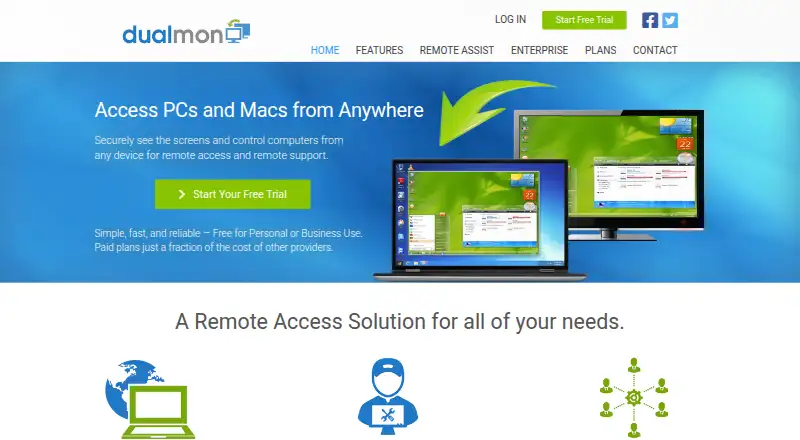
What dualmon is
dualmon provides remote access and remote support for computers, alongside browser based online meetings. Users can connect to a computer at any time, and a connection can resume automatically after the remote computer reboots. Support providers can deploy dualmon remotely to connect with users and help them. File transfer and session recording are available, and the service supports Windows, macOS, iOS, Android, and web access, with mobile apps. Meetings include screen annotation, shared control, meeting history, presentation recording, and calendar integration with Outlook, Google Calendar, and other calendars. Security controls include two factor authentication, IP whitelisting, screen blanking, and input locking; dualmon says data transfers use SSL encryption. A free account covers personal or business use and includes remote access and meetings. The free plan lists five managed devices. Paid plans include options for individuals, small offices, remote support, and enterprises, with enterprise tiers sized from 10 to 1,000 remote computers. The Remote Assist plan is $99 a year and lists 20 user accounts and five unattended computers. Enterprise plans list unlimited user accounts. dualmon LLC describes itself as an independent, privately held company headquartered in Southern California.
Who it suits
dualmon suits people who need to access or support computers remotely, as well as teams that hold browser based meetings with shared control and annotation. Its enterprise tiers also suit organizations choosing capacity by remote computer count and needing unlimited user accounts.
What it does well
- Remote connections can resume automatically after a computer reboot.
- Includes file transfer and session recording.
- Meetings offer annotation, shared control, and presentation recording.
- Supports Windows, macOS, iOS, Android, and web access.
- Security controls include two factor authentication and IP whitelisting.
What to know first
- The free plan lists five managed devices.
- The Remote Assist plan lists five unattended computers.
- Enterprise plans begin at $99 a year for 10 computers.
Limits
The free plan lists five managed devices. Remote Assist costs $99 a year and includes five unattended computers; enterprise computer limits begin at 10.
Plans
| Plan | Billed and limits | Price |
|---|---|---|
| Remote Assist | Price shown as $99/year; includes a 50% first-year promotion on the page. · 20 user accounts · 5 unattended computers | $99 a year |
| Enterprise - 10 computers | Price / year · 10 remote computers | $99 a year |
| Enterprise - 25 computers | Price / year · 25 remote computers | $149 a year |
| Enterprise - 50 computers | Price / year · 50 remote computers | $199 a year |
| Enterprise - 100 computers | Price / year · 100 remote computers | $249 a year |
| Enterprise - 250 computers | Price / year · 250 remote computers | $399 a year |
| Enterprise - 500 computers | Price / year · 500 remote computers | $649 a year |
| Enterprise - 1,000 computers | Price / year · 1,000 remote computers | $999 a year |
The first 8 of 18 plans, as dualmon.com lists them, read 20 Sept 2026. The maker's own page has the final word. Every plan
Getting started
- Open https://www.dualmon.com/.
- Choose the free account or a paid plan.
- Use the web access or install the app for a supported platform.
- For remote support, have a support provider deploy dualmon to connect to your computer.
dualmon brings remote computer access, user support and browser-based meetings together, making it a fit for people who need more than a remote desktop connection. Its range of annual plans can suit an individual or a business managing many computers, but the computer and user caps make choosing the right tier central to the decision.
Overview
Users can connect to computers at any time, with automatic reconnection after a remote reboot—a useful combination for unattended machines. Support providers can also deploy dualmon remotely to connect to users and assist them. That reach is paired with online meetings, so teams handling support and collaboration may be able to keep both in one service. It is less compelling for buyers who need only one of those functions.
Key features
File transfer and session recording cover two practical needs beyond viewing a remote screen. Meetings support screen annotation, shared control, calendar integration, meeting history and presentation recording. Outlook and Google Calendar are among the integrations. Together, these tools make dualmon more suited to interactive support and meetings than a service focused solely on remote access.
Security controls include two-factor authentication, IP whitelisting, screen blanking and input locking. The maker says data is transferred using SSL encryption. Its privacy policy says it will not sell personal information or provide it to third-party partners for marketing or promotional purposes. These controls may help organizations manage access and privacy, but businesses should assess whether they meet their own requirements.
The searchable knowledge base covers website use, installation, product features, accounts and service, giving users a self-service option for common questions.
Pricing
dualmon offers a free account for personal or business use, with remote access and meetings, plus a 14-day trial. The free plan's published description does not give a computer or user cap, so buyers should confirm capacity before relying on it for a larger deployment.
For individuals, PRO — Individuals costs $19 a year and gives access to 2 computers. PRO — Small Offices costs $24 a year for the first year, then shows $49 per year, and covers up to 5 computers. The step up is modest in the first year, but the renewal price matters for small offices planning a continuing subscription.
Remote Assist costs $99 a year and includes 20 user accounts and 5 unattended computers. The page shows a 50% first-year promotion. That makes it a fit for support teams needing multiple accounts, but its five-computer limit may constrain broader fleets.
Enterprise plans scale by computer count and include unlimited user accounts: 10 computers for $49 a year in the first year, then $99 per year; 25 for $149 a year; 50 for $199 a year; 100 for $249 a year; 250 for $399 a year; 500 for $649 a year; and 1,000 for $999 a year. The lower enterprise tiers are economical for growing fleets, while the larger tiers give a clear capacity path without a stated user-account ceiling. Compare the computer allowance with the devices you need to manage, and account for the first-year promotion where it applies.
Platforms
dualmon supports Windows, macOS, iOS, Android and the web, with both desktop and mobile access. The enterprise page describes support for Windows XP and newer, Windows Server versions, and macOS Mavericks and newer. That breadth can help teams reach mixed device environments; buyers with Linux systems should look elsewhere for platform support.
Who it's for
dualmon is best suited to individuals, small offices and support teams that want remote access, assistance and online meetings in one service. Larger businesses can choose computer-based enterprise tiers with unlimited user accounts, while organizations needing more than 1,000 remote computers would need to discuss custom pricing. It is a weaker fit for Linux-dependent teams or buyers seeking only a single-purpose remote access tool.
Pros and cons
- Pros: Remote access, support and browser meetings share one service, with file transfer, recording and meeting collaboration tools.
- Pros: Annual tiers span 2 to 1,000 computers, and enterprise plans include unlimited user accounts.
- Cons: Several plans cap computer access, so users must match the tier to their fleet rather than assume a broad device allowance.
- Cons: The 50% first-year Remote Assist promotion and discounted first-year small-office and 10-computer enterprise prices mean renewal costs are higher.
- Cons: Linux is not among the supported platforms.
Alternatives
DWService is a better fit for buyers who prioritize open-source software; its free agent is released under MPLv2 along with components under other licenses.
TeamViewer Remote offers a free tier for personal, non-commercial use, so it may suit someone seeking remote access without business use.
Zoho Assist may suit small support operations that want a free tier for one technician and five devices.
AirDroid Remote Support is an option for users whose free-tier allowance of 10 hours per month and three unattended Windows or macOS devices matches their needs.
Getscreen.me may work for a light personal workload that fits its free tier of two devices, 50 MB per file and one seat.
Iperius Remote is another option if a free plan limited to one connection is sufficient.
ManageEngine Remote Access Plus offers a free tier for up to 10 devices, which may better suit a small fleet needing remote access.
RustDesk is worth considering for buyers looking for open-source remote desktop software.
Compare related options in Remote Support Software and Remote desktop software.
Verdict
Choose dualmon if remote access, remote support and online meetings belong in one service across desktop, mobile and web. Its broad plan range and support for large computer fleets are its strongest advantages; the main reason to look elsewhere is a mismatch between your required computer count, supported platforms or renewal budget and the tier limits.
Verdict
Choose dualmon if remote access, remote support, and online meetings belong in one service across desktop, mobile, and web. Its free account provides a way to start, while paid plans set capacity by users or remote computers; compare those limits with the number of devices you need to reach.
Questions
Is dualmon free?
Yes. The Free Account costs nothing and is listed for personal or business use, with remote access and meetings.
How much does dualmon cost?
Listed plans include PRO — Individuals at $19 a year, PRO — Small Offices at $24 a year for the first year, and Remote Assist at $99 a year. Enterprise plans range from $99 a year for 10 computers to $999 a year for 1,000 computers.
Does dualmon offer a trial?
Yes. The pricing note lists a 14-day trial.
Which platforms does dualmon support?
It supports Windows, macOS, iOS, Android, and web access, and lists mobile apps.
What does dualmon do for meetings?
Meeting features include screen annotation, shared control, calendar integration, meeting history, and presentation recording. Its home page says meetings integrate with Outlook, Google Calendar, and others.
Who makes dualmon?
dualmon LLC describes itself as an independent, privately held company headquartered in Southern California.
Facts from dualmon's own pages
- Access mode
- both · dualmon.com, 20 Sept 2026
- Business scale
- Enterprise plans list computer limits from 10 to 1000 and include unlimited user accounts. · dualmon.com, 7 Oct 2026
- Calendar integrations
- The home page says meetings integrate with Outlook, Google calendar, and others. · dualmon.com, 7 Oct 2026
- Company
- dualmon LLC describes itself as an independent, privately held company headquartered in Southern California. · dualmon.com, 7 Oct 2026
- Encryption
- The maker says all data is transferred with SSL encryption. · dualmon.com, 7 Oct 2026
- File transfer
- The product transfers files directly between computers without email or cloud storage. · dualmon.com, 7 Oct 2026
- Free plan
- Yes · dualmon.com, 20 Sept 2026
- Managed devices
- 5 · dualmon.com, 20 Sept 2026
- Meetings
- Meeting features include screen annotation, shared control, calendar integration, meeting history, and presentation recording. · dualmon.com, 7 Oct 2026
- Mobile apps
- Yes · dualmon.com, 20 Sept 2026
- Platform support
- The enterprise page lists Windows XP and newer, Windows Server versions, and macOS Mavericks and newer; it also describes access from mobile devices. · dualmon.com, 7 Oct 2026
- Privacy
- The privacy policy says dualmon will not provide personal information to third party partners for marketing or promotional purposes and will not sell it. · dualmon.com, 7 Oct 2026
- Product
- dualmon provides remote access and remote support to computers from anywhere, and also offers browser based online meetings. · dualmon.com, 7 Oct 2026
- Remote access
- Users can connect at any time and automatically reconnect after a remote reboot. · dualmon.com, 7 Oct 2026
- Remote support
- Support providers can remotely deploy dualmon to connect to users and assist them. · dualmon.com, 7 Oct 2026
- Security controls
- Features include two factor authentication, IP whitelisting, screen blanking, and input locking. · dualmon.com, 7 Oct 2026
- Session recording
- Yes · dualmon.com, 20 Sept 2026
- Support
- The site offers a searchable knowledge base with FAQs for using the website, installing software, product features, and accounts and service. · dualmon.com, 7 Oct 2026
- Supported platforms
- Windows,macOS,iOS,Android,web · dualmon.com, 20 Sept 2026
Where dualmon stands on Freedom251
- Remote support tools#2 of 47
- Remote Support Software#5 of 49
- Remote desktop software#23 of 135